
styled-queries
 Styled Queries
A tool for use with styled-components! Media queries for the component age.
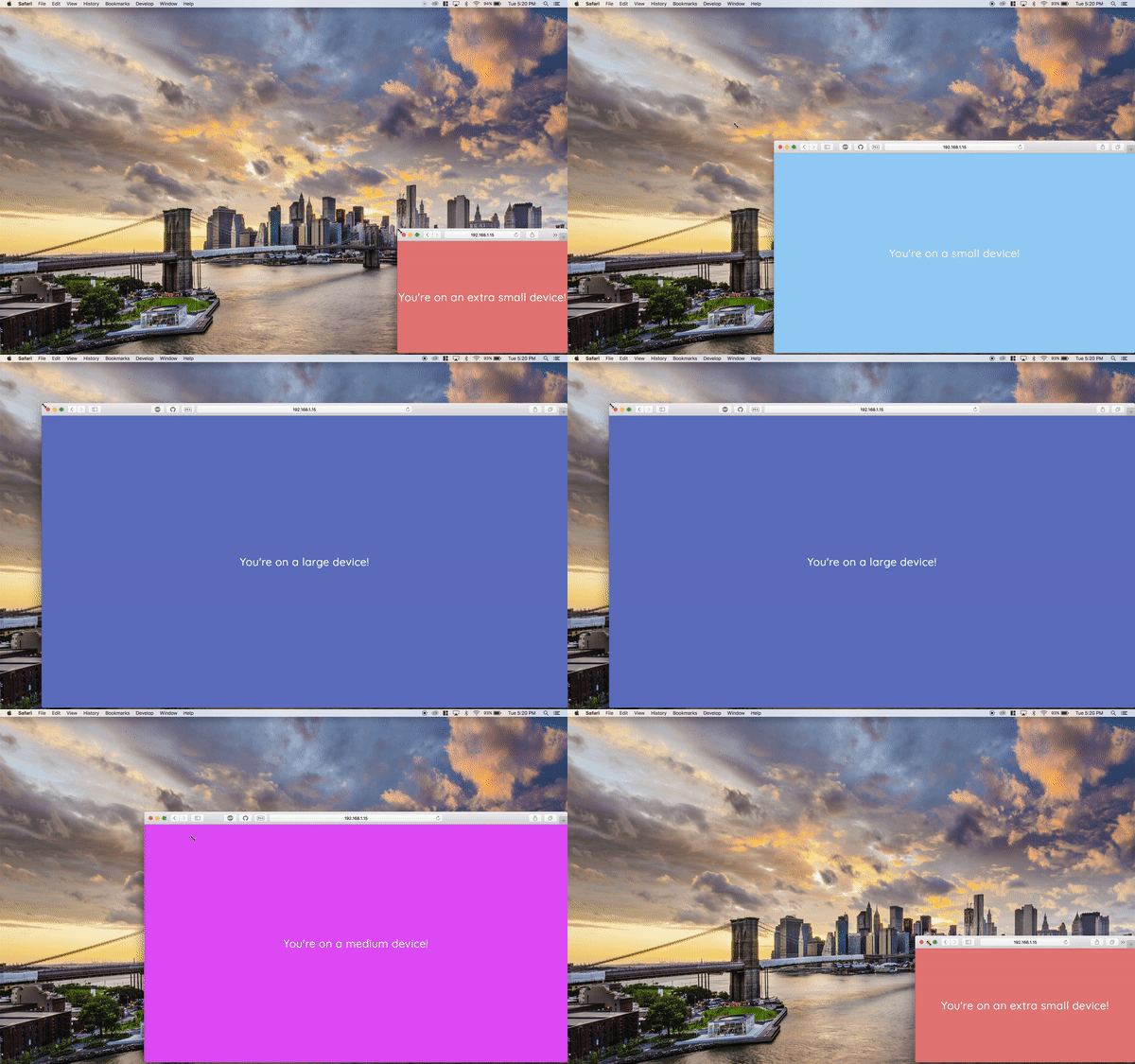
What's the point?
This tool offers a simpler interface for writing out media queries in styled tagged templates. It comes with some simple predifined breakpoints, the ability to inject your own configuration and some convenient query-helpers to help you target specific breakpoints.
Getting started
First things first, install the npm package via the npm cli. $ npm install --save styled-queriesUsage
Using Style Queries with your React-Styled project is extremely easy. Simply, import the styled-queries package into your React component of choice and use interpolation inside of your styled tagged template to access the media query breakpoints via dot notation.
The default import is an object containing functions returning media query wrappers. This is what you will be interfacing with to make media queries simpler.
Here's an example:
import React, { Component } from 'react';
import styled from 'styled-components';
import { media } from 'styled-queries';

const Div = styled.div`
  color: #fff !important;
  height: 100vh;
  ${media.sm`background: #90caf9;`}
  ${media.md`background: #e040fb;`}
  ${media.lg`background: #5c6bc0;`}
  ${media.xsOnly`font-family: comic-sans;`}
`;

export default () => (
  <Div>
    <h1>Hello, World!</h1>
  </Div>
)
Query helpers
As you can see, the API provides [size]Only query-helpers for all breakpoints automatically, even for ones you inject with your configuration. These are calculated dynamically by getting the difference of each breakpoint's respecitve width.
const XxlOnlyBanner = styled`
  display: none;
  ${media.xxlOnly`display: block;`}
`
Default queries ㉿
Styled Queries comes with some pretty useful breakpoints out of the box. Keep in mind, you can choose add your own and remove these (see the configuring section for more details).
const defaultBreakpoints = {
  xs: 320,
  sm: 768,
  md: 1224,
  lg: 1400,
  xl: 1824,
};
Configuring
It's very easy to add your own configuration to your project. To get started with configuring your own breakpoints, import the makeQueries function from styled-queries.
makeQueries takes two parameters:
{boolean}Describes whether or not to inject default breakpoints. [Default:true]{object}Describes a breakpoint and its min-width (where its width is an{integer}). [Default:null]
To keep things neat, one might dedicate a file in the utils directory for exporting a custom config of Styled Queries globally throughout the project. Here's an example:
./utils/media-queries.js
import { makeQueries } from 'styled-queries'

export default makeQueries(true, {
  xxs: 200,
  xxl: 2000,
})
./pages/index.js
import media from '../utils/media-queries'

const Grid = styled`
  display: flex;
  flex-wrap: wrap;
  background: #9e0;
  width: 90%;
  ${media.md`width: 80%;`}
  ${media.lg`width: 60%;`}
`
Enjoy!
I hope you make awesome things with style-components and styled-queries!