
Licence
MIT
Version
0.3.2
Deps
5
Size
562 kB
Vulns
0
Weekly
0

Console log helpers for your debugging journey

Getting Started
Install
npm install tacker -SAdd to source
import { printLine, printMirror, printPkgVersion, printPkgProp } from "tacker";API
printLine(szColor || oColor) - Sync
Where
- szColor is a string. Color options can be found on chalk's readme or in source here
- oColor is an object comprised of properties so you can mnaually configure the line
color: the color of the line; default is bluecharacter: the character which will make up the line; default is -length: represents the number of characters to repeat; default is 59quantityrepresents the number of lines to print; default is 1
Examples
-
printLine("blue") -
printLine({color:"blue", character:"-","length:59",quantity:1})
Output
Both of the above examples produce this identical output
printMirror({ mVariable }, szKeyColor, szValueColor) - Sync
This will print the variable's name and the variable's value (regardless of variable type).
Where
- mVariable is an object or a variable you would like to print. If it's an object or an array, it will pretty-print using JSON.stringify.
- szVariableKeyColor is a string of the variable's key.
- szVariableValueColor is an object or a variable
Example
const mock = {
    foo: "bar"
  };
printMirror({mock}, "blue", "grey")
Output
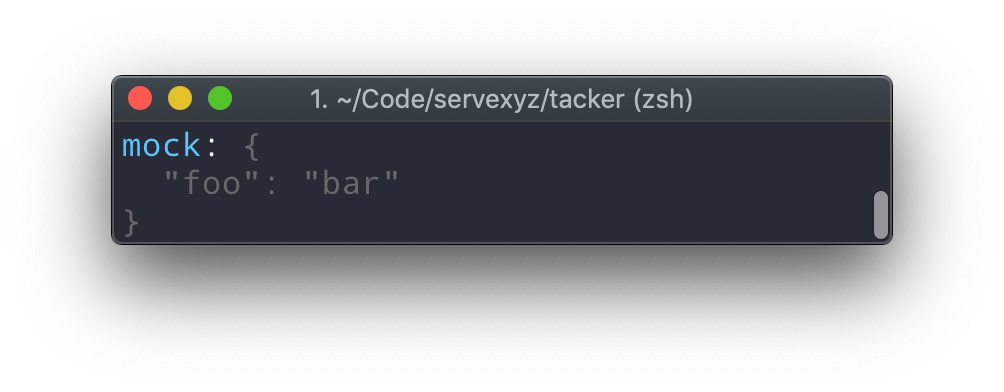
printPkgVersion(mPkgSource) - Async
This will print the version of the specified package.
Where
- mPkgSource allows you to specify which package to read from.
-
undefined -
string -
object
-
Example
await printPkgVersion()await printPkgVersion("/path")await printPkgVersion("/path/package.json")await printPkgVersion({ name: "tacker", version: "x.y.z", ...})
Output
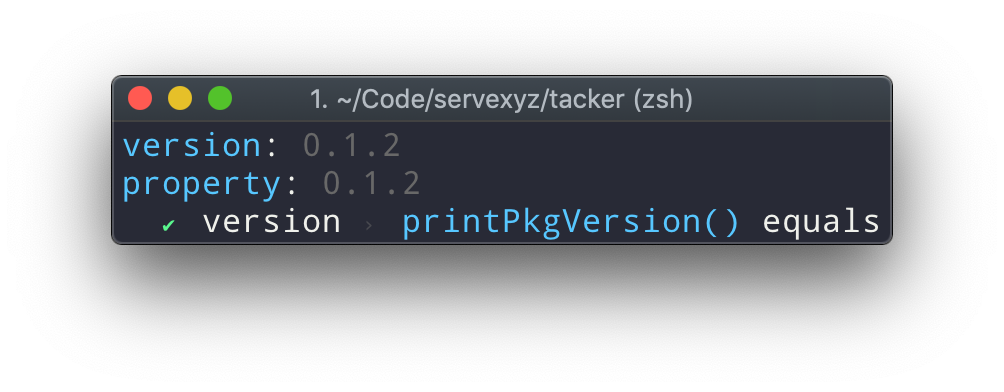
printPkgProp(szProperty, mPkgSource) - Async
This will print any property from the specified package.
Where
- szProperty allows you to specify the package property.
- mPkgSource allows you to specify which package to read from.
-
undefined -
string -
object
-
Example
await printPkgProp("version")await printPkgProp("version", "/path")await printPkgProp("version", "/path/package.json")await printPkgProp("version", { name: "tacker", version: "x.y.z", ...})
Output
FAQ
Name
Portmaneau of "tack" and "logger"In a sailing context, tack means "change course by turning a boat's head into and through the wind"
Why
There's reasons to use more sophisticated tooling (stack traces, Chrome dev tools, etc). However, when you're getting up-and-running with a project, it's extremely helpful to be able to log values. The issue is before long, your terminal is contaminated with a slew of logs. Tacker exists to solve thisHow
- Make logs prettier (current)
- Only log things in certain circumstances (future)