1.0.4 • Published 2 years ago
tailwind-debug v1.0.4





Tailwind Debug Plugin
The Tailwind Debug Plugin is a valuable tool for web developers, enabling them to swiftly and effortlessly apply a red dashed outline to any HTML element.
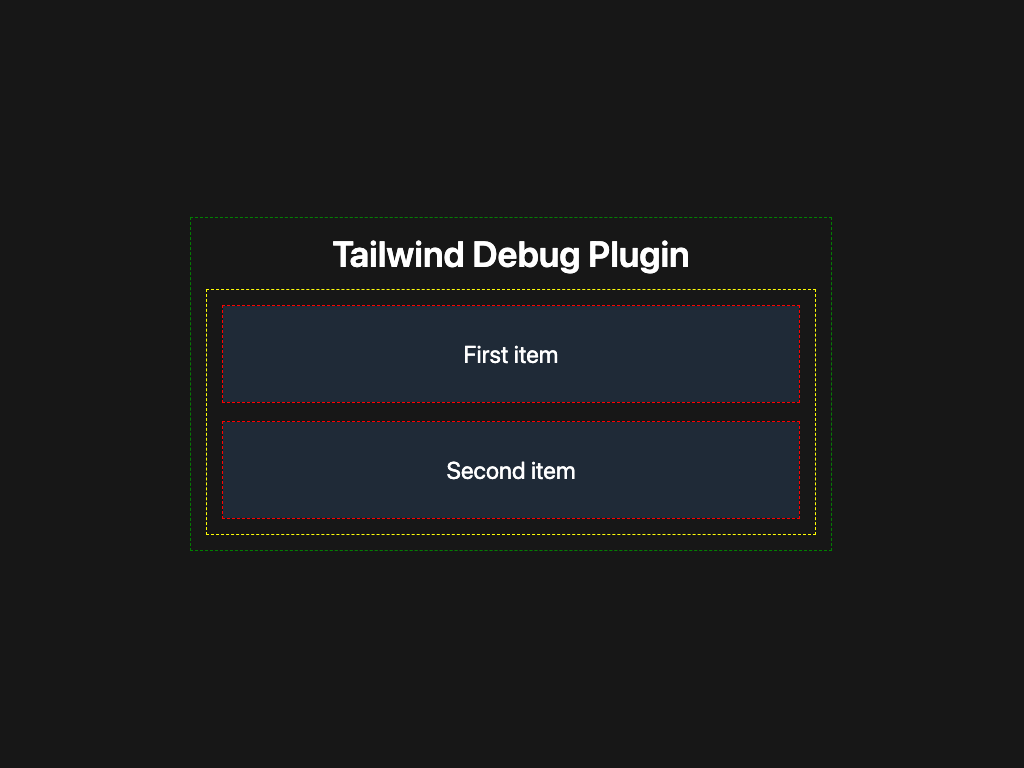
How to Add and Use the Tailwind Debug Plugin
Step 1: Install the Plugin
yarn add tailwind-debug
npm i tailwind-debug
Add the tailwind-debug plugin to your tailwind.config.js file:
// tailwind.config.js
module.exports = {
	plugins: [
		require('tailwind-debug'),
	],
}
Step 2: Apply Debug Classes
To debug an HTML element, add the debug class:
<div class="debug"></div>For debugging child elements, use the *:debug class:
<ul class="*:debug">
  <li>Item 1</li>
  <li>Item 2</li>
  <li>Item 3</li>
</ul>
Step 3: Choose Debug Colors
There are multiple color options available for debugging. Apply them by using the corresponding class:
<div class="debug-red"></div>
<div class="debug-green"></div>
<div class="debug-blue"></div>
<div class="debug-yellow"></div>