testcafe-reporter-xray-cloud-json v0.7.2
testcafe-reporter-xray-cloud-json
This is the xray-cloud-json reporter plugin for TestCafé.
Using this reporter plugin, Test Execution reports can be generated in the Xray Cloud JSON format which can then be uploaded automatically or manually using the Xray Cloud REST API: Import Execution Results v2.
PRs & contributors are welcomed! Feel free to take a look at the open issues (if there are any).

Install
npm install testcafe-reporter-xray-cloud-jsonor
yarn add testcafe-reporter-xray-cloud-jsonUsage
Settings
This reporter requires some information to perform its functions. All values are optional, but some are required depending on other parameter values. All of this is documented in the .env.example file.
Test Environments & Instances
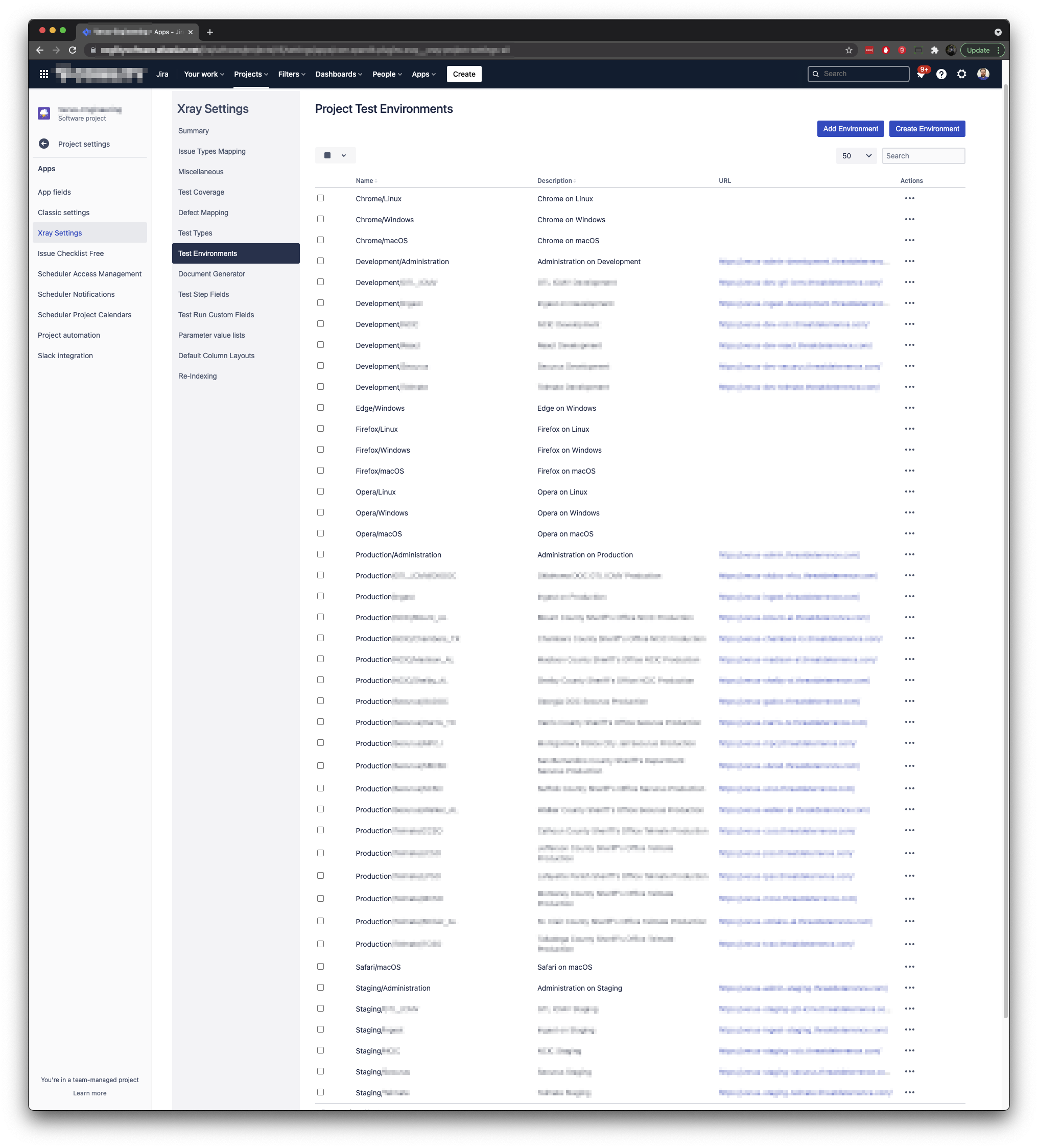
The JIRA_XRAY_CLOUD_INSTANCE setting can be specified to indicate which Application Under Test (AUT) instance the tests are being executed against. If specified, the value will be appended to the Xray Test Execution Jira issue generated and also be applied as the first value in the array of Parsed Operating System (OS) & Browsers TestCafé reports it's running (i.e. Chrome, Firefox, etc.). The info.testEnvironments key value in the generated JSON will be set to this array's values. ALL values in info.testEnvironments MUST match a value in Jira > Project settings > Xray Settings > Test Environments, otherwise an error will be thrown when uploading the JSON to Xray.
Here is an example screenshot of our configured Xray Project Test Environments to show how we are using it:
Parsed Operating System (OS) & Browsers
The reporter parses the raw OS & Browser values provided by TestCafé, stripping out numbers, spaces, and the words "Headless" & "Microsoft".
| Raw Value | Becomes |
|---|---|
| Chrome 91.0.4472.114 / macOS 10.15.7 | Chrome/macOS |
| Firefox 89.0 / Linux 0.0 | Firefox/Linux |
| Opera 77.0.4054.90 / macOS 10.15.7 | Opera/Windows |
| Safari 14.1.1 / macOS 10.15.7 | Safari/macOS |
| Microsoft Edge 18.17763 / Windows 10 | Edge/Windows |
Command Line
When you run tests from the command line, specify the reporter name by using the --reporter option:
testcafe chrome 'path/to/test/file.js' --reporter xray-cloud-jsonYou can also specify or override settings values by prefacing them on the command line as follows (example assumes use of testcaferc.json configuration file):
JIRA_XRAY_CLOUD_UPLOAD=true JIRA_XRAY_CLOUD_TESTPLANKEY=XY-9999 testcafe chrome 'path/to/test/file.js'API
You can use the API in two ways:
- As part of the
testCafe.reporter()method - In the
testcaferc.jsonconfiguration file.
reporter() method
testCafe
    .createRunner()
    .src('path/to/test/file.js')
    .browsers('chrome')
    .reporter('xray-cloud-json') // <-
    .run();
testcaferc.json configuration file
Example showing xray-cloud-json reporter added at the bottom, in addition to the junit reporter:
{
    "hostname": "localhost",
    "screenshots": {
        "path": "./artifacts/screenshots/",
        "takeOnFails": true,
        "pathPattern": "${DATE}/${TIME}/${USERAGENT}/${FIXTURE}/${TEST}/${RUN_ID}/${FILE_INDEX}.png",
        "fullPage": false
    },
    "selectorTimeout": 10000,
    "assertionTimeout": 15000,
    "pageLoadTimeout": 10000,
    "color": true,
    "skipJsErrors": true,
    "skipUncaughtErrors": true,
    "reporter": [{
            "name": "junit",
            "output": "artifacts/reports/result.junit.xml"
        },
        {
            "name": "xray-cloud-json",
            "output": "artifacts/reports/result.xraycloud.json"
        }
    ]
}
Development
When updating the reporter, it's recommended to use the npm/yarn linking feature:
npm linkoryarn link(inside ./lib/ folder)npm/yarn link testcafe-reporter-xray-cloud-json(inside consumer root folder, i.e. your TestCafé project)