7.6.2 • Published 4 years ago
ut-port-jambonz v7.6.2
ut-port-jambonz
Properties
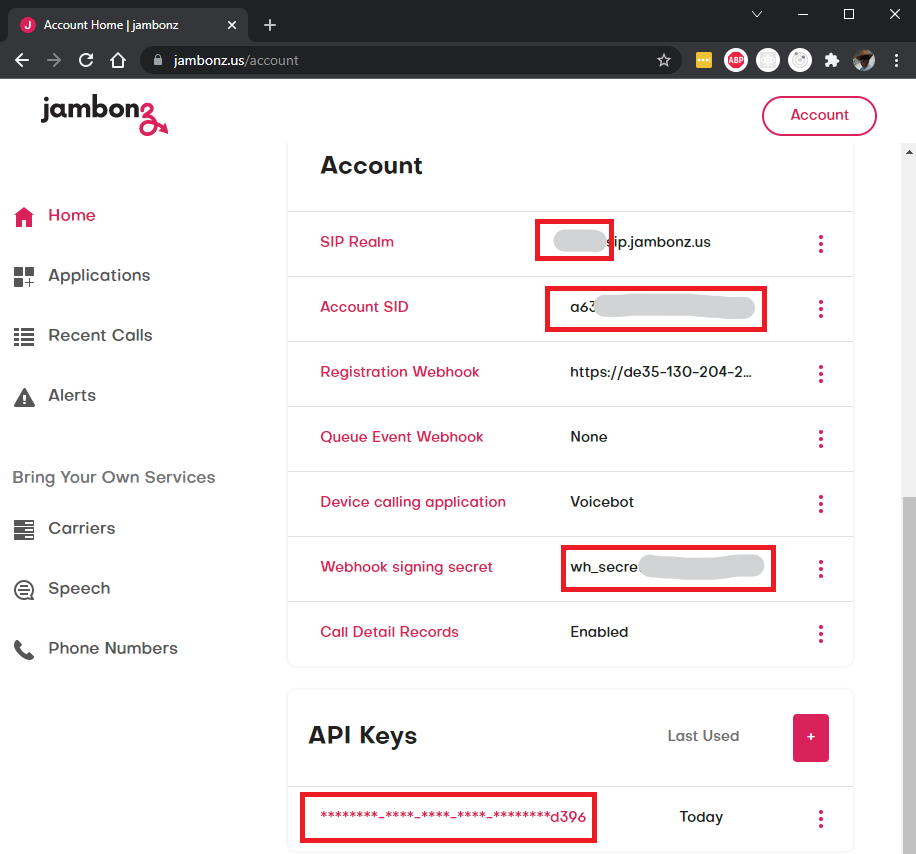
Use the screenshots below to define the following properties:
- Bot properties
platform- set to 'jambonz'appId- use theAccount SID, highlighted in the screenshotsecret- useWebhook signing secret, highlighted in the screenshotverifyToken- use one of theAPI Keys, highlighted in the screenshotprofile- contains these additional properties:inbound- the name of the context to use for handling inbound calls.realm- the prefix for theSIP realm.
- Context properties
clientId- set to any stringaccessToken- set as empty stringname- same asprofile.inboundbot propertyprofile- contains these additional properties:type- set to 'Application'
To enable automatic configuration of speech credentials, the following additional contexts can be defined for each bot:
For Google Cloud Speech:
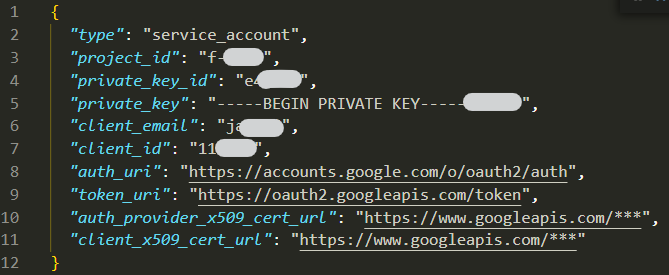
Create a service account and a key, then use it to set these properties in the context:
clientId- use theclient_emailfrom the service account key fileaccessToken- use theprivate_keyfrom the service account key fileprofile- contains these additional properties:type- set to 'speech'speechVendor- set to 'google'project_id- use theproject_idfrom the service account key fileprivate_key_id- use theprivate_key_idfrom the service account key fileclient_id- use theclient_idfrom the service account key fileclient_x509_cert_url- use theclient_x509_cert_urlfrom the service account key file
For Azure Cognitive Services:
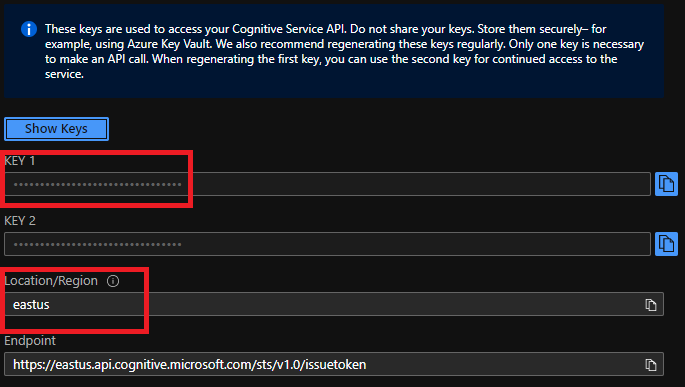
Create a Speech Service and use it to set these properties in the context:
clientId- use theLocation/Regionfrom the Keys and Endpoint pageaccessToken- use theKEY 1from the Keys and Endpoint pageprofile- contains these additional properties:type- set to 'speech'speechVendor- set to 'microsoft'