

Installation
yarn add vindicce-coverflow-react-nativeUsage
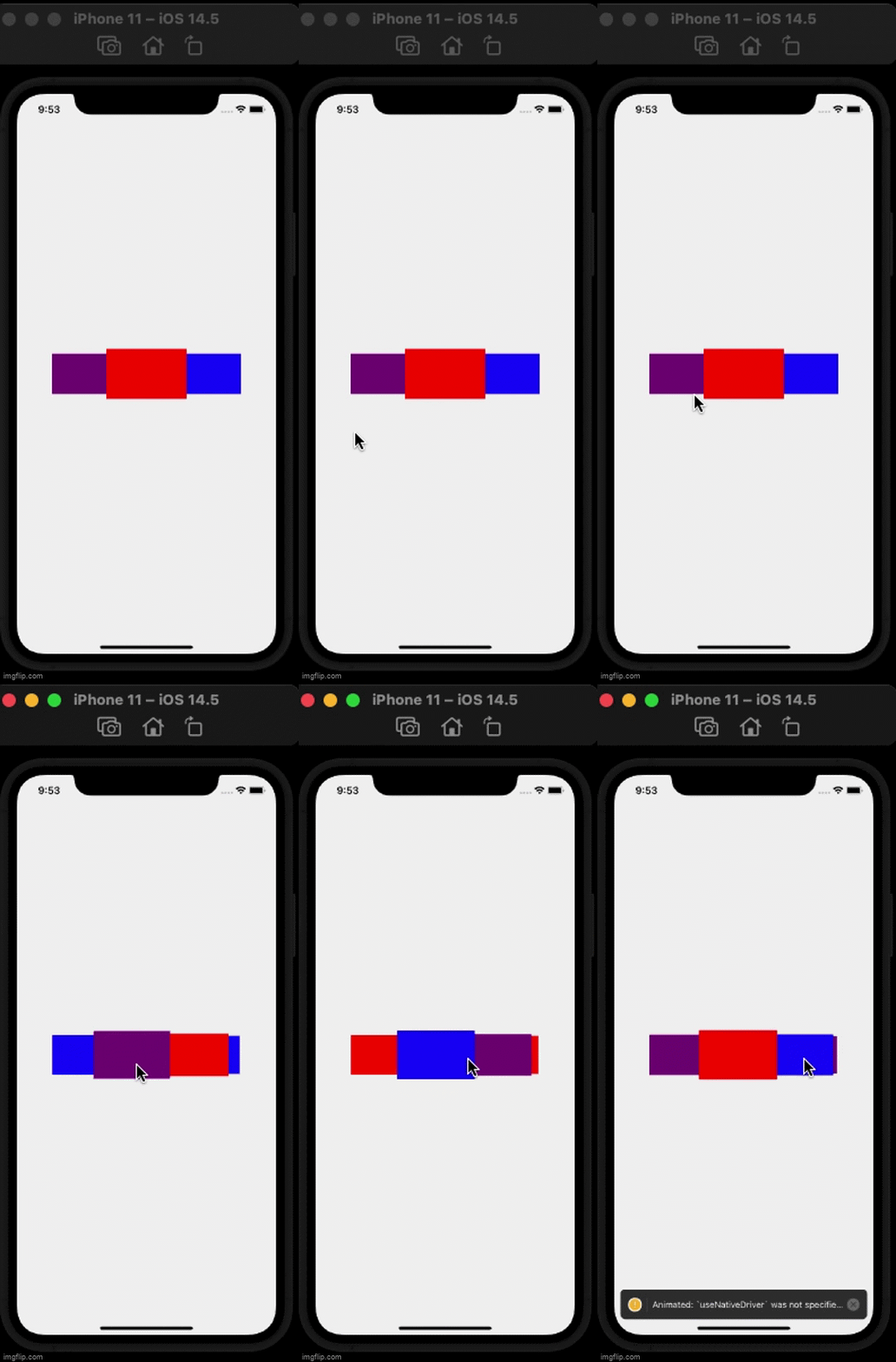
Here is a quick example, using the default CoverFlow.
import React from 'react';
import { View } from 'react-native';
import CoverFlow from 'vindicce-coverflow-react-native';

export const App = () => {

  return (
    <View style={{flex: 1}}>
      <CoverFlow
        style={{ flex: 1 }}
        onChange={() => alert("onChange")}
        onPress={() => alert("onPress")}
        spacing={100}
        midRotation={0}
        scaleDown={0.8}
        scaleFurther={0.75}
        perspective={800}>
        <View style={{width: 120, height: 80, backgroundColor: "purple"}} />
        <View style={{width: 120, height: 80, backgroundColor: "red"}} />
        <View style={{width: 120, height: 80, backgroundColor: "blue"}} />
      </CoverFlow>
    </>
  );
};
Props
| Props Name | type | description |
|---|---|---|
onChange :callback(index) |
() => number |
A callback invoked whenever the selection changes. |
onPress :callback(index) |
() => number |
A callback invoked when the central card is pressed. |
initialSelection |
number:default 0 |
The card that needs to be centered initially. |
spacing |
number:default 100 |
The number of pixels between the center card and the its adjacent card. |
wingSpan |
number:default 0 |
The number of pixels between the adjacent card and its next card. |
rotation |
number:default 0 |
The angle in degrees at which the non centered cards needs to be rotated. |
midRotation |
number:default 50 |
The angle at which the center card needs to rotate to during transition. Use this value to make sure that during the central card transition, the cards do not overlap. |
perspective |
number:default 800 |
The perspective value for 3D projection. A lower value means viewing from a short distance. |
scaleDown |
number:default 0.8 |
A scale factor for the card adjacent to the center. |
scaleFurther |
number:default 0.75 |
A diminising scale factor for the card next to the adjacent card. |