npm install vue-spider-graph --save
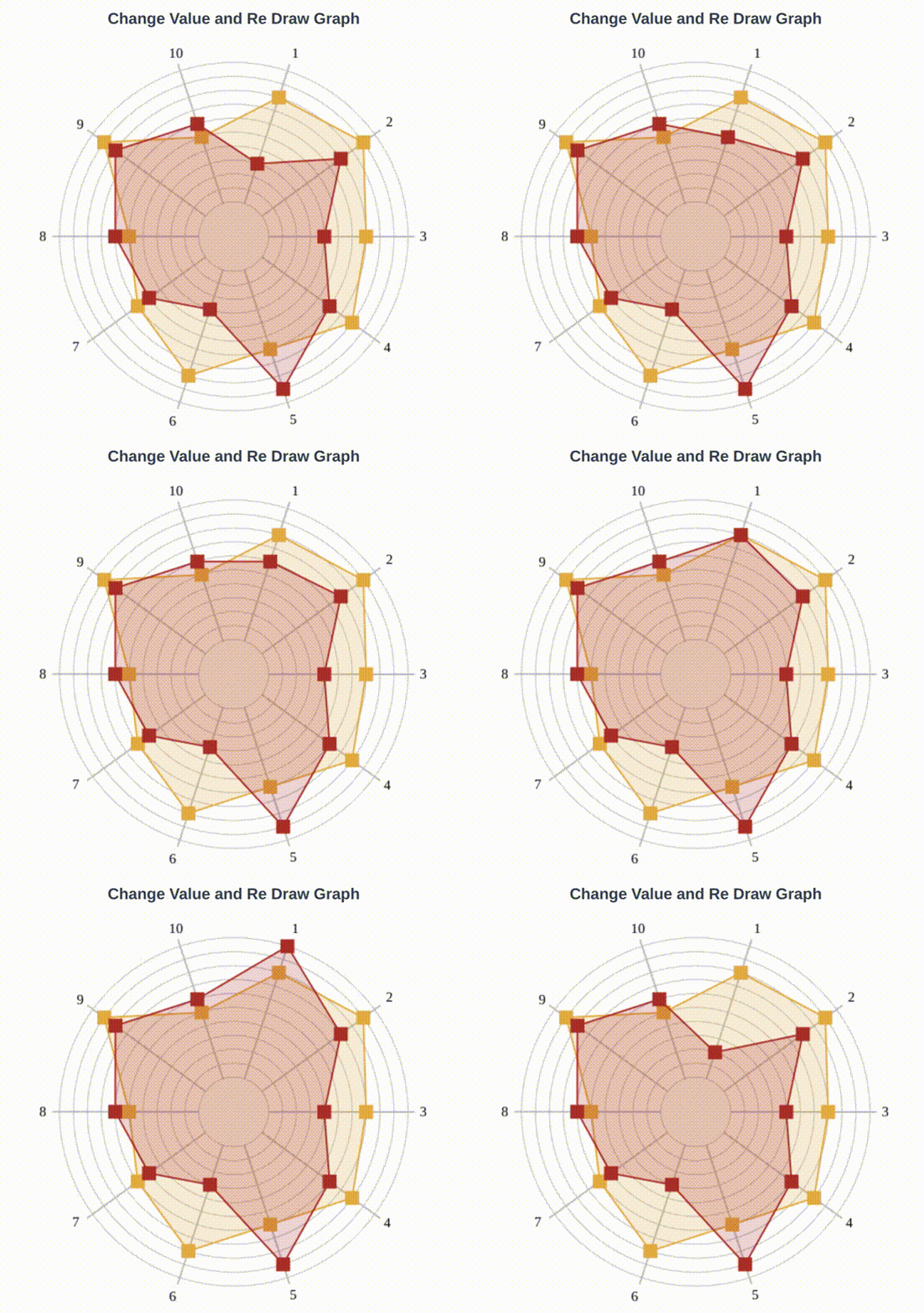
Demo
<template>
  <div>
    <SpiderGraph
      ref="spiderGraphRef"
      :height="600"
      :width="600"
      :numberOfDataPoints="10"
      :dataRatings="[5,7,4,6,9,3,5,6,8,6]"
      :predefinedRatings="[8,9,7,8,6,8,6,5,9,5]"
      :predefinedRatingsColor="`#F7A61B`"
      :predefinedRatingsGridColor="`rgba(247,166,27, 0.2)`"
      :dataRatingsColor="`#c40d1e`"
      :dataRatingsColorGridColor="`rgba(196,11,30, 0.2)`"
    ></SpiderGraph>
  </div>
</template>
<script>
  import SpiderGraph from "vue-spider-graph";

  new Vue({
    el: "#app",
    components: {
      SpiderGraph,
    },
  });
</script>
<template>
<div>
<SpiderGraph
ref="spiderGraphRef"
:height="600"
:width="600"
:numberOfDataPoints="10"
:dataRatings="this.dataRatings"
:predefinedRatings="[8,9,7,8,6,8,6,5,9,5]"
:predefinedRatingsColor="`#F7A61B`"
:predefinedRatingsGridColor="`rgba(247,166,27, 0.2)`"
:dataRatingsColor="`#c40d1e`"
:dataRatingsColorGridColor="`rgba(196,11,30, 0.2)`"
></SpiderGraph>
</div>
</template>
<script>
import SpiderGraph from "vue-spider-graph";
new Vue({
el: "#app",
components: {
SpiderGraph,
},
created() {
this.dataRatings = [5, 7, 4, 6, 9, 3, 5, 6, 8, 6];
},
mounted() {
let spiderGraph = this.$refs["spiderGraphRef"];
setInterval(() => {
if (this.dataRatings[0] == 10) this.dataRatings[0] = 0;
this.dataRatings[0]++;
spiderGraph.draw();
}, 1000);
},
});
</script>
| Props |
Default |
Description |
| height |
500 |
Canvas height |
| width |
500 |
Canvas width |
| numberOfDataPoints |
10 |
Number Of Rating Data points |
| dataRatings |
[] |
Array of Rating Data points. example: [5,7,4,6,9,3,5,6,8,6] |
| predefinedRatings |
[] |
Array of Predefined Rating Data points. example: [8,9,7,8,6,8,6,5,9,5] |
| predefinedRatingsColor |
#F7A61B |
Predefined Rating point color |
| predefinedRatingsGridColor |
rgba(247,166,27, 0.2) |
Predefined Rating Grid color |
| dataRatingsColor |
#c40d1e |
Rating point color |
| dataRatingsColorGridColor |
rgba(196,11,30, 0.2) |
Rating Grid color |
| Name |
Type |
Description |
| draw() |
n/a |
Redraw Graph after Value Change |
