0.2.2 • Published 2 years ago
z-indexify v0.2.2





Works with Styled Components and TailwindCSS
Table of Contents
Install
# NPM
npm install --save z-indexify

# Yarn
yarn add z-indexify
Usage
With Styled Components
// In your theme.ts used on ThemeProvider
import { zIndexify } from 'z-indexify';

const zIndex = zIndexify(['header', 'overlay', 'sidebar']);
const theme = {
  // others...
  zIndex,
};

// And on Styled
const Header = styled.header`
  z-index: ${({ theme }) => theme.zIndex.header}; /** z-index: 100; */
`;
With TailwindCSS
// In your tailwind.config.ts
import type { Config } from 'tailwindcss';
import { zIndexify } from 'z-indexify';

const zIndex = zIndexify(['header', 'overlay', 'sidebar'], {
  minIndex: 500,
});

const config: Config = {
  content: [...],
  theme: {
    extend: {
      // ...your configs
      zIndex,
    }
  },
};

export default config;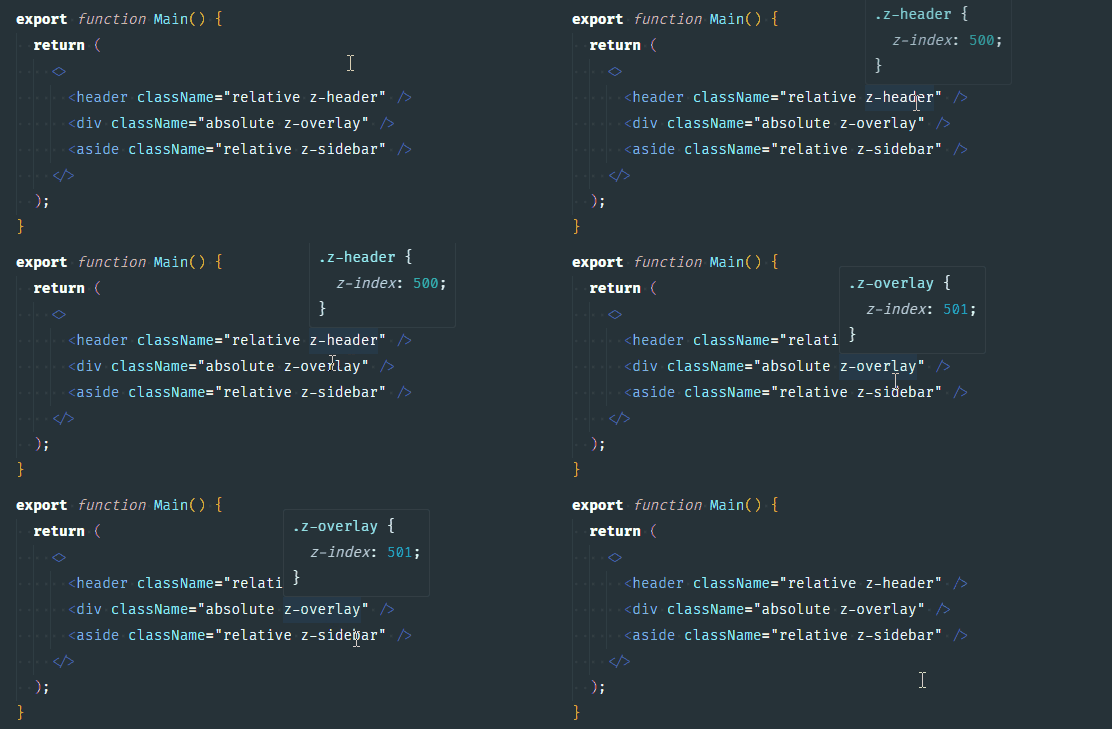
API
zIndexify(labels, options])
- labels
- Type:
array - Name of your z-indexes in asc order.
- To change order values, simple reorder the array values. e.g.:
['foo', 'bar', 'baz'] //=> foo: 100, bar: 101, baz: 102
['bar', 'baz', 'foo'] //=> bar: 100, baz: 101, foo: 103
- Type:
- options
- Type:
object - Configuration options if you need
- Type:
- labels
options
Param Type Description Default e.g. minIndexnumberIndex starts of 100{ minIndex: 300 }starts with:z-index: 300inversebooleanInvert array values order false['foo', 'bar']will produce:{ foo: 101, bar: 100 }stepnumberThe gap between number 1{ step: 10 }creates:{ 100, 110, 120, 130, ... }
Contributing
Please read CONTRIBUTING.md for details on our code of conduct, and the process for submitting pull requests to us.
License
This project is licensed under the MIT License - see the LICENSE.md file for details