
atradio.fm


A social internet radio platform built on the AT Protocol. Search stations from radio-browser.info and TuneIn, stream them in the browser, and save favorites + your own stations to your own PDS (portable, user-owned data). Installable as a PWA.
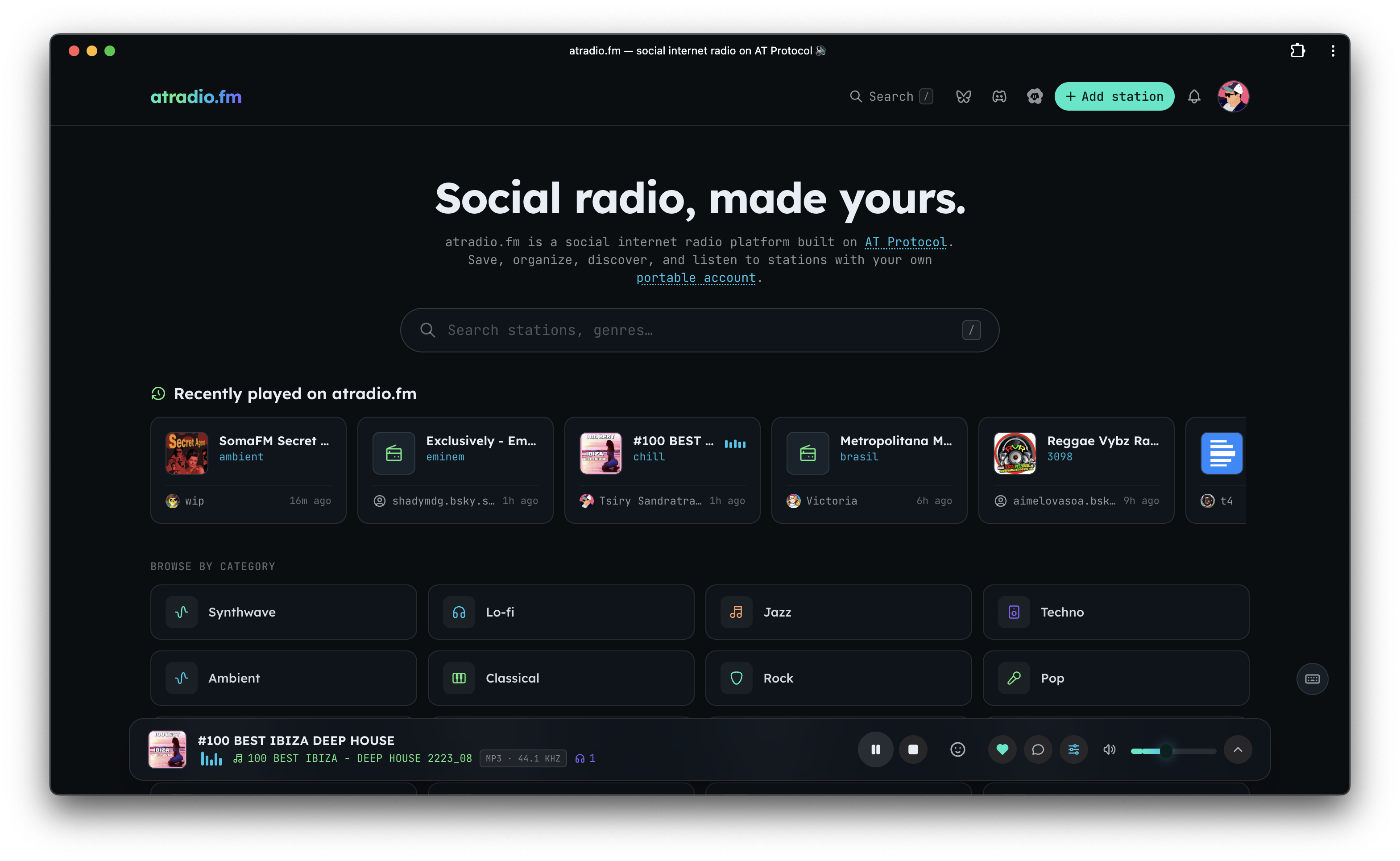
Table of Contents
- Architecture
- Monorepo layout
- Stack
- Getting started
- Command console
- AT Protocol
- atradio Connect
- Backend (apps/api)
- Deployment
- Keyboard shortcuts
- Notes
Architecture
                 OAuth + reads/writes (in the browser, via atcute)
   apps/web (React SPA) ───────────────────────────────► your PDS (source of truth)
        │  reads other users' profiles                        │  fm.atradio.* records
        ▼                                                     │  (firehose)
   apps/api  ◄── XRPC (/xrpc/fm.atradio.*) ── discovery       ▼
   Express + Drizzle + Postgres  ◄── Jetstream consumer ◄── Jetstream (×4 hosts)
(the AppView / index)- Auth + your own data are 100% client-side (
@atcute/oauth-browser-client). Favorites/stations are written straight to your PDS asfm.atradio.*records — no auth server. - apps/api is a read-only AppView: a Jetstream consumer indexes those records into Postgres, and XRPC endpoints serve them (for public profiles and discovery), plus the atradio Connect hub.
- apps/media-proxy (Gleam/BEAM) is a stateless reverse-proxy for radio streams, TuneIn, artwork, and ICY "now playing" — split out so the streaming workload scales independently.
Monorepo layout
atradio.fm/
├─ apps/
│  ├─ web/            # Vite + React SPA (player, search, OAuth, gating, profiles)
│  ├─ api/            # Express + Drizzle + Postgres: Jetstream consumer, XRPC, Connect
│  └─ media-proxy/    # Gleam/BEAM: stream / tunein / image / icy reverse-proxy
├─ packages/
│  └─ lexicons/       # fm.atradio.* lexicons (authored in Pkl → JSON) + TS/zod/mappers
├─ tools/
│  └─ console/        # Babashka + Clojure + rebel REPL command hub
├─ systemd/           # deployment units (api + jetstream + media-proxy)
├─ console            # ./console → launches the command REPL
└─ turbo.json / mise.toml / package.json (bun workspaces)
Stack
- Monorepo: Turborepo + Bun workspaces; toolchain pinned via
mise - Web: React 19, Vite, Tailwind v4, HeroUI v3, TanStack Router/Query, Jotai, Vitest
- AT Proto:
@atcute/*(browser OAuth, client, identity-resolver, tid) - API: Express, Drizzle ORM, Postgres,
ws(Jetstream), Zod, consola - Lexicons: Apple Pkl → lexicon JSON (
pkl eval) - Console: Babashka + Clojure + rebel-readline
Getting started
mise install        # node, bun, java, clojure, babashka
bun install
bun dev             # turbo: web (:3000) + api (:8080)
Set up the database (Postgres; TLS required):
cd apps/api
cp .env.example .env      # set DATABASE_URL, PORT
bun run db:generate       # generate migration from the Drizzle schema
bun run db:migrate        # apply it
Command console
./console           # Clojure + rebel REPL: (dev) (build) (migrate) (gen-lexicons) …
# or from tools/console:
bb tasks            # the same commands as Babashka tasks
AT Protocol
- Login is browser OAuth (atcute public client). Dev uses the
127.0.0.1loopback client — open the app athttp://127.0.0.1:3000(notlocalhost). Prod uses the staticapps/web/public/client-metadata.json. - Gating: favoriting, adding, and removing stations require login (they open the login modal). Browsing, search, and playback stay public.
- Lexicons (
packages/lexicons, NSIDfm.atradio.*):station,favorite, and thegetFavorites/getStationsqueries. Authored in Pkl:cd packages/lexicons && bun run pkl:gen # pkl/defs/**.pkl → lexicons/**.json - Data: your favorites/stations are records in your PDS (read on login,
written with optimistic UI). Any user's profile is viewable at
/profile/:didor/profile/:handle.
atradio Connect
Like Spotify Connect: when you're signed in, every atradio client you have open — the web app, the CLI/TUI, other terminals — shows up as a device on your account, and any of them can control the currently selected player. Pick a device and play/pause, volume, mute, and station changes route to it in real time.
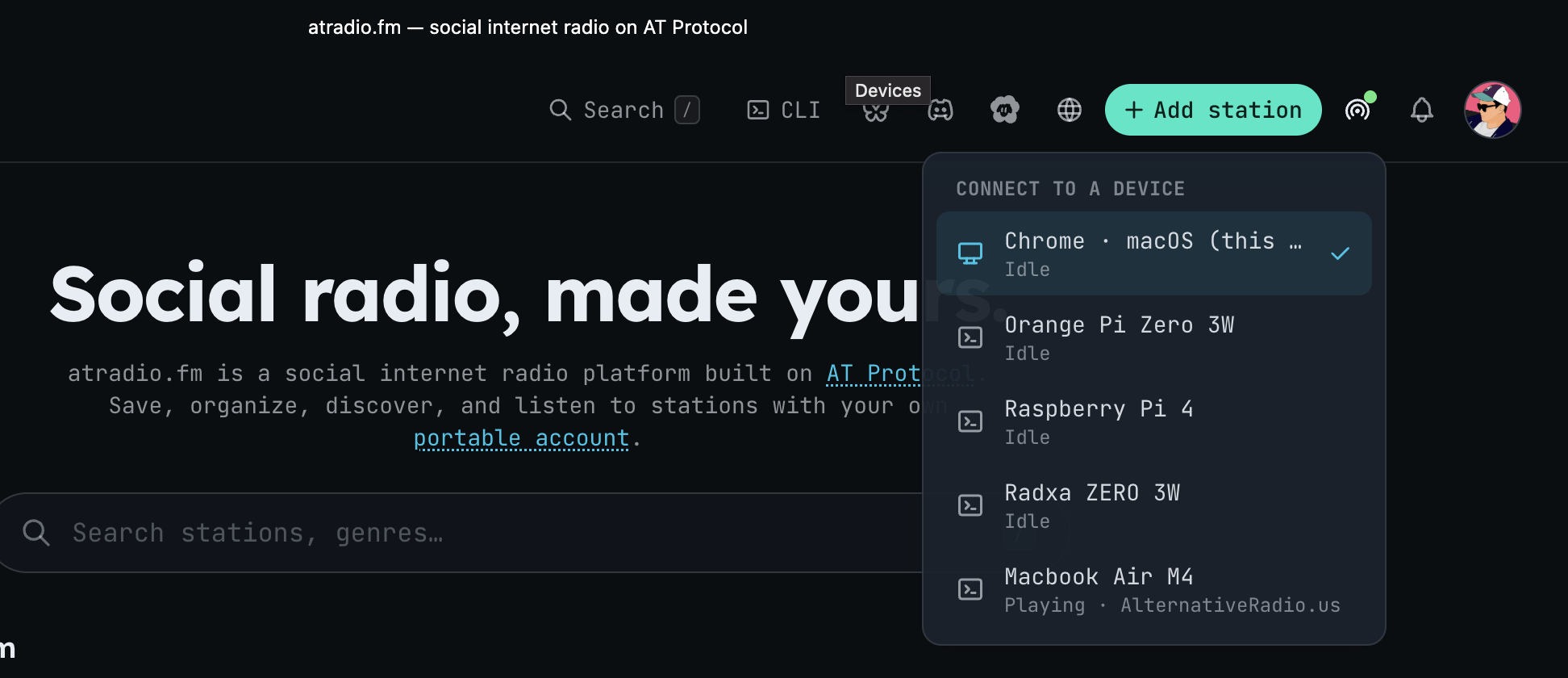
- Device roster + presence. Each signed-in client registers over a WebSocket
to the AppView's Connect hub (
fm.atradio.connect, inapps/api/src/connect) and appears in a live device list; a disconnect drops it from the roster. - Remote control. Any device can drive the target player — load a station, play/pause, set volume, mute — while playback state (now-playing, volume, playing/paused) streams back to every device.
- Authenticated per account. Connections are keyed to your DID and
authenticated with an atproto service-auth JWT
(
com.atproto.server.getServiceAuth), so only your own clients join — logged-out clients don't participate. - Drives your listening status. Your
fm.atradio.actor.statusrecord is set from Connect and cleared automatically once none of your devices are playing. - Headless devices. Run
atradio --no-tui(or install it as a service) to keep a terminal online purely as a controllable speaker — see the CLI README.
Backend (apps/api)
- Jetstream consumer connects to all four official instances
simultaneously (
jetstream{1,2}.us-{east,west}.bsky.network) for redundancy, filteringfm.atradio.favorite/fm.atradio.station, and upserts into Postgres (users,favorites,stations) with a resumable cursor. Duplicate events across hosts are harmless (idempotent upserts keyed by recorduri). - XRPC (open CORS, read-only):
fm.atradio.getFavorites,fm.atradio.getStations(?actor=<did|handle>&limit&cursor), plusgetRecentStations/getPopularStationsfor discovery. - Media proxies (stream / TuneIn / image / ICY) now live in the dedicated
apps/media-proxy service — point the web app at it with
VITE_MEDIA_PROXY.
Deployment
- Static-host
apps/web/dist/(includes the PWA service worker + client-metadata). - Run the API via the
systemd/units (atradio-api+atradio-jetstream) — seesystemd/README.md.
Keyboard shortcuts
| Key | Action |
|---|---|
/ |
Open search palette |
Space / K |
Play / pause |
M |
Mute / unmute |
F |
Favorite (requires login) |
A |
Add station (requires login) |
↑ / ↓ |
Volume up / down |
? |
Shortcuts overlay |
Esc |
Close dialogs |
Notes
- Use
bun run test, notbun test(the latter runs Bun's built-in runner). - ICY "now playing" is best-effort — many stations expose no metadata.