
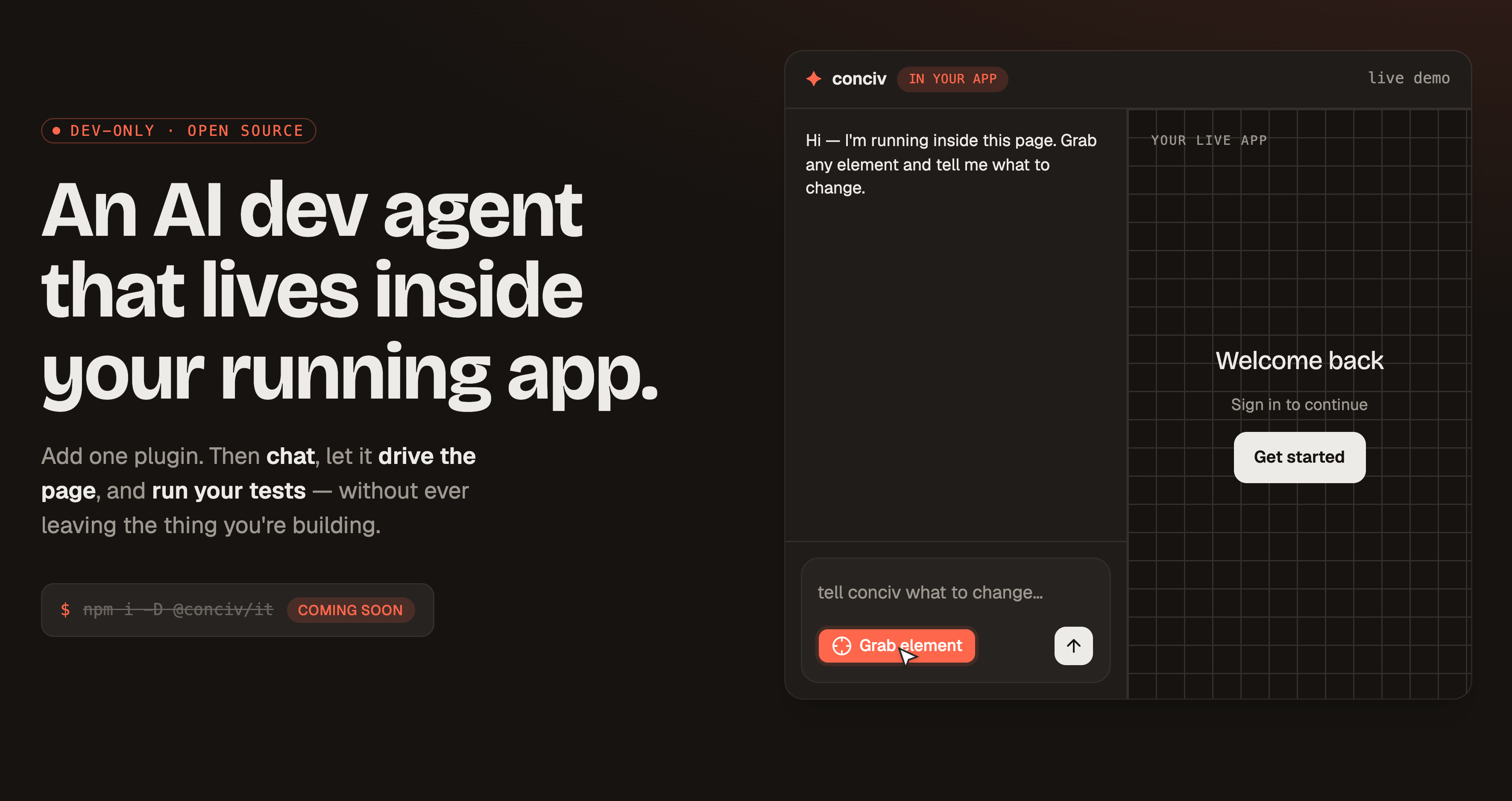
✦ conciv
An AI dev agent that lives inside your running app.
Add one plugin. Then chat, let it drive the page, and run your tests —
without ever leaving the thing you're building.
Website · Example app · Docs · Report a bug


What is conciv?
conciv puts an AI dev agent inside the app you are already running. Add one build plugin, and a conciv button appears in your dev preview. Open it and you're talking to an agent that can see the page you're building, drive it, edit your source, and run your tests — all in the same window, without a second terminal or a context switch.
It's dev-only (never shipped to production) and harness-agnostic — it drives a real coding CLI under the hood (Claude Code today, Codex and others behind one interface), so the agent is as capable as the tool you already trust.
Features
- Chat in-app — talk to an agent that sees your running page, streams its reasoning, and calls tools live.
- Page control — it grabs elements, clicks, fills, inspects React props/state, and live-edits the DOM to preview changes.
- Live tests — run Vitest and watch pass/fail result cards render right inside the app.
- Extensions — drop a
.tsxfile inconciv/extensions/and get a new agent tool with its own card and composer UI. - Shared whiteboard — an Excalidraw canvas you and the AI draw on together, with source-anchored comments.
- Approvals — risky or networked commands surface an Approve / Deny card before they run.
- One plugin — Vite, webpack, Rspack, Rollup, or esbuild. Dev-only, never in your production bundle.
- Harness-agnostic — Claude Code today; Codex and others behind a single capability interface.
- Zero style leak — the widget lives in an open Shadow DOM, isolated from your app's CSS.
How it works
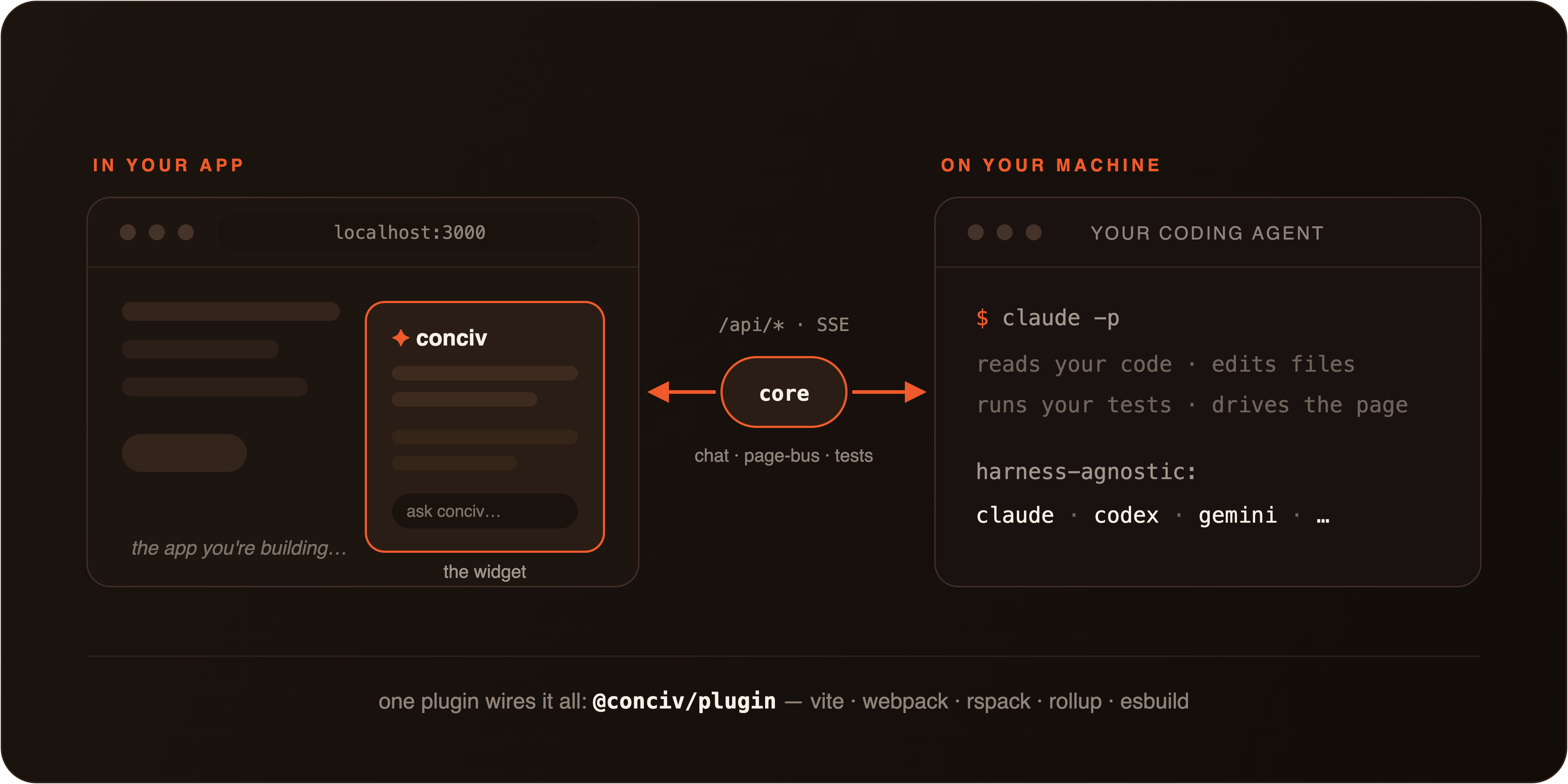
@conciv/plugin boots a framework-free h3 engine (@conciv/core) behind a set of /api/*
routes on its own dev port, spawns a headless harness (default claude -p), and injects a Solid
widget into your previewed page. The widget probes /api/chat/session on load and only shows the
conciv button when the dev routes are live — so it stays inert on a plain preview.
Quickstart
npm i -D @conciv/itAdd the plugin to your app's vite.config.ts:
import {defineConfig} from 'vite'
import conciv from '@conciv/it/plugin/vite'

export default defineConfig({
  plugins: [conciv()],
})
Make sure the Claude Code CLI (claude) is on your PATH, start your
dev server, and click the conciv button in the corner of your app.
Override defaults via conciv({harness, testRunner, widgetUrl, …}). Other bundlers are one import
away: @conciv/it/plugin/webpack, /rspack, /rollup, /esbuild, /nextjs.
Extensions
Teach the agent new tricks with a single file. Drop a .tsx into conciv/extensions/ and it's
discovered automatically — one defineTool gives the agent a callable tool (.server runs in
node), a rendered result card, and optional widget UI (.render + useSlot), all typed
end-to-end with zod:
import {z} from 'zod'
import {defineExtension, defineTool} from '@conciv/extension'

const deployRun = defineTool({
  name: 'deploy_run',
  description: 'Deploy the current branch',
  inputSchema: z.object({env: z.enum(['staging', 'prod'])}),
})
  .server(({env}) => ({url: `https://${env}.example.com`}))
  .render((props) => <DeployCard {...props} />)

export default defineExtension({name: 'deploy', tools: [deployRun]})
Extensions are plain Solid JSX (compiled as a Solid zone even inside a React host app) and ship
with a real test harness: @conciv/extension-testkit mounts any
extension in a real browser against a real spawned server.
Two built-ins show what the contract can do:
- Whiteboard — a shared Excalidraw canvas over your dev app. You sketch, the AI draws back (real editable elements, mermaid included), with source-anchored comments and pins on a self-hosted Jazz CRDT.
- Test runner — runner-agnostic test execution (Vitest and Playwright) with live result cards in the thread.
Supported tools
| Area | Full support | In progress |
|---|---|---|
| Harnesses | Claude Code (claude -p), Codex |
Gemini CLI, opencode, Pi |
| Bundlers | Vite | webpack, Rspack, Rollup, esbuild |
| Tests | Vitest, Playwright | Jest, node:test |
Packages
| Package | What it is |
|---|---|
@conciv/it |
The one you install. Thin umbrella: @conciv/it/plugin/vite (+ webpack/rspack/rollup/esbuild/nextjs). |
@conciv/protocol |
Shared wire types + define* factories (chat, generative UI, test, page, harness). Zero-runtime. |
@conciv/core |
The framework-free h3 + srvx engine: every /api/* route, session, uiBus, harness + test registries. |
@conciv/harness |
Harness adapters behind a capability interface: Claude + Codex, plus Gemini/opencode/Pi stubs. |
@conciv/test-runner |
Test-runner adapters over a clean-child fd3 driver: Vitest (full), Jest/node-test/Playwright (stubs). |
@conciv/plugin |
The dev agent as an unplugin: vite (full) + webpack/rspack/rollup/esbuild. Boots core + injects the widget. |
@conciv/widget |
The browser half: a Solid chat UI in an open Shadow DOM, the test card, and the page-control driver. |
@conciv/cli |
The conciv CLI the agent calls from Bash: tools server / page / test / open + ui. |
@conciv/extension |
The extension authoring contract: defineExtension/defineTool + typed useSlot/useContext hooks. |
@conciv/extension-testkit |
Mounts any extension in a real browser against a real spawned server, through its real contract. |
@conciv/extension-whiteboard |
Built-in: the shared Excalidraw canvas with AI drawing and source-anchored comments. |
@conciv/extension-test-runner |
Built-in: runner-agnostic test execution with live result cards. |
Documentation
Full docs live at conciv.dev and in
apps/site/content/docs — quick-start guides per bundler, usage
(chat, page control, live tests, approvals), harness and test-runner configuration, and
troubleshooting.
Contributing
Issues and PRs are welcome. This is a young project moving fast — the best first step is to run the example app, find something rough, and open an issue.
pnpm install
pnpm dev        # runs the tanstack-start example with conciv wired in
License
MIT conciv
Built with h3, Solid, and a real coding agent living in the page.