
@eeacms/volto-listing-block

Volto add-on
Features
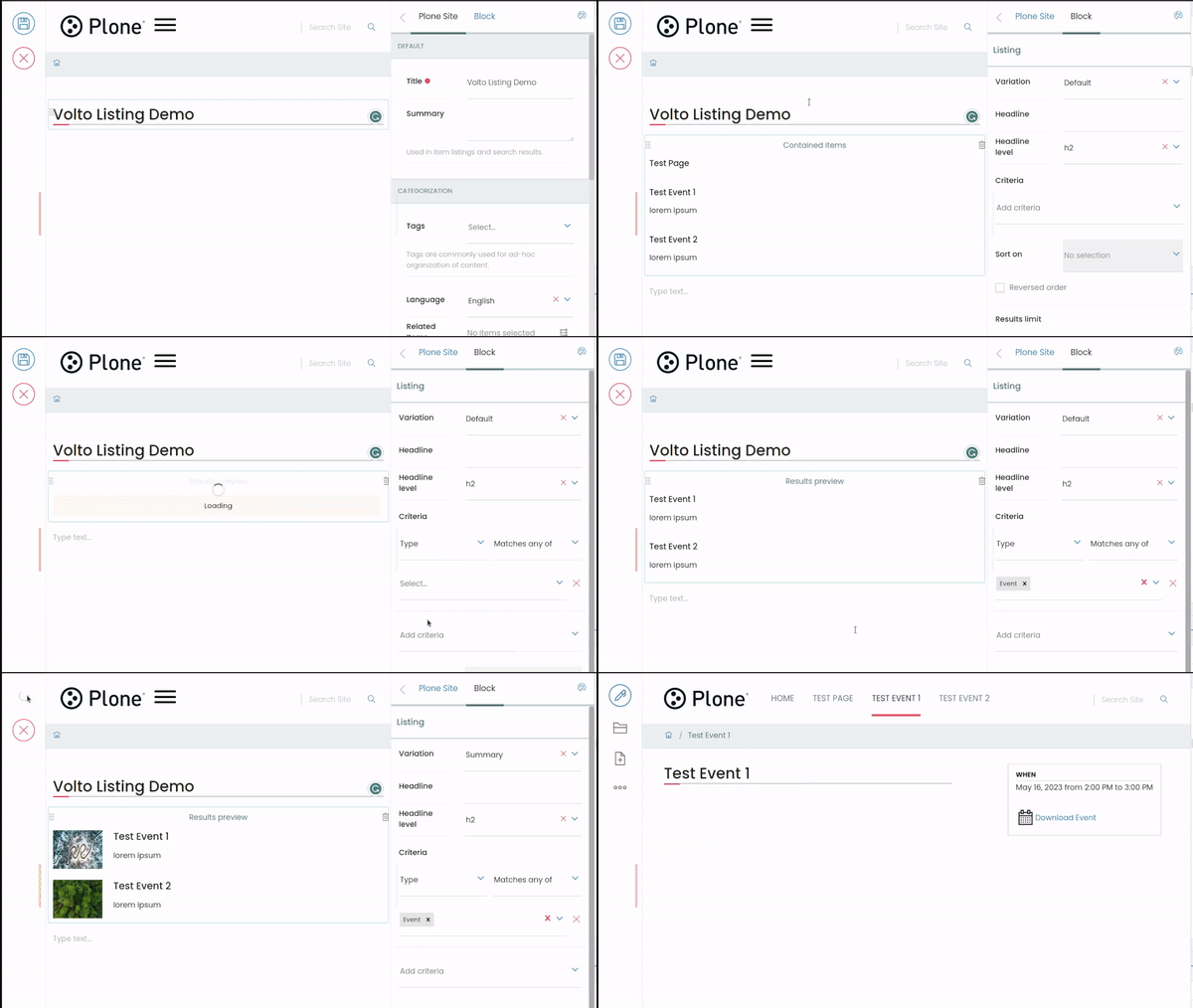
This package aims to provide a framework for more flexible listings for the Listing Volto block. It introduces the concept of UniversalCard, which is a generic component governed by a designated "itemModel".
It provides several views and integrates with the Teaser Grid.
Upgrade
Upgrading to 12.x
This version requires
Volto 18orVolto 19and Node.js 22.
No API or behaviour change: the block ids, the layouts, the card templates, the schema fields and
the stored block data are the same as 11.x, so an upgrade renders the same pages. The release adds
Volto 19 support and moves the repository to the Volto 19 layout, where the published package lives
in packages/volto-listing-block.
Breaking changes
- Node.js 22 or newer is required (
engines.node >= 22), 11.x declared no engine. - React 18 is required. The package declares
reactandreact-domas^18.2.0peers, 11.x declared no peers. - The package no longer ships the repository tooling. The Cypress specs and the Jest setup are gone and the unit tests moved to Vitest next to the add-on, so nothing a site imports was removed.
Upgrading to 11.x
Version 11 replaces the many card templates and listing variations with two card templates and a set of controls. Existing content is migrated on the fly, so there is no upgrade step to run in Plone.
What changed
Layouts. The listing block offers four layouts: List (summary, now the
default), Grid (cardsGallery), Carousel (cardsCarousel) and Accordion. The
layout picks the card template: List uses the list item, Grid and Carousel use
the card.
Card templates. Only Card and List item are left. Every former template is now a combination of their controls:
Former template (itemModel['@type']) |
Now | Controls |
|---|---|---|
card |
Card | image on top |
imageOnLeft / imageOnRight |
Card | image on the left / right |
imageCard |
Card | content mode: image only (title on image) |
imageOnBottom |
Card | content mode: title and logo |
visualizationCard |
Card | visualization elements order, benchmark level |
item |
List item | image on the left / right / none |
searchItem |
List item | content type and date above the title |
simpleItem |
List item | size: compact (title only) |
The Visualization Cards layout (cardsVisualization) becomes a Grid with five
columns and the "Top accent border" card style.
Card controls.
- Card elements (List item elements for the list): one control that lays out the metadata of the card. Drag the elements (image, content type, date, title, benchmark level, description, tags, call to action) to reorder them, switch them on or off, and expand them for their settings, e.g. the event date, the title and description max lines, the icon or the call to action label and URL.
- Content mode (card): image and content, image only (title on image) or title and logo (teasers).
- Image position: top, left, right or none. Grid and Carousel cards only offer top.
- Flip card: the card turns over on hover or keyboard focus. Each element chooses its side in the card elements.
- Size (list item): default or compact (title only).
- Border (styling): no border, top accent border (cards) or bordered.
How the content is migrated
The migration is a JavaScript function
(src/components/UniversalCard/migrate.js for the card model,
src/blocks/Listing/variations.js for the listing and search layouts), not a
Plone upgrade step:
- View: the blocks are migrated in memory on every render, the stored data is not changed. Pages render the same as before the upgrade.
- Edit: when a listing, search or teaser block is selected, its data is rewritten to the new model and the controls show the migrated values.
- Save: saving the page stores the migrated data. Pages that are never edited keep the old data and keep being migrated on the fly.
Data that is already migrated is left unchanged. Volto's own listing templates and the Image Gallery stay available only for the blocks that already use them. Blocks saved with a variation that is not registered anymore keep Volto's default list, as do search blocks without a results layout.
How to upgrade
Update the add-on in your project's
package.jsonand runyarn:"dependencies": { "@eeacms/volto-listing-block": "^11.0.0" }Update the customizations (shadows) and imports of the removed modules:
blocks/Listing/item-templates/CardTemplates.jsx,ItemTemplates.jsx,SearchItemTemplate.jsx,SimpleItemTemplates.jsxandVisualizationCard.jsx, replaced byCardTemplate.jsxandItemTemplate.jsxblocks/Listing/layout-templates/VisualizationCards.jsx, replaced byGallery.jsx
Card templates registered by other add-ons in
config.blocks.blocksConfig.listing.extensions.cardTemplatesare not migrated and keep rendering themselves. Check that they still look right with the new layouts.Check a few pages with listings, search results and teasers: open them in edit mode, select the blocks, check the card controls and save.
Upgrading to 1.x
This version requires: @plone/volto >= 16.0.0.alpha.15 (volto-slate part of Volto Core).
Requirements
Backend
Frontend
- Node.js:
>=22.0.0
Installation
Make sure you have a Plone backend up-and-running at http://localhost:8080/Plone
docker compose up backendStart Volto frontend
If you already have a volto project, just update
package.json:"dependencies": { "@eeacms/volto-listing-block": "*" }and
volto.config.js:const addons = ['@eeacms/volto-listing-block'];If not, create one with Cookieplone, as recommended by the official Plone documentation for Volto 18+:
uvx cookieplone project
cd project-title
Install or update dependencies, then start the project:
make installFor a Cookieplone project, start the backend and frontend in separate terminals:
make backend-start
make frontend-start
Go to http://localhost:3000
Happy editing!
License
See LICENSE.md for details.