
volto-searchlib

Volto add-on
Features
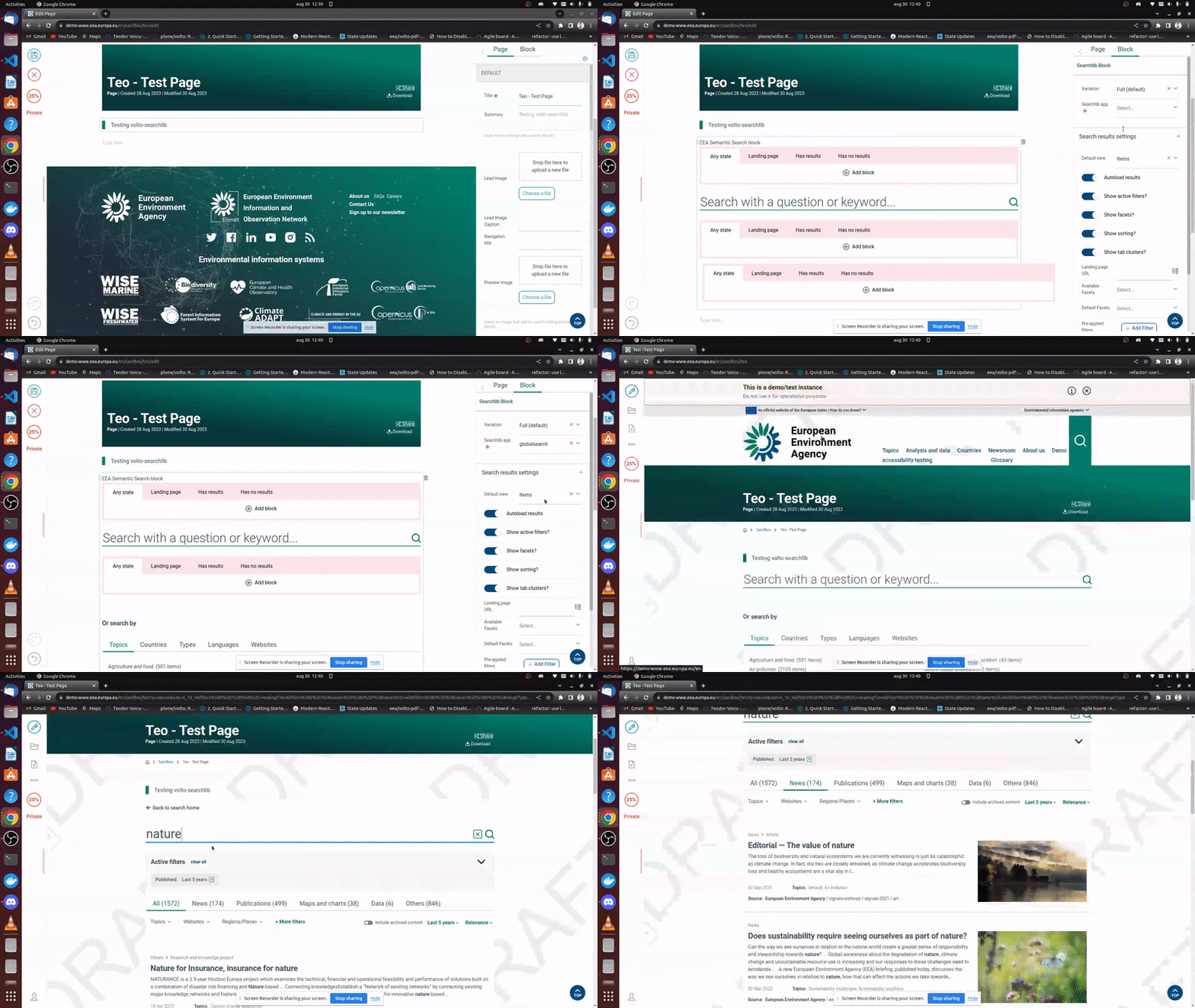
Elasticsearch middleware
You can configure the proxied Elasticsearch with the env var:
PROXY_ES_DSN_${appName}, so for example PROXY_ES_DSN_datahub.
If you use only one ES server, you can simply set PROXY_ES_DSN.
Upgrading from 4.x to 5.x
The RAZZLE_ prefix has been removed from the Elasticsearch middleware environment variables. Update your deployment configuration:
RAZZLE_PROXY_ES_DSN→PROXY_ES_DSNRAZZLE_PROXY_ES_DSN_${appName}→PROXY_ES_DSN_${appName}
Getting started
Try volto-searchlib with Docker
  git clone https://github.com/eea/volto-searchlib.git
  cd volto-searchlib
  make
  make start
Go to http://localhost:3000
make start now defaults to Volto 18. To run the same setup against Volto 17, use:
  VOLTO_VERSION=17 make
  VOLTO_VERSION=17 make start
Add volto-searchlib to your Volto project
Make sure you have a Plone backend up-and-running at http://localhost:8080/Plone
docker compose up backendStart Volto frontend
If you already have a volto project, just update
package.json:"dependencies": { "@eeacms/volto-searchlib": "*" }and
volto.config.js:const addons = ['@eeacms/volto-searchlib'];If not, create one with Cookieplone, as recommended by the official Plone documentation for Volto 18+:
uvx cookieplone project
cd project-title
Install or update dependencies, then start the project:
make installFor a Cookieplone project, start the backend and frontend in separate terminals:
make backend-start
make frontend-start
For a legacy Volto 17 project, install the package with
yarnand restart the frontend as usual.Go to http://localhost:3000
Happy editing!
Release
See RELEASE.md.
How to contribute
See DEVELOP.md.
Copyright and license
The Initial Owner of the Original Code is European Environment Agency (EEA). All Rights Reserved.
See LICENSE.md for details.