
Major upgrades underway. We're moving fast, so expect breaking changes and some instability for a while. We're pausing contributions for now, but bug reports are welcome: report a bug.
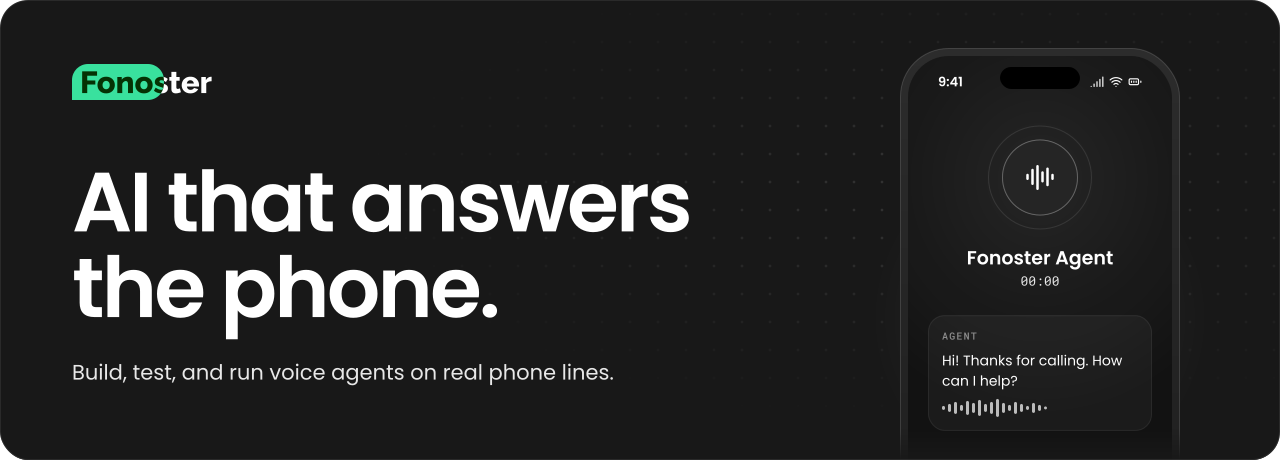
The AI that answers the phone.
Fonoster is an open-source platform for building, testing, and running voice agents on real phone lines. Use Fonoster Cloud, or run it on your own servers.



Features
The most notable features of Fonoster are:
- Multitenancy
- Easy deployment of PBX functionalities
- Programmable Voice Applications
- NodeJS SDK
- Support for Amazon Simple Storage Service (S3)
- Secure API endpoints with Let's Encrypt
- Authentication with OAuth2
- Authentication with JWT
- Role-Based Access Control (RBAC)
- Plugins-based Command-line Tool
- Support for Google Speech APIs
Code Examples
Autopilot
With Autopilot, your agent is a YAML file. Pick the speech-to-text, the voice, and the language model, then write the prompt:
# agent.yaml
name: front-desk
type: AUTOPILOT
speechToText:
  productRef: stt.deepgram
  config:
    model: nova-3
    languageCode: multi
textToSpeech:
  productRef: tts.deepgram
  config:
    voice: aura-asteria-en
intelligence:
  productRef: llm.openai
  config:
    conversationSettings:
      firstMessage: Hi! Thanks for calling. How can I help?
      systemPrompt: You book appointments for a dental clinic. Keep your answers short.
      goodbyeMessage: Thanks for calling. Goodbye!
      systemErrorMessage: Sorry, I'm having trouble right now. Please call again later.
      idleOptions:
        message: Are you still there?
    languageModel:
      provider: openai
      model: gpt-4o
      temperature: 0.7
      maxTokens: 250
Deploy it with the command-line tool:
# Install the fonoster command
npm install -g @fonoster/ctl

# Log in once with an API key from your workspace
fonoster workspaces:login

# Create the agent
fonoster applications:create -f agent.yaml
Then point a phone number at the new application (in the dashboard, or with fonoster sipnet:numbers:create) and give it a call. Autopilot also supports tools, a knowledge base, and call transfers. See the Autopilot docs.
Voice Applications
For full control over the call, write a Voice Application instead. Fonoster opens one signed WebSocket session to your app for every call (session protocol); the SDKs for TypeScript (@fonoster/voice) and Python (fonoster-voice) wrap it. A session can:
say- Speak text (or a stream of model tokens) and report what the caller heardgather- Wait for speech or keypressesplay/playDtmf- Play a media file or DTMF tonestransfer- Cold, warm or SIP REFER transfer to a number or SIP URIhold/resume,handoff,hangupaudio- Raw call audio in and out, for your own speech stack- Events: turns, partial transcripts, keypresses
Voice Application Example:
const { VoiceServer } = require("@fonoster/voice");

// AppBridge signs every connection; set APP_SIGNING_SECRET to the app's signing secret.
new VoiceServer({ port: 3000 }).listen(async (session) => {
  await session.say("Hi there! What's your name?");

  const { speech: name } = await session.gather();

  await session.say("Nice to meet you " + name + "!");

  await session.say("Please enter your 4 digit pin.");

  const { digits } = await session.gather({
    maxDigits: 4,
    finishOnKey: "#"
  });

  await session.say("Your pin is " + digits);

  await session.hangup();
});

// Your app lives at ws://127.0.0.1:3000
// and you can publish it to the Internet with:
// ngrok http 3000
Coming from the gRPC SDK? See What changed.
Making calls
Everything in Fonoster is an API first, and initiating a call is no exception. You can use the SDK to start a call with a few lines of code.
Example of originating a call with the SDK:
const SDK = require("@fonoster/sdk");

async function main(request) {
  const apiKey = "your-api-key";
  const apiSecret = "your-api-secret"
  const accessKeyId = "WO00000000000000000000000000000000";

  const client = new SDK.Client({ accessKeyId });
  await client.loginWithApiKey(apiKey, apiSecret);

  const calls = new SDK.Calls(client);
  const response = await calls.createCall(request);

  console.log(response); // successful response
}

const request = {
  from: "+18287854037",
  to: "+17853178070",
  appRef: "3e61ecb7-a1b6-4a93-84c3-4f1979165bca",
  // Optional metadata to be sent to the Voice Application
  metadata: {
    name: "John Doe",
    message: "Please call me back."
  }
};

main(request).catch(console.error);
Getting Started
To get started with Fonoster, use the following resources:
- Deploying Fonoster with Docker
- Guide for Early Access User
- Getting started with Fonoster
- How we created an open-source alternative to Twilio and why it matters
Guides in this repository
- Try the new platform on your machine
- Session protocol and What changed
- Workspace webhooks: events, signatures, retries, migrating from
eventsHook - Call records: contents, retention and erasure, redaction, verification
- Providers: catalog ids, your own keys, deprecation warnings
- Operators: deployment, regions, provider registry
Give a Star!
Please give it a star if you like this project or plan to use it. Thanks
Bugs and Feedback
For bugs, questions, and discussions, please use the Github Issues
Contributing
For contributing, please see the following links:
Sponsors
We're glad to be supported by respected companies and individuals from several industries.
Find all our supporters here
Authors
License
Copyright (C) 2026 by Fonoster Inc. MIT License (see LICENSE for details).