
@glypho/cli


Command-line tool for Glypho (.g) — validate, render, and convert graph diagrams.
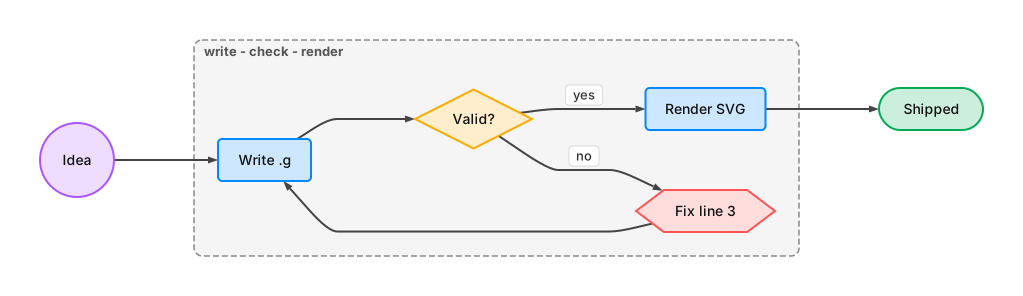
Install
npm install -g @glypho/cliCommands
Validate
glypho check diagram.g              # human-readable validation
glypho check diagram.g --json       # machine-readable output
Render
glypho render diagram.g             # → diagram.svg
glypho render diagram.g -f png      # → diagram.png
glypho render diagram.g -o out.svg  # custom output path
glypho render flow.mmd              # Mermaid input → SVG
glypho render graph.dot -f png      # DOT input → PNG
glypho render diagram.g --width 800 --height 600
glypho render diagram.g -f png --scale 3
glypho render diagram.g -f png -b transparent  # transparent PNG (default is white)
glypho render diagram.g -b '#eee'              # SVG with background color
Preview
glypho render diagram.g -o diagram.svg
glypho preview diagram.svg          # open an existing SVG in browser
glypho preview diagram.svg --force  # allow GUI side effects in CI/non-interactive runs
Convert
# .g → text formats
glypho to mermaid diagram.g         # print Mermaid to stdout

# other formats → .g
glypho from mermaid flow.mmd        # print .g to stdout
glypho from dot graph.dot           # print .g to stdout
Inspect
glypho parse diagram.g              # print JSON AST
glypho parse diagram.g --compact    # minified JSON
glypho info diagram.g               # stats + token comparison
glypho info diagram.g --json        # machine-readable stats
Piping
Commands accept - for stdin, and if no file is given they read from stdin when input is piped:
echo 'a > b > c' | glypho check
echo 'a:c A\nb:p B\na > b' | glypho render -o pipe.svg
echo 'a > b' | glypho to mermaid
cat flow.mmd | glypho from mermaid
render is the only file-producing conversion command. Use to / from for text format conversion, use render for SVG or PNG output, and use preview only to open an existing SVG.
Token Comparison
glypho info shows how .g compares to other formats:
$ glypho info diagram.g

  Nodes: 5  Edges: 5  Groups: 1

  Format        Tokens
  .g                28
  Mermaid           52  (1.9x)
  Graphviz DOT      68  (2.4x)
  JSON Canvas      143  (5.1x)
License
MIT