
@inquirer/confirm
Simple interactive command line prompt to gather boolean input from users.
Installation
| yarn | pnpm |
|---|---|
|
|
| bun | deno |
|
|
| npm | |
|
|
| Or | |
| yarn | pnpm |
|
|
| bun | deno |
|
|
| npm | |
|
|
On Deno, prompts detect the terminal's unicode and color support from the environment, so run your script with --allow-env.
Usage
import { confirm } from '@inquirer/prompts';
// Or
// import confirm from '@inquirer/confirm';

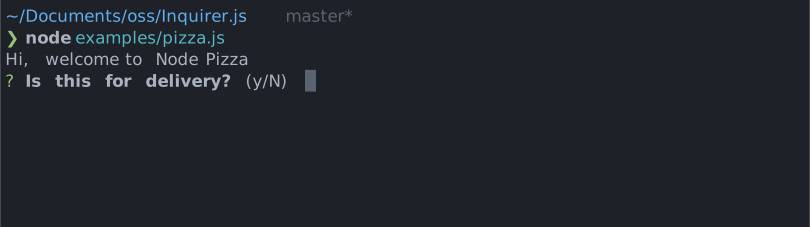
const answer = await confirm({ message: 'Continue?' });
Options
| Property | Type | Required | Description |
|---|---|---|---|
| message | string |
yes | The question to ask |
| default | boolean |
no | Default answer (true or false) |
| transformer | (boolean) => string |
no | Transform the prompt printed message to a custom string |
| theme | See Theming | no | Customize look of the prompt. |
Theming
You can theme a prompt by passing a theme object option. The theme object only need to includes the keys you wish to modify, we'll fallback on the defaults for the rest.
type Theme = {
  prefix: string | { idle: string; done: string };
  spinner: {
    interval: number;
    frames: string[];
  };
  keywords: {
    yes: string;
    no: string;
    error: (keywords: { yes: string; no: string }) => string;
  };
  style: {
    answer: (text: string) => string;
    message: (text: string, status: 'idle' | 'done' | 'loading') => string;
    defaultAnswer: (text: string) => string;
    confirmDefault: (text: string) => string;
  };
};
The keywords property defines the words accepted as "yes" and "no". Matching is
prefix-based and case-insensitive, and the first character of each word is shown in
the hint (e.g. Y/n). The matched word is also displayed once the prompt is answered.
The built-in y/n/yes/no answers are always accepted, whatever the keywords
are. Unrecognized input shows the keywords.error message instead of silently
falling back on the default answer.
Overriding keywords is how @inquirer/i18n localizes the prompt:
confirm({
  message: '¿Continuar?',
  theme: {
    keywords: { yes: 'Sí', no: 'No' },
  },
});
The confirmDefault style marks the character representing the default answer in the
hint. By default it uppercases the character (Y/n); for scripts without case
(e.g. Chinese) it highlights the character with a color instead.
License
Copyright (c) 2023 Simon Boudrias (twitter: @vaxilart)
Licensed under the MIT license.