
@llmquant/data-mcp

@llmquant/data-mcp
The knowledge harness for AI‑native finance.
Website · Docs · 中文




Context engineering meets financial data — structured for agent context, not human browsing.
Table of Contents
- What It Does
- Available Tools
- Try It Out
- Quick Install (Prompt)
- Client Setup
- Remote / Hosted MCP
- Environment Variables
- Roadmap
- See Also
- Contributing
- License
What It Does
This is an MCP server for LLMQuant Data. It connects any AI agent to financial data — wiki articles, research papers, crypto & equity prices, prediction markets, macro indicators, SEC filings, and more — through the Model Context Protocol.
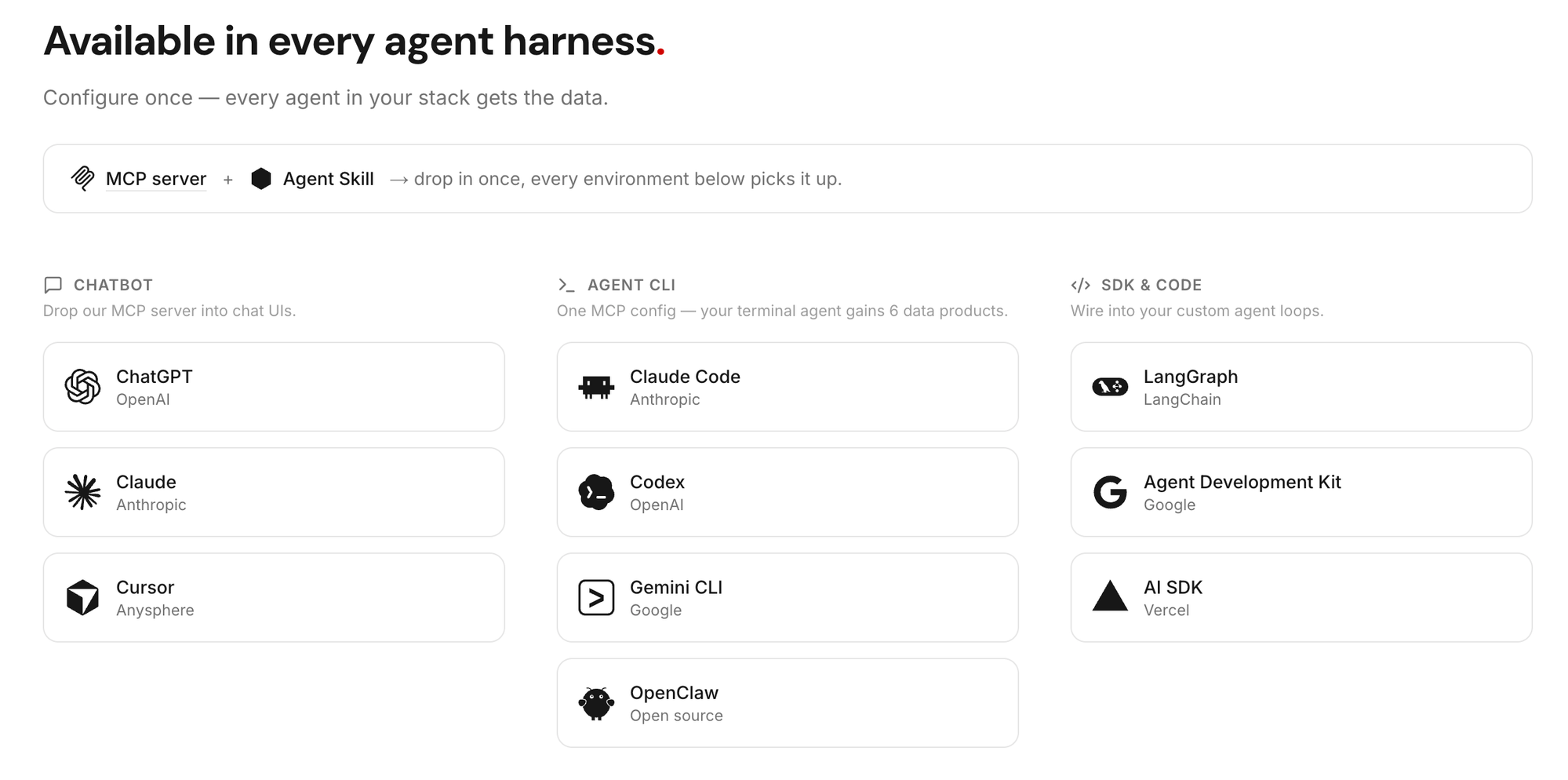
Configure once — every agent in your stack gets the data.
We're also building llmquantdata-skills — a companion set of agent skills that combine these data tools into ready‑made AI‑native financial workflows (equity research, macro analysis, etc.). Stay tuned.
Available Tools
The credit model is in beta — amounts below may change. Sign up at llmquantdata.com for free credits, no credit card required.
| Tool | Description | Credit |
|---|---|---|
wiki_search |
Semantic search over 50,000+ quant wiki entries | 1 |
wiki_read |
Read a wiki article by ID | 0 |
paper_search |
Semantic search over 1,200+ research papers | 1 |
paper_read |
Read paper sections (intro, methods, conclusion, …) | 0 |
crypto_historical_klines |
Crypto OHLCV candlestick data | 1 |
crypto_snapshot |
Current crypto price + 24h stats | 0 |
polymarket_event_browse |
List or exact-filter finance-scoped Prediction Markets events by keyword, status, tag, asset, volume, and liquidity filters | 1 |
polymarket_event_search |
Semantic search over finance-scoped Prediction Markets events | 2 |
polymarket_event_read |
Read one Prediction Markets event card with child market previews | 0 |
polymarket_market_read |
Read one Prediction Markets market card with outcomes and outcome token ids | 0 |
polymarket_price_history |
Hourly or daily implied-probability history for one outcome token | 0 |
equity_historical_prices |
US equity daily OHLCV + dividend/split data | 0 |
equity_intraday_prices |
US equity 1h regular-session OHLCV bars | 1 |
macro_indicator_search |
Browse 50+ curated macro indicators | 0 |
macro_indicator_history |
Historical observations for a macro indicator | 1 |
macro_indicator_snapshot |
Latest value for a macro indicator | 0 |
sec_filing_browse |
Browse SEC 10-K / 10-Q / 8-K filing metadata (each row carries sectionKeys = available section codes) |
0 |
sec_filing_read |
Read section text from a SEC filing; pass items to fetch a batch in one call, omit for all (8-K requires accession_number — browse first) |
1 |
sec_13f_list_manager_holdings |
List an institutional manager's 13F holdings (covered manager set × at least the last 4 quarters) | 1 |
sec_13f_list_ticker_holders |
List institutional holders of a ticker (covered manager set × at least the last 4 quarters) | 1 |
sec_13f_list_top_managers |
List the top N smart money managers ranked by 13F reportable value (latest quarter, up to 1000) | 0 |
etf_lookup |
ETF fund identity + SEC mapping + top holdings summary (currently supported ETFs) | 0 |
etf_holdings |
ETF latest available SEC N-PORT regulatory holdings (currently supported ETFs) | 1* |
personal_holdings |
Read the holdings you saved in your LLMQuant Dashboard → Profile (your own account only) | 0 |
personal_profile |
Read the financial profile you saved in your LLMQuant Dashboard → Profile (your own account only) | 0 |
* An unsupported ETF ticker returns 200 with an explicit coverage notice and 0 credits — you are only charged the 1 credit when holdings are actually returned.
Prediction Markets tools follow an event-first flow: use polymarket_event_search first for natural-language discovery, use polymarket_event_browse only for list/exact-filter requests, then read a selected event, read a market, and request price history for an outcome token.
More data products (company fundamentals, earnings transcripts, etc.) are on the roadmap.
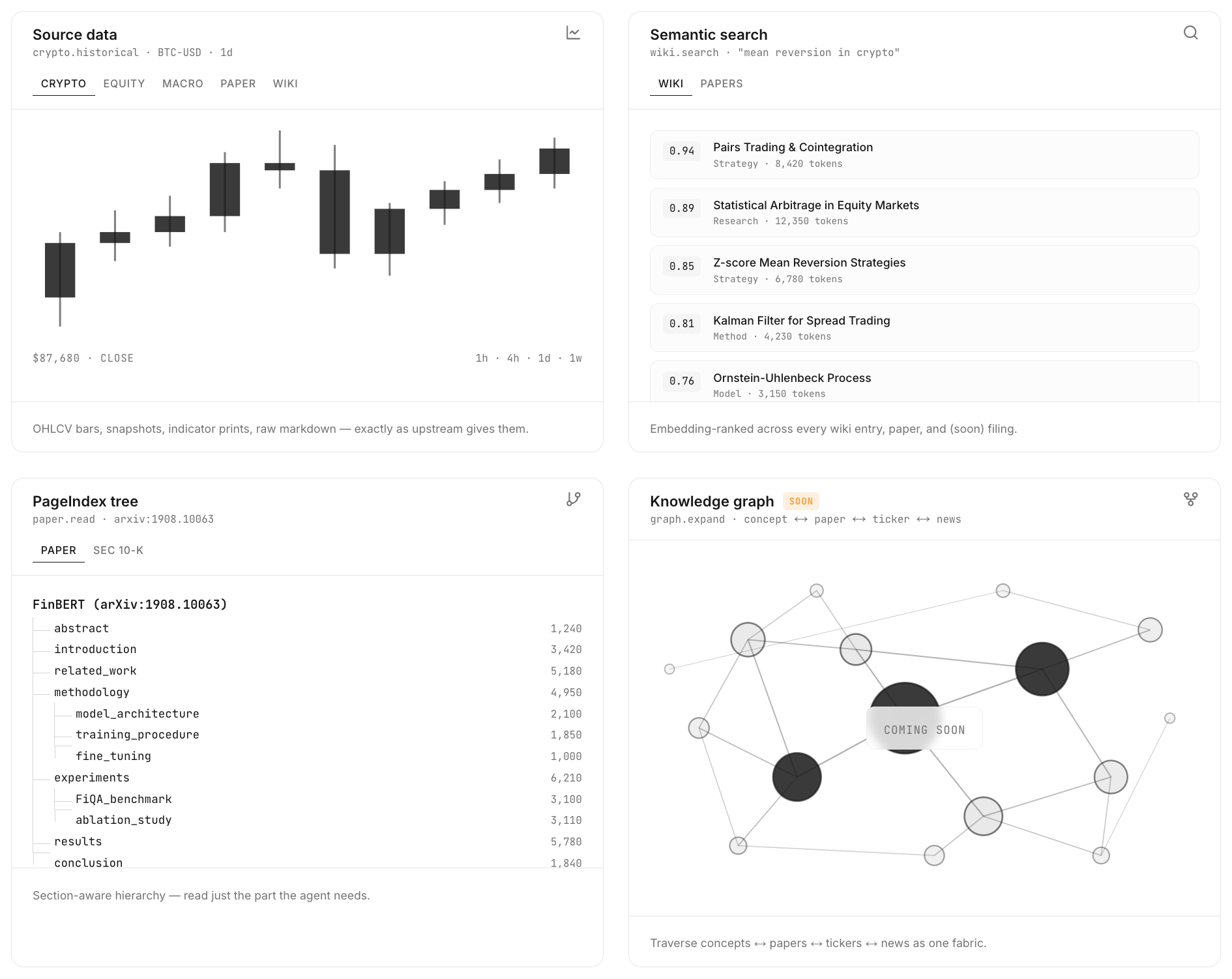
Four ways to access each data product:
Try It Out
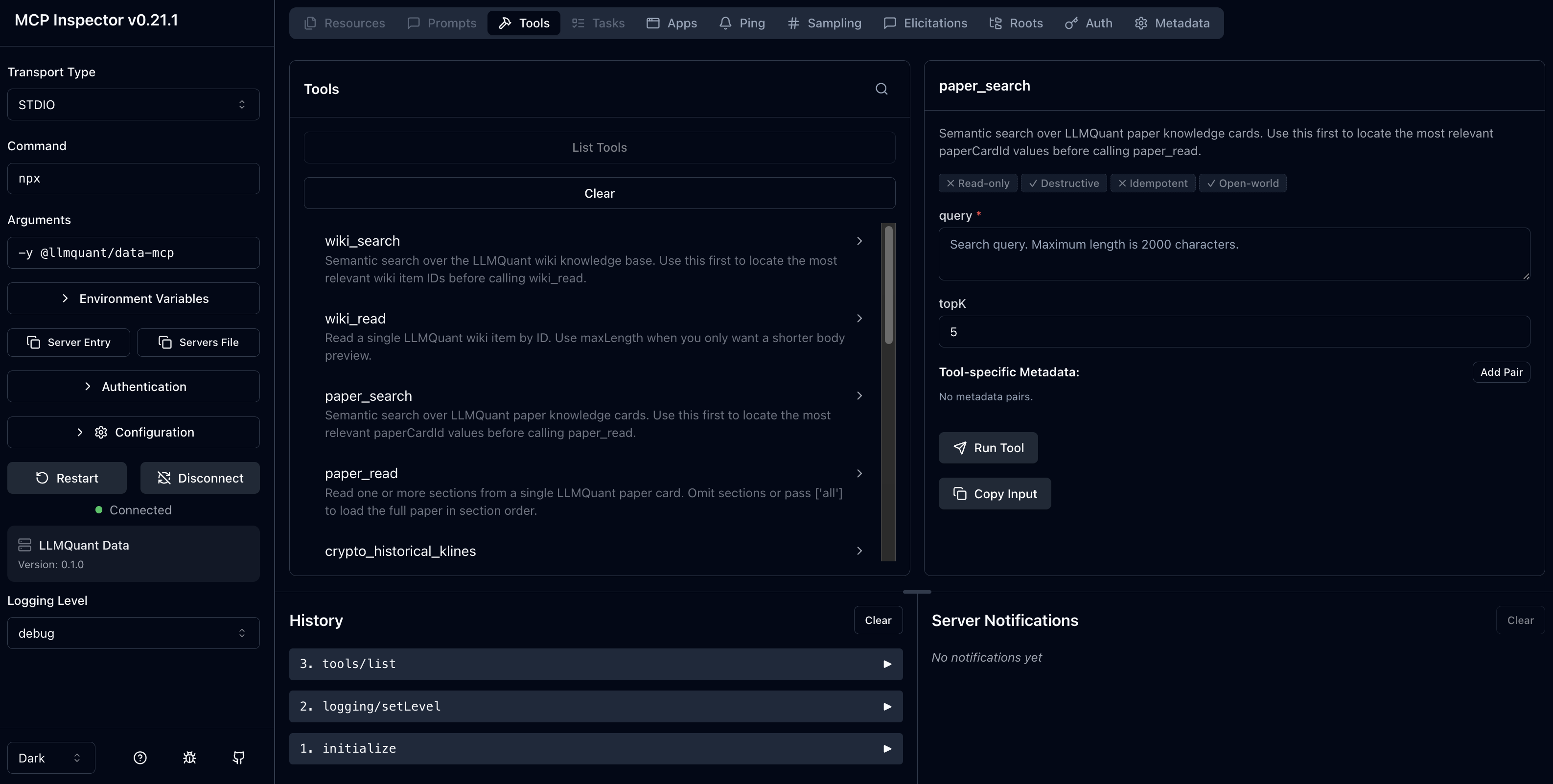
Launch the MCP Inspector to explore tools interactively in your browser:
export LLMQUANT_API_KEY=your_api_key
npx @modelcontextprotocol/inspector npx -y @llmquant/data-mcp
To persist the key, add
export LLMQUANT_API_KEY=your_api_keyto your~/.zshrcor~/.bashrc.
You'll need an API key — sign up free at llmquantdata.com.
Quick Install (Prompt)
The fastest way: drop this prompt into Claude Code, Cursor, Codex CLI, Gemini CLI, or any MCP-enabled agent. The agent will read this README and run the right setup for its runtime.
Install the LLMQuant data-mcp server in this environment by following https://github.com/LLMQuant/data-mcpMake sure
LLMQUANT_API_KEYis exported in the shell where the agent runs. Get a key at llmquantdata.com.
Prefer to set it up by hand? See Client Setup below.
Client Setup
Claude Code
claude mcp add llmquant-data \
  -e LLMQUANT_API_KEY=your_api_key \
  -- npx -y @llmquant/data-mcp
Cursor
Add to .cursor/mcp.json (project) or ~/.cursor/mcp.json (global):
{
  "mcpServers": {
    "llmquant-data": {
      "command": "npx",
      "args": ["-y", "@llmquant/data-mcp"],
      "env": {
        "LLMQUANT_API_KEY": "your_api_key"
      }
    }
  }
}
Codex CLI
codex mcp add llmquant-data \
  --env LLMQUANT_API_KEY=your_api_key \
  -- npx -y @llmquant/data-mcp
Gemini CLI
gemini mcp add -s user \
  -e LLMQUANT_API_KEY=your_api_key \
  llmquant-data \
  npx -y @llmquant/data-mcp
Other MCP Clients
Any client supporting stdio transport can use this JSON config:
{
  "mcpServers": {
    "llmquant-data": {
      "command": "npx",
      "args": ["-y", "@llmquant/data-mcp"],
      "env": {
        "LLMQUANT_API_KEY": "your_api_key"
      }
    }
  }
}
We're working on integration guides for more clients. If your agent framework isn't listed, open an issue and we'll add it.
Remote / Hosted MCP
@llmquant/data-mcp keeps local stdio as the default setup path. Signed-in LLMQuant users can also generate a hosted Remote MCP connector URL from the dashboard. Hosted connectors are useful when your MCP client supports remote connectors and you do not want to run a local Node.js process.
Claude custom connectors
In the LLMQuant dashboard, open Connect and generate a Remote MCP URL.
https://mcp.llmquantdata.com/u/lqd_mcp_.../mcpPaste the full URL into Claude's custom connector flow. The hosted URL is separate from your local LLMQUANT_API_KEY and can be revoked from the dashboard.
Treat the hosted connector URL like a password. Anyone with the URL can use the connector until you revoke it.
Environment Variables
| Variable | Required | Default | Description |
|---|---|---|---|
LLMQUANT_API_KEY |
Yes for stdio | — | User API key for local stdio mode |
LLMQUANT_BASE_URL |
No | https://api.llmquantdata.com |
API base URL |
LLMQUANT_API_TIMEOUT_MS |
No | 15000 |
Request timeout in ms (max 120000) |
Roadmap
- Streamable HTTP transport (remote MCP without local Node.js)
- OAuth connector flow for Claude Connectors Directory
- More data products — company fundamentals, earnings transcripts
- Agent skills companion package (llmquantdata-skills)
- Integration guides for more agent frameworks
Have a feature request? Open an issue or email us at contact@llmquant.com.
See Also
- Awesome Trading Agents — community-curated agent recipes that turn
data-mcptools into end-to-end research workflows (equity research, macro briefings, smart-money digests). - Documentation — full API reference, MCP setup guides, and credit policy.
Contributing
This repository is a read-only mirror. We do not accept pull requests.
Found a bug or have a feature request? Please open an issue — we actively triage and respond.