
Md2Docx 
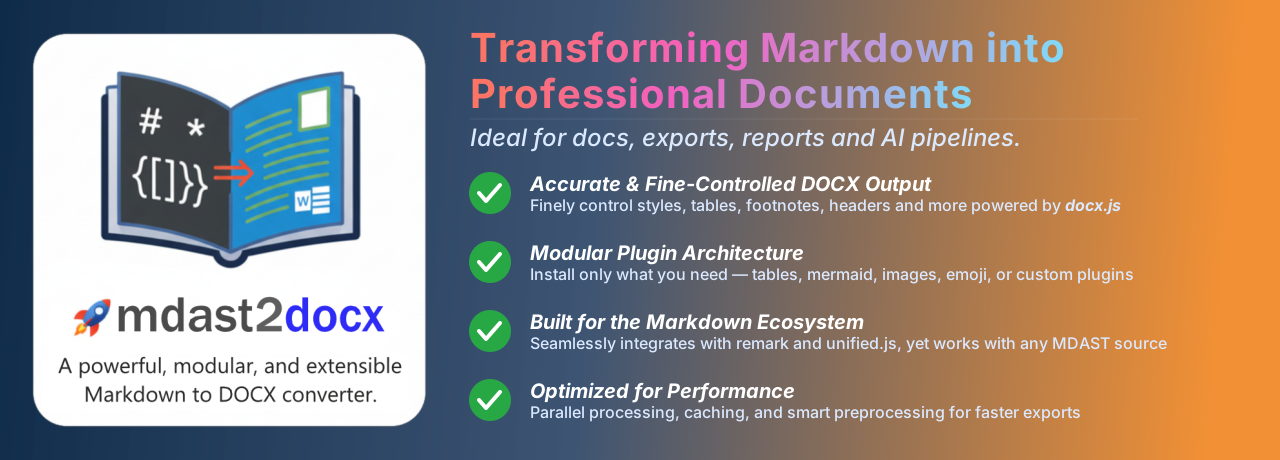





Md2Docx: A powerful, modular, and extensible Markdown to Microsoft Word (
.docx) document engine for Node.js and browsers.
Why Md2Docx?
Modern applications, technical platforms, and Generative AI tools produce structured output in Markdown. Md2Docx transforms Markdown Abstract Syntax Trees (MDAST) into professionally formatted Word documents with native tables, vector diagrams, editable equations, and custom section layouts.
- Authentic Word Elements: Converts Markdown directly into native Microsoft Word OpenXML elements (
docx.Table,docx.Math,docx.ImageRun, outline numbering). - Modular Plugin Ecosystem: Use the all-in-one
mdast2docxumbrella or cherry-pick lightweight@m2d/*plugins. - Isomorphic Runtimes: Zero-server client-side generation (
Blob) in browsers, or high-throughput batch generation (Buffer) in Node.js. - Resilient by Default: Graceful fallbacks for failed diagrams, self-healing syntax auto-repair, and protection against runaway markdown syntax.
Monorepo Packages
| Package | Version | Description |
|---|---|---|
@m2d/md2docx |
 |
All-in-one batteries-included Markdown to DOCX converter for browser & client applications. |
mdast2docx |
|
Umbrella bundle containing @m2d/core and all official plugins. |
@m2d/core |
 |
Core conversion engine, plugin pipeline, and caching layer. |
@m2d/cli |
 |
Universal CLI binary for converting Markdown to DOCX on Node.js. |
@m2d/table |
 |
Rich tables with borders, cell fills, alignments, and repeating headers. |
@m2d/list |
 |
Multi-level outline numbering (1.1.1) and nested bullet glyphs. |
@m2d/math |
 |
LaTeX math formulas rendered as native editable Word MathML equations. |
@m2d/mermaid |
 |
Browser Mermaid diagrams with auto-healing syntax repair. |
@m2d/mermaid-node |
 |
Server-side Mermaid rendering with zero browser/DOM dependencies. |
@m2d/image |
 |
Browser image and SVG rasterization with persistent caching. |
@m2d/image-node |
 |
Server-side image and SVG rasterizer powered by sharp. |
@m2d/html |
 |
Embedded HTML tag parsing and inline CSS styling to MDAST (browser DOM). |
@m2d/html-node |
 |
Server-side DOM-less HTML parsing powered by linkedom. |
@m2d/remark-docx |
 |
Official Unified / Remark compiler plugin for direct DOCX output. |
@m2d/remark-docx-node |
 |
Server-side Remark compiler plugin with native image & diagram support. |
@m2d/react-markdown |
 |
SSR-friendly React renderer with AST retention for instant DOCX export. |
@m2d/cache |
 |
High-performance in-memory and persistent caching layer. |
@m2d/mdast |
 |
Extended MDAST and HAST TypeScript type definitions. |
Quick Start
$ pnpm add mdast2docx docx unified remark-parse remark-gfm remark-mathimport { toDocx } from "mdast2docx";
import {
htmlPlugin,
imagePlugin,
listPlugin,
mathPlugin,
mermaidPlugin,
tablePlugin,
} from "mdast2docx/plugins";
import remarkGfm from "remark-gfm";
import remarkMath from "remark-math";
import remarkParse from "remark-parse";
import { unified } from "unified";
const markdown = `
# Project Report
Executive summary with **bold** text and [links](https://github.com/md2docx/md2docx).
## System Flow
\`\`\`mermaid
graph LR
Client --> Gateway --> Database
\`\`\`
Formula: $E = mc^2$
`;
// 1. Parse markdown
const mdast = unified()
.use(remarkParse)
.use(remarkGfm)
.use(remarkMath)
.parse(markdown);
// 2. Generate Word DOCX Blob
const docxBlob = await toDocx(mdast, {}, {
plugins: [
htmlPlugin(),
mermaidPlugin(),
imagePlugin(),
tablePlugin(),
listPlugin(),
mathPlugin(),
],
});Documentation
Visit the official documentation site: https://md2docx.js.org
License
This library is licensed under the MIT open-source license.
with by Mayank Kumar Chaudhari
Keywords
remark-docxremark-pluginmarkdown-to-docxmdast-to-docxdocx-formattingtext-processingmdast-extensionsunist-custom-nodesnodesimageshyperlinksfootnotesconverterpluginmarkdownmdastunistremarkunifieddocxms-worddocument-generatordocument-generationtypescriptopen-sourcecustomizableseamless-integrationmodernweb-developmentfrontendautomationgoogle-sheetsgenerative-airich-textcutting-edgecompatibilityprogressivemd2docxmdast2docxm2dmayank1513