
Memoreru CLI
Sync local Markdown, CSV, and JSON files with Memoreru — your content knowledge base.
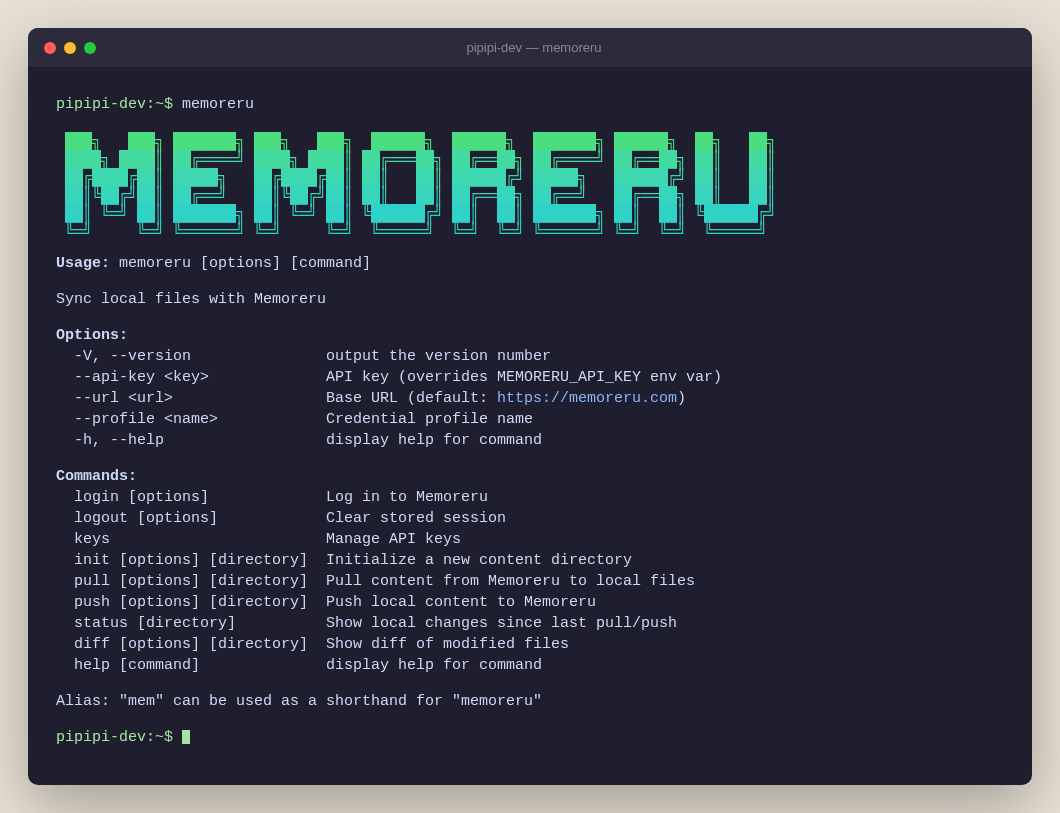
Features
- Login — Browser-based login (CAPTCHA/2FA/OAuth supported)
- Keys — Create, list, and revoke API keys from the CLI
- Init — Generate project templates
- Pull — Download Memoreru content to local files
- Push — Upload local files to Memoreru
- Status — Show local changes since last sync
- Diff — Show file-level diffs before pushing
- Images — Auto-upload on push, download only changes on pull
- Rich Metadata — Categories, tags, thumbnails, dates, locations, and more
- Safe Sync — Detects conflicts when multiple users edit the same table
- Claude Code — CLI skill and MCP for AI-assisted workflows
Quick Start
# No install required
npx @memoreru-sdk/cli --help

# Or install globally
npm install -g @memoreru-sdk/cli
memis a shorthand alias formemoreru. Both work identically.
Setup
Option A: CLI Login (Recommended)
memoreru loginOpens your browser for authentication. After login, create an API key:
memoreru keys createAPI keys require the Light plan or above. A 14-day free trial is available.
Option B: Manual API Key
- Log in to Memoreru
- Go to Settings > Security > API Keys
- Create a key with Read + Write access
export MEMORERU_API_KEY=your-api-keyThat's it! Now you can use memoreru init, memoreru pull and memoreru push.
Usage
Login / Logout
memoreru login                        # Browser login
memoreru login --profile work         # Save as named profile
memoreru logout                       # Clear default profile
memoreru logout --all                 # Clear all profiles
Keys
memoreru keys create                          # Create API key (read + write)
memoreru keys create --name "my-key"          # With custom name
memoreru keys create --read-only              # Read-only key
memoreru keys list                            # List all keys
memoreru keys revoke mk_xxxxx                 # Revoke by prefix
Init
memoreru init ./my-page                  # Page (default)
memoreru init ./my-table --type table    # Table
memoreru init ./my-folder --type folder  # Folder
Pull
memoreru pull                    # Pull to current directory
memoreru pull ./my-data          # Pull to specific directory
memoreru pull ./my-data --preview  # Preview without writing
Supported types:
- Folder → directory structure
- Page / Slide →
.md(images →images/) - Table →
.csv - View / Graph / Dashboard →
.json
View / Graph / Dashboard settings contain internal IDs. Pull/push works within the same environment but not across different environments.
Push
memoreru push                    # Push from current directory
memoreru push ./my-data          # Push from specific directory
memoreru push ./my-data --preview  # Preview without uploading
Status
Show local changes since the last pull or push.
memoreru status                  # Show changes in current directory
memoreru status ./my-data        # Show changes in specific directory
memoreru status
Modified:
M readme.md (page) "Project README" [body]
New (not yet pushed):
+ new-page.md (page) "New Page"
2 content(s): 1 modified, 1 newNo API key required — works entirely offline.
Diff
Show unified diffs for modified files.
memoreru diff                          # Show all diffs
memoreru diff --file readme.md         # Show diff for a specific file
diff --git a/readme.md b/readme.md
--- a/readme.md
+++ b/readme.md
@@ -3,7 +3,7 @@
## Section 1
-Old content
+New content
## Section 2No API key required — compares against locally stored snapshots. Output is git apply compatible.
File Structure
The CLI uses .memoreru.json manifests. Only listed items are synced.
my-project/
├── .memoreru.json          # Manifest
├── .memoreru/              # Sync state (auto-generated, add to .gitignore)
├── readme.md               # Page
├── tasks.csv             # Table (with row_id + version after push)
├── tasks.bak.csv         # Original CSV backup (auto-generated on first push)
├── docs/                   # Folder
│   ├── .memoreru.json      # Manifest for docs/
│   └── guide.md
└── images/
    └── logo.png            # Referenced from Markdown
Keys are file or directory names only. Folder contents are not auto-uploaded — place a
.memoreru.jsonin each subdirectory.Add
.memoreru/to your.gitignore— it stores sync snapshots forstatusanddiff, not source content.
.memoreru.json
{
  "readme.md": {
    "content_type": "page",
    "title": "Project README"
  },
  "tasks.csv": {
    "content_type": "table",
    "title": "Tasks"
  },
  "docs": {
    "content_type": "folder",
    "title": "Documentation"
  }
}
After the first push, IDs are automatically written back:
{
  "readme.md": {
    "content_id": "q589jor87vmbnyylb8091cik",
    "content_type": "page",
    "title": "Project README"
  },
  "tasks.csv": {
    "content_id": "dyn8dapi7ckz8vvic8indjnc",
    "content_type": "table",
    "title": "Tasks",
    "columns": [
      { "id": "col_abc123", "name": "Title", "type": "string" },
      { "id": "col_def456", "name": "Status", "type": "string" },
      { "id": "col_ghi789", "name": "Priority", "type": "string" }
    ]
  }
}
For tables, columns maps each column name to its unique server-side ID. This ensures views and graphs referencing these columns survive table re-creation.
Properties
Only content_type is required. All other properties are optional.
Basic Info
| Property | Description |
|---|---|
content_id |
Auto-set after first push |
content_type |
Required. folder, page, table, slide, view, graph, dashboard |
title |
Inferred from filename if omitted |
scope |
public, team, private (default: private) |
description |
Description text |
description_expanded |
Show expanded (default: false) |
category |
Category name or key |
label |
Label |
tags |
Tag names (e.g., ["React", "Tutorial"]) |
slug |
Custom URL slug (paid plan) |
Additional Info
| Property | Description |
|---|---|
thumbnail |
Image path (e.g., ./images/thumb.png) |
icon |
Icon (emoji or image): {"type":"emoji","emoji":"📝"} / {"type":"image","path":"./icon.png"} / null |
datetime |
Date/time object: {"start":"2026-01-15","end":null,"type":"date"} |
location |
Location object: {"area1":null,"area2":null,"lat":35.6,"lng":139.7,"address":"...","name":"..."} |
persons |
Person names (e.g., ["John Doe"]) |
sources |
References |
language |
Language code (default: en) |
extensions |
Extensions (style/script/custom_process) by file path (see below) |
Publishing
| Property | Description |
|---|---|
team_id |
Team ID (required when scope is team) |
parent_content_id |
Parent folder's content_id |
publish_status |
draft or published (default: published) |
scheduled_at |
Scheduled publish time (ISO 8601) |
expires_at |
Expiration time (ISO 8601) |
is_suspended |
Suspend (default: false) |
is_archived |
Archive (default: false) |
Privacy
| Property | Description |
|---|---|
discovery |
listed, unlisted, profile (default: listed) |
access_level |
open, login_required, followers_only (default: open) |
can_embed |
Allow embedding (default: true) |
can_ai_crawl |
Allow AI crawlers (default: true) |
has_password |
Password protection (default: false) |
Other
| Property | Description |
|---|---|
is_pinned |
Pin to top (default: false) |
is_locked |
Lock editing (default: false) |
auto_summary |
Auto-generate summary (default: false) |
auto_translate |
Auto-generate translations (default: false) |
Table Columns (auto-managed)
| Property | Description |
|---|---|
columns |
Column definitions (table only). Auto-set after push. Array of { id, name, type }. |
Column IDs ensure unique references from views and graphs. To rename a column, update both the CSV header and columns[].name in .memoreru.json.
Table CSV
Before first push (original CSV):
Title,Status,Priority
Setup CI,Done,High
Write docs,In Progress,Medium
After first push (row_id + version added, original backed up as .bak.csv):
row_id,version,Title,Status,Priority
row_abc123,1,Setup CI,Done,High
row_def456,1,Write docs,In Progress,Mediumrow_idandversionare system-managed columns (first two columns)- Column types are auto-inferred on push
- Only changed rows are sent on subsequent pushes (diff-based)
- Version mismatch triggers conflict detection for collaborative editing
Adding a new row — leave row_id and version empty:
row_id,version,Title,Status,Priority
row_abc123,1,Setup CI,Done,High
row_def456,1,Write docs,In Progress,Medium
,,Add tests,Todo,Low
Images
- Pull: Download only changes
- Push: Upload automatically
Options
--api-key <key>     API key (overrides MEMORERU_API_KEY)
--profile <name>    Credential profile name
--url <url>         Base URL (default: https://memoreru.com)
--help              Show help
--version           Show version
Environment variables:
| Variable | Description |
|---|---|
MEMORERU_API_KEY |
API key |
MEMORERU_TENANT |
Tenant slug for verification (recommended for dedicated tenants) |
MEMORERU_URL |
Base URL (default: https://memoreru.com) |
Dedicated tenant users: Set
MEMORERU_TENANTto prevent accidental pushes to the wrong tenant. The CLI verifies the tenant before each pull/push and stops if it doesn't match.
Auth Resolution Order
--api-keyflagMEMORERU_API_KEYenv var--profileflag.memoreru-config.jsonprofile- Default profile in
~/.config/memoreru/credentials.json
.memoreru-config.json
Per-directory profile config for multi-account workflows:
{
  "profile": "work"
}
When running memoreru push ./my-dir, the CLI reads .memoreru-config.json from that directory to determine which profile (and API key) to use.
Claude Code Integration
Combine with Claude Code to manage content using natural language.
CLI Skill (File Sync) — Teach Claude Code how to use pull/push:
cp -r node_modules/@memoreru-sdk/cli/skills/memoreru-cli ~/.claude/skills/MCP (Data Operations) — Add .mcp.json to your project root:
{
  "mcpServers": {
    "memoreru": {
      "url": "https://memoreru.com/api/mcp/",
      "headers": {
        "Authorization": "Bearer your-api-key"
      }
    }
  }
}
When to use which:
- CLI — File-based sync with Git version control
- MCP — Direct data operations (add rows, search, update)
Programmatic API
import { configure, pullContent, pullTableData, upsertContent } from '@memoreru-sdk/cli';
import type { UpsertInput } from '@memoreru-sdk/cli';

configure({
  baseUrl: 'https://memoreru.com',
  apiKey: 'your-api-key',
});

const page = await pullContent('q589jor87vmbnyylb8091cik');
const table = await pullTableData('dyn8dapi7ckz8vvic8indjnc');

const input: UpsertInput = {
  content_type: 'page',
  title: 'My Page',
  body: '# Hello',
};
const result = await upsertContent(input);
License
MIT
Trademark
"Memoreru" is a registered trademark in Japan (Class 9, Class 42 / Registration No. 7037589).
Made with for knowledge creators
Sync your content, own your workflow!