
React Native Audiowave
A high-performance React Native audio waveform component with built-in playback controls, seek functionality, and real-time visualization. Built with Turbo Native Modules for optimal performance.
Features
- Real-time Audio Visualization - Dynamic waveform rendering with customizable appearance
- Built-in Playback Controls - Play, pause, stop, and seek functionality
- Cross-platform Support - Works seamlessly on both iOS and Android
- Turbo Native Module - High-performance native implementation
- Customizable UI - Flexible styling and theming options
- Audio Asset Resolution - Support for both local and remote audio files
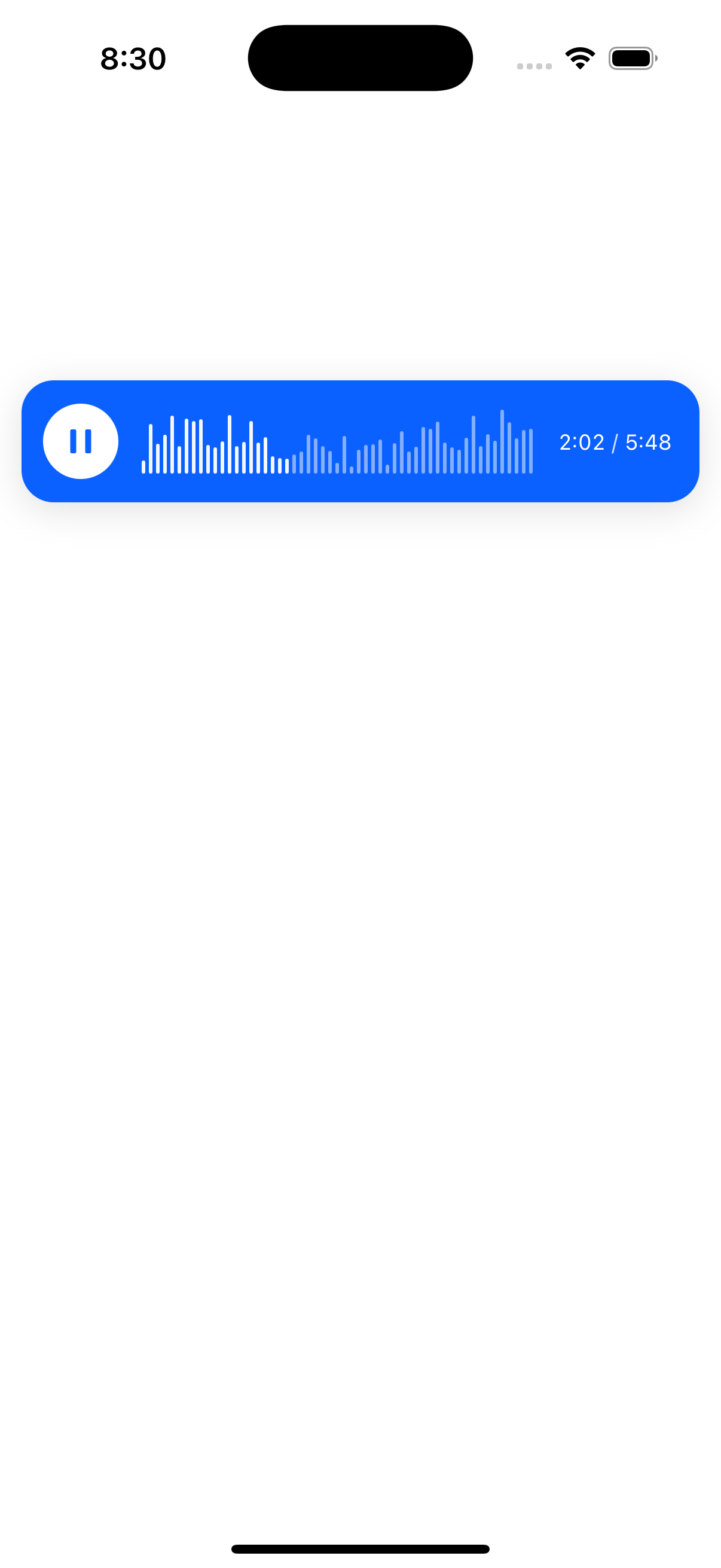
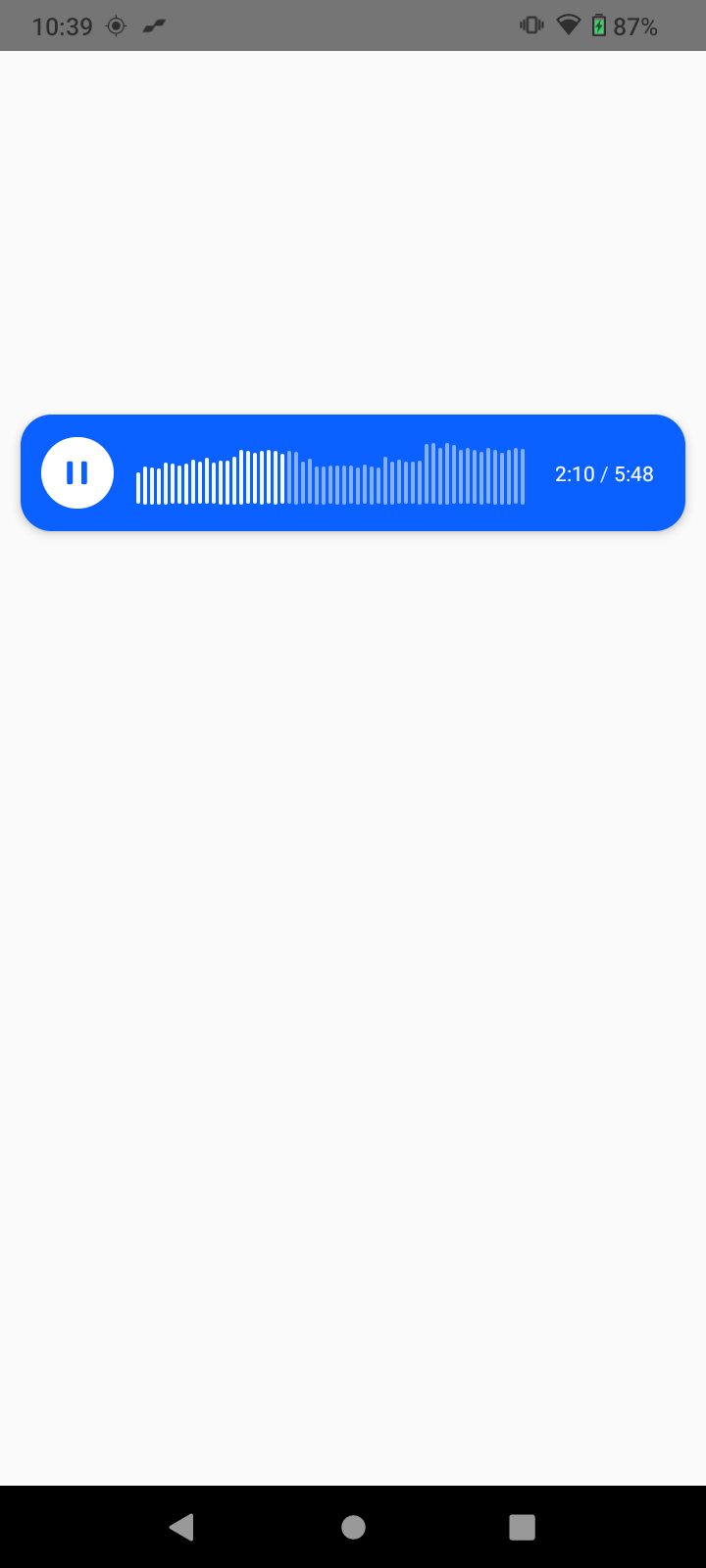
Screenshots
Note: Add your sample UI screenshots here to showcase the component in action.
iOS Screenshot
Android Screenshot
Installation
Prerequisites
- React Native 0.71+
- iOS 12.0+ / Android API 21+
- For iOS: Xcode 14.0+
Install the package
yarn add @moeez12/react-native-audiowave
# or
npm install @moeez12/react-native-audiowave
iOS Setup
The following iOS frameworks need to be manually linked in Xcode:
- CoreMedia.framework - Core media functionality
- Accelerate.framework - High-performance vector and matrix operations
- AudioToolbox.framework - Audio processing and playback
- AVFoundation.framework - Audio/visual media handling
Manual Linking Steps:
Open your iOS project in Xcode
cd ios && open YourProject.xcworkspaceSelect your project target in the left sidebar
Go to "General" tab → "Frameworks, Libraries, and Embedded Content"
Click the "+" button and add each framework:
- CoreMedia.framework
- Accelerate.framework
- AudioToolbox.framework
- AVFoundation.framework
Ensure "Embed & Sign" is selected for each framework
Clean and rebuild your project
Android Setup
No additional configuration required for Android.
Usage
Basic Implementation
import React, { useState } from 'react';
import { View, StyleSheet } from 'react-native';
import AudioWaveform from '@moeez12/react-native-audiowave';

const App = () => {
  const [audioUrl, setAudioUrl] = useState('path/to/your/audio.mp3');

  return (
    <View style={styles.container}>
      <AudioWaveform
        audioUri={audioUrl}
        style={styles.waveform}
        onPlayStateChange={(state) => console.log('Playback:', state)}
      />
    </View>
  );
};

const styles = StyleSheet.create({
  container: {
    flex: 1,
    justifyContent: 'center',
    alignItems: 'center',
    backgroundColor: '#f5f5f5',
  },
  waveform: {
    width: '100%',
    height: 200,
  },
});
Advanced Configuration
<AudioWaveform
  audioUri="https://example.com/audio.mp3"
  style={styles.waveform}
  waveformColor="#007AFF"
  backgroundColor="#FFFFFF"
  progressColor="#34C759"
  onPlayStateChange={(state) => console.log('Playback:', state)}
  onError={(error) => {
    console.error('Audio error:', error);
  }}
/>
API Reference
Props
| Prop | Type | Default | Description |
|---|---|---|---|
audioUri |
string |
Required | URL or path to the audio file |
style |
ViewStyle |
{} |
Custom styling for the waveform container |
waveformColor |
string |
#007AFF |
Color of the waveform bars |
backgroundColor |
string |
#FFFFFF |
Background color of the waveform |
progressColor |
string |
#34C759 |
Color of the playback progress |
onPlayStateChange |
function |
- | Callback when playback state changes |
onPositionChange |
function |
- | Callback when position changes |
onError |
function |
- | Callback when audio errors occur |
Performance
This library is built with Turbo Native Modules, providing:
- Faster startup times compared to legacy bridge architecture
- Reduced memory usage through efficient native communication
- Better performance for audio processing and visualization
- Synchronous method calls where possible
- Optimized native code generation
Troubleshooting
Common Issues
Audio not playing on iOS
- Check that audio files are in supported formats (MP3, WAV, M4A)
Waveform not rendering
- Verify audio file path/URL is correct
- Check console for error messages
- Ensure audio file is accessible
Build errors on iOS
- Clean build folder:
cd ios && rm -rf build && cd .. - Reinstall pods:
cd ios && pod install && cd ..
- Clean build folder:
License
This project is licensed under the MIT License - see the LICENSE file for details.
Support
- Email: moeez.ahmad.dev127@gmail.com
- Issues: GitHub Issues
- Documentation: GitHub Wiki
Made with by Moeez Ahmad