
dsh-translator
Youdao-style word-selection translation for DeepSeek Harness (DSH).
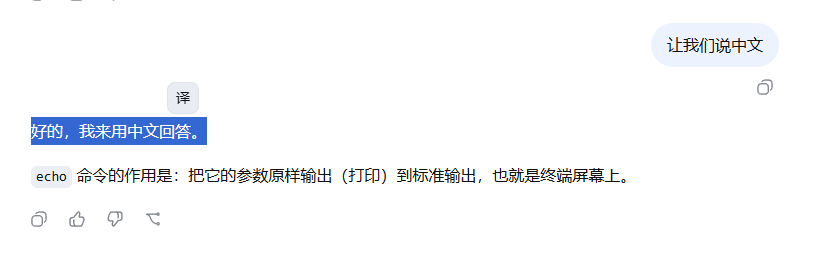
Select any text — a conversation message, the sidebar, an input field — and a floating 「译」 button appears at the selection's top-right corner. Click it to get a translation card. Translations are produced by the harness's own LLM: no API keys, no third-party endpoints, your selected text never leaves the model pipeline you already configured.
| English | 中文 README |
|---|
Usage
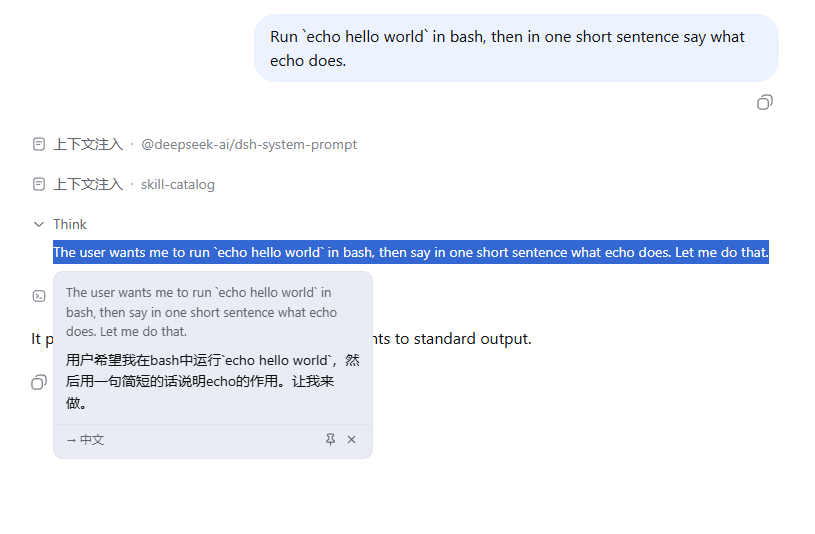
Select text → click the 「译」 button at the selection's top-right corner → the translation card appears. Drag the card by its header to move it, or pin it so it can't be dismissed by accident.
Features
- Word-selection trigger anywhere in the app; floating button follows the selection, theme-aware (light/dark)
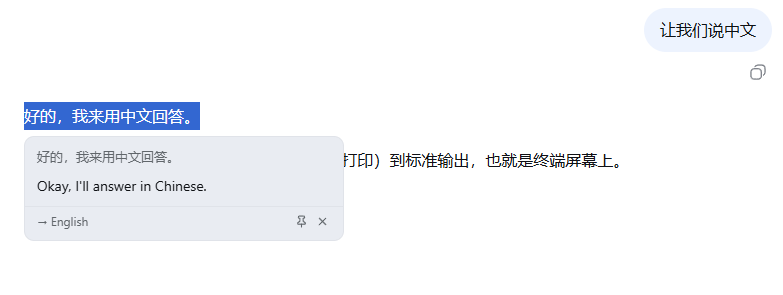
- Automatic direction detection (Chinese → English, everything else → Simplified Chinese)
- Translation card with source, direction badge, result, and retry on failure; dismiss with Esc / click-outside
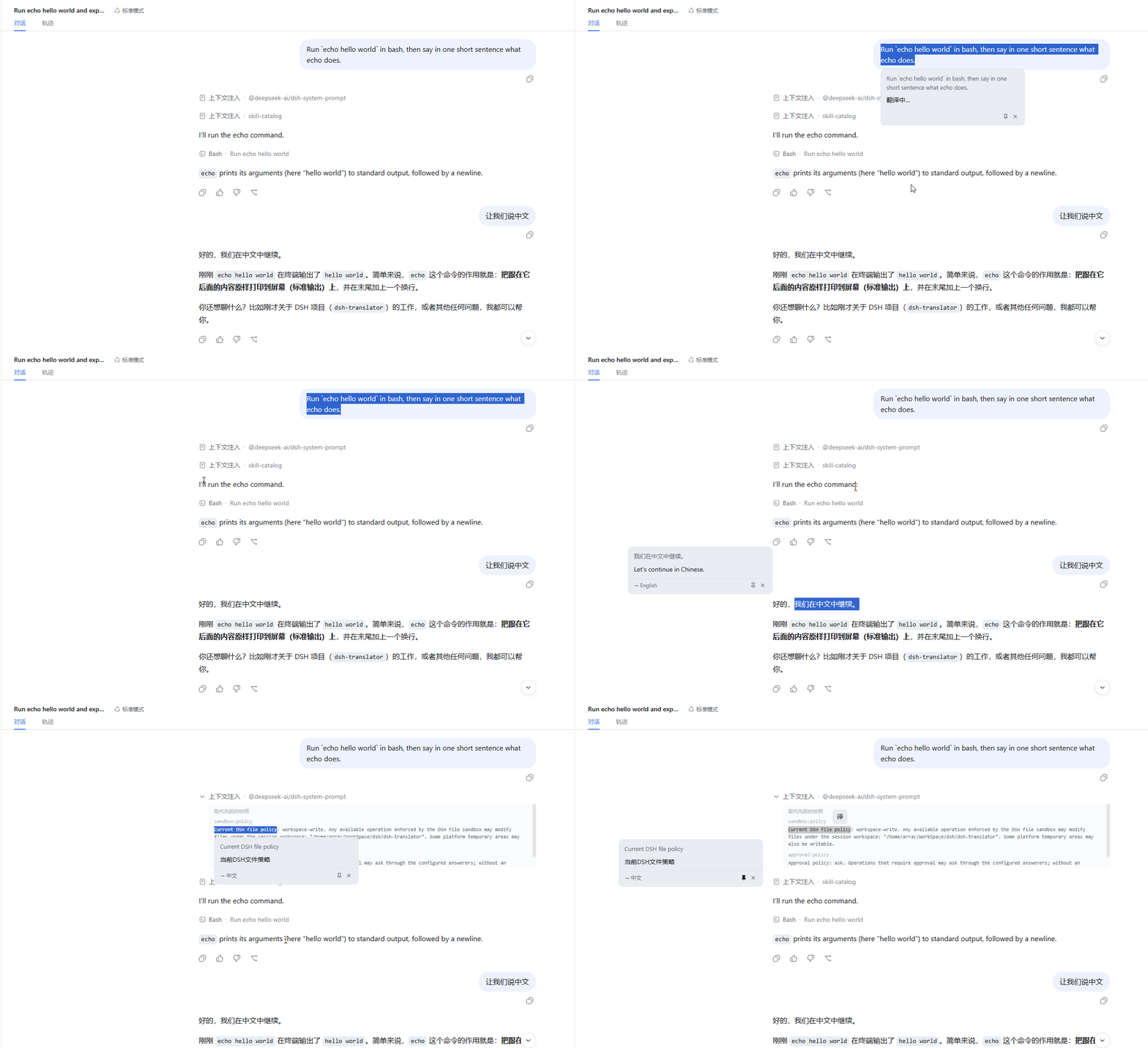
- Draggable card: drag it by its header to move it out of the way — it stays where you put it
- Pinnable card: lock it in place (drag / Esc / click-outside disabled) until you close it — only one card at a time, so no nesting
- Streaming-robust: works on live streaming output (no flicker), and the card stays put when the content scrolls
- Uses your configured default model — zero extra configuration
Screenshots
Select text → the floating 「译」 button appears at the selection's top-right corner:
Click it → the translation card opens (English → Chinese):
Chinese → English direction is automatic:
Full workflow — select, translate, drag, pin, close:
Install
From npm:
dsh plugin --profile web add @nicearrack/dsh-translator@latestFrom a local checkout:
dsh plugin --profile web add /path/to/dsh-translatorFrom git:
dsh plugin --profile web add github:nicearrack/dsh-translatorGit installs run the package's
preparebuild script. pnpm ≥ 10 requires one-time authorization: addallowBuilds: { "@nicearrack/dsh-translator": true }to the profile'spnpm-workspace.yamlif the first install is refused.
Uninstall
dsh plugin --profile web remove @nicearrack/dsh-translatorRestart the instance (dsh --profile web) for the removal to take effect.