0.2.0 • Published 1 year ago
@olton/spider v0.2.0
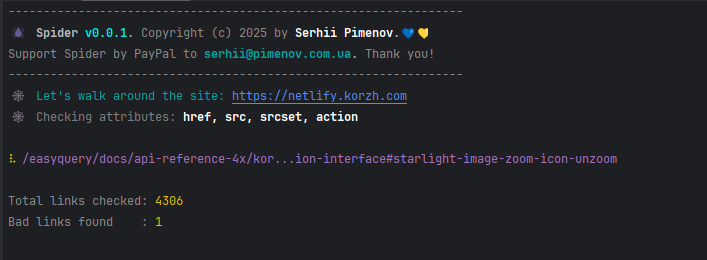
Installation
You can install Spider as a local dependency in your project:
npm install -D @olton/spideror globally
npm install -g @olton/spiderUsage
Update your package.json file to add a script for checking links:
{
  "scripts": {
    "check-links": "spider https://site.com"
  }
}
Then run the script:
npm run check-linksRun from command line
You can run Spider from command line without adding it to package.json:
npx spider https://site.comOptions
You can pass options to Spider:
--verbose- Run in verbose mode--attr- Specify the attributes to check (default:href, src, srcset, action)--help- Show help--version- Show version
npx spider --attr=href,src https://site.comLicense
This project is licensed under the MIT License. See the LICENSE file for details.
Code Standards

Support
If you like this project, please consider supporting it by:
- Star this repository on GitHub
- Sponsor this project on GitHub Sponsors
- PayPal to
serhii@pimenov.com.ua. - Patreon
- Buy me a coffee
Copyright (c) 2025 by Serhii Pimenov