

Papra - Document management platform
Minimalistic document management and archiving platform.
Demo • Docs • Self-hosting • Roadmap • Discord
Introduction
Papra is a minimalistic document management and archiving platform. It is designed to be simple to use and accessible to everyone. Papra is a platform for long-term document storage and management, like a digital archive for your documents.
Forget about that receipt of that gift you bought for your friend last year, or that warranty for your new phone. With Papra, you can easily store, forget, and retrieve your documents whenever you need them.
A live demo of the platform is available at demo.papra.app (no backend, client-side local storage only).
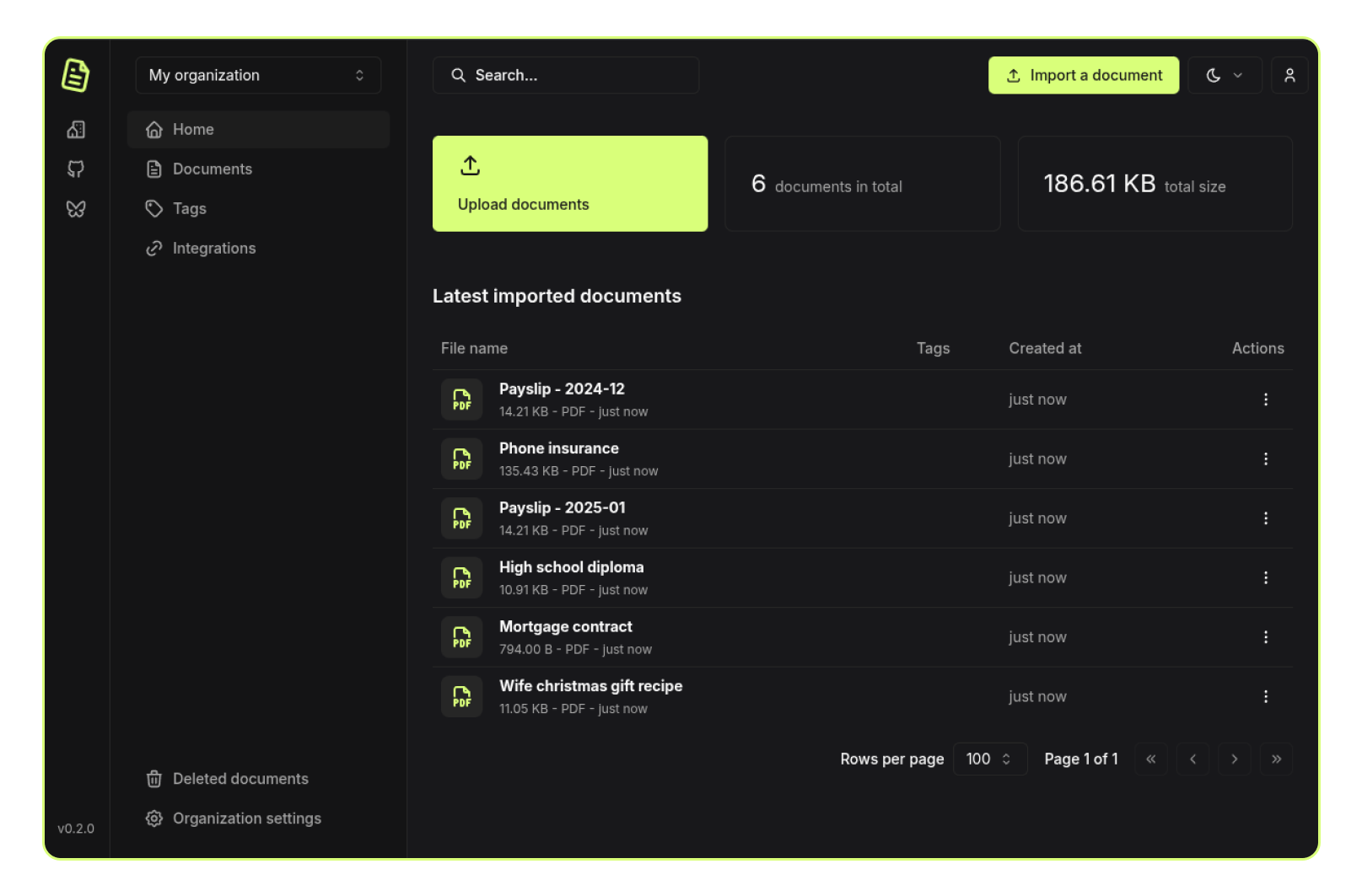
Features
- Document management: Upload, store, and manage your documents in one place.
- Organizations: Create organizations to manage documents with family, friends, or colleagues.
- Search: Quickly search for documents with full-text search and advanced filters.
- Authentication: User accounts and authentication.
- Dark Mode: A dark theme for those late-night document management sessions.
- Responsive Design: Works on all devices, from desktops to mobile phones.
- Open Source: The project is open-source and free to use.
- Self-hosting: Host your own instance of Papra using Docker or other methods.
- Tags: Organize your documents with tags.
- Email ingestion: Send/forward emails to a generated address to automatically import documents.
- Content extraction: Automatically extract text from images or scanned documents for search.
- Tagging Rules: Automatically tag documents based on custom rules.
- Folder ingestion: Automatically import documents from a folder.
- CLI: Manage your documents from the command line.
- API, SDK and webhooks: Build your own applications on top of Papra.
- i18n: Support for multiple languages.
- Custom properties: Define per-organization custom properties to store additional information about documents.
- Document sharing: Share documents with external users with optional expiration dates and password protection.
- Coming soon: Document requests: Generate upload links for people to add documents.
- Coming maybe one day: Mobile app: Access and upload documents on the go.
- Coming maybe one day: Desktop app: Access and upload documents from your computer.
- Coming maybe one day: Browser extension: Upload documents from your browser.
- Coming maybe one day: AI: Use AI to help you manage or tag your documents.
Support
Papra is a free and open-source project, but it is not free to run and develop. If you want to support the project, you can become a sponsor on GitHub Sponsors or Buy me a coffee. If you are a company, you can also contact me to discuss a sponsorship.
Self-hosting
Papra is dedicated to providing a simple yet highly configurable self-hosting experience.
For a quick start, simply run the following command:
docker run -d --name papra -p 1221:1221 -e AUTH_SECRET=a-dummy-secret-for-testing-purposes-only ghcr.io/papra-hq/papra:latestThe
AUTH_SECRETabove is fine for kicking the tires, but for any real instance you should generate your own withopenssl rand -hex 48(or similar).
Please refer to the self-hosting documentation for more information and configuration options.
Contributing
Contributions are welcome! Please refer to the CONTRIBUTING.md file for guidelines on how to get started, report issues, and submit pull requests.
You can find easy-to-pick-up tasks with the good first issue or PR welcome labels.
License
This project is licensed under the AGPL-3.0 License - see the LICENSE file for details.
Community
Join the community on Papra's Discord server to discuss the project, ask questions, or get help.
Credits
This project is crafted with by Corentin Thomasset. If you find this project helpful, please consider supporting my work.
Acknowledgements
Stack
Papra would not have been possible without the following open-source projects:
- Frontend
- SolidJS: A declarative JavaScript library for building user interfaces.
- Shadcn Solid: UI components library for SolidJS based on Shadcn designs.
- UnoCSS: An instant on-demand atomic CSS engine.
- Tabler Icons: A set of open-source icons.
- And other dependencies listed in the client package.json
- Backend
- HonoJS: A small, fast, and lightweight web framework for building APIs.
- Drizzle: A simple and lightweight ORM for Node.js.
- Better Auth: A simple and lightweight authentication library for Node.js.
- CadenceMQ: A self-hosted-friendly job queue for Node.js, made by Papra.
- And other dependencies listed in the server package.json
- Documentation
- Astro: A great static site generator.
- Starlight: A module for Astro that provides a starting point for building documentation websites.
- HiDeoo/starlight-theme-rapide: A theme for Starlight.
- Project
- PNPM Workspaces: A monorepo management tool.
- Github Actions: For CI/CD.
- Infrastructure
- Cloudflare Pages: For static site hosting.
- Fly.io: For backend hosting.
- Turso: For production database.
Inspiration
This project would not have been possible without the inspiration and work of others. Here are some projects that inspired me:
- Paperless-ngx: A full-featured document management system.
Sponsors
Shout-out to our current sponsors:
