

Pattern
Build backends as typed graphs of operations.
Author them in JSON or a visual editor, run them with streaming and concurrency,
and serve them as HTTP APIs, AI agents, and full apps.
pattern-js.dev · Quick start · The idea · What you get · Ecosystem · Docs
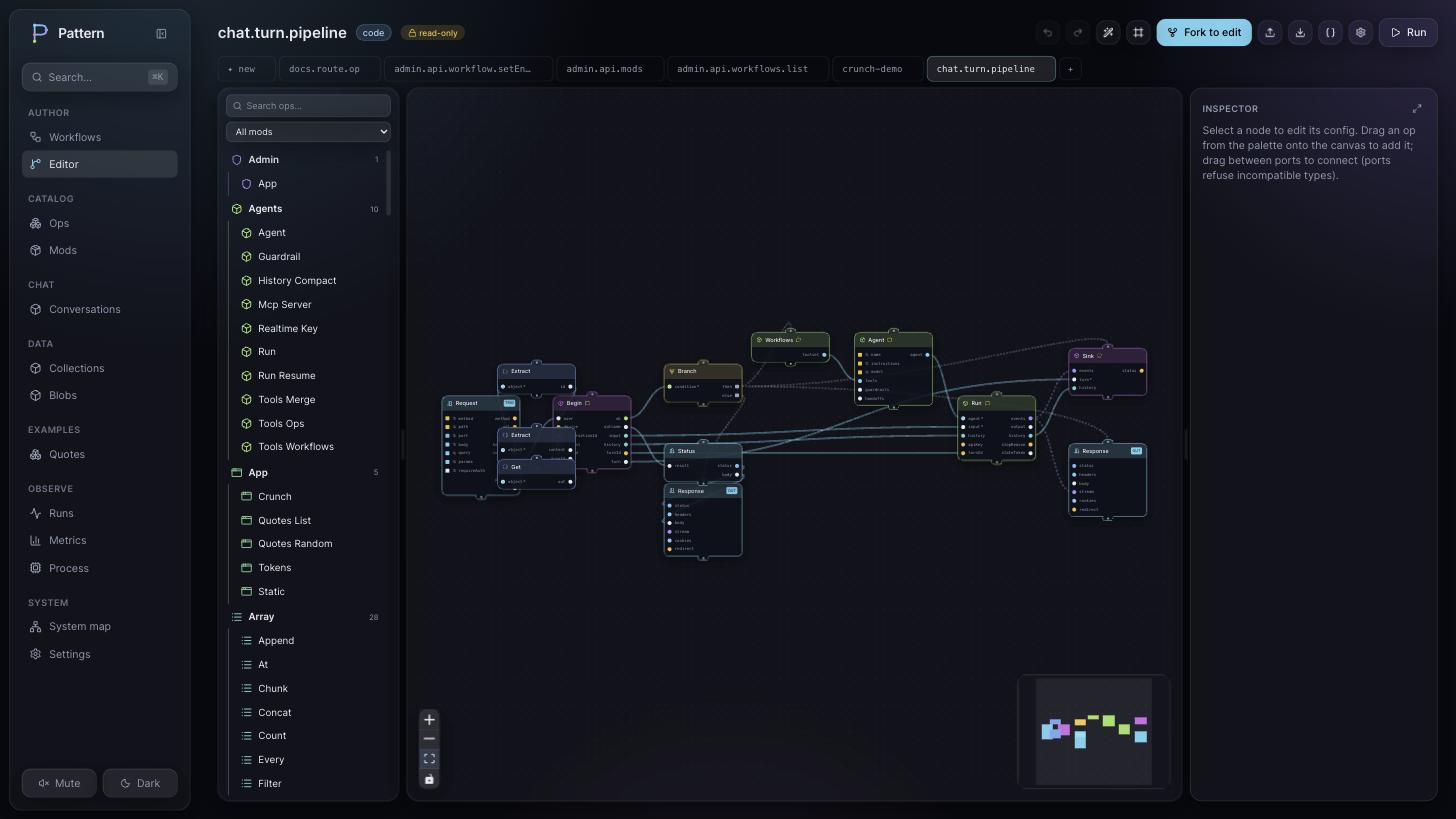
A workflow is a JSON document describing a directed graph of typed operations (ops) wired together by their ports. The engine runs the graph and produces a result. You can write that document by hand, generate it, or draw it in the visual editor. They are all the same document.
The idea
Two pieces, and the way they connect.
- Ops carry the code. An op is a small typed function with named input and
output ports:
core.string.template,core.http.fetch,agents.run. The base catalog ships 175 of them, the first-party mods roughly double that, and you add your own. - Workflows wire ops together. You connect an output port to an input port,
and the kind of the port decides how data moves:
- value ports resolve once and the consumer waits for them (a barrier),
- stream ports flow together with backpressure,
- control ports fire a dataless pulse, so you can order side effects.
The schedule comes from the wiring, so there is no orchestration glue to write. And because the whole thing is one JSON document, versioning, diffs, a visual editor, live deploy, and run replay all come from the format itself.
Quick start
npm create pattern@latest        # scaffold a project
cd my-app && npm install
npm run dev                      # then open http://localhost:3000/admin
Pick the studio modpack and you land in a visual workspace with example
workflows you can edit, run, and trace. Or go straight to code: drop a .json
workflow into workflows/ and the dev server picks it up on save.
// workflows/hello.json  ·  GET /hello/:name
{
  "id": "hello",
  "nodes": [
    { "id": "in",  "op": "boundary.http.request",  "config": { "method": "GET", "path": "/hello/:name" } },
    { "id": "msg", "op": "core.string.template",    "config": { "template": "Hello, {{ name }}!" } },
    { "id": "out", "op": "boundary.http.response" }
  ],
  "edges": [
    { "from": { "node": "in",  "port": "params" }, "to": { "node": "msg", "port": "data" } },
    { "from": { "node": "msg", "port": "out" },    "to": { "node": "out", "port": "body" } }
  ]
}
curl localhost:3000/hello/world # Hello, world!The route lives in the trigger's config, so the host derives it by scanning your workflows. Add a file, get a route.
What you get
A visual control plane. @pattern-js/mod-admin is the editor above, plus live
deploy with route-conflict checks, run inspection with per-node waterfalls and
replay over the graph, versioning with diffs and one-click rollback, and a
catalog of every op, mod, and workflow in your system. It is a mod itself, built
from the same primitives you author with, so its own API shows up in its catalog.
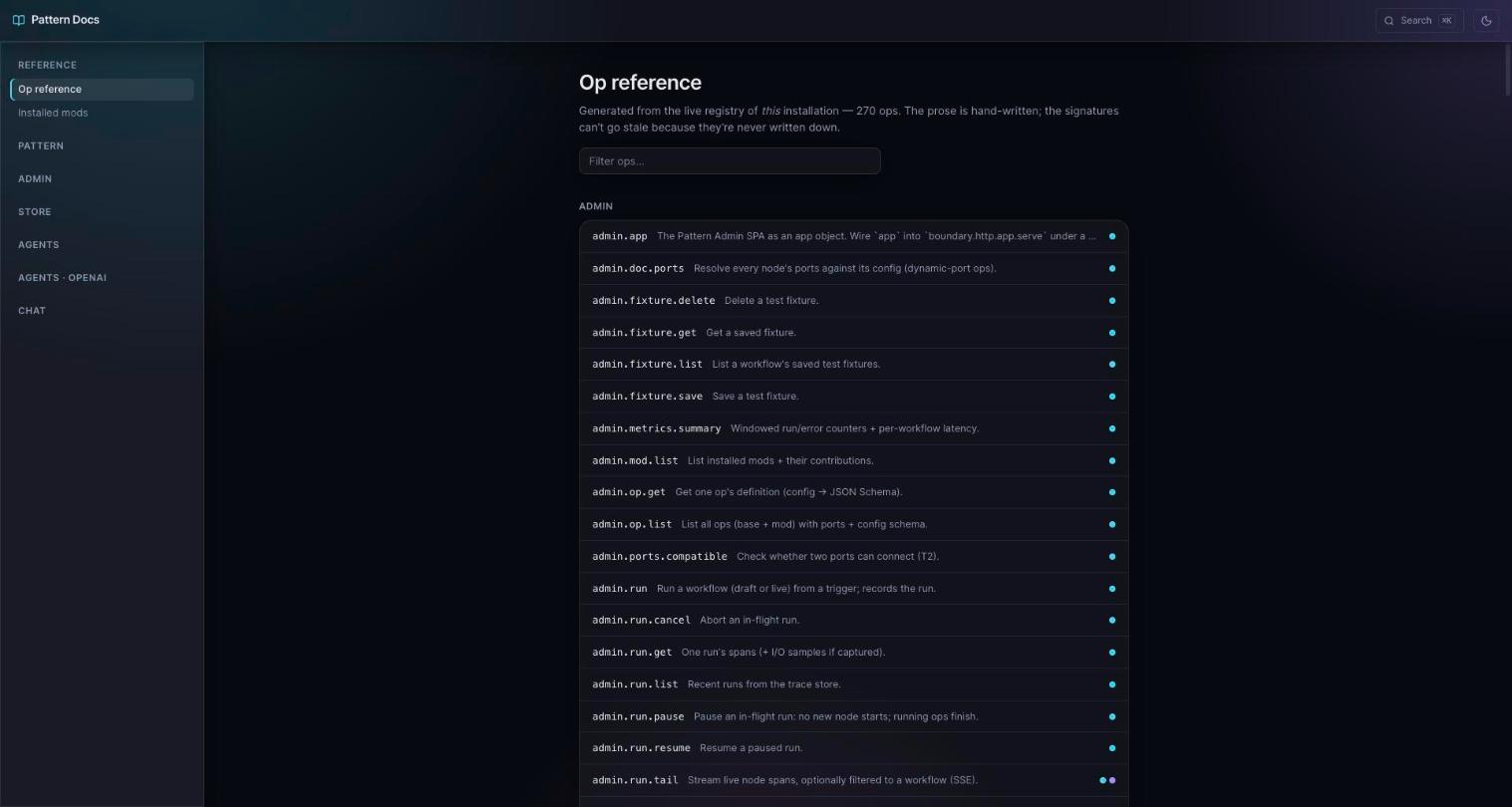
Documentation that stays current. @pattern-js/mod-docs serves a handbook plus
an op reference generated from your live installation, so the signatures are
always in sync with what is running. A /docs/llms.txt endpoint hands the whole
thing to a coding agent as one file.
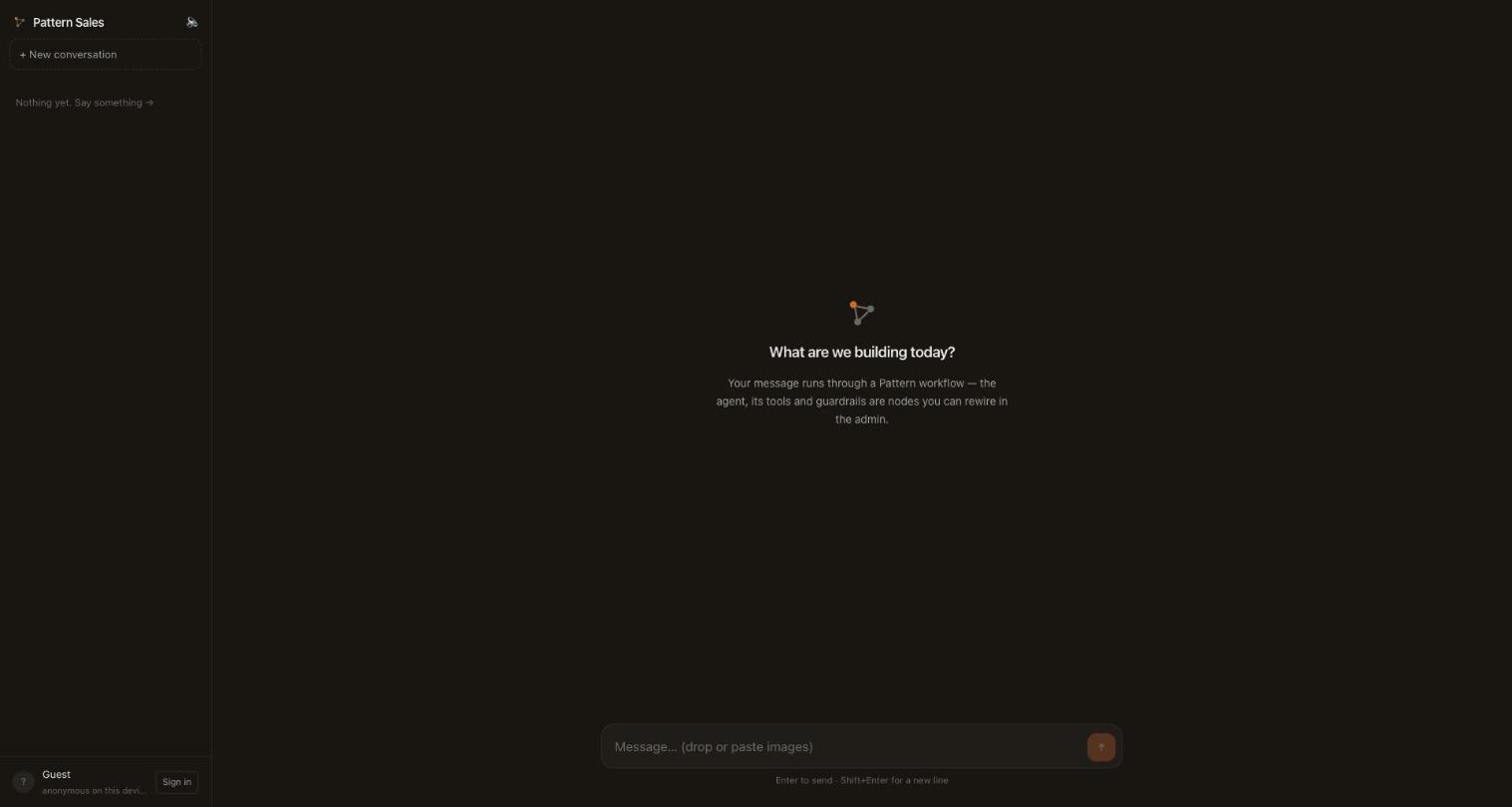
Agents and apps, expressed as workflows. A tool is a workflow. A chat turn is a workflow you can fork in the admin. You can serve a built single-page app from a workflow, and host many branded copies of it over a single backend.
Real sign-in and real email, in-box. Magic-link and OIDC login (Google, Microsoft, any issuer) over one identity layer, and a transactional email contract with Resend and SMTP drivers — install a driver, create the account in the admin, and sign-in links send themselves.
A DX built for people and for agents. Hot reload on every save, typed
connection assist in the editor, located validation errors, a pattern ops
catalog in the terminal, and an AGENTS.md in every scaffold so a coding agent is
productive on its first try.
The ecosystem
Everything beyond the engine is an optional mod you engine.use().
| Package | Role |
|---|---|
@pattern-js/core |
the runtime-neutral engine: types, validation, scheduler, streams, the base op catalog, boundaries, hooks, auth, observability |
@pattern-js/runtime-node |
the Node adapter: HTTP / WebSocket / CLI / schedule hosts, a worker pool, trace stores, the pattern CLI |
@pattern-js/mod-admin · @pattern-js/admin-sdk |
the visual control plane and its extension surface |
@pattern-js/mod-docs |
the served handbook and the generated op reference |
@pattern-js/mod-identity · @pattern-js/mod-auth-magic-link · @pattern-js/mod-auth-oidc |
users, sessions, roles — sign in by magic link or any OIDC provider |
@pattern-js/mod-email · @pattern-js/mod-email-resend · @pattern-js/mod-email-smtp |
the transactional-email contract and its drivers; delivers sign-in links out of the box |
@pattern-js/mod-store · @pattern-js/mod-vault |
document / blob / lease persistence and encrypted secrets |
@pattern-js/mod-agents · @pattern-js/mod-ai |
the neutral agent contracts + native run loop, and the AI capability layer (model provider, text / image / embeddings / STT / TTS / video, MCP) |
@pattern-js/mod-chat |
a complete chat application |
create-pattern |
the scaffolder (npm create pattern) |
Building your own? npm create pattern -- --kind mod scaffolds a publishable mod
with an example op, a route, an admin page, a docs chapter, and a test.
Docs
The handbook is served at /docs in any project that installs
@pattern-js/mod-docs, and ships as markdown inside
the package — browsable right here on GitHub.
- Getting started
- Concepts and Architecture
- Author a workflow in the admin or in JSON
- Authoring ops, serving a frontend app, and building a mod
CLI
pattern ops [query]            # browse every op, your mods included
pattern graph workflow.json    # print a workflow as a terminal graph
pattern validate file.json     # validate, with located, readable errors
pattern dev [entry]            # run with file-watch hot reload
pattern run file.json|id       # run a CLI workflow once
Develop
pnpm install
pnpm build
pnpm test          # scheduler, streams, boundaries, hooks, auth, workers, admin, SPA
pnpm typecheck