
Runny
A visual dashboard for all your npm scripts. Zero config.



Maintained fork of icydotdev/runny · published as @polymech/runny
Quick Start · Features · Screenshots · Usage · Soft CI · Contributing
Stop memorising script names. Stop tabbing between terminals. Runny scans your project for every package.json, lays out all your scripts in a clean GUI, and lets you run, stop, and monitor them — all from your browser.
Works with npm, pnpm, and yarn workspaces. Monorepos with 50 packages or solo projects with 3 scripts — same experience.
Quick Start
npm i -g @polymech/runny
cd your-project
runny
That's it. Opens your browser. Every script is right there.
Or run without installing:
npx @polymech/runnyOriginal project: github.com/icydotdev/runny · npm
@icydotdev/runny
Features
Core
- Instant discovery — Finds every
package.json, including workspace packages - One-click run/stop — Process-tree cleanup with tree-kill (no orphans)
- Live terminal — WebSocket stdout/stderr with ANSI colors (xterm.js)
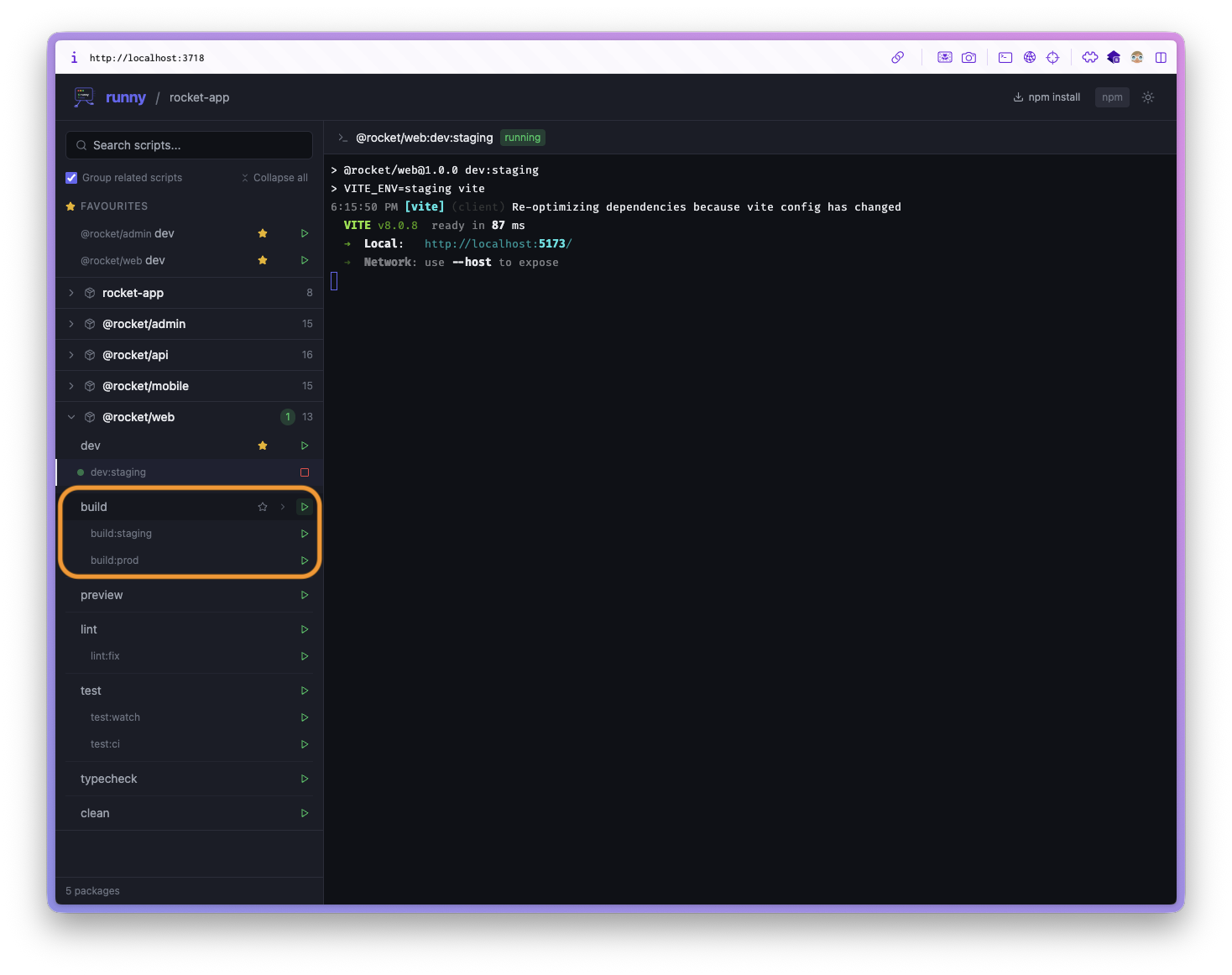
- Smart script grouping — Colon prefixes (
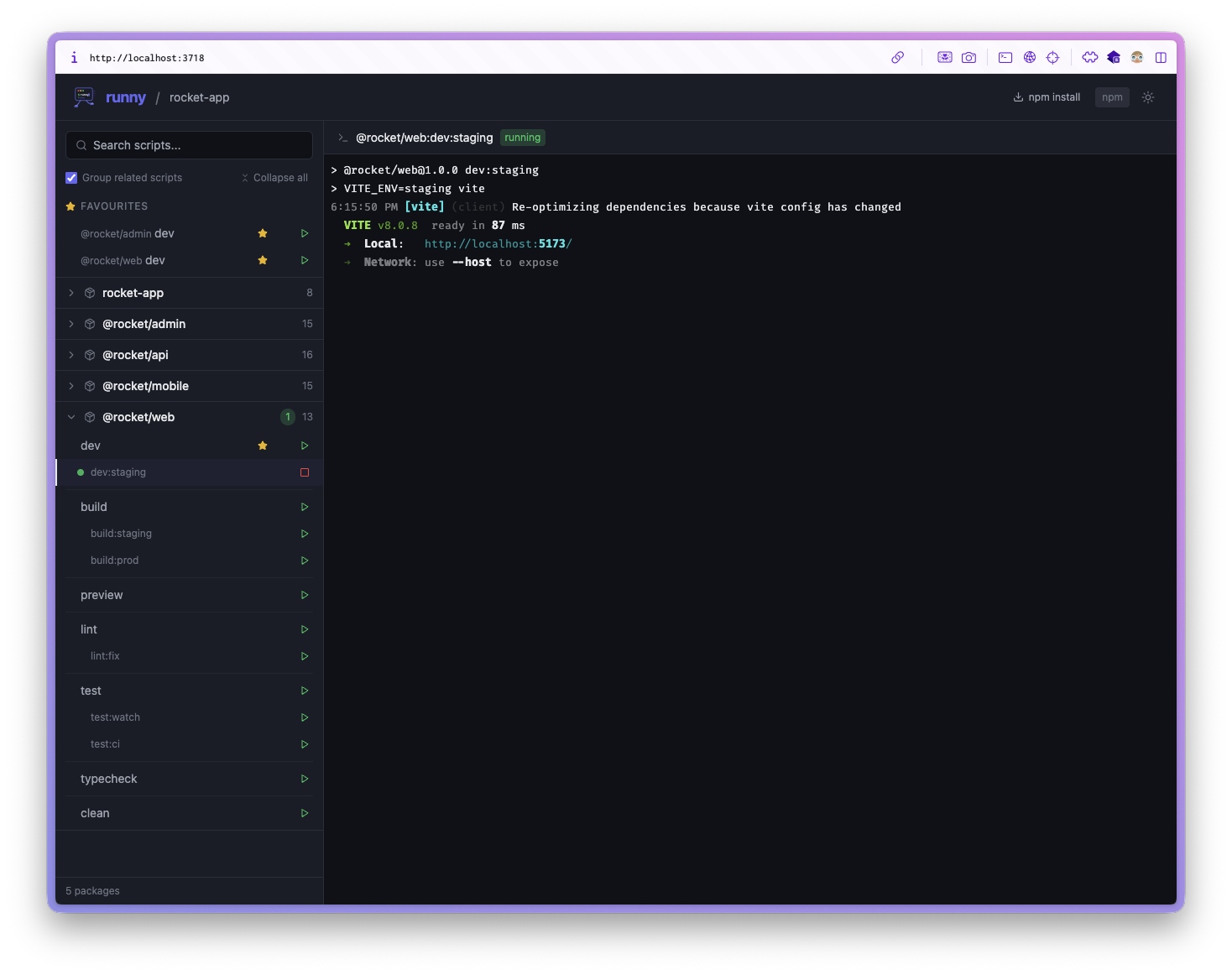
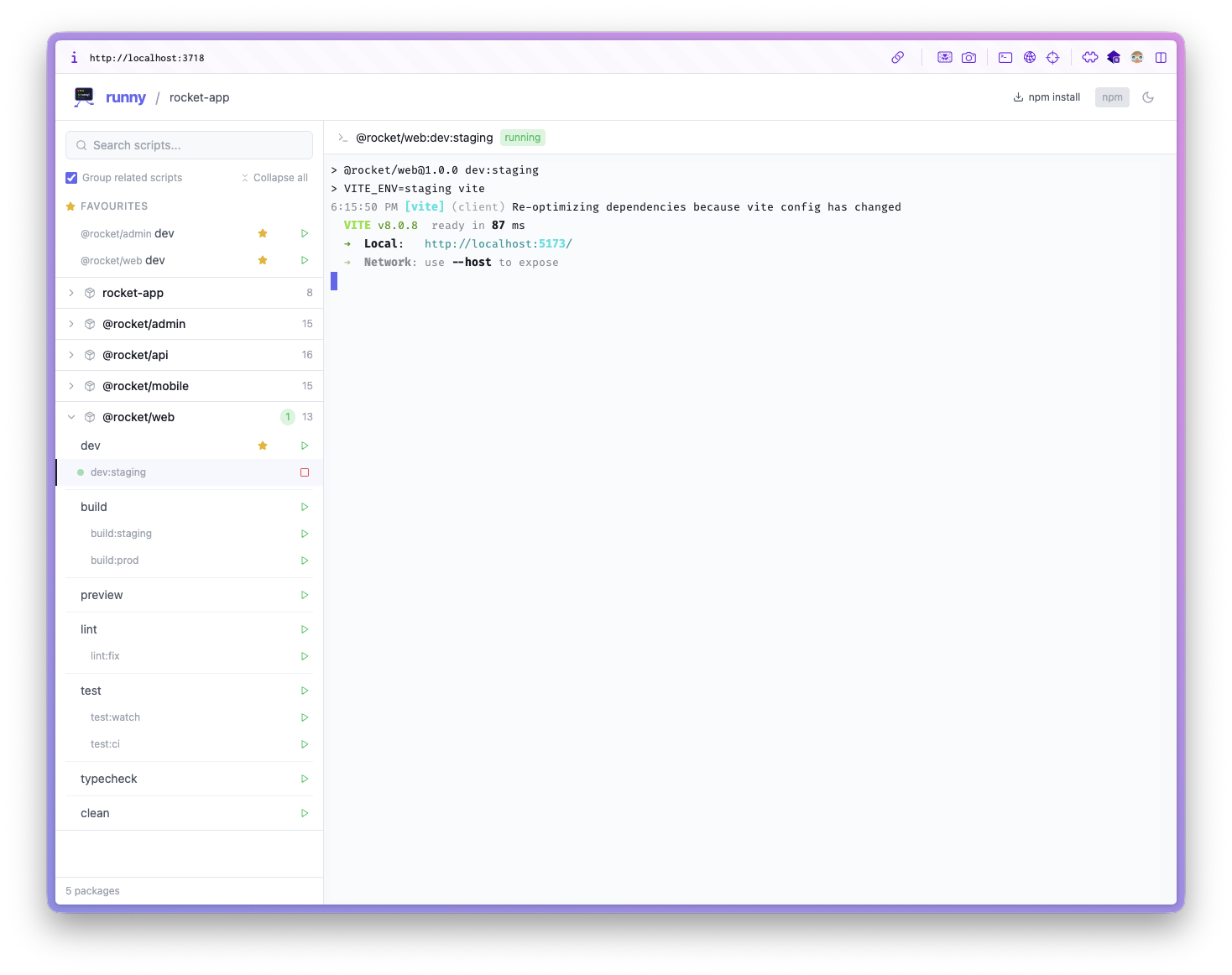
test,test:ci,test:dev) nest visually - Dark & light mode — System preference + manual toggle
- Package manager auto-detect — pnpm, yarn, or npm
- Monorepo-native — Expand/collapse packages; works with Turbo/Nx/Lerna scripts
- Zero project deps —
npxand go; nothing is uploaded
Favourites & organisation
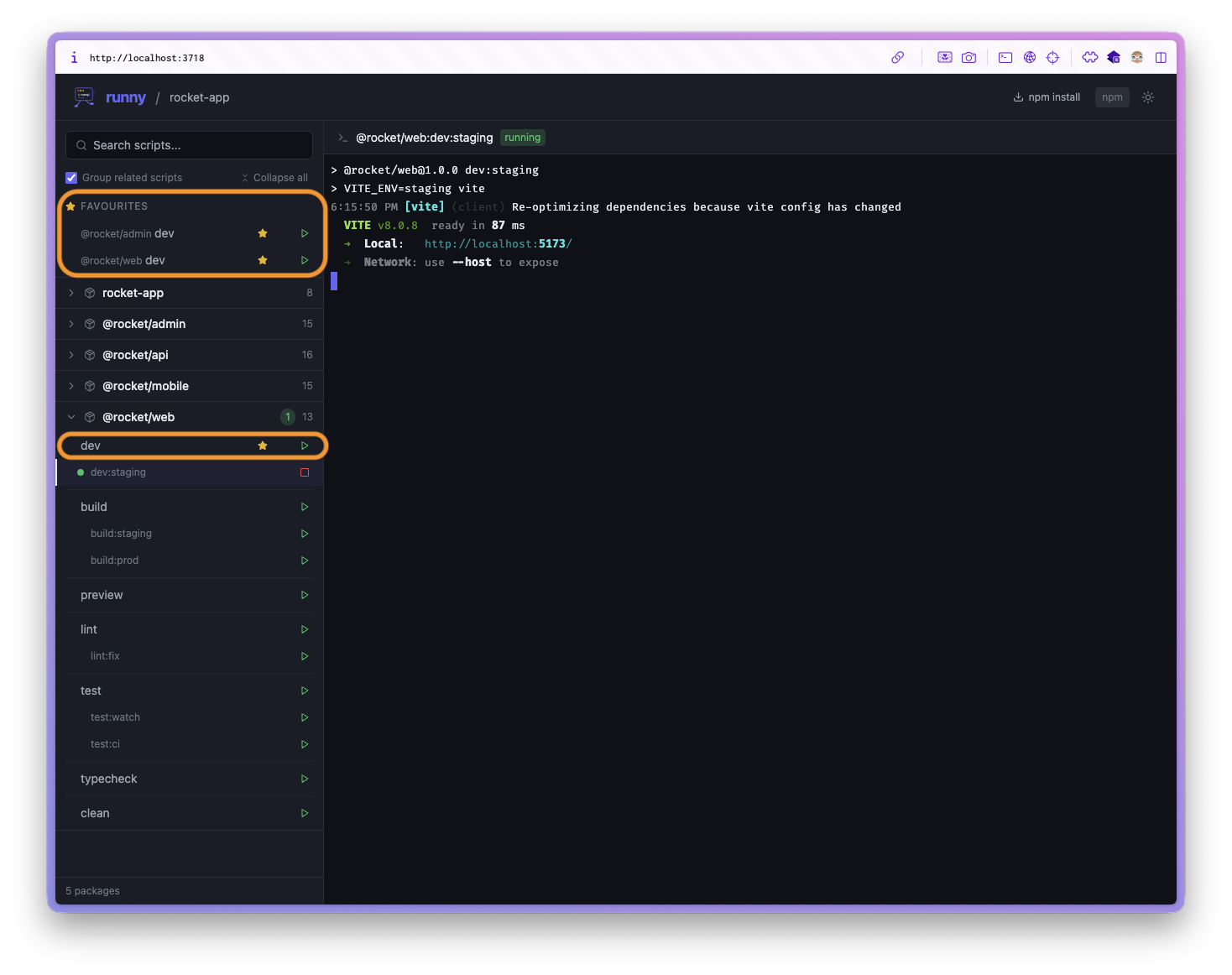
- Favourite groups — Multiple named lists, reorder groups and scripts by drag-and-drop
- Ctrl+drag to duplicate — Copy a favourite into another group (keep the source)
- Mute in a group — Skip muted scripts when running a favourite list
- Custom descriptions — Hover notes on favourite scripts
- Hide scripts — Tuck away noise from the sidebar
Soft CI (sequential sessions)
- Run a colon-group or favourite list sequentially — fail-fast by default
- Session strip — Live step progress; stop a running session
- CLI —
runny session run …/runny session listfor headless soft-CI - Terminal auto-follow — Active step output stays in view (toggle off via prev/next)
Terminal & search
- Stdout / stderr filters — Toggle streams; preference persisted
- Cycle running tasks — Prev/next in the terminal header, or
Alt+←/Alt+→ - Finished markers — Compact
DONE/FAIL/SKIP+ relative time on rows - Fuzzy search — camelCase,
:-_, acronyms, and subsequences; matching trees start collapsed
Packaging
- Single Rspack client bundle — one
runny.bundle.jsfor publish (dist/client) - Local-only — Express + WebSocket on
127.0.0.1; no telemetry
Screenshots
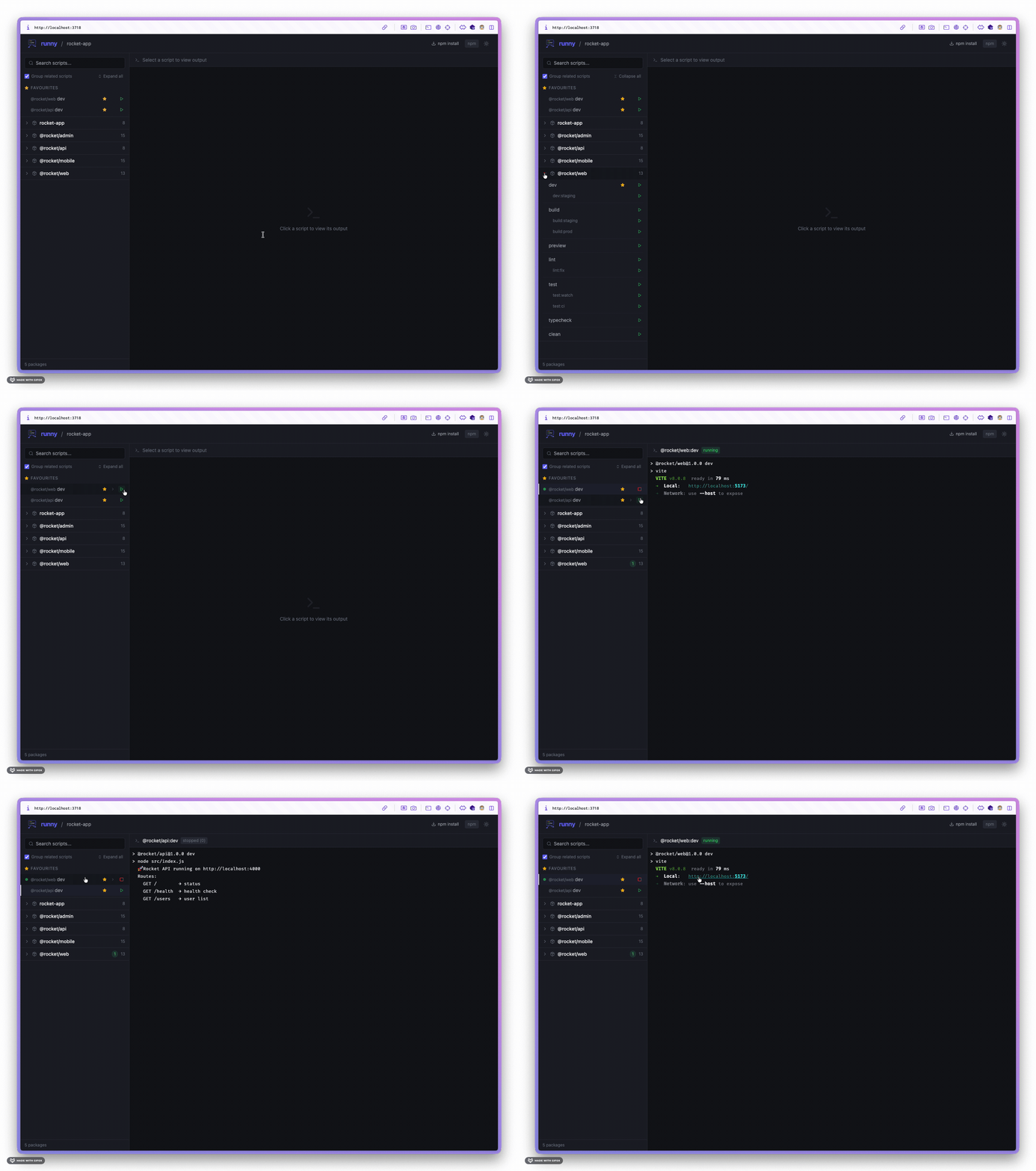
Dark mode
Light mode
Script grouping
Favourites
Usage
# Run in current directory
runny

# Custom port
runny --port 4000

# Don't open browser automatically
runny --no-browser

# Via npx (no install)
npx @polymech/runny
Soft CI
# Sequential colon-group (e.g. scripts named build:*, test:*)
runny session run build --package my-app

# Favourite group by id path
runny session run favourite:<groupId>

# List recent / active sessions
runny session list

# Keep going after a failed step
runny session run test --no-fail-fast
In the UI: use the Play control on a script group or favourite group header.
Supported project types
| Type | How it works |
|---|---|
| Single package | Reads package.json scripts, shows them flat (no collapsing) |
| npm workspaces | Reads workspaces field from root package.json |
| yarn workspaces | Reads workspaces field from root package.json |
| pnpm workspaces | Reads pnpm-workspace.yaml |
How it works
- Runny starts a lightweight local server (Express + WebSocket)
- It scans your project for
package.jsonfiles based on your workspace config - A React frontend opens in your browser showing all discovered scripts
- When you click Play, Runny spawns the script as a child process using your package manager
- stdout/stderr stream to the browser terminal in real time via WebSocket
- When you click Stop, the entire process tree is killed cleanly — no orphaned processes
Your code is never uploaded anywhere. Everything runs locally on your machine.
Config (favourites, muted scripts, descriptions, theme, etc.) is stored under your user config directory as runny-config.json.
FAQ
How is this related to the original Runny?
This repo is a maintained fork of icydotdev/runny, published on npm as @polymech/runny. Upstream remains available as @icydotdev/runny.
Does this upload my code / phone home?
No. Runny is a local-only tool. The server runs on 127.0.0.1, the frontend is bundled static assets served from your machine. There are zero network requests to external services.
Can I use this in CI?
The GUI is aimed at local development. Soft-CI sessions (runny session run …) can run sequential script groups headlessly on a machine that has your package manager installed — still not a replacement for your real CI matrix.
What about long-running scripts like `dev`?
That's Runny's sweet spot. Start your dev servers, watch processes, and build watchers — see all their output in one place, stop them cleanly with one click. Use the terminal prev/next controls to jump between running tasks.
Will stopping a script leave zombie processes?
No. Runny uses tree-kill to kill entire process trees. When you stop pnpm run dev, it kills pnpm, node, and any child processes spawned by your dev server.
Does it work with Turborepo / Nx / Lerna?
Yes — Runny reads workspace configuration (pnpm-workspace.yaml or the workspaces field in package.json), not your build orchestrator. Your Turbo/Nx scripts appear like any other script and can be run from Runny.
Roadmap
- Soft-CI sessions for groups & favourite lists
- Favourite groups, mute, Ctrl+drag duplicate
- Terminal stream filters + cycle running tasks
- Fuzzy search
- Single Rspack client bundle
- Multi-terminal panes (side-by-side)
- Keyboard shortcuts (
Ctrl+Ksearch, arrow navigation,Enterto run) - Desktop notifications when scripts finish or error
- Detect externally-running scripts started outside Runny
- Environment variable overrides per script
Contributing
Contributions are welcome — open an issue or PR on polymech-info/runny. For upstream discussion, see icydotdev/runny.
git clone https://github.com/polymech-info/runny.git
cd runny
npm install
npm run dev
This starts the Express API and the Rspack dev server concurrently. Set TARGET_DIR to point at a project to test against:
# Windows (PowerShell)
$env:TARGET_DIR="C:\path\to\your-monorepo"; npm run dev

# macOS / Linux
TARGET_DIR=~/your-monorepo npm run dev
Dev UI: http://127.0.0.1:5173 (proxies /api and /ws to the API on :3717).
npm run build # dist/cli.js + dist/client/runny.bundle.jsLicense
MIT Sam Kavanagh — original icydotdev/runny