
go-to-istanbul




Convert Go test coverage output (
coverage.out) into a beautiful, interactive Istanbul HTML report — the same visual coverage experience JavaScript developers love, now for Go projects.
Preview
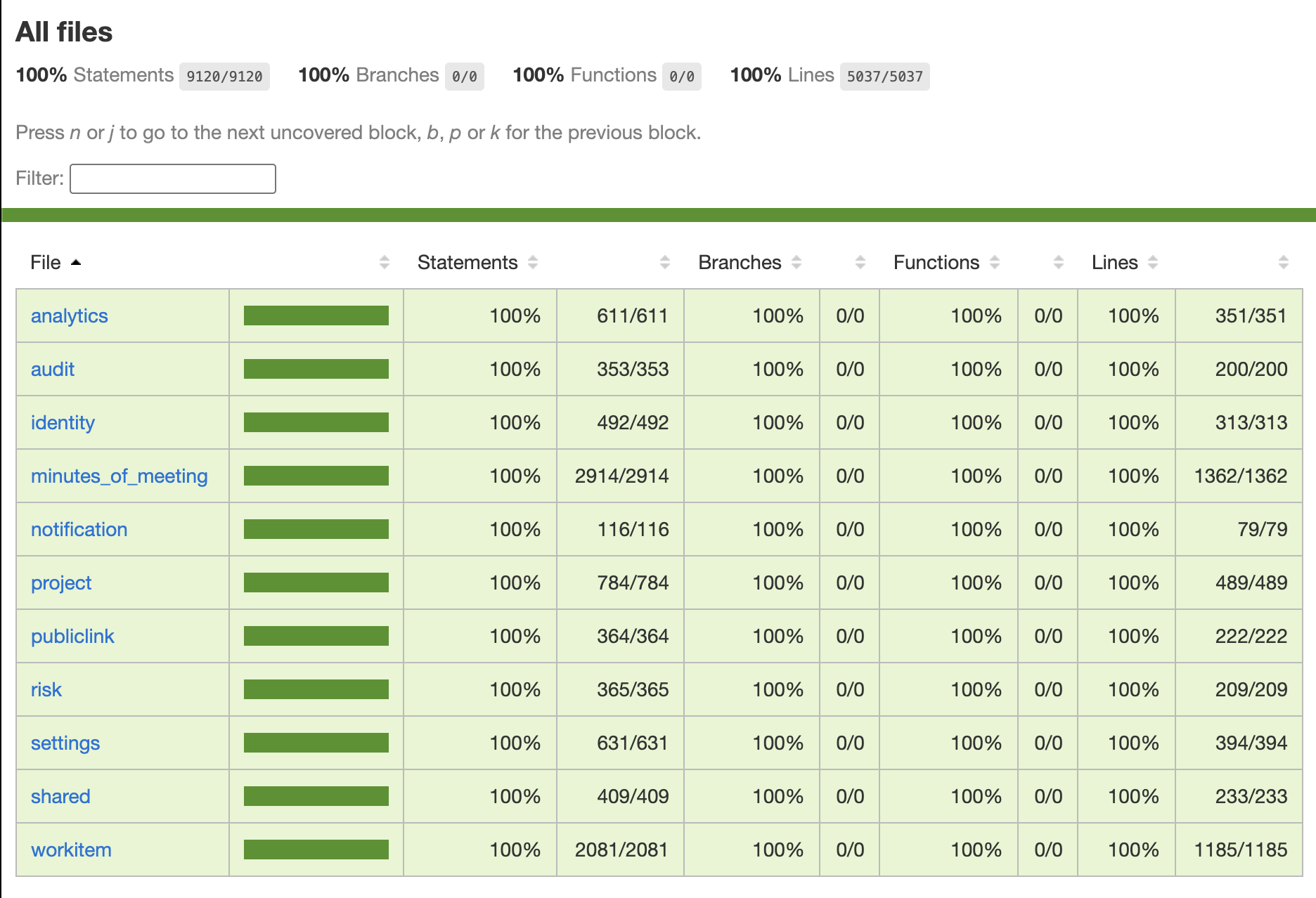
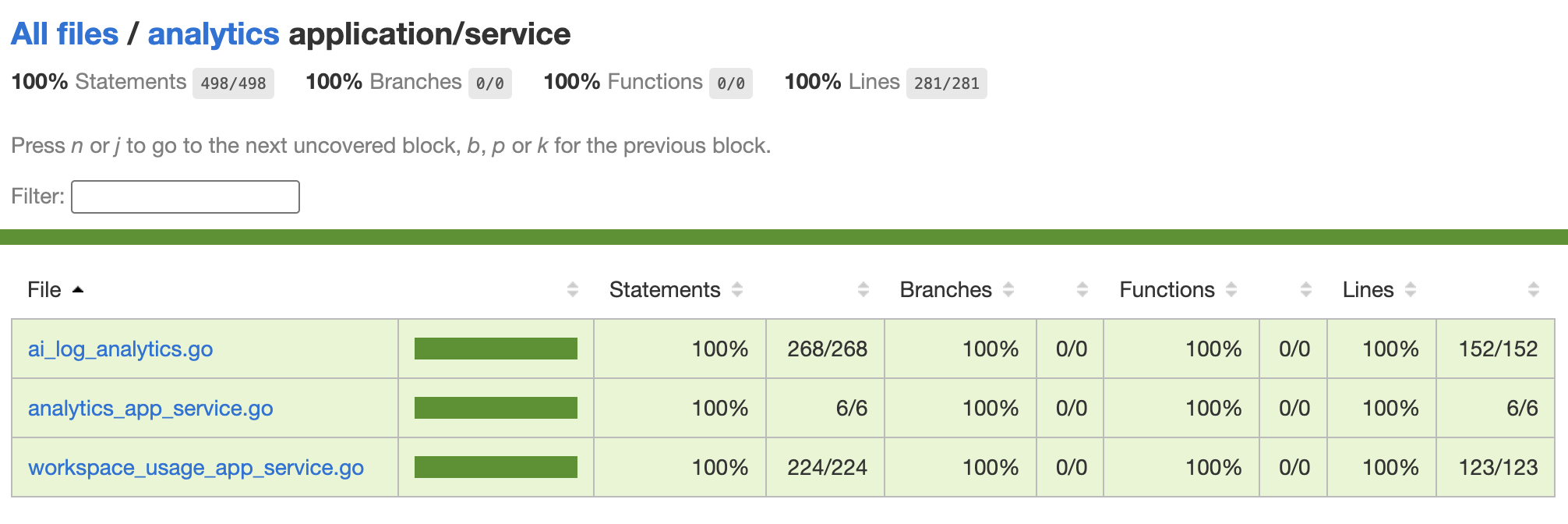
Why?
Go's built-in go tool cover -html produces a basic single-page HTML report. go-to-istanbul converts your Go coverage data into Istanbul's format, giving you:
- Nested folder navigation — drill into packages and subpackages
- Line-by-line statement hit highlighting
- Per-file and per-folder coverage percentage
- Sortable file summary tables
- Auto-open in browser with
--open - Self-update with
--update
Installation
Option A — Local install (per project, recommended)
Run this once inside your Go project root:
curl -sSL https://raw.githubusercontent.com/Ravizikrillah/go-to-istanbul/main/install.sh | shThis will:
- Check Node.js v18+ is installed
- Install Istanbul dependencies locally into
node_modules/ - Download
go-to-istanbul.jsto your project root - Create a ready-to-run
coverage.shall-in-one script - Auto-update (or create) your
.gitignoreto exclude generated files
Then simply run:
./coverage.shOption B — Global install (use from any folder)
curl -sSL https://raw.githubusercontent.com/Ravizikrillah/go-to-istanbul/main/install.sh | sh -s -- --globalThis will:
- Install Istanbul dependencies to
~/.go-to-istanbul/node_modules/ - Download the script to
~/.go-to-istanbul/go-to-istanbul.js - Create a global executable at
/usr/local/bin/go-to-istanbul
After that, use it from any Go project on your machine:
cd ~/any/go/project
go-to-istanbul --run --open
Windows (Native PowerShell)
If you are on Windows (using PowerShell, without WSL), you can use the native PowerShell installer script. Open PowerShell and run:
Local Install (Recommended):
iex (iwr -UseBasicParsing https://raw.githubusercontent.com/Ravizikrillah/go-to-istanbul/main/install.ps1).ContentThis downloads the dependencies, converter, and creates a local coverage.ps1 helper script.
Global Install:
iex "& { `$(iwr -UseBasicParsing https://raw.githubusercontent.com/Ravizikrillah/go-to-istanbul/main/install.ps1).Content } -g"This installs it globally into ~/.go-to-istanbul/. Ensure you add ~/.go-to-istanbul to your Environment Variables PATH.
Option C — npm registry (Standard)
You can also install it directly from the npm registry:
Local Install (Dev Dependency):
npm install --save-dev @ravizikrillah/go-to-istanbulRun using npx:
npx @ravizikrillah/go-to-istanbul -r -oGlobal Install:
npm install -g @ravizikrillah/go-to-istanbulRun directly from anywhere:
go-to-istanbul -r -oUsage
One command — run tests + generate report + open browser
go-to-istanbul -r -oThat's it. No need to run go test manually first.
More examples
# With module prefix (cleaner paths in report)
go-to-istanbul -r -m "github.com/user/project/" -o

# Target specific packages only
go-to-istanbul -r -p ./internal/... -o

# Target packages + separate coverpkg scope
go-to-istanbul -r -p ./... -c ./internal/... -o

# Generate report from existing coverage.out (no re-run)
go-to-istanbul -o

# Custom input/output paths
go-to-istanbul -i build/coverage.out -o reports/coverage -o

# Generate LCOV + HTML (for CI tools like Codecov)
go-to-istanbul -rep html,text-summary,lcov
Options
go-to-istanbul v1.0.1

Options:
  --input,      -i  Path to Go coverage file          (default: coverage.out)
  --output,     -o  Output directory for HTML report   (default: coverage-report)
  --module,     -m  Go module path prefix to strip     (e.g. "github.com/user/repo/")
  --reporters,-rep  Comma-separated Istanbul reporters (default: html,text-summary)
  --open,       -o  Open the HTML report in default browser after generation
  --run,        -r  Run go test automatically before generating the report
  --pkg,        -p  Package pattern passed to go test  (default: ./...)
  --coverpkg,   -c  Value for -coverpkg flag            (default: same as --pkg)
  --update          Update go-to-istanbul to the latest version from GitHub
  --version,    -v  Show current version
  --help,       -h  Show this help message
Keeping Up to Date
No need to re-run the install script when there's an update. Just run:
# Check current version
go-to-istanbul --version

# Update to latest version from GitHub
go-to-istanbul --update

# Confirm update
go-to-istanbul --version
--update auto-detects whether you're using a local or global install and updates the correct file.
Generated Files (local install)
| File | Description |
|---|---|
go-to-istanbul.js |
Main converter script |
coverage.sh |
All-in-one runner: test → report → open browser |
coverage.out |
Raw Go coverage data (auto-gitignored) |
coverage-report/ |
Istanbul HTML report output (auto-gitignored) |
node_modules/ |
Istanbul dependencies (auto-gitignored) |
Note: All generated files are automatically added to
.gitignoreduring install.
GitHub Actions Integration
Auto-generate and publish the coverage report on every push:
# .github/workflows/coverage.yml
name: Coverage Report

on: [push, pull_request]

jobs:
  coverage:
    runs-on: ubuntu-latest
    steps:
      - uses: actions/checkout@v4

      - uses: actions/setup-go@v5
        with:
          go-version: '1.22'

      - uses: actions/setup-node@v4
        with:
          node-version: '20'

      - name: Install go-to-istanbul
        run: |
          npm install --no-save istanbul-lib-coverage istanbul-lib-report istanbul-reports
          curl -sSL https://raw.githubusercontent.com/Ravizikrillah/go-to-istanbul/main/index.js -o go-to-istanbul.js

      - name: Run tests + generate report
        run: node go-to-istanbul.js --run --module "github.com/${{ github.repository }}/"

      - name: Deploy to GitHub Pages
        uses: peaceiris/actions-gh-pages@v4
        if: github.ref == 'refs/heads/main'
        with:
          github_token: ${{ secrets.GITHUB_TOKEN }}
          publish_dir: ./coverage-report
How It Works
Go's coverage.out format:
mode: set
github.com/user/repo/internal/service/foo.go:12.34,15.10 3 1
go-to-istanbul parses each coverage block and maps it to Istanbul's JSON coverage format, then uses istanbul-lib-report to render the final HTML — no nyc needed, no JavaScript parser issues.
Uninstall
If you ever want to uninstall go-to-istanbul, you can clean up both global and local files using the --uninstall flag:
On macOS / Linux / WSL (sh):
# Clean up everything (global binary, global library, and local project files)
curl -sSL https://raw.githubusercontent.com/Ravizikrillah/go-to-istanbul/main/install.sh | sh -s -- --uninstall
On Windows (PowerShell):
iex "& { `$(iwr -UseBasicParsing https://raw.githubusercontent.com/Ravizikrillah/go-to-istanbul/main/install.ps1).Content } --uninstall"Alternatively, you can clean up manually:
On macOS / Linux / WSL:
# Remove global wrapper and library
sudo rm -f /usr/local/bin/go-to-istanbul
rm -rf ~/.go-to-istanbul

# Remove local project files (run inside your project root)
rm -f go-to-istanbul.js coverage.sh
On Windows:
# Remove global wrapper and library
Remove-Item -Recurse -Force "$env:USERPROFILE\.go-to-istanbul"

# Remove local project files (run inside your project root)
Remove-Item -Force "go-to-istanbul.js", "coverage.ps1"
License
MIT