
This project has moved to the Silex monorepo: https://short.silex.me/code
Please open issues and pull requests there.
The npm package is no longer maintained on its own. Details and how to help: https://github.com/GrapesJS/grapesjs/discussions/6779
GrapesJS CSS Variables
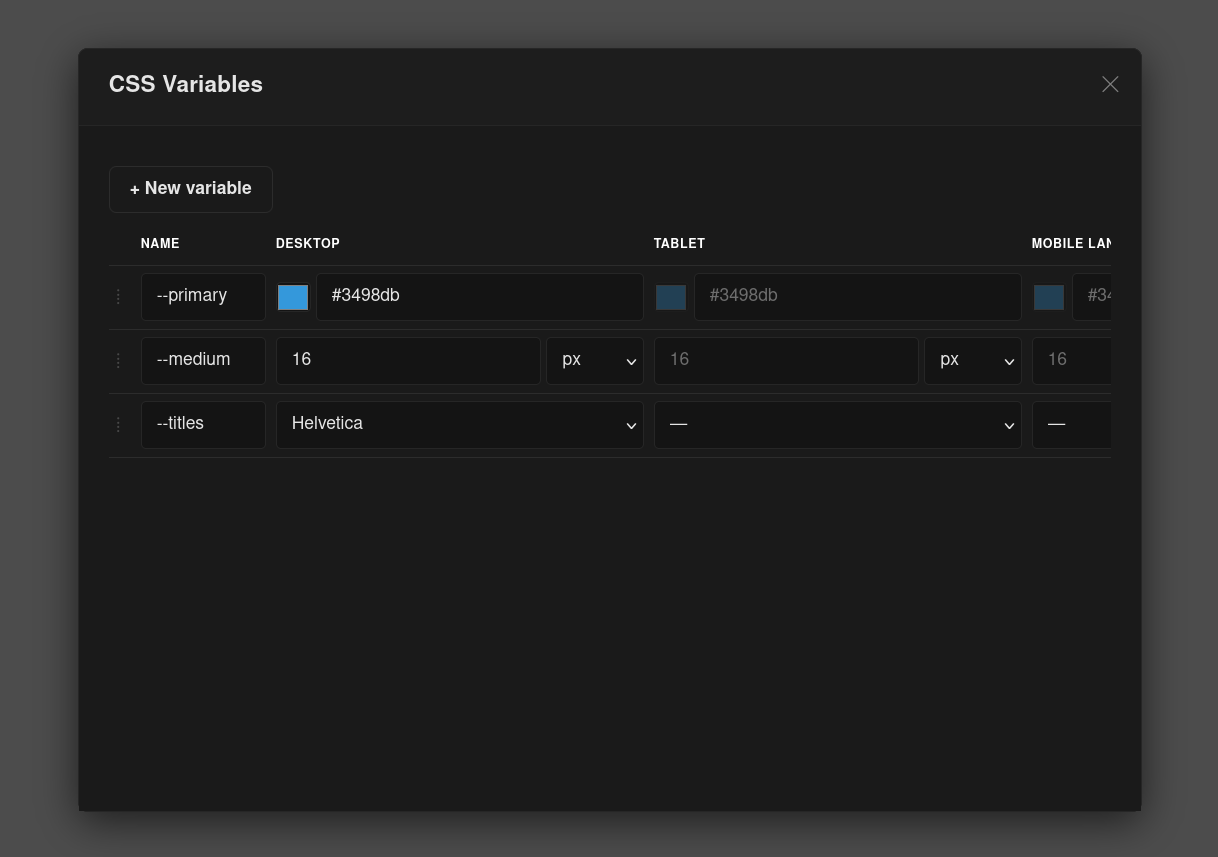
Define and manage CSS custom properties in GrapesJs editors, e.g. --primary. Override the default GrapesJs inputs to let the user assign the variables to a CSS property, e.g. background-color: var(--primary);.
This code is part of a larger project: about Silex v3
Screenshots:
Links
Features
- Manage CSS variables from a modal dialog (colors, sizes, font families)
- Responsive variables with per-breakpoint values (one column per device)
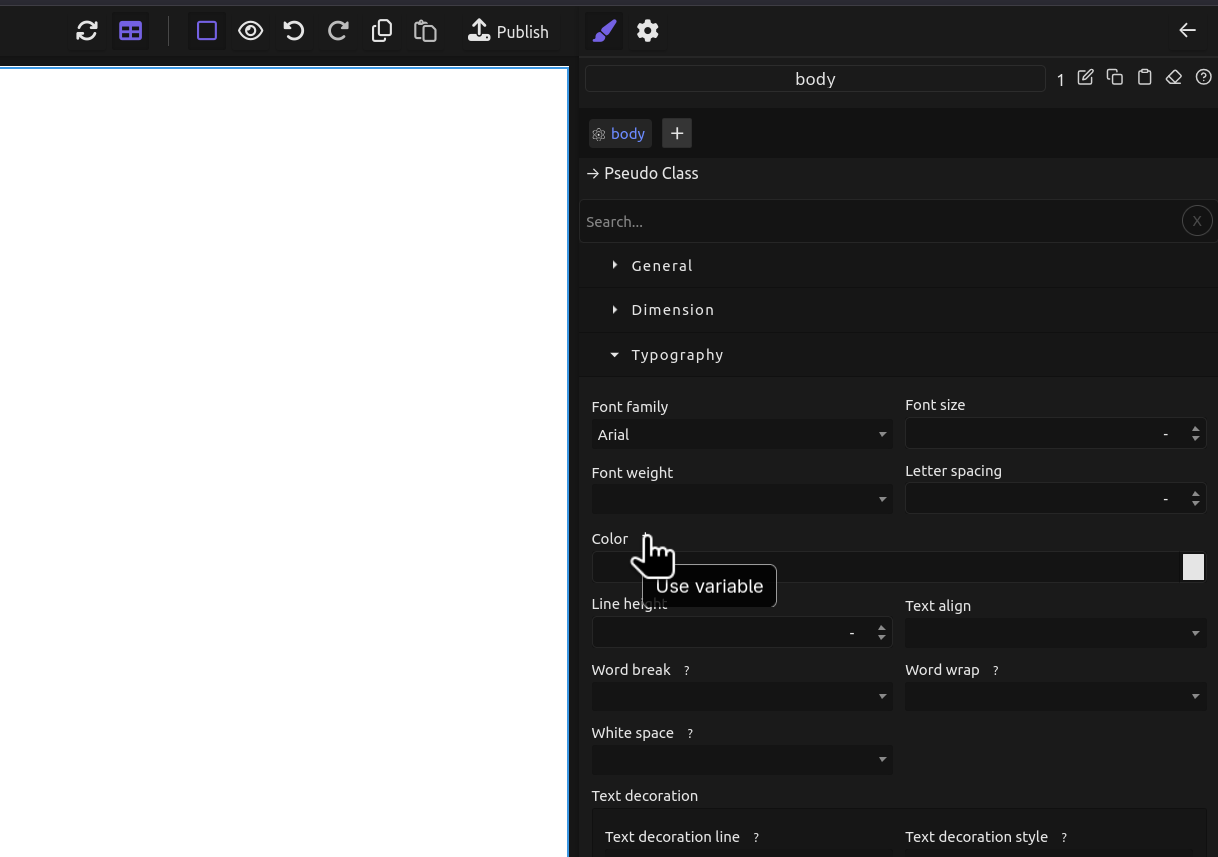
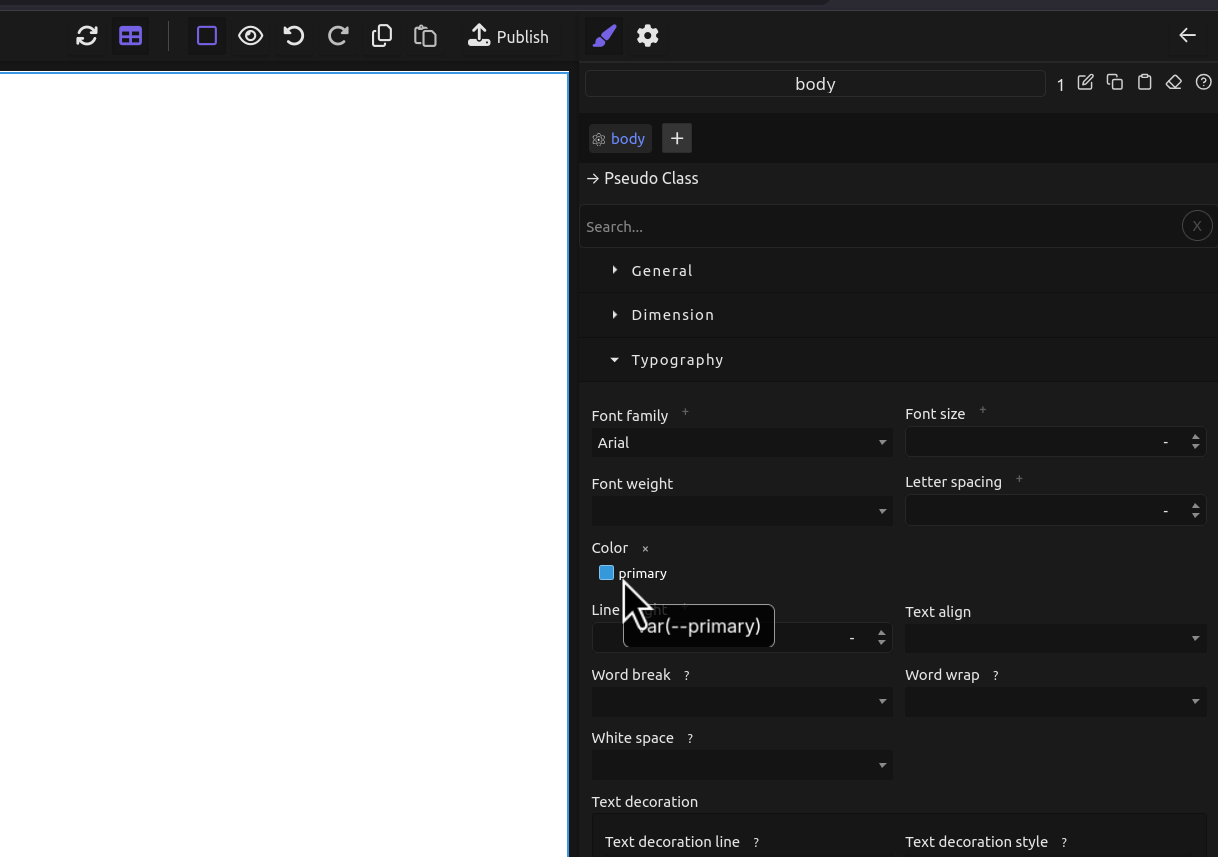
- Style Manager integration: assign variables to properties via a "+" dropdown
- Variable pills in the Style Manager showing the applied variable name
- Drag-to-reorder variables in the modal
- Duplicate and rename variables
- Preset variables for first load
- i18n support (English and French included)
- Undo/redo support
- Variables are saved and restored with site data
Installation
Choose one of the following methods:
CDN
<script src="https://unpkg.com/@silexlabs/grapesjs-css-variables"></script>NPM
npm i @silexlabs/grapesjs-css-variablesGIT
git clone https://github.com/silexlabs/grapesjs-css-variables.gitUsage
Basic HTML Setup
<link href="https://unpkg.com/grapesjs/dist/css/grapes.min.css" rel="stylesheet">
<script src="https://unpkg.com/grapesjs"></script>
<script src="https://unpkg.com/@silexlabs/grapesjs-css-variables"></script>

<div id="gjs"></div>
Basic JS Initialization
const editor = grapesjs.init({
  container: '#gjs',
  height: '100%',
  fromElement: true,
  storageManager: false,
  plugins: ['@silexlabs/grapesjs-css-variables'],
});
Open the CSS Variables dialog:
editor.runCommand('open-css-variables')Options
Customize the plugin by passing options:
| Option | Description | Default |
|---|---|---|
enableColors |
Enable color variables | true |
enableSizes |
Enable size variables | true |
enableTypography |
Enable font-family variables | true |
presets |
Pre-defined variables for first load (array of {name, value, type}) |
[] |
i18n |
Internationalization overrides | {} |
Variable names are simple CSS custom properties: --primary, --spacing, etc.
Presets example
plugins: ['@silexlabs/grapesjs-css-variables'],
pluginsOpts: {
  '@silexlabs/grapesjs-css-variables': {
    presets: [
      { name: 'primary', value: '#3498db', type: 'color' },
      { name: 'spacing', value: '16px', type: 'size' },
      { name: 'heading', value: '"Inter", sans-serif', type: 'font-family' },
    ],
  },
},
Advanced Usage
Use the plugin with modern JavaScript imports:
import grapesjs from 'grapesjs';
import plugin from '@silexlabs/grapesjs-css-variables';
import 'grapesjs/dist/css/grapes.min.css';

const editor = grapesjs.init({
  container: '#gjs',
  plugins: [plugin],
  pluginsOpts: {
    [plugin]: {
      enableColors: true,
      enableSizes: true,
      enableTypography: true,
    },
  },
});
Development
To contribute, follow these steps:
Clone the Repository:
git clone https://github.com/silexlabs/grapesjs-css-variables.git
cd grapesjs-css-variables
Install Dependencies:
npm installStart Development Server:
npm startBuild the Plugin:
npm run build
License
GPL-3.0