
@temporal-architect/claude-plugin
The skills payload for the temporal-architect Claude Code plugin.
You almost certainly don't want to install this directly. It's the npm-side delivery vehicle Claude Code's marketplace mechanism pulls from when a user installs the temporal-architect plugin.
Install (the user-facing way)
/plugin marketplace add jmbarzee/temporal-architect-dist
/plugin install temporal-architect@temporal-architect
Design, visualize, and implement entire Temporal systems — namespaces, workers, workflows, and Nexus — as a validated, visual source of truth.
Write your architecture in .twf and a real parser, language server, and visualizer give you (and your AI agent) compiler-grade feedback on the whole system before you write a line of SDK code — then generate the workers and provision the infra from the same design.
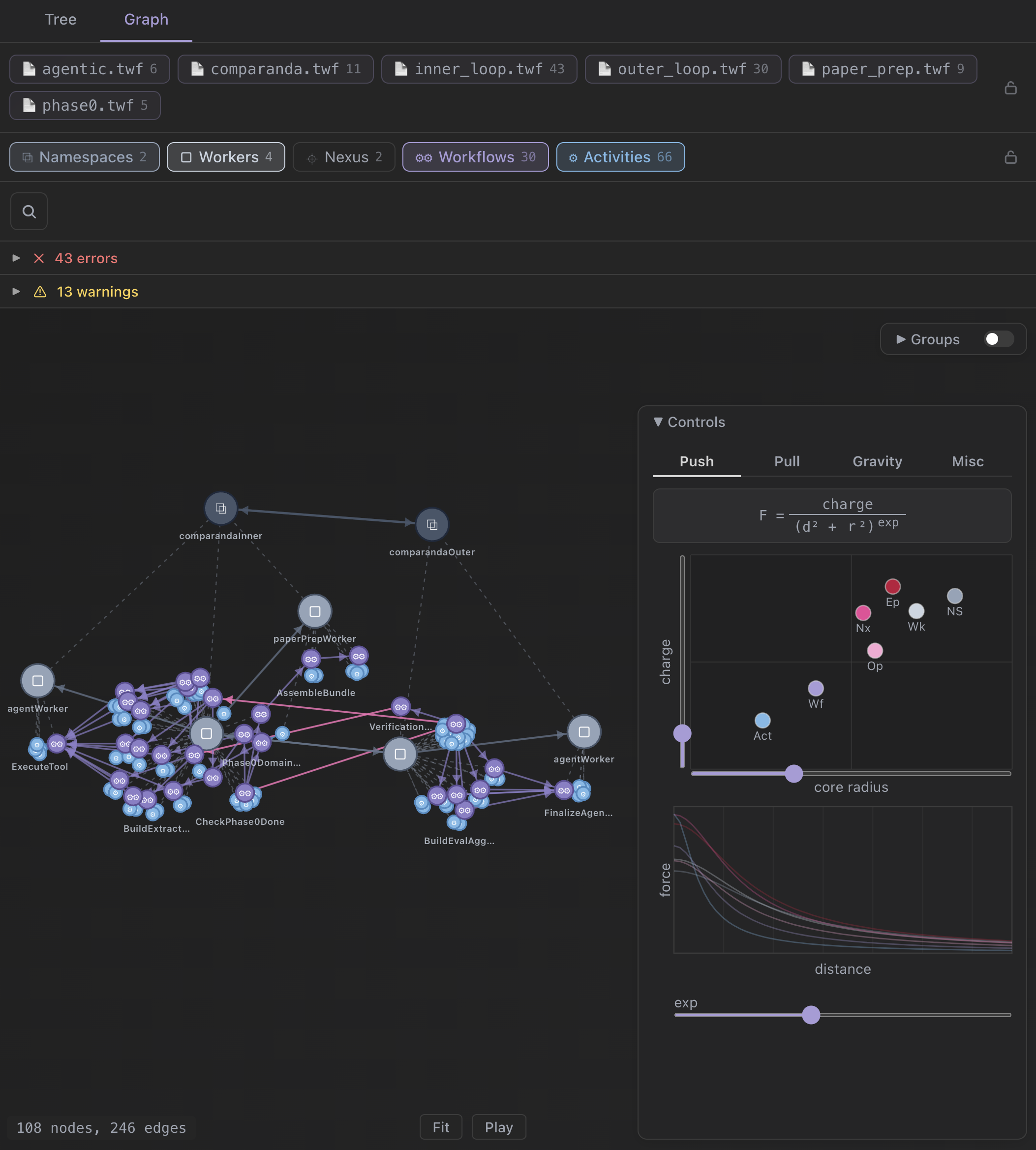
- Catch design errors before code. A real parser and language server validate the whole system — undefined activities, broken Nexus routing, misplaced determinism — while it's still a design, not a production incident.
- See the whole deployment. An interactive graph of namespaces → workers → workflows, plus a tree view that expands calls inline. Architecture you can actually look at.
- One parseable source of truth.
.twfis a file every teammate and every tool reads and validates — not architecture prose buried in a prompt. - Design → running system. Generate Temporal Go SDK code and provision control-plane infra from the same
.twf— or recover a deployment graph straight from production history with the sampler.
activity ReserveFunds(amount: Money) -> (Hold):
    reserve(amount)

activity CaptureFunds(hold: Hold) -> (Receipt):
    capture(hold)

workflow ChargeOrder(order: Order) -> (Receipt):
    signal Cancel():
        close fail("cancelled")

    activity ReserveFunds(order.amount) -> hold
        options:
            start_to_close_timeout: 30s
    activity CaptureFunds(hold) -> receipt
    close complete(receipt)

worker billing:
    workflow ChargeOrder
    activity ReserveFunds
    activity CaptureFunds

namespace payments:
    worker billing
        options:
            task_queue: "billing"
Workflow logic, the worker that hosts it, and the namespace topology — one readable file.
Skills
Bundled and available to Claude as auto-discoverable agent skills:
- temporal-architect — Entry point for designing, building, adopting, or evolving Temporal systems — start here. Coordinates the temporal-architect skill set (design, Go authoring, infrastructure): orients the designcode direction, decomposes a
.twfdesign into independently-implementable chunks at contract boundaries, and dispatches the right specialist skills. - temporal-architect-author-go — Generate Go code from .twf workflow designs using the Temporal Go SDK.
- temporal-architect-author-infra — Provision the control-plane resources a .twf design needs — namespaces, Nexus endpoints, search attributes — via the Temporal Cloud Terraform provider or self-hosted tcld / temporal operator CLI.
- temporal-architect-design — Design Temporal systems — workflows, activities, workers, namespaces, and Nexus — with proper determinism, idempotency, and decomposition in
.twf.
Use as an MCP server
twf mcp runs a Model Context Protocol server over stdio — the agent entry point. The examples below launch it through npx, so Node.js and npm must be installed and npx must be available on PATH.
Claude Desktop
Add the twf entry to the existing mcpServers object in the Claude Desktop configuration file:
- macOS:
~/Library/Application Support/Claude/claude_desktop_config.json - Windows:
%APPDATA%\Claude\claude_desktop_config.json
{
  "mcpServers": {
    "twf": {
      "command": "npx",
      "args": ["-y", "@temporal-architect/twf", "mcp"]
    }
  }
}
Restart Claude Desktop after saving the file.
Cursor
Create .cursor/mcp.json in a project to enable twf for that project, or use ~/.cursor/mcp.json to enable it globally. Both locations use the same Cursor MCP configuration shape:
{
  "mcpServers": {
    "twf": {
      "command": "npx",
      "args": ["-y", "@temporal-architect/twf", "mcp"]
    }
  }
}
Continue
Create .continue/mcpServers/twf.yaml at the top level of the workspace. Continue's standalone MCP blocks require the name, version, and schema metadata fields:
name: TWF MCP server
version: 0.0.1
schema: v1
mcpServers:
  - name: twf
    command: npx
    args:
      - "-y"
      - "@temporal-architect/twf"
      - "mcp"
The tools (twf_check, twf_parse, twf_symbols, twf_graph, twf_graph_chunks, twf_spec_list, twf_spec_get) are thin wrappers over the same parser pipeline as the CLI, so their JSON is identical. The embedded language specification is exposed as resources at twf://spec and twf://spec/<slug>.
Source of truth
The skills shipped here are a build-time copy of the canonical skills/ in the toolchain repo, and this README is composed from the toolchain's doc fragments — edit there, not here. The staged copy is gitignored; it only exists after a local build or during npm publish.
License
MIT — see the bundled LICENSE.