

Autark
A serverless, modular toolkit to streamline the prototyping of urban visual analytics systems.
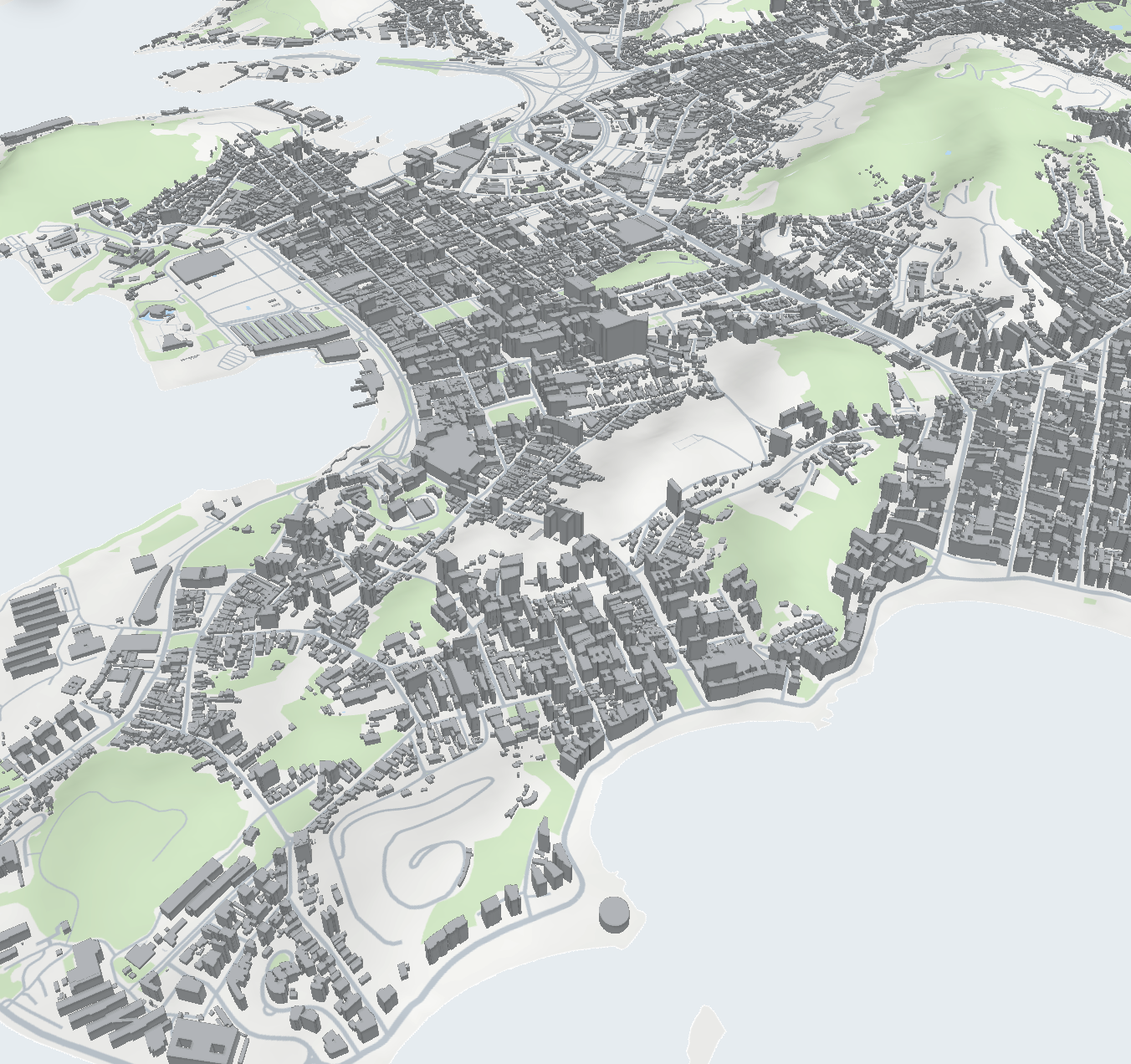
Autark provides a client-side platform for implementing urban visual analytics software, including WebGPU-accelerated terrain rendering for visualizing elevation-aware urban scenes. It supports loading, storing, querying, joining, and exporting physical and thematic urban data using standard formats such as OpenStreetMap, GeoJSON, and GeoTIFF. By using GPU acceleration, Autark enables sophisticated urban analyses such as shadow and visibility analysis, as well as classic machine learning algorithms such as regression and clustering. Finally, it provides a collection of interactive plots and 2D, 3D, and terrain-aware maps for visualizing urban data.
Autark is available as a single package or as individual modules:
@urban-toolkit/autk: Complete package that re-exports the toolkit modules, including@urban-toolkit/autk-core.@urban-toolkit/autk-core: Shared low-level core package.@urban-toolkit/autk-db: A spatial database that handles physical and thematic urban datasets.@urban-toolkit/autk-compute: A WebGPU-based computation engine for implementing general-purpose algorithms using physical and thematic data.@urban-toolkit/autk-map: A WebGPU-based vector map visualization library for exploring 2D and 3D physical and thematic layers.@urban-toolkit/autk-plot: A D3.js-based plot library designed to consume urban data in standard formats and facilitate linked views.
For demonstration and documentation purposes, we created a large collection of examples illustrating the core functionality of each module in the example/ directory. We also provide more complex examples in the usecases/ folder.
Installation
Autark packages are available on npm. Install the complete package when you want the full toolkit:
npm install @urban-toolkit/autkOr install individual modules when you only need part of the toolkit:
npm install @urban-toolkit/autk-core
npm install @urban-toolkit/autk-db
npm install @urban-toolkit/autk-compute
npm install @urban-toolkit/autk-plot
npm install @urban-toolkit/autk-map
Development
Dependencies
You need Node.js installed to build and run this project for development purposes. Please check the Node.js website for instructions.
We also use GNU Make to automate the build process. To install it, please use one of the following commands (we recommend using the package manager Chocolatey on Windows):
# Windows
choco install make

# macOS
xcode-select --install

# Debian/Ubuntu
sudo apt-get install build-essential
Building and Running
After installing Node.js and GNU Make, run the following command from the project's root folder:
make devThis command starts a development server for the default gallery examples folder. You can specify a different examples folder using the APP variable and a specific file using OPEN:
# Run the gallery with a specific example
make dev APP=gallery OPEN=/src/autk-plot/map-d3-table.html

# Run the usecases workspace (case studies)
make dev APP=usecases OPEN=/src/urbane/main.html
Testing
Autark uses Playwright for end-to-end visual regression testing. Tests are organized under tests/<app>/ and compare screenshots against committed reference images.
To run the stable test suite:
make testTo run a specific test:
make test TEST=tests/gallery/autk-map/standalone-geojson-vis.test.tsTo update the visual baselines:
# Update screenshots only
make test-update TEST=tests/gallery/autk-map/colormap-categorical.test.ts UPDATE="images"
Tests that load OpenStreetMap data use HAR files under tests/data/ to replay Overpass API responses without hitting the network. Include cache in UPDATE to re-record them when the query or area changes.
# Update HAR cache and screenshots
make test-update TEST=tests/gallery/autk-map/osm-layers-api.test.ts UPDATE="cache images"
Development Workflow
The Makefile provides several commands to help with the development process:
| Command | Description |
|---|---|
make lint |
Runs ESLint. |
make typecheck |
Builds package outputs, then typechecks all workspaces. |
make build |
Builds the publishable packages and the autk umbrella package. |
make verify |
Runs lint and typecheck (including the build required for type resolution). |
make docs |
Generates TypeDoc documentation for the core libraries. |
make test |
Runs the stable Playwright tests used by CI. |
make test-update |
Updates local Playwright screenshots and/or HAR files for a selected test. |
make clean |
Removes node_modules and build artifacts. |
Notes
Autark requires WebGPU. Please make sure it is enabled in your browser. In Chrome or Edge (v113+), it is enabled by default. In Firefox, WebGPU is only available in Nightly builds and must be explicitly enabled:
- Download and install Firefox Nightly.
- Visit
about:config. - Set
dom.webgpu.enabledtotrue. - (Optional) You may also need to enable
gfx.webgpu.enabledandgfx.webgpu.force-enabled. - Restart Firefox.