



Documentation · Components · Getting started · Changelog
Urbicon UI is a Svelte 5 + Tailwind CSS 4 component platform with zero runtime
dependencies. It started as one table component for Svelte 5 and grew into close to a hundred:
UI primitives, a data grid, auth, i18n and an AI-native toolchain, versioned and shipped as one
set. Nothing lands in your node_modules but the library itself. The charts and the Sankey
diagram draw without d3, the table virtualises its own rows, auth signs JWTs and verifies passkeys
on the Web Crypto API, and the variant engine is ours instead of tailwind-variants.
Why another UI library? A model can emit a whole app in one shot, markup and theming included. The context balloons, the parts drift, and in the end neither a person nor the next model can read the code. A component library abstracts exactly that noise away. What is left is structure and a theme: readable, and changeable in one consistent place, for people and agents alike.
In practice, that means:
- One system. Components, docs and the design knowledge share a single version.
- Every component speaks the same API. The same
intent/size/variantprops, plusunstyled+slotClasses+preseteverywhere you need to take over the styling. - It checks the code built with it.
urbicon validatescores what you or an agent writes on correctness and craft, and runs as a local CLI, a PostToolUse hook, or in CI.
See it
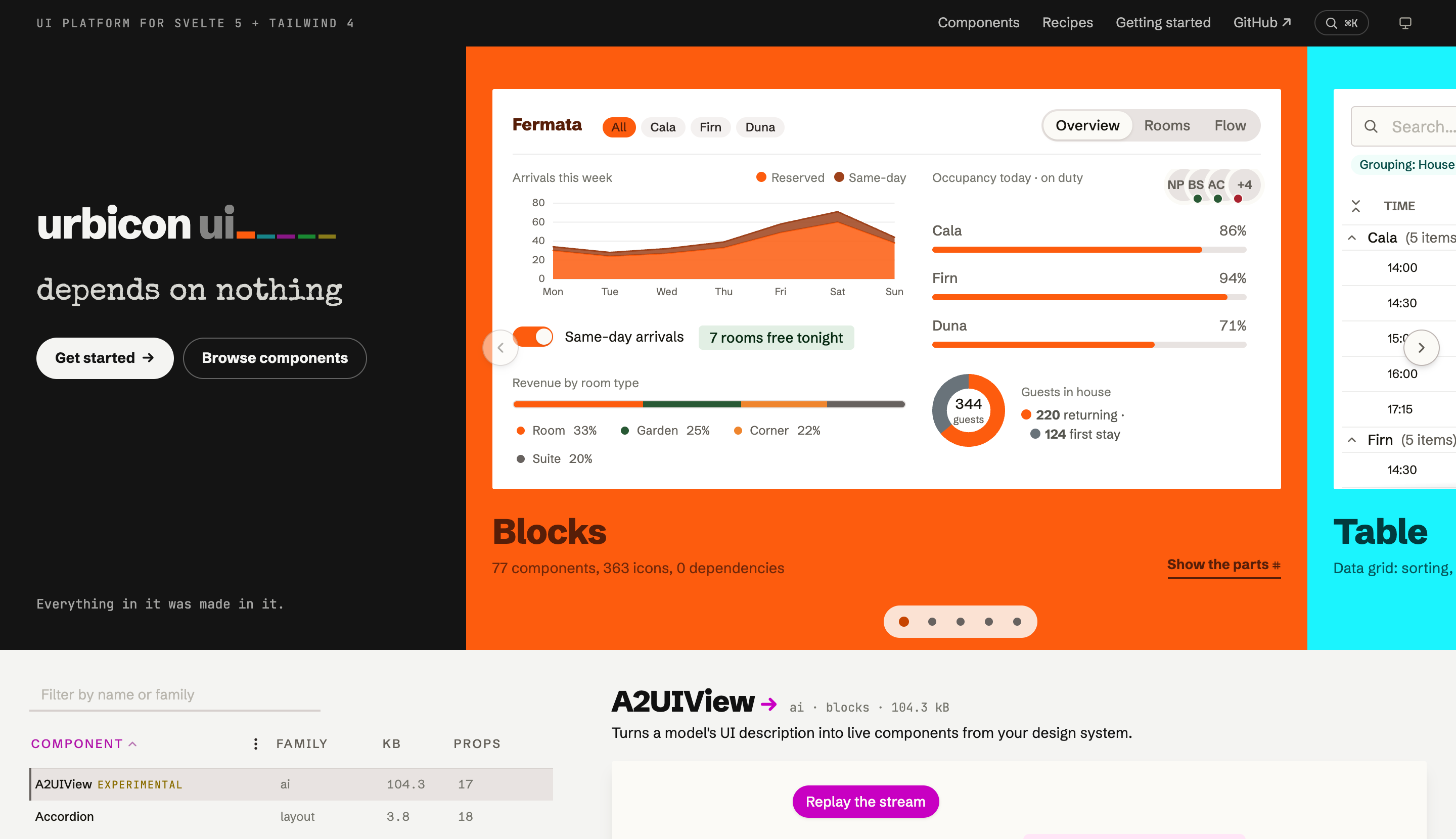
Every pixel of the documentation site, landing included, is built from the library itself.
 |
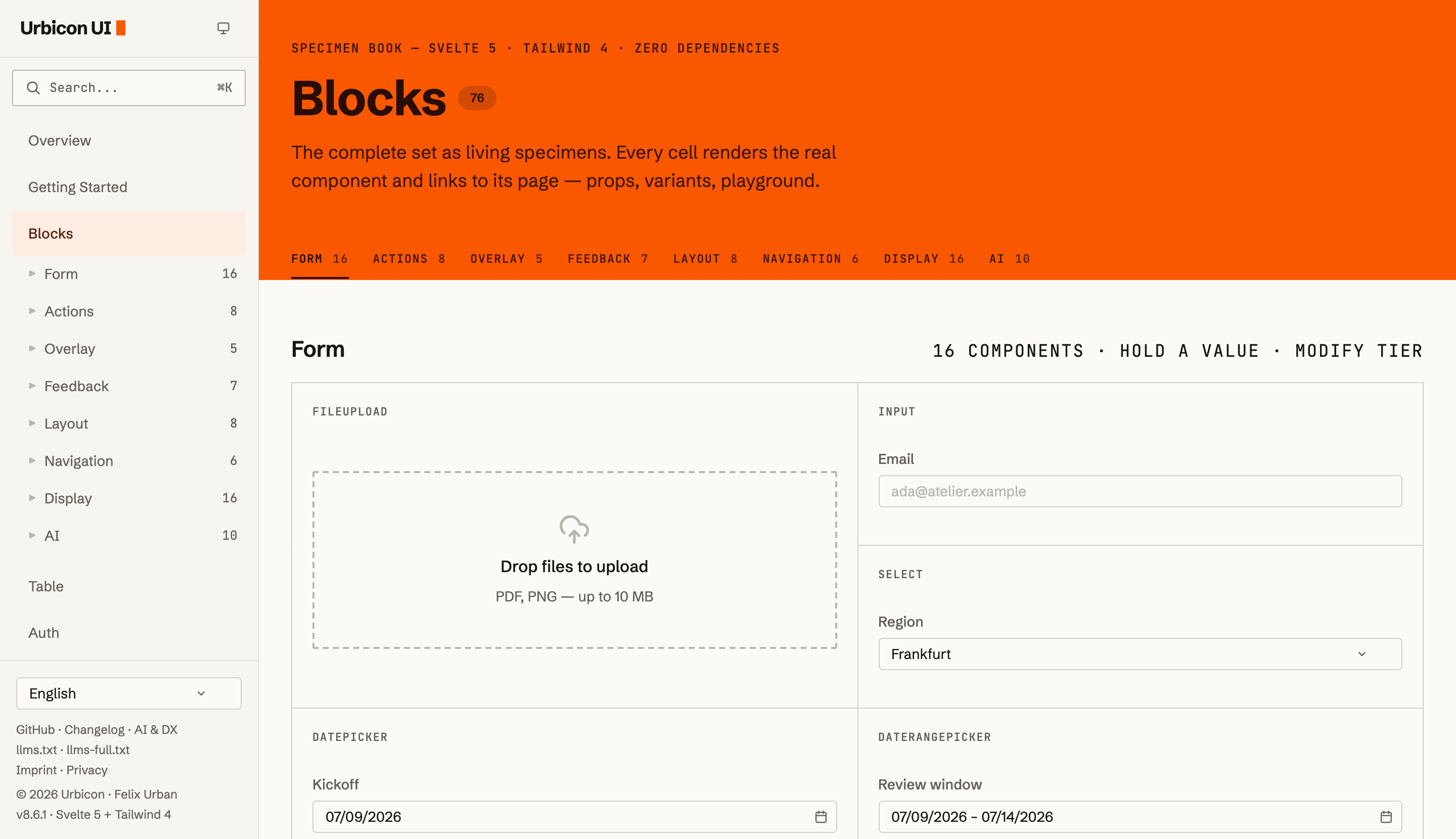 |
| The landing: a back-office dashboard composed from charts, controls and tokens, in one container-adaptive card. | The specimen book: the complete set as living specimens, every cell the real component, each linked to its props, variants and playground. |
 |
 |
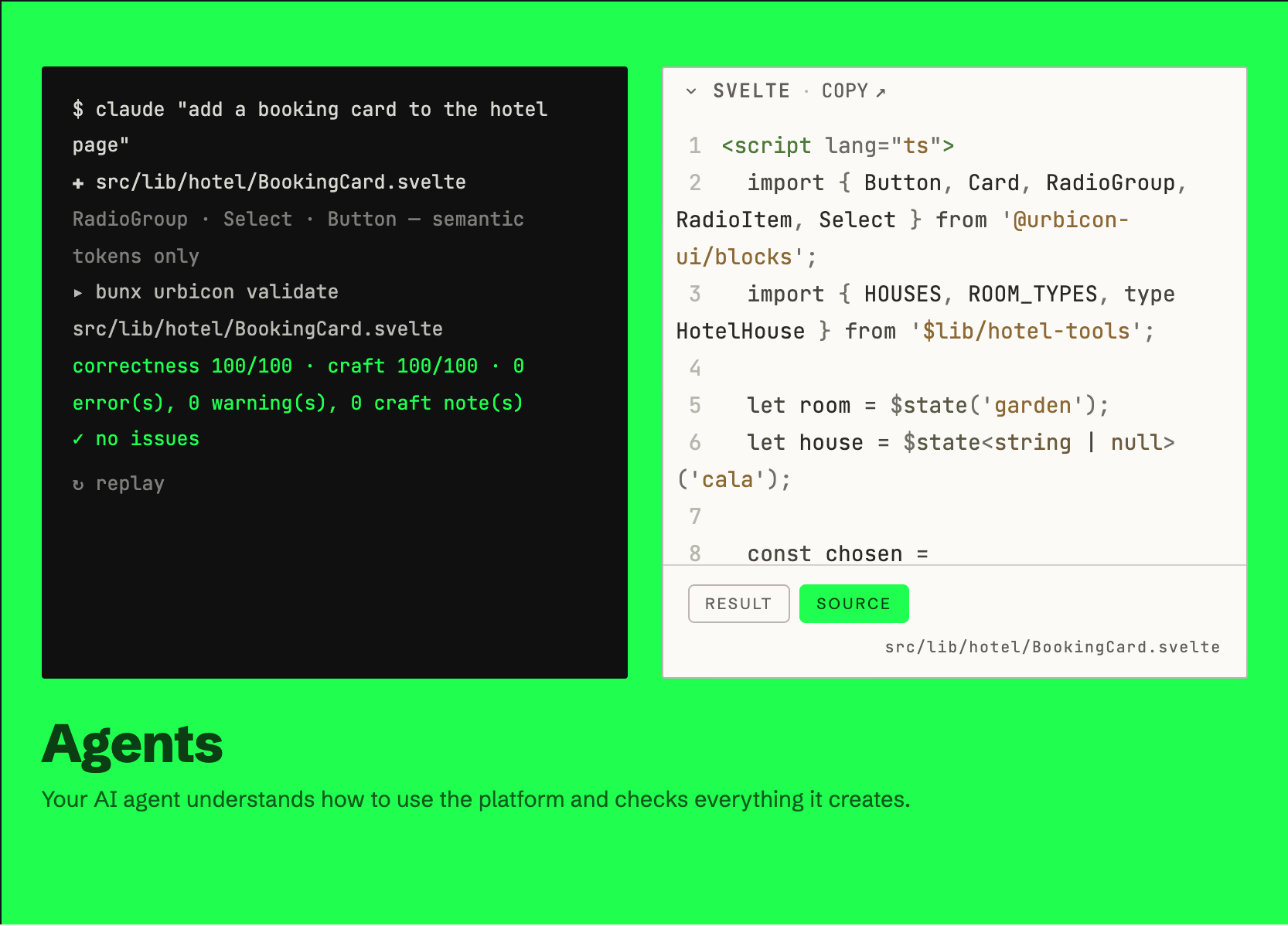
An agent writes a component and urbicon validate scores it; the source view then shows the very file, verbatim. Readable code is the point. |
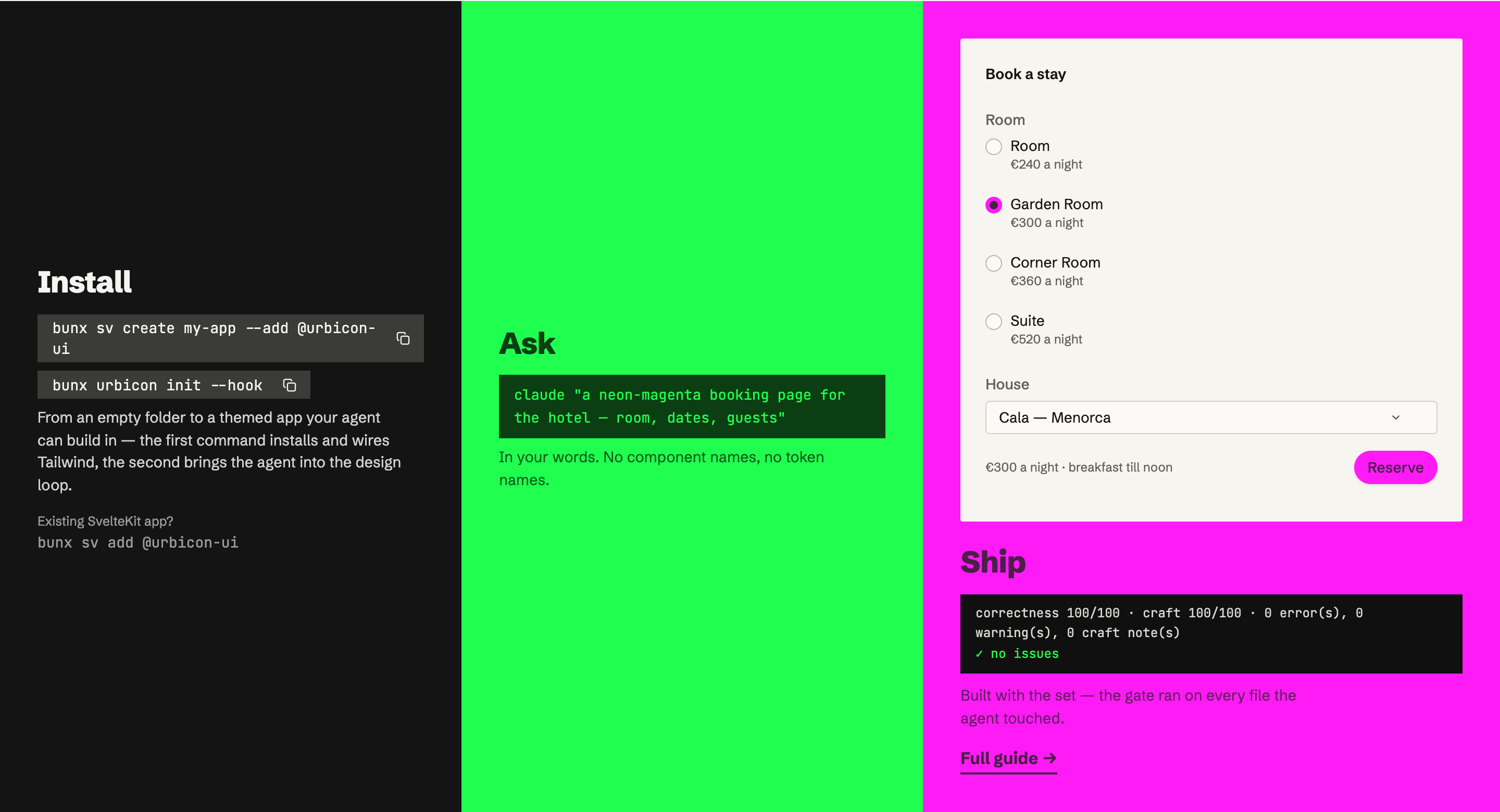
Install · Ask · Ship: the prompt asks for neon-magenta, and the shipped page is that magenta. |
Quick start
In a SvelteKit app the sv add-on (beta) does the
whole setup (packages, Tailwind, the stylesheet import), from an empty directory or inside an
existing app:
bunx sv create my-app --add @urbicon-ui   # new project
bunx sv add @urbicon-ui                   # existing project
By hand it is one install and two imports for blocks — one more per further package. That path needs no SvelteKit, just Svelte 5 with Vite and Tailwind 4:
bun add @urbicon-ui/blocks # or npm/pnpm, whichever you use/* app.css */
@import 'tailwindcss';
@import '@urbicon-ui/blocks/style/index.css';Every further @urbicon-ui/* package that ships components ships a stylesheet of its own — import it after blocks. Without it, the classes only that package uses compile to nothing, and nothing reports it. bunx urbicon init prints the import list for what is in node_modules.
<script>
import { Badge, Button, Input } from '@urbicon-ui/blocks';
let name = $state('');
let greeted = $state(false);
</script>
<Input label="Your name" bind:value={name} placeholder="Ada" />
<Button intent="primary" onclick={() => (greeted = true)} disabled={!name}>Say hello</Button>
{#if greeted && name}
<Badge intent="success">Hello {name}!</Badge>
{/if}The getting-started guide walks through the Tailwind 4 setup and the first real page.
What's in the box
| Package | What it gives you |
|---|---|
@urbicon-ui/blocks |
80+ primitives and components (forms, overlays, charts, chat/AI surfaces), plus OKLCH tokens, the tv() variant engine and 300+ icons |
@urbicon-ui/table |
The data grid: sorting, grouping, selection, keyboard nav, virtual rows, remote data, live updates |
@urbicon-ui/auth |
Sessions, refresh rotation, passkeys/WebAuthn, notifications, email; Web Crypto only, adapter-based |
@urbicon-ui/i18n |
Runes-based localisation with a data-level translation audit |
@urbicon-ui/design |
The urbicon CLI: design knowledge, urbicon validate, urbicon init onboarding |
urbicon |
The unscoped name for that CLI, so bunx urbicon … resolves in every project; forwards to @urbicon-ui/design at the same version |
@urbicon-ui/sveltekit-utils |
URL-state runes, cron runner and other SvelteKit helpers |
@urbicon-ui/sv |
The Svelte CLI add-on (beta, SvelteKit only): sv add @urbicon-ui installs the library and wires the stylesheet |
One version across all packages; supporting packages (design-engine, docs-gen, …) live in the
same repo and release in lockstep.
Built for agents, readable by humans
The library treats AI coding agents as first-class consumers without giving up on the people who
review their work. bun add -d @urbicon-ui/design, then bunx urbicon init writes the AGENTS.md
block and scaffolds the design manifest; add --hook and every edit runs through the gate on its
way in:
flowchart LR
P[your prompt] --> A[agent builds with the set]
A --> V["urbicon validate: correctness + craft"]
V -- "✓ no issues" --> S[ship]
V -- notes --> ABecause components carry their design knowledge with them (per-component llms.txt,
machine-readable catalogs, a version-pinned CLI serving tokens, patterns and recipes), the agent
composes from the system instead of improvising against it. The result stays small and legible:
semantic tokens instead of pixel soup, one API grammar instead of per-component dialects.
One measurement, so you can size the claim. Haiku 4.5 built the same three-page app twice, once
reading the installed package on its own and once with the CLI and gate wired in. On its own it
shipped 373 linter findings, mostly raw Tailwind colours and hand-written dark: overrides;
wired, urbicon validate came out clean. The design itself scored alike either way. This buys
token discipline, not taste.
Theming
The whole chassis re-tints from one @theme block, colour and typography together:
/* app.css */
@import 'tailwindcss';
@import '@urbicon-ui/blocks/style/index.css';
@theme {
--color-primary-500: oklch(0.7 0.31 330); /* every component follows */
}Dark mode is light-dark() + color-scheme: no dark: variants, no flash, and it follows the
OS. See customization.
Developing this repo
Bun 1.1+ workspace; Node 22.17+ for tooling.
bun install
bun run dev        # all packages in watch mode
bun run build      # build packages and apps
bun run test       # unit tests · bun run test:e2e for Playwright
bun run check      # svelte-check across the tree
Start with docs/ARCHITECTURE.md (§1 package map & build order, §2 the token → markup path); docs/README.md indexes the rest: component families, API conventions, Svelte 5 patterns, conscious trade-offs. Repository guidelines for agents and contributors live in AGENTS.md, the merge workflow in CONTRIBUTING.md.
Development happens on GitHub;
codeberg.org/urbicon/ui is a read-only mirror, which is what
the Codeberg #NN markers in the source refer to.
License
MIT Felix Urban