
@yesdgq/claude-buddy
Claude Buddy
Overview
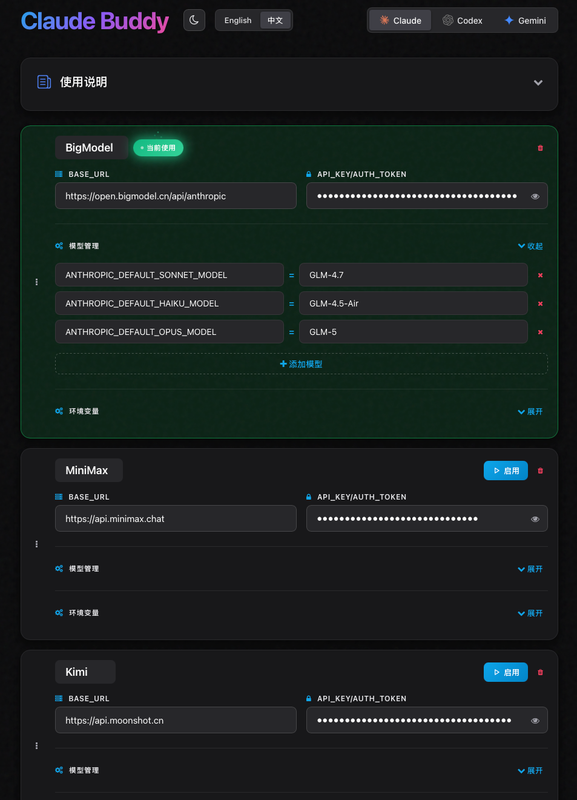
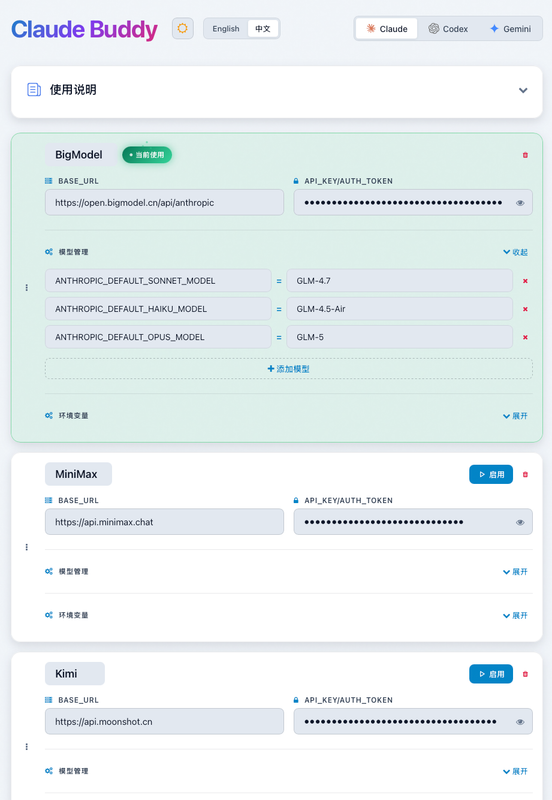
Claude Buddy is a simple and easy-to-use CLI tool that provides a visual way to quickly configure API keys, model mappings, and other settings for CLI tools like Claude Code, Codex, and Gemini. It greatly facilitates and simplifies your use of Claude Code and other CLIs.
Features
- API Key Management: Easily store, switch, and manage multiple API keys
- Model Mapping: Conveniently customize and manage model configurations
- Install Once, Use Forever: Local deployment, long-term use after installation
- Quick Configuration: Visual interface, complete setup in seconds
- Developer-Friendly: Built for developers focused on coding
npm Homepage
Screenshot
Prerequisites
- Node.js >= 18.0.0
Installation
Install Package
npm install -g @yesdgq/claude-buddy -fUpdate Package
npm update -g @yesdgq/claude-buddy
npm install -g @yesdgq/claude-buddy@latest
Uninstall Package
npm uninstall -g @yesdgq/claude-buddyConfiguration
Visual Configuration Interface
Use the following command to launch the visual configuration management interface:
ccby configAvailable Commands
# Open the configuration page to configure your API endpoint and access token
ccby config

# Start claude code
ccby or claude

# View history sessions
ccby -r

# Resume last session
ccby -c

# View Claude-Buddy version
ccby --version

# View Claude version
claude --version
For more usage methods, please refer to: Claude Code Documentation
Configuration Notice: After switching or updating configurations, you need to restart Claude Code (CLI tool) for changes to take effect.
Troubleshooting
First-time Claude Code Issues
If you are still prompted to log in when using Claude Code for the first time after configuration, or if you see the following error message:
Unable to connect to Anthropic services
Failed to connect to api.anthropic.com: ERR_BAD_REQUEST
Please check your internet connection and network settings.
You can temporarily set environment variables in the terminal and run once:
# For Mac OS, use the following commands:
export ANTHROPIC_BASE_URL=https://your-custom-api-endpoint.com
export ANTHROPIC_AUTH_TOKEN=your_api_token
claude

# For Windows, use the following commands:
set ANTHROPIC_BASE_URL=https://your-custom-api-endpoint.com
set ANTHROPIC_AUTH_TOKEN=your_api_token
claude

After that, you can use ccby config to manage your configuration.
License
MIT