
ZenUML/Core
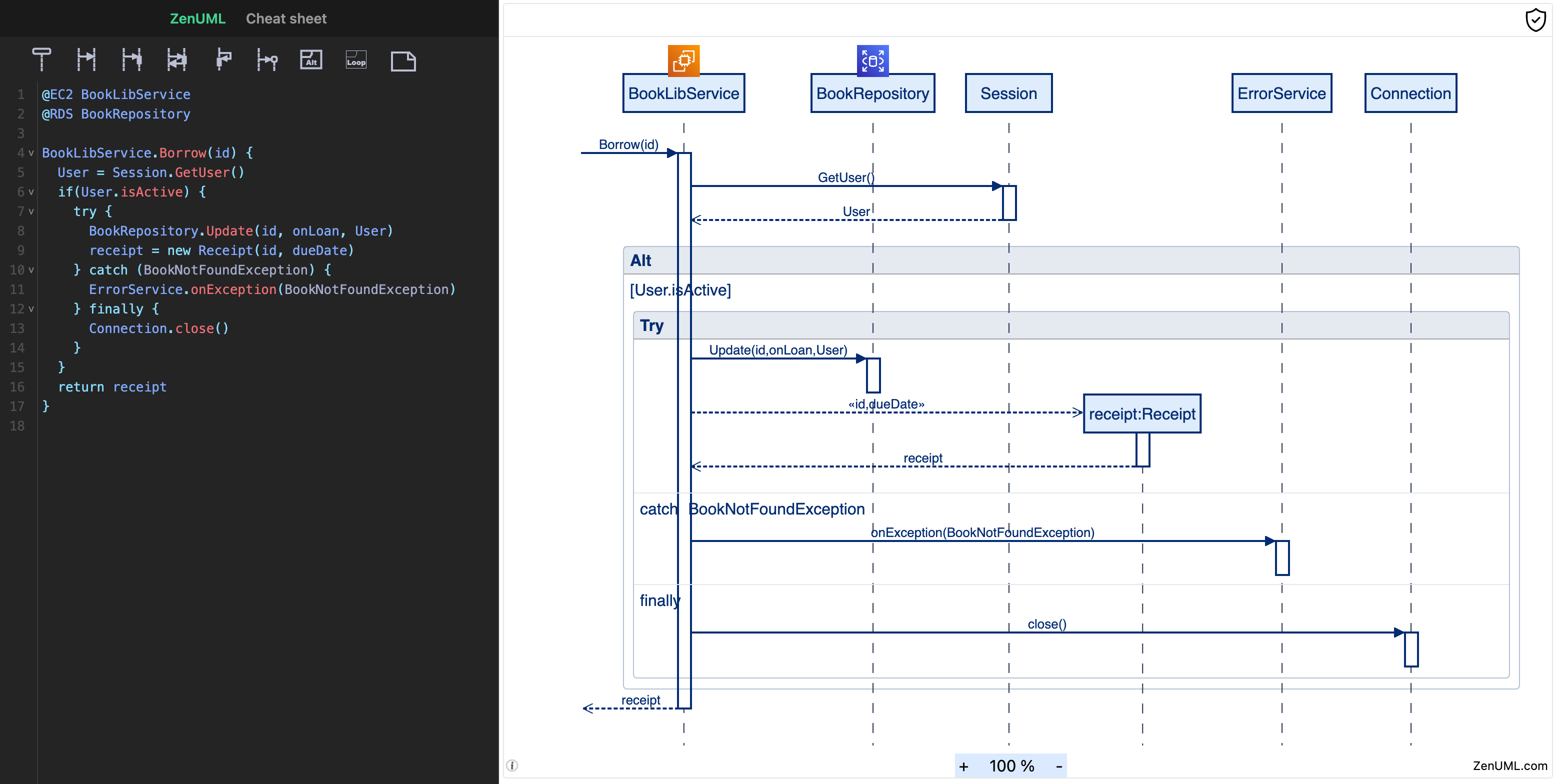
ZenUML is JavaScript-based diagramming tool that requires no server. It uses Markdown-inspired text definitions and a renderer to create and modify sequence diagrams. The main purpose of ZenUML is to help documentation catch up with development.
ZenUML allows even non-programmers to easily create beautiful sequence diagrams through the ZenUML Live Editor.
You can use it ZenUML on your favorite platforms and applications:
Integrations
ZenUML can be integrated with your favorite tools and platforms as a library or an embeddable widget. Please follow the integration tutorial for detailed steps.
Development
Technical Requirements
- Bun — package manager, runtime, and test runner. Install via
curl -fsSL https://bun.sh/install | bash
Switch to project
Once you have cloned the repository onto your development machine, change into the zenuml-core project folder:
cd zenuml-coreInstall packages
bun installLaunch
bun devCI/CD
CI/CD is done with GitHub Actions (.github/workflows/):
cd.yml— runs on every push and pull request: lint + unit tests (test), Playwright E2E (e2e, viae2e.yml), then — only if both pass — publishes@zenuml/coreto npm (onmain) and deploys the demo site to Cloudflare Workers (production onmain, staging otherwise). See DEPLOYMENT.md.e2e.yml— reusable Playwright workflow, called bycd.ymlor run manually.update-snapshots.yml— manually triggered; regenerates Linux visual snapshots.
The DSL syntax reference lives at docs/DSL_SYNTAX.md.
Put localhost on the internet
We sometimes need to put our localhost on the internet so that we can test it remotely.
Ngrok is a good tool for this. It is free for personal use. But if you want to use a custom domain, you have to pay. If you want to use custom domain, we suggest Cloudflare tunnels for this.
Ngrok [TODO]
Cloudflare tunnels [for collaborators only]
- Start your local dev server at
14000withbun dev. - Request a subdomain from the team. For example,
air.zenuml.com. - You will be given a command that install a service locally. Run it.
- Your localhost:14000 will be available at
air.zenuml.com.
Docker
To run the application using Docker, follow these steps:
Build the Docker image: Navigate to the root directory of the project and run the following command to build the Docker image:
docker build -t zenuml-core .Run the Docker container: After building the image, you can run the Docker container with the following command:
docker run -p 8080:8080 zenuml-coreThis will start the application and map port 8080 of the container to port 8080 on your local machine.
Access the application: Open your web browser and navigate to
http://localhost:8080to access the application.
Make sure Docker is installed and running on your machine before executing these commands.
Code Structure
This repository contains both the DSL parser and the renderer.
The parser is generated with Antlr4. You can find the definition at src/g4. Generated parser is at src/generated-parser.
Parser enhancement with customised functionalities is in the src/parser folder.
Almost everything else under src are for the renderer. The render is based on React19.