
Agendash
A modern dashboard for Agenda job scheduler.
Installation
npm install agendash agenda @agendajs/mongo-backendQuick Start
Express
import express from 'express';
import { Agenda } from 'agenda';
import { MongoBackend } from '@agendajs/mongo-backend';
import { createExpressMiddleware } from 'agendash';

const app = express();
const agenda = new Agenda({
  backend: new MongoBackend({ address: 'mongodb://localhost:27017/agenda' })
});

// Mount agendash at /dash
app.use('/dash', createExpressMiddleware(agenda));

app.listen(3000, () => {
  console.log('Dashboard: http://localhost:3000/dash');
});
Fastify
import Fastify from 'fastify';
import { Agenda } from 'agenda';
import { MongoBackend } from '@agendajs/mongo-backend';
import { createFastifyPlugin } from 'agendash';

const fastify = Fastify();
const agenda = new Agenda({
  backend: new MongoBackend({ address: 'mongodb://localhost:27017/agenda' })
});

// Register agendash at /dash
fastify.register(createFastifyPlugin(agenda), { prefix: '/dash' });

fastify.listen({ port: 3000 }, () => {
  console.log('Dashboard: http://localhost:3000/dash');
});
Koa
import Koa from 'koa';
import { Agenda } from 'agenda';
import { MongoBackend } from '@agendajs/mongo-backend';
import { createKoaMiddleware } from 'agendash';

const app = new Koa();
const agenda = new Agenda({
  backend: new MongoBackend({ address: 'mongodb://localhost:27017/agenda' })
});

// Mount agendash at /dash
const { router, middleware } = createKoaMiddleware(agenda, '/dash');
app.use(middleware);
app.use(router.routes());
app.use(router.allowedMethods());

app.listen(3000, () => {
  console.log('Dashboard: http://localhost:3000/dash');
});
Hapi
import Hapi from '@hapi/hapi';
import { Agenda } from 'agenda';
import { MongoBackend } from '@agendajs/mongo-backend';
import { createHapiPlugin } from 'agendash';

const agenda = new Agenda({
  backend: new MongoBackend({ address: 'mongodb://localhost:27017/agenda' })
});

const server = Hapi.server({ port: 3000 });

await server.register({
  plugin: createHapiPlugin(agenda),
  options: { basePath: '/dash' }
});

await server.start();
console.log('Dashboard: http://localhost:3000/dash');
Security
Important: The Agendash dashboard provides full access to view, create, requeue, and delete jobs. You should always protect it with authentication before deploying to production.
Example with basic auth (Express):
import basicAuth from 'express-basic-auth';

// Protect the dashboard with basic auth
app.use('/dash', basicAuth({
  users: { 'admin': 'secure-password' },
  challenge: true
}));

// Then mount agendash
app.use('/dash', expressMiddleware(agenda));
For production environments, consider using:
- Session-based authentication with your existing auth system
- OAuth/SSO integration
- IP-based access control (e.g., only accessible from internal network)
- A reverse proxy with authentication (e.g., nginx with auth_basic)
Never expose the dashboard to the public internet without authentication.
Features
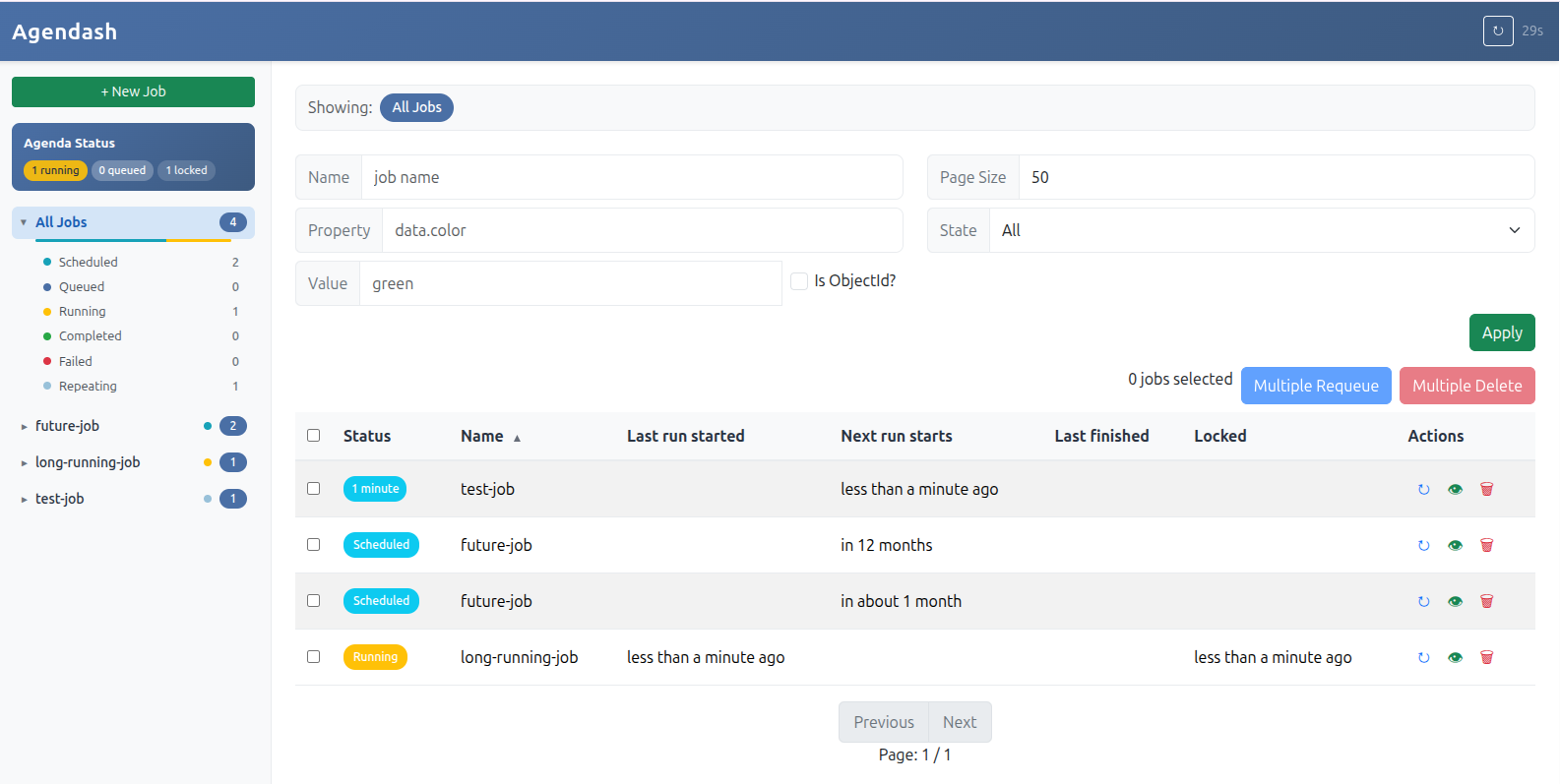
- Job Overview: View all jobs organized by name with status counts
- Job States: See jobs by state (scheduled, queued, running, completed, failed, repeating)
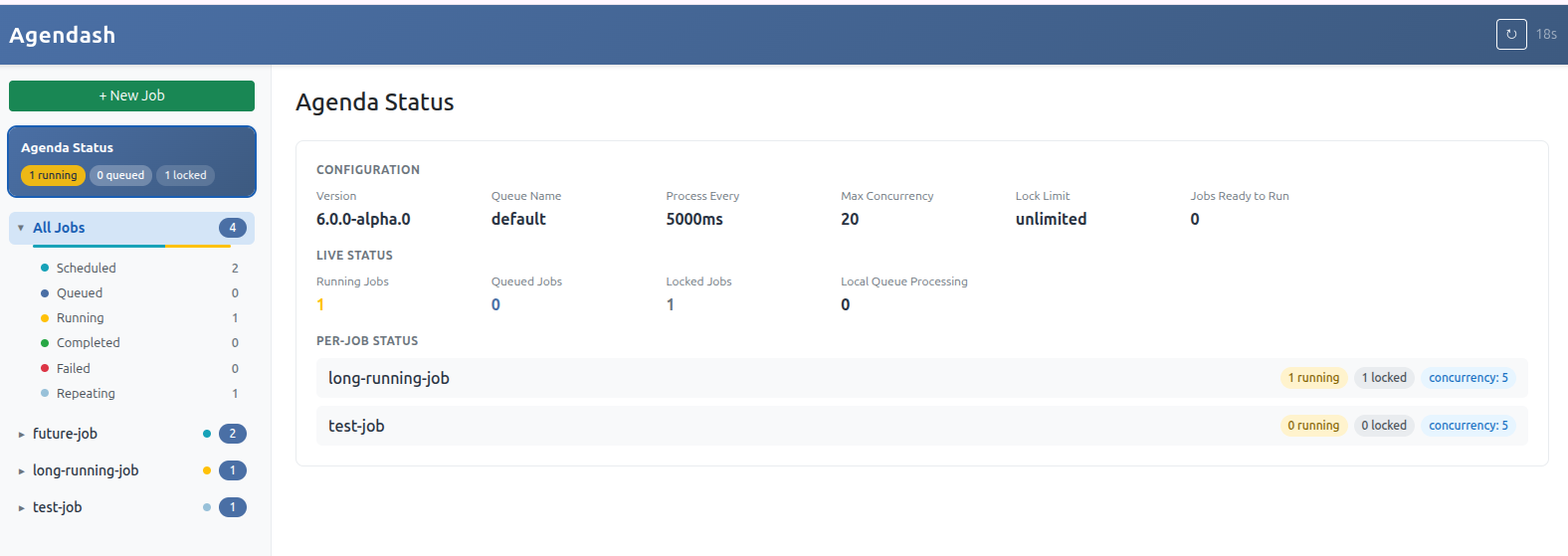
- Agenda Status: Live view of running/queued/locked jobs and configuration
- Filtering: Filter jobs by name, state, or search within job data
- Job Management: Create, requeue, and delete jobs
- Bulk Operations: Multi-select jobs for bulk requeue or delete
- Job Details: View job data, timestamps, and failure information
- Auto-refresh: Dashboard refreshes automatically with countdown indicator
- Mobile Responsive: Works on desktop and mobile devices
Development
To run agendash in development mode with hot reloading:
# From the agendash package directory
pnpm dev
This starts a development server with:
- Vite dev server for frontend hot reloading
- Express API server
- In-memory MongoDB (no external database required)
License
MIT