
SAP BTP Cloud Foundry Login Helper
This Node.js project makes it easier to login to the SAP BTP Cloud Foundry environment with the command line interface cf.
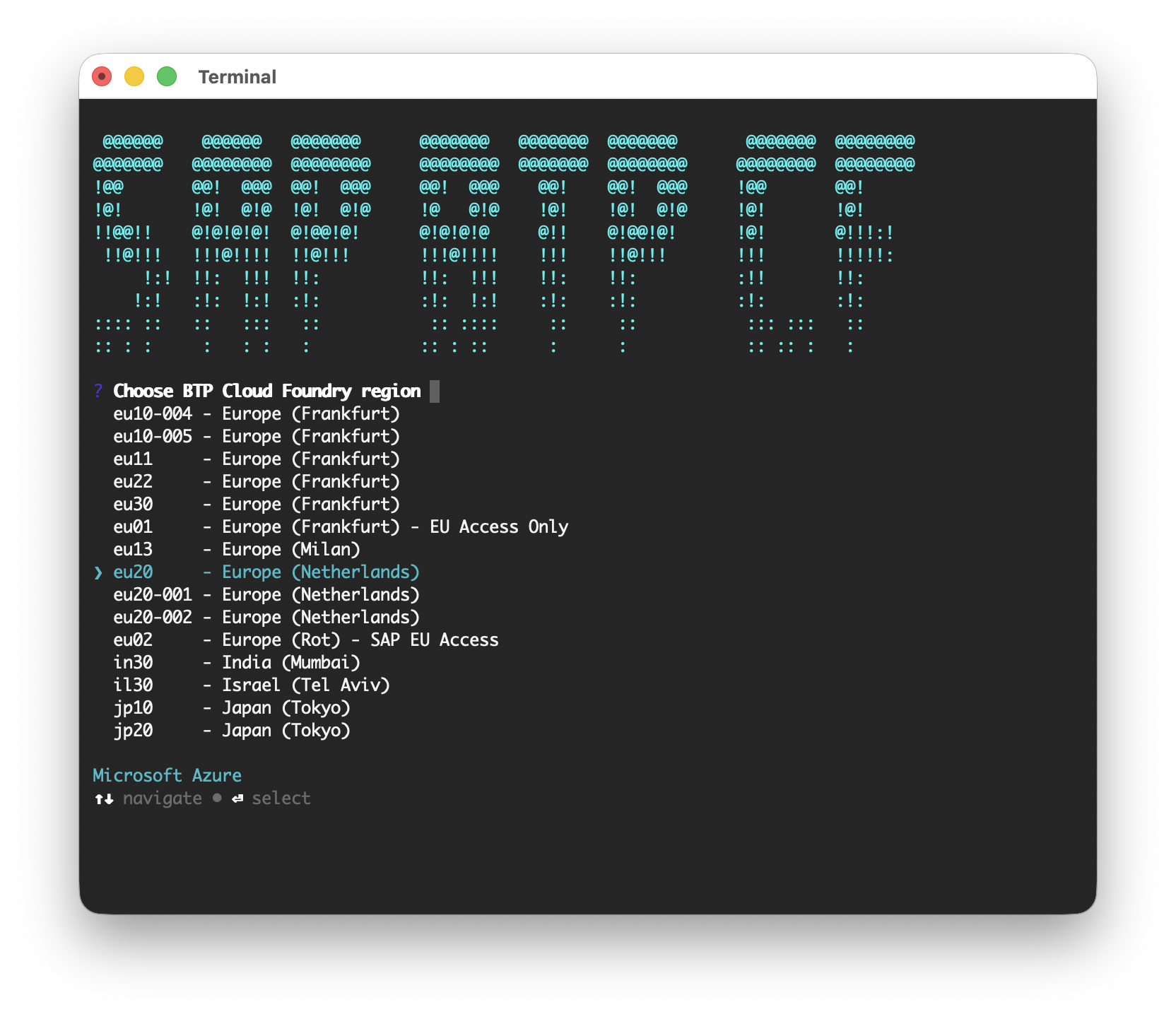
After installation you can use the shell command btpcflogin to get a guided login to the platform.
It runs on Linux, Windows and macOS - implemented and tested with WSL2 - Ubuntu and macOS.
Features
- Guided, interactive login: region, credentials, org and space are all chosen from type-ahead lists
- Complete region list including extension landscapes, matching the SAP Help documentation
- Credentials are read from your password manager -
pass(Linux),gopass(Windows) orKeePassXC(macOS) - so passwords never end up in the shell history - Single Sign On with a temporary passcode as login alternative
- Supports custom identity providers (IdP origin)
- Favorites: store region/org/space/login combinations and log in with a single selection (
-f) - macOS: optional caching of the KeePassXC database password in the Keychain
- Runs in headless environments (e.g. WSL2)
Prerequisites
- The Cloud Foundry CLI
cf(install instructions) - Node.js runtime 22.12 or higher
- A git installation, if you want to run from source
- A credential manager, to use stored login credentials besides the SSO option that is provided by the Cloud Foundry CLI:
| Platform | Manager |
|---|---|
| Linux | pass - the standard linux password manager (install and setup) |
| Windows | gopass - cross-platform password manager that is compatible to pass (install and setup) |
| macOS | KeePassXC - cross-platform password manager, used via its bundled keepassxc-cli (install and setup) |
add-login lists the entries of the password store: on Linux from $PASSWORD_STORE_DIR
(defaults to ~/.password-store), on Windows from %LOCALAPPDATA%\gopass\stores\root and
on macOS from the configured KeePassXC database.
Installation
Install as shell command from npm:
npm i -g btpcflogin
Run from source:
- Clone git repo and cd into cloned repo
npm inpm run local
Install as shell command from source:
- Clone git repo and cd into cloned repo
npm inpx tscnpm i -g
Run the unit tests:
npm test
Available Commands
login(default)
Starts complete Login to Cloud Foundry. As this is the default command it can be omitted and is triggered by executingbtpcflogin.Options:
-s, --store-favorite
Stores the cf target after successful login in the config store-f, --use-favorite
Use stored favorite to login even faster
add-login
Interactively adds a newpass/gopass/KeePassXC login to the config storerm-login
Interactively removes apass/gopass/KeePassXC login from the config storesort-logins
Allows reordering of the storedpass/gopass/KeePassXC logins in the config storet(target)
Interactive setting of new target (org and space), by using the current API region and logon token. (seecf t)sort-favs
Allows reordering of the stored favorites in the config storerename-fav
Rename a stored favorite in the config storerm-fav
Remove single cf target favorite from the config store
Example calls
# Login
btpcflogin

# Login and store the chosen org, space, api region and pass login into favorite
btpcflogin -s

# Login using a stored favorite
btpcflogin -f

# choose target
btpcflogin t

# Add new 'pass' login
btpcflogin add-login
Credential format
It is assumed that the login data is stored in the following format in a pass file:
<password of SAP S-user>
username: <e-mail of SAP S-user>
origin: <origin or custom IdP>Hint: The origin is only required if the credentials are from a custom identity provider.
The username and origin lines must start with the prefixes username: and origin: .
Credential format for KeePassXC (macOS)
On macOS the login data is read from a regular KeePassXC entry:
- Username: e-mail of SAP S-user
- Password: password of SAP S-user
- Additional attribute
origin(optional): origin key of a custom IdP
The path to the KeePassXC database (*.kdbx) is requested once and stored in the config store.
It can be overridden with the environment variable BTPCFLOGIN_KDBX.
If keepassxc-cli is not on the PATH, btpcflogin automatically detects the executable that is
bundled with the KeePassXC app (in /Applications or ~/Applications) and remembers it in the config store
after a confirmation. A custom location can be entered as well.
After the first successful unlock you are asked once whether the database password should be
remembered in the macOS Keychain. If stored, subsequent runs unlock the database automatically
(when the database password changes, you are prompted again and the Keychain entry is updated).
Remove the stored password anytime with security delete-generic-password -s btpcflogin.
The yes/no choice is remembered as keePassXcKeychain in the config store - remove the property
to be asked again.
Config store
All settings of btpcflogin (logins, favorites, KeePassXC paths) are kept in a
configstore file at
~/.config/configstore/btpcflogin.json (respects $XDG_CONFIG_HOME).