dclconnect v0.0.0-20210708002719.commit-cba743e
#dclconnect
Using this Utils library
To use any of the helpers provided by the dclconnect utils library
1.) Install it as an npm package. Run this command in your scene's project folder:
npm install dclconnect@next2.) In your tsconfig.json - add a new path that points to the dclconnect package. Also be sure to add the include path. You do not need to alter anything else in this file. The code below is what it should look like after a brand new dcl init project is created.
{
  "compilerOptions": {
    "outFile": "./bin/game.js",
    "allowJs": true,
    "strict": true,
    "paths": {
      "dclconnect": [
        "./node_modules/dclconnect/dist/index.d.ts"
      ]
    }
  },
  "include": [
    "src/**/*.ts",
    "./node_modules/dclconnect/dist/index.js"
  ],
  "extends": "./node_modules/decentraland-ecs/types/tsconfig.json"
}
BoxHighlight

Create New
The BoxHighlight component is a graphical, non-colliding entity that can be used to attract attention to the user. It's used heavily within this package, but it can also be instanced on it's own.
BoxHighlight has three required arguments:
position:Vector3for the positionscale:Vector3for the scaledirection:Stringindicates the direction the effect should face.- Options: "top" | "bottom" | "north" | "south" | "east" | "west"
Example
import { BoxHighlight } from "dclconnect";

const bh = new BoxHighlight(
    new Vector3(5,2.5,5),
    new Vector3(5,5,5),
    "north"
)
BoxHighlight.(setStripeColor/setSurfaceColor)
You can set the color (and emission) of the stripes/surface with these methods. The color values are generally between 0-1 instead of 0-255. However, if you set any of the red, green, blue values to above 1, it will glow brightly! It looks cool.
bh.setStripeColor(new Color3(1,1,0))
bh.setSurfaceColor(new Color3(0,10,1))
BoxHighlight.(setPosition/setScale)
You can adjust the position, height, width and depth of the BoxHighlight by invoking the following methods. You just need to pass along the x, y, z as parameters.
bh.setPosition(8, 3, 8)
bh.setScale(3, 6, 3)
BoxHighlight.(setDirection)
Indicate the direction that the BoxHighlight effect should point. Options: "top" | "bottom" | "north" | "south" | "east" | "west"
It's not encouraged to rotate a BoxHighlight for a few reasons. In short, this is due to the way that triggers, zones and other internal dcl entities work with collisions. You can technically rotate it, however there will be unintended effects.
bh.setDirection("top")SplitFlap
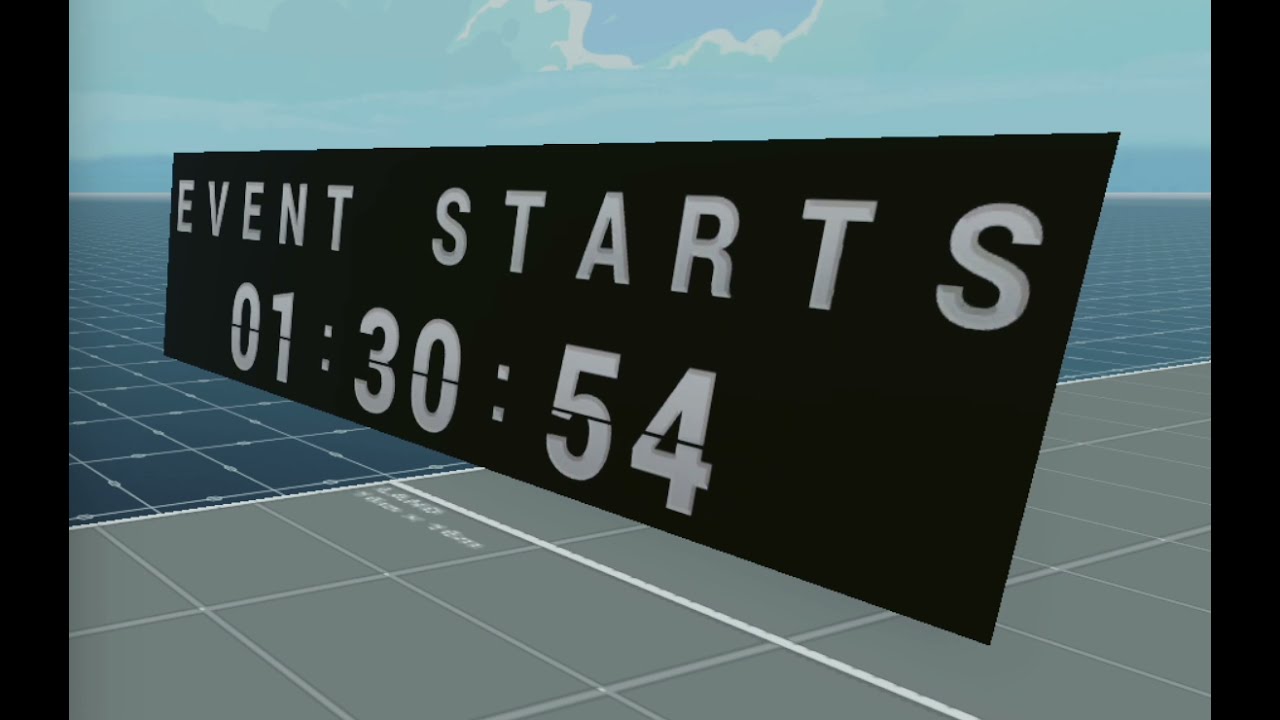
Example
import { SplitFlap } from "dclconnect";

// Creates a display that is 11 characters long
const sf = new SplitFlap(11)
sf.setText("Event Soon!")

// Alternatively you can include the initial text in the same command
const sf2 = new SplitFlap(11, "Event Soon!")

// To quickly flip to the text without having to wait for it to cycle
// through all of the characters, you can set the `quick` value to true
const sf2.setText("Event Over!", true)
DynamicImage
Examples coming soon
DynamicImageBar
Examples coming soon
AudioControlBar

AudioStreams
Please review the official AudioStreams docs for setting up your audio streams properly.
// For AudioStreams
const audioControlBar = new AudioControlBar(new AudioStream(
    "https://ice1.somafm.com/groovesalad-128-mp3"
))
VideoStreams
Please review the official VideoTexture docs for setting up a video screen properly.
// For VideoTextures
const vclip = new VideoClip(
    "https://Somedomain/Video.m3u8"
)
const myVideoTexture = new VideoTexture(vclip)
const audioControlVideoBar = new AudioControlBar(myVideoTexture)
Placement
// Once you have created an AudioControlBar you can adjust
// it's placement on the left hand side of the screen
audioControlVideoBar.setOffset(34)
Other Features/Settings
// Mute and Unmute the audio
audioControlVideoBar.mute()
audioControlVideoBar.unmute()

// Set the volume (0-100)
audioControlVideoBar.setVolume(50)

// Set the Maximum Volume (Careful with this. Some videos/streams are LOUD.
// So this is an audio dampener of sorts. Default: .2
audioControlVideoBar.setMaxVolume(1)5 years ago
5 years ago
5 years ago
5 years ago
5 years ago
5 years ago
5 years ago
5 years ago
5 years ago
5 years ago
5 years ago
5 years ago
5 years ago
5 years ago
5 years ago
5 years ago
5 years ago
5 years ago
5 years ago
5 years ago
5 years ago
5 years ago
5 years ago
5 years ago
5 years ago
5 years ago
5 years ago
5 years ago
5 years ago
5 years ago
5 years ago
5 years ago
5 years ago
5 years ago
5 years ago
5 years ago
5 years ago
5 years ago
5 years ago
5 years ago
5 years ago
5 years ago
5 years ago
5 years ago
5 years ago
5 years ago
5 years ago
5 years ago
5 years ago
5 years ago
5 years ago
5 years ago
5 years ago
5 years ago
5 years ago
5 years ago
5 years ago
5 years ago
5 years ago
5 years ago
5 years ago