electron-windows-inno-installer v0.1.3
Build Your Installer Easy to RELEASE & UPDATE


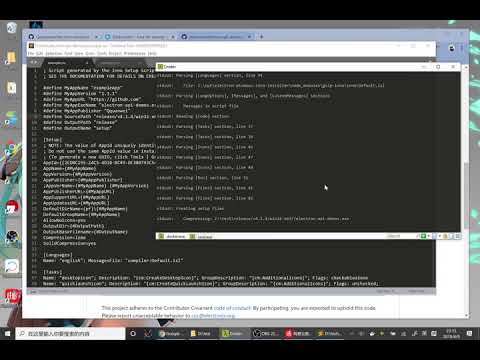
Installation
npm install electron-windows-inno-installer -g
Required(or using [docker(#Build with Docker)])
- wine
brew install wine --devel - gulp
npm install gulp -g
Build Your Project
need your *.iss file in your work directory
you can using electron-windows-inno-installer --make-iss and then vim example.iss to make your setup.iss file
rm -rf release/
electron-windows-inno-installer ./setup.iss --platform win32-x64 --icon ./favicon.ico
electron-windows-inno-installer will pack all you local file without directory , if you want customs pack files ,you can use 'sourceFiles' field in you package.json
like this
    ...

    "dependencies": {
          "electron-windows-inno-installer": "^0.1.3"
    },
    "sourceFiles":[ "./index.js","./favicon.ico","./www/**/**"],

    ...
Build with Docker
docker run --rm -v ${pwd}:/app -w /app/ quanwei/electron-windows-inno-installer example.iss --platform win32-x64example.iss
- #define SourcePath "release/v1.4.3/win32-ia32/"
sourcePath is release/{electron-version}/{platform}
- #define MyAppExeName "example.exe"
MyAppExeName is {package.json.name}.exe
AutoUpdater
- npm install electron-windows-inno-installer --save
(electron app.js)

const autoupdater = require('electron-windows-inno-installer');

//support http/https
autoupdater.setFeedURL('http://demo/releases.json');

//release.json:
//{
  //"name": "demo1.1.2",
  //"version": "1.1.2",
  //"date": "2016-08-09",
  //"changelog": "upgrade \n\n\n\n\n?",
  //"updateURL": "http://10.8.3.31:8000/setup.exe"
//}

autoupdater.on('update-downloaded',function(releasefileJSON,fullpath){
  console.log('release notes: ',releasefileJSON.changelog)
  console.log('write to :',fullpath);
  autoupdater.quitAndInstall(); // Upgrade
});

autoupdater.on('update-not-available',function(){
  console.log('INFO: Update not available');
});

autoupdater.on('update-available',function(releasefileJSON,next){
  console.log('INFO: Update available',releasefileJSON);
  next(); //will be download
});

autoupdater.on('progress',function(progress){
  console.log(progress);  // download progress
});
workflow:
(some html/js/css) -> electron-prebuild -> gulp-inno -> installer.exe
event
Event:checking-for-update
Emmitted when updater starts checking update, after 'checkForupdates'
Event: update-not-available
Emmitted when update unavailable,usually the version lowwer current version or server response is '204'
Event: update-available
Returns:
- releasejson :
object - next :
function
Emmitted when update available, you will be invoke next tell updater to download this installer
Event: update-downloaded
Returns:
- releasejson:
object - fullpath:
string
Emmitted when the installer package is downloaded. from then on , you can execute updater.quitAndinstall()
to quit current process and install installer.
Event error
Returns:
- err :
object
Emmitted when throw a error
Event done
Emmitted when updater stopped work
Event progress
Returns: progress
the downloaded progress
Methods
setFeedURL
Params:
- url :
string
set feed url
checkForUpdates
Params:
- isForce :
bool
if isForce is true , updater will do not check version
start updater , updater will feed a update object from feedurl,
updater will checking this object that has field version
quitAndinstall
when the event of update-downloade emmitted, thie method will quit-and-install
the new installer
FAQ
There are some case in your building.
- Download electron-v{version}-win32-x64.zip is slowly or failure
download the file from https://github.com/electron/electron/releases or https://npm.taobao.org/mirrors/electron/ to directory .cache/{version}/{platform}.
example wget https://npm.taobao.org/mirrors/electron/1.3.1/electron-v1.3.1-win32-ia32.zip -P /you/project/.cache/v1.3.1/
Contribution
Very pleasure with anyone contribute code
7 years ago
9 years ago
9 years ago
9 years ago
10 years ago
10 years ago
10 years ago
10 years ago
10 years ago
10 years ago
10 years ago
10 years ago
10 years ago
10 years ago
10 years ago
10 years ago
10 years ago
10 years ago
10 years ago
10 years ago
10 years ago
10 years ago
10 years ago
10 years ago
10 years ago
10 years ago
10 years ago
10 years ago
10 years ago
10 years ago
10 years ago
10 years ago
10 years ago
10 years ago
10 years ago
10 years ago
10 years ago
10 years ago