

exprexo







hacked javascript freshly served
What is exprexo
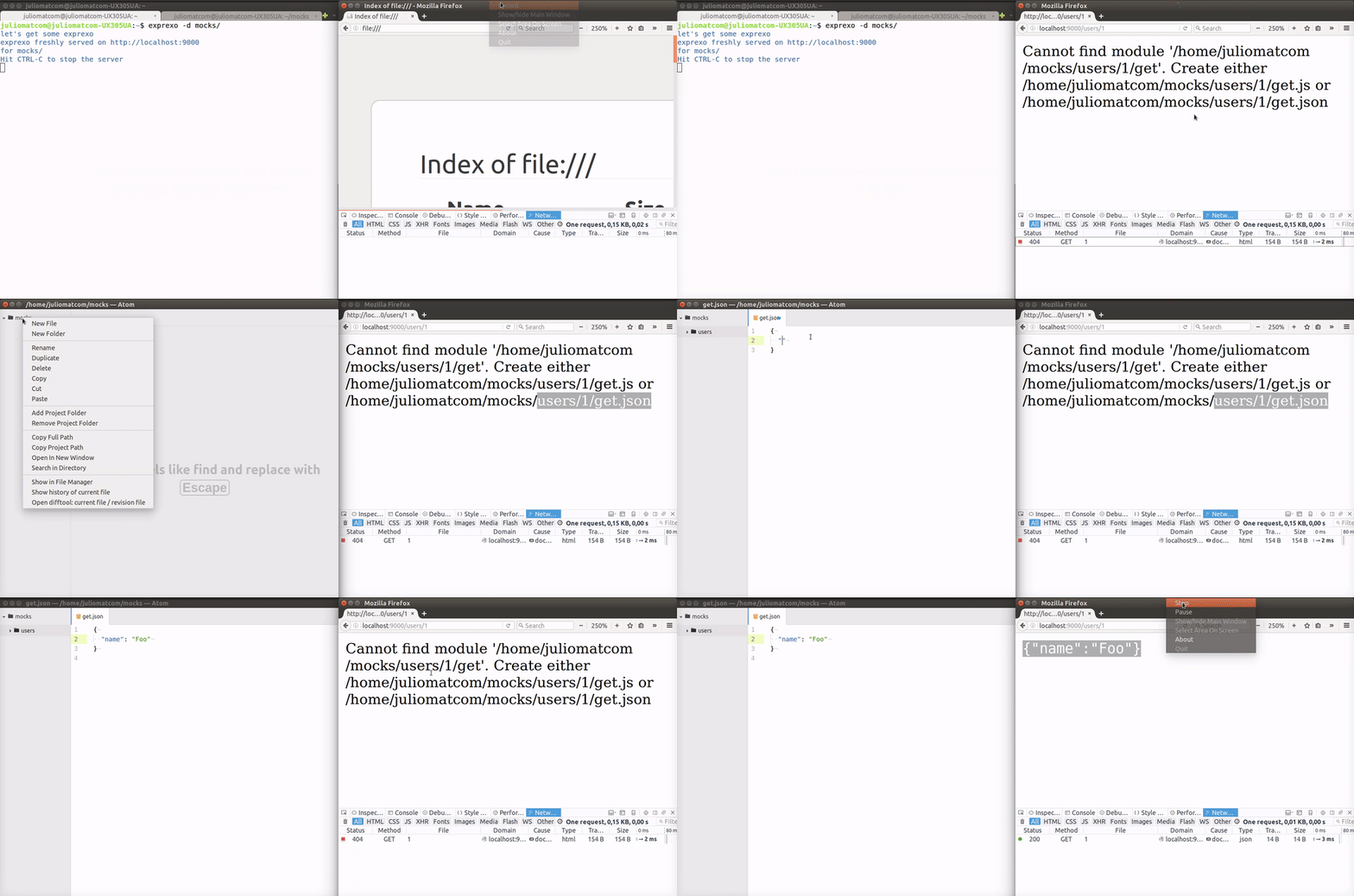
exprexo is a zero-configuration command-line javascript server. Think about it like http-server but with dinamic .js files execution alongside of statics.
exprexo allows creating mocks easily and fast. Just run exprexo in any folder
containing some paths with a get.js file and open your browser using the same path as the url.
Your paths, your API.
Installing globally
Installation via npm:
npm install exprexo -gThis will install exprexo globally so that it may be run from the command line.
exprexo and javascript make the perfect blend
Usage
exprexo [path] [options]Available Options
Usage: exprexo [path] [options]

Mode
  --silent, -s  Make this exprexo in silence          [boolean] [default: false]
  --verbose     Make this exprexo loud as hell        [boolean] [default: false]

Options:
  --directory, -d  A cool directory to be served           [default: "./routes"]
  --open, -o       Open your browser at the served page         [default: false]
  --port, -p       A cool port for your exprexo                           [9000]
  --help           Show help                                           [boolean]
  --version        Show version number                                 [boolean]
Get started
Basic example, serving a simple JSON
On a terminal, run:
$ mkdir cool-stuff
$ cd cool-stuff
Create a file named get.json that may look as follows:
{
  "hello": "exprexo"
}
For having your exprexo served, run:
$ exprexo . --openNOTE: The . tells exprexo to serve the same folder it is running on.
The --open flag will open a browser at the given url.
Deeper routes
Let's create a deeper endpoint, run:
$ mkdir -p routes/cool/user
$ cd routes/cool/user
Create a file named get.json that may look as follows:
{
  "id": "537",
  "name": "Mr Coffee",
  "nickname": "exprexo"
}
Now run the following and browse http://localhost:9000/cool/users
$ exprexoNOTE: Notice there is no . argument, exprexo will serve routes
folder by default.
And now some javascript!
Create a file named get.js inside routes/cool/user/ that may look as follows:
module.exports = {
  id: Math.floor(Math.random() * 20),
  name: 'Mr Coffee',
  nickname: 'exprexo'
}
NOTE: exprexo will try to serve at first *.js files, then *.json.
Read query params
Modify get.js inside routes/cool/user/ so it may look as follows:
module.exports = function (req, res) {
  const user = {
    id: Math.floor(Math.random() * 20),
    name: req.query.name,
    nickname: 'exprexo'
  }
  res.send(user)
}
Now run the following and open http://localhost:9000/cool/users/?name=cool
$ exprexoNOTE: exprexo uses the same API as any express middleware.
Define req and res as your function arguments and it's done.
If you prefer a classic return statement exprexo will send that for you.
What about POST, PUT, PATCH and DELETE?
exprexo got you covered! Noticed how we have been creating get.json or
get.js files? exprexo will match any request method to a file with the
same method name.
Want a new POST endpoint?
Create a post.json or post.js, it's that easy.
You can create the following supported methods:
| Method | exprexo file name |
|---|---|
| GET | get.json or get.js |
| POST | post.json or post.js |
| PUT | put.json or put.js |
| PATCH | patch.json or patch.js |
| DELETE | delete.json or delete.js |
More examples
Visit the examples directory for some other demos like:
- a simple counter
- a function with no
res.send - some html with template literals
- some html with pug or jade
Thanks
indexzero for the great and inspirational http-server
Developing
Releases
This tool is automatically released with semantic-release .
Travis's stage release:deploy runs package.json script npm run semantic-release using the config file release.config.js.
Please see .travis.yml for more details.
Todos
- add ssl/https
Contributors
Thanks goes to these wonderful people (emoji key):
 Alvaro Pinot @alvaropinot |
 Leire Polo |
 J.C. Martin |
This project follows the all-contributors specification. Contributions of any kind welcome!
License
MIT - @alvaropinot Alvaro Pinot
Logo - Based on Coffee By Gregor Črešnar from the Noun Project