
linter-elm-make
Lint your Elm files in Atom with linter and elm-make.
Installation
- Install
elm. $ apm install linter$ apm install language-elm$ apm install linter-elm-make$ which elm-makeand set that as your executable path in this installed package's configuration.
Quick Fixes
Move your cursor to a problematic text range and choose Linter Elm Make: Quick Fix from the command palette to show the possible fixes. Select a fix from the list to apply it to your code.
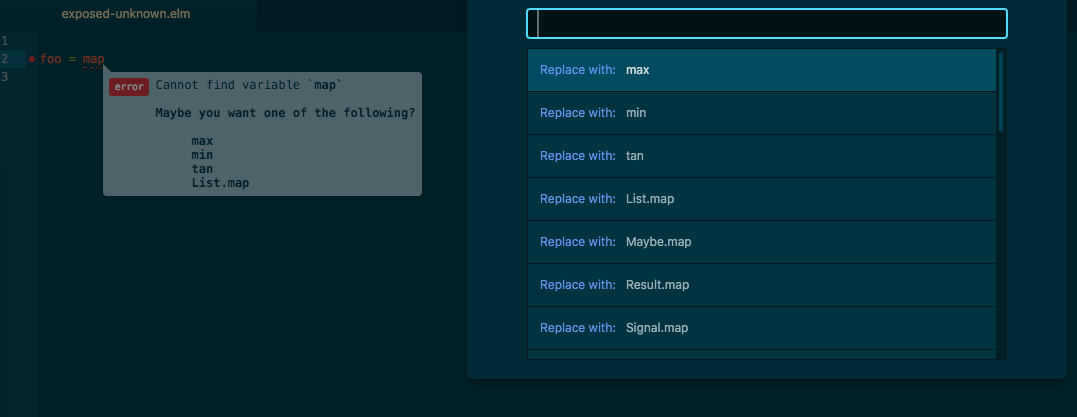
Choosing Linter Elm Make: Quick Fix All will fix all the issues in the active text editor. If there is more than one fix for an issue, it will choose the first from the list.
You may also add something like this in your keymap.cson:
'atom-text-editor:not([mini])[data-grammar^="source elm"]':
  'f6': 'linter-elm-make:quick-fix'
  'shift-f6': 'linter-elm-make:quick-fix-all'

'.linter-elm-make atom-text-editor[mini]':
    'f6': 'core:confirm'
Prior Art
The boilerplate code here is repurposed from linter-hlint. Much thanks to its contributors.