
mj-hero
Displays a hero image and behaves like an mj-section tag with a single mj-column tag.
The background-height and background-width attributes are mandatory and it's best to use an image with width the same as the mj-body (width="600px" by default) and height the same or larger than the height of mj-hero.
Use background-color to provide a fallback color in case an email client doesn't support background-url.
Note
The height attribute is only required for mode="fixed-height".
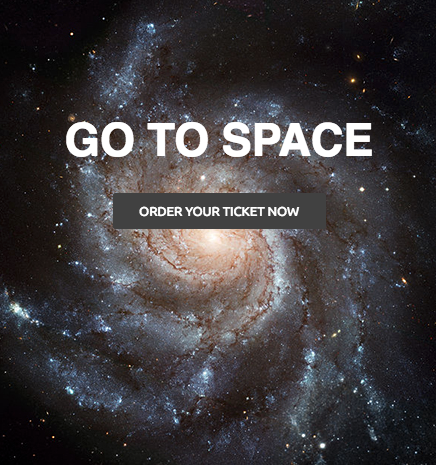
<mjml>
  <mj-body>
    <mj-hero
      mode="fixed-height"
      height="469px"
      background-width="600px"
      background-height="469px"
      background-url=
          "https://static.mailjet.com/mjml-website/documentation/hero.jpg"
      background-color="#2a3448"
      padding="100px 0px">
      <mj-text
        padding="20px"
        color="#ffffff"
        font-family="Helvetica"
        align="center"
        font-size="45px"
        line-height="45px"
        font-weight="900">
        GO TO SPACE
      </mj-text>
      <mj-button href="https://mjml.io/" align="center">
        ORDER YOUR TICKET NOW
      </mj-button>
    </mj-hero>
  </mj-body>
</mjml><mjml>
<mj-body>
<mj-hero
mode="fluid-height"
background-width="600px"
background-height="469px"
background-url=
"https://static.mailjet.com/mjml-website/documentation/hero.jpg"
background-color="#2a3448"
padding="100px 0px">
<mj-text
padding="20px"
color="#ffffff"
font-family="Helvetica"
align="center"
font-size="45px"
line-height="45px"
font-weight="900">
GO TO SPACE
</mj-text>
<mj-button href="https://mjml.io/" align="center">
ORDER YOUR TICKET NOW
</mj-button>
</mj-hero>
</mj-body>
</mjml>Attributes
| attribute | accepts | description | default value |
|---|---|---|---|
| background-color | CSS color formats | hero background color | #ffffff |
| background-height | px % |
height of the image used, mandatory | |
| background-position | string | CSS values, i.e. left center right + top center bottom |
center center |
| background-url | string | absolute background in URL format | null |
| background-width | px % |
width of the image used, mandatory | inherits parent element width |
| border-radius | string | border radius | |
| css-class | string | class name, added to the root HTML element created | |
| height | px % |
hero section height, (required for fixed-height mode) |
0px |
| inner-background-color | CSS color formats | content background color | |
| inner-padding | px % |
hero inner padding, supports up to 4 parameters | |
| inner-padding-bottom | px % |
hero bottom inner padding | |
| inner-padding-left | px % |
hero left inner padding | |
| inner-padding-right | px % |
hero right inner padding | |
| inner-padding-top | px % |
hero top inner padding | |
| mode | string | fluid-height or fixed-height |
fluid-height |
| padding | px % |
hero padding, supports up to 4 parameters | 0px |
| padding-bottom | px % |
hero bottom padding | null |
| padding-left | px % |
hero left padding | null |
| padding-right | px % |
hero right padding | null |
| padding-top | px % |
hero top padding | null |
| vertical-align | top middle bottom |
content vertical alignment | top |
- Fixed height:
Try it live - Fluid height:
Try it live