
mj-navbar
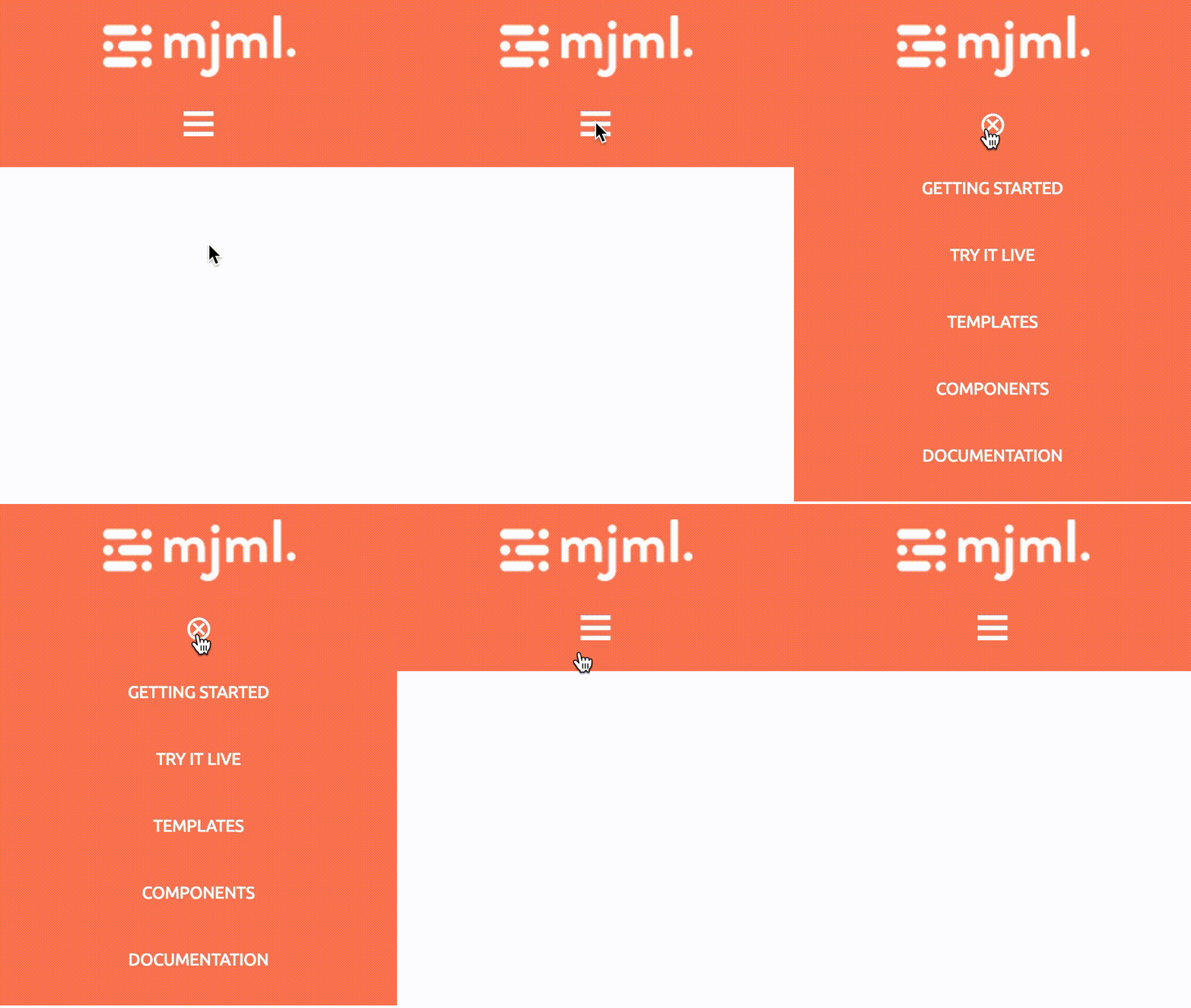
Displays a navigation menu with an optional hamburger mode for mobile devices.
<mjml>
<mj-body>
<mj-section background-color="#ef6451">
<mj-column>
<mj-navbar base-url="https://mjml.io" hamburger="hamburger" ico-color="#ffffff">
<mj-navbar-link href="/gettings-started-onboard" color="#ffffff">Getting started</mj-navbar-link>
<mj-navbar-link href="/try-it-live" color="#ffffff">Try it live</mj-navbar-link>
<mj-navbar-link href="/templates" color="#ffffff">Templates</mj-navbar-link>
<mj-navbar-link href="/components" color="#ffffff">Components</mj-navbar-link>
</mj-navbar>
</mj-column>
</mj-section>
</mj-body>
</mjml> Standard Mobile
 Mode hamburger enabled:
Note
The hamburger feature works only on Apple Mail clients, when the width is below the specified (or default) breakpoint. For other email clients, the links are displayed inline and the hamburger icon is not visible.
Note
All attributes prefixed with ico- help to customize the hamburger icon, hence they only work with the hamburger mode enabled.
Attributes
| attribute | accepts | description | default value |
|---|---|---|---|
| align | leftcenterright |
align content | center |
| base-url | string | base URL for child components | null |
| css-class | string | class name, added to the root HTML element created | |
| hamburger | string | activate the hamburger navigation on mobile if the value is hamburger | null |
| ico-align | leftcenterright |
hamburger icon alignment ( hamburger="hamburger" required) |
center |
| ico-close | string | char code for a custom close icon, e.g. ASCII code decimal ( hamburger="hamburger" required) |
⊗ |
| ico-color | CSS color formats | hamburger icon color ( hamburger="hamburger" required) |
#000000 |
| ico-font-family | string | hamburger icon font ( hamburger="hamburger" required) |
Ubuntu, Helvetica, Arial, sans-serif |
| ico-font-size | px % |
hamburger icon size ( hamburger="hamburger" required) |
30px |
| ico-line-height | px % |
hamburger icon line height ( hamburger="hamburger" required) |
30px |
| ico-open | string | char code for a custom open icon, e.g. ASCII code decimal ( hamburger="hamburger" required) |
☰ |
| ico-padding | px % |
hamburger icon padding, supports up to 4 parameters ( hamburger="hamburger" required) |
10px |
| ico-padding-bottom | px % |
hamburger icon bottom padding ( hamburger="hamburger" required) |
|
| ico-padding-left | px % |
hamburger icon left padding ( hamburger="hamburger" required) |
|
| ico-padding-right | px % |
hamburger icon right padding ( hamburger="hamburger" required) |
|
| ico-padding-top | px % |
hamburger icon top padding ( hamburger="hamburger" required) |
|
| ico-text-decoration | string | hamburger icon text decoration e.g. none underline overline line-through( hamburger="hamburger" required) |
none |
| ico-text-transform | string | hamburger icon text transformation none capitalize uppercase lowercase( hamburger="hamburger" required) |
uppercase |
| padding | px % |
navbar padding, supports up to 4 parameters | |
| padding-bottom | px % |
navbar bottom padding | |
| padding-left | px % |
navbar left padding | |
| padding-right | px % |
navbar right padding | |
| padding-top | px % |
navbar top padding |
mj-navbar-link
Used to display an individual link in the navbar. Individual links of the menu should be wrapped inside mj-navbar.
Important
The mj-navbar-link component must be used inside an mj-navbar component only.
Note
mj-navbar-link is an "ending tag", which means that it can contain HTML code but it cannot contain other MJML components.
More information about ending tags in this section.
Attributes
| attribute | accepts | description | default value |
|---|---|---|---|
| color | CSS color formats | text color | #000000 |
| css-class | string | class name, added to the root HTML element created | |
| font-family | string | font | Ubuntu, Helvetica, Arial, sans-serif |
| font-size | px |
text size | 13px |
| font-style | string | CSS values, i.e. normal italic oblique |
|
| font-weight | string | text thickness | |
| href | string | link to redirect to on click, in URL format | |
| letter-spacing | px em |
letter-spacing | |
| line-height | px % |
space between the lines | 22px |
| name | string | specify the link name attribute | |
| padding | px % |
navbar link padding, supports up to 4 parameters | 15px 10px |
| padding-bottom | px % |
bottom padding | |
| padding-left | px % |
left padding | |
| padding-right | px % |
right padding | |
| padding-top | px % |
top padding | |
| rel | string | specify the rel attribute | |
| target | string | link target on click | |
| text-decoration | string | CSS values, i.e. underline overline none |
none |
| text-transform | string | CSS values, i.e. capitalize uppercase lowercase none |
uppercase |