mongoui v4.2.1
MongoUI: MongoUI (mongoui) is a web (browser) admin interface for MongoDB.
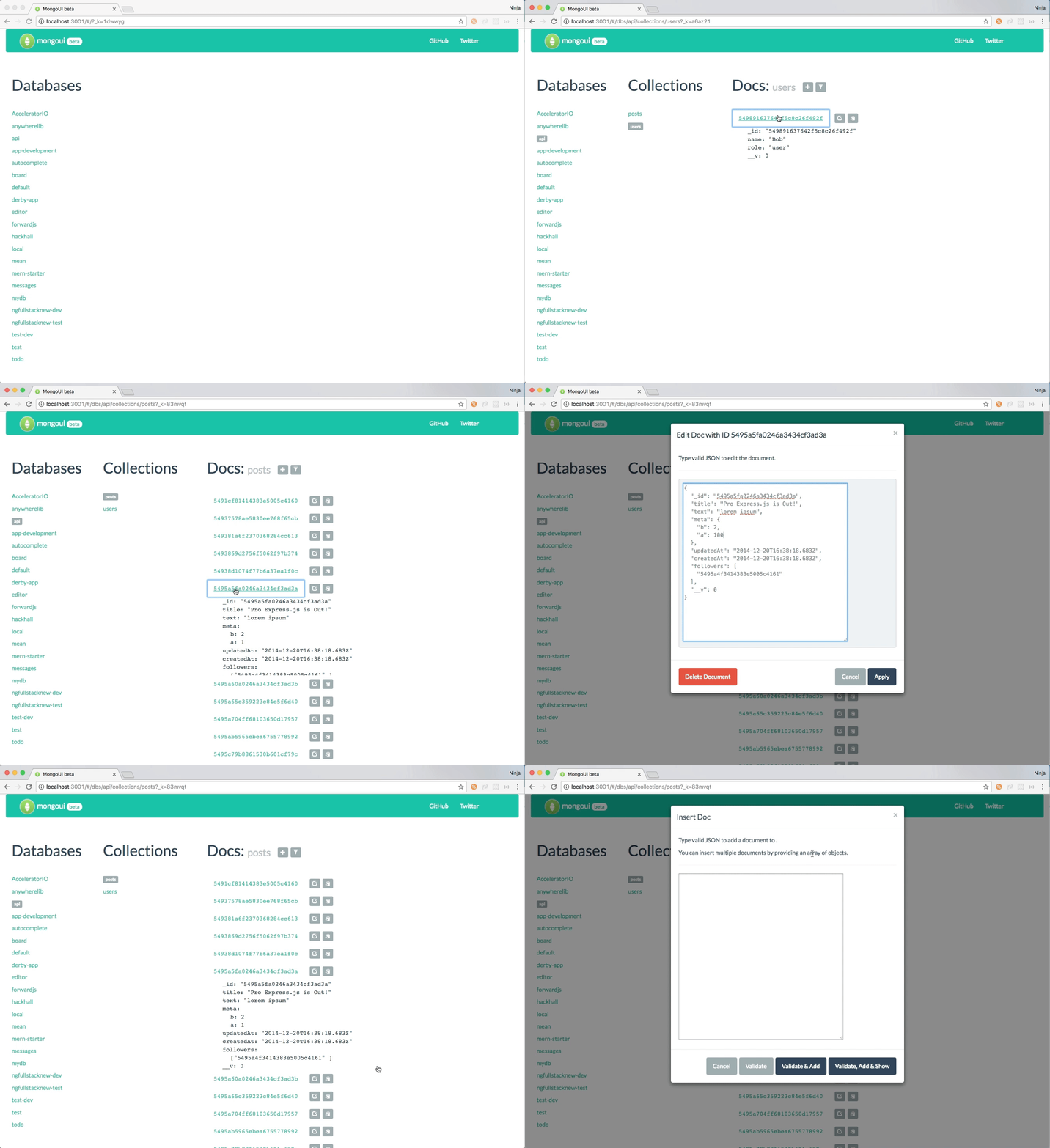
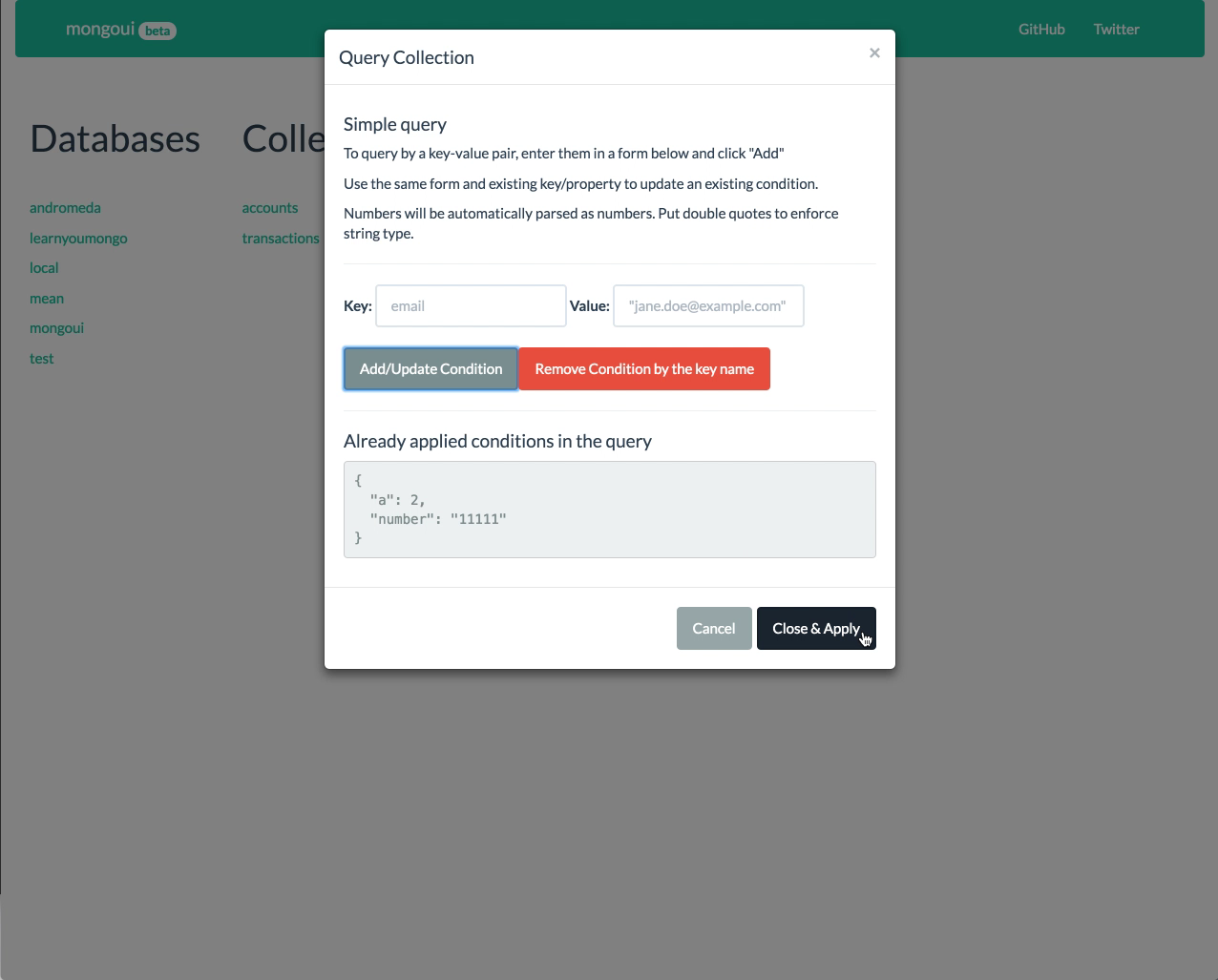
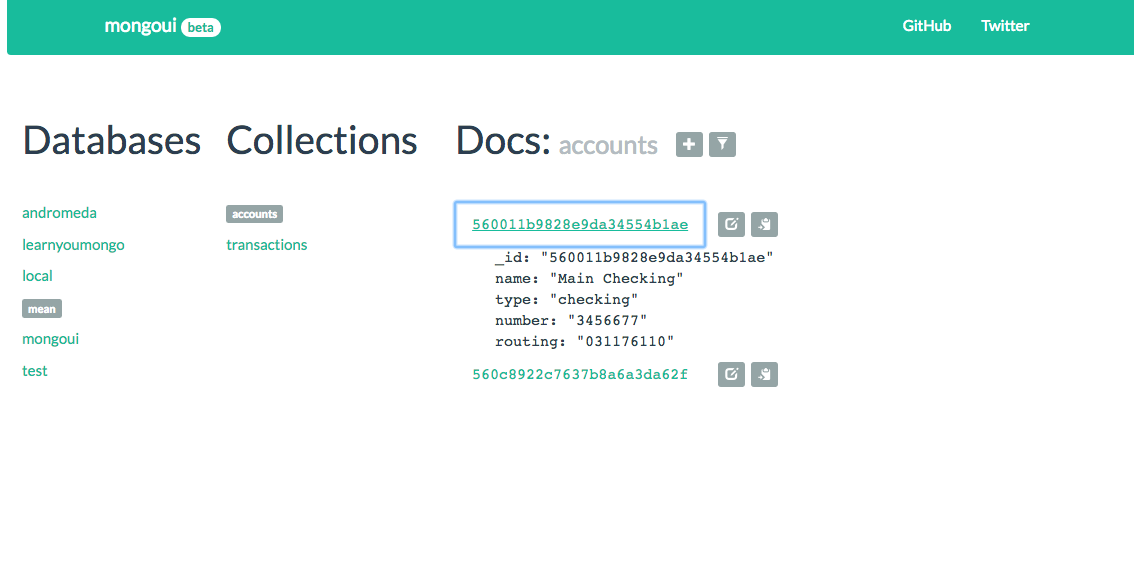
MongoUI is an open-source web and desktop app which allows to administer local and remote MongoDB instances via GUI. No need to type commands in a terminal anymore. Convenient interface will allow to create, update, remove and filter/search documents. You can switch between collections or even databases with just a single click.
Currently a standalone tool (run as an app locally or on your server); desktop app later. This is a brand new v2 of MongoUI. Old version use DerbyJS, then new version uses Webpack, React, React Router, React Bootstrap and of course Express and Node.
MongoUI v2 looks like this (gif):
Here's another short video that shows filtering, editing, and switching collections:
Why
Tired of typing db.users.findOne({_id:ObjectId(...)}) just to look up data structure. Even more typing to modify the data. Not happy with the user experience of other MongoDB admin tools?
Meet MongoUI! Alternative to exprss-mongo and Robomongo.
Installation
npm i -g mongoui
mongoui
Dev Installation
Download MongoUI
SSH:
git clone git@github.com:azat-co/mongoui
npm i
or HTTPS
git clone https://github.com/azat-co/mongoui.gitor CURL
curl -O https://github.com/azat-co/mongoui/archive/master.zipor WGET
wget https://github.com/azat-co/mongoui/archive/master.zip
unzip master.zip
cd mongoui-master
Install Dependencies
npm iUsage
Build and Run MongoUI in Regular Mode
npm startThen, open http://localhost:3001 in your favorite browser. Enjoy!
Build and Run MongoUI in Development (Hot-Reload) Mode
Front-end development in one terminal:
npm run start-devOpen http://localhost:3000/ in your favorite browser.
Note: there are two ports, 3001 and 3000. In dev mode you need to go to 3000, in regular mode, navigate to 3001. This is because in dev mode, we are using webpack dev server on 3000 and the API (index.js) is alway on 3001.
Additional Tasks
You'll need MongoDB running for MongoUI to work:
mongodFront-end build:
npm run buildConfigs
Configurations are in the config.json file. Modify as needed (remote databases should work just fine!).
{
  "database": {
    "default": {
      "host": "localhost",
      "port": 27017,
      "name": "mongoui",
      "username": "",
      "password": ""
    }
  }
}
Branches
- Master — major releases, main branch
- Develop — current development branch (make your pull requests here)
Contributors
Via git shortlog -s -n:
    83  azat-co
    67  Azat Mardan
    65  Azat Mardanov
    26  Tom2277
    14  cultofmetatron
    12  Will Hart
     1  Sam Tobia
     1  Jan Carlo Viray
TODO
The list is in the GitHub Issues.
How to contribute in the CONTRIBUTING.md
Running Tests
In order to run the tests which are in test folder, you will need:
- Node.js
- NPM
With those installed, running npm install and ''npm test'' will run the tests.
Non-node.js alternatives
- Mac OS X app: MongoHub
- .NET based app: MongoVUE](http://www.mongovue.com/)
License
License is in LICENSE.md
9 years ago
9 years ago
9 years ago
9 years ago
9 years ago
9 years ago
9 years ago
10 years ago
10 years ago
10 years ago
10 years ago
10 years ago
10 years ago
10 years ago
10 years ago
10 years ago
10 years ago
10 years ago
10 years ago
10 years ago
10 years ago
10 years ago
12 years ago
12 years ago
12 years ago
12 years ago
12 years ago
12 years ago
13 years ago
13 years ago
13 years ago
13 years ago
13 years ago