

Multiple Cucumber HTML Reporter
Generate beautiful, interactive and customizable HTML reports for Cucumber runs.


Why this reporter?
Multiple Cucumber HTML Reporter is a robust reporting module that transforms standard Cucumber JSON output into stunning, feature-rich HTML reports. Unlike generic reporters, it is designed for scale and clarity.
Key Features
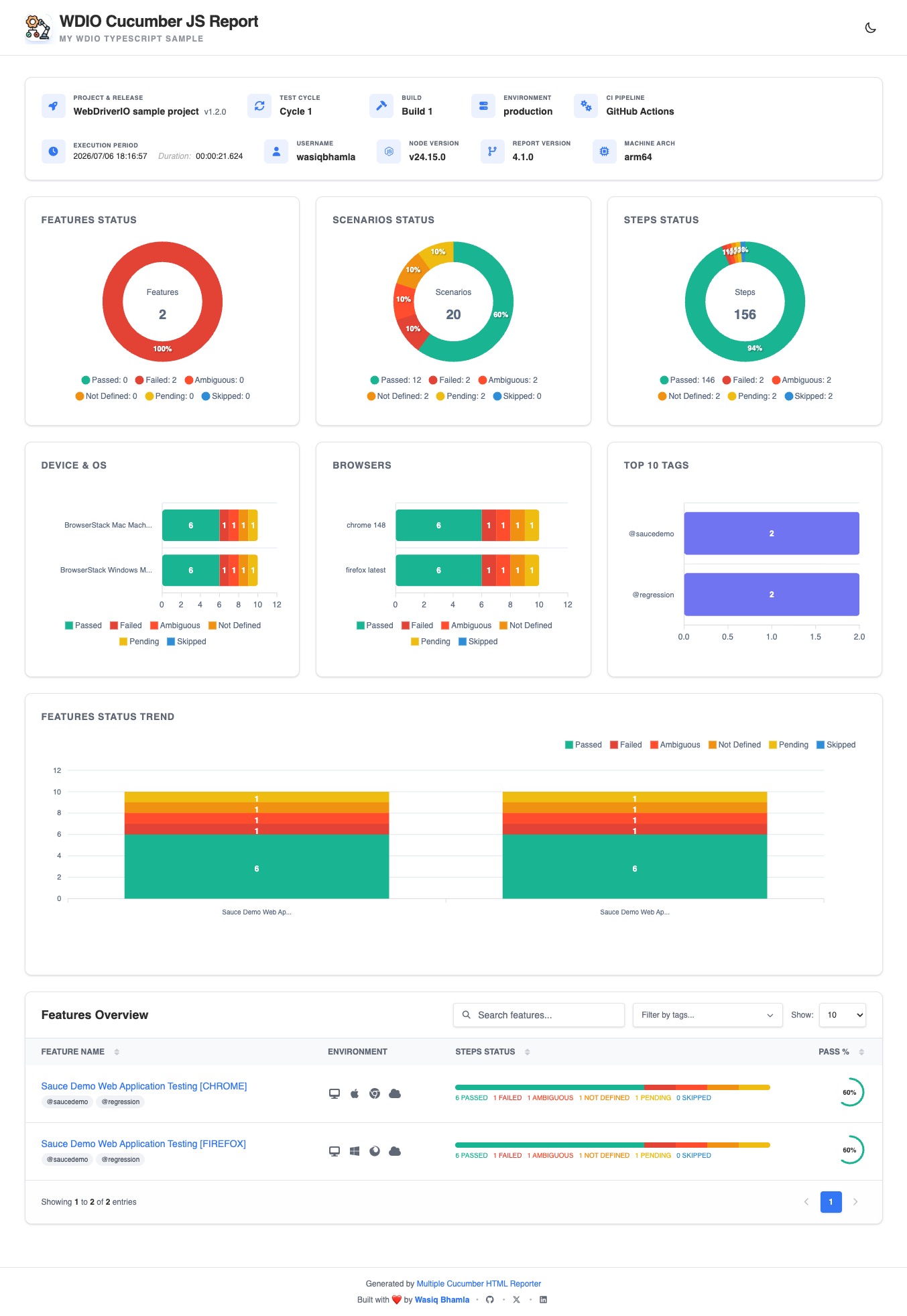
- Interactive Dashboard: Scored overview of all tested features and scenarios.
- Dark Mode Support: Built-in support for light and dark themes for better accessibility.
- Multiple Runs: Consolidate multiple runs of the same feature (e.g., across different browsers or devices).
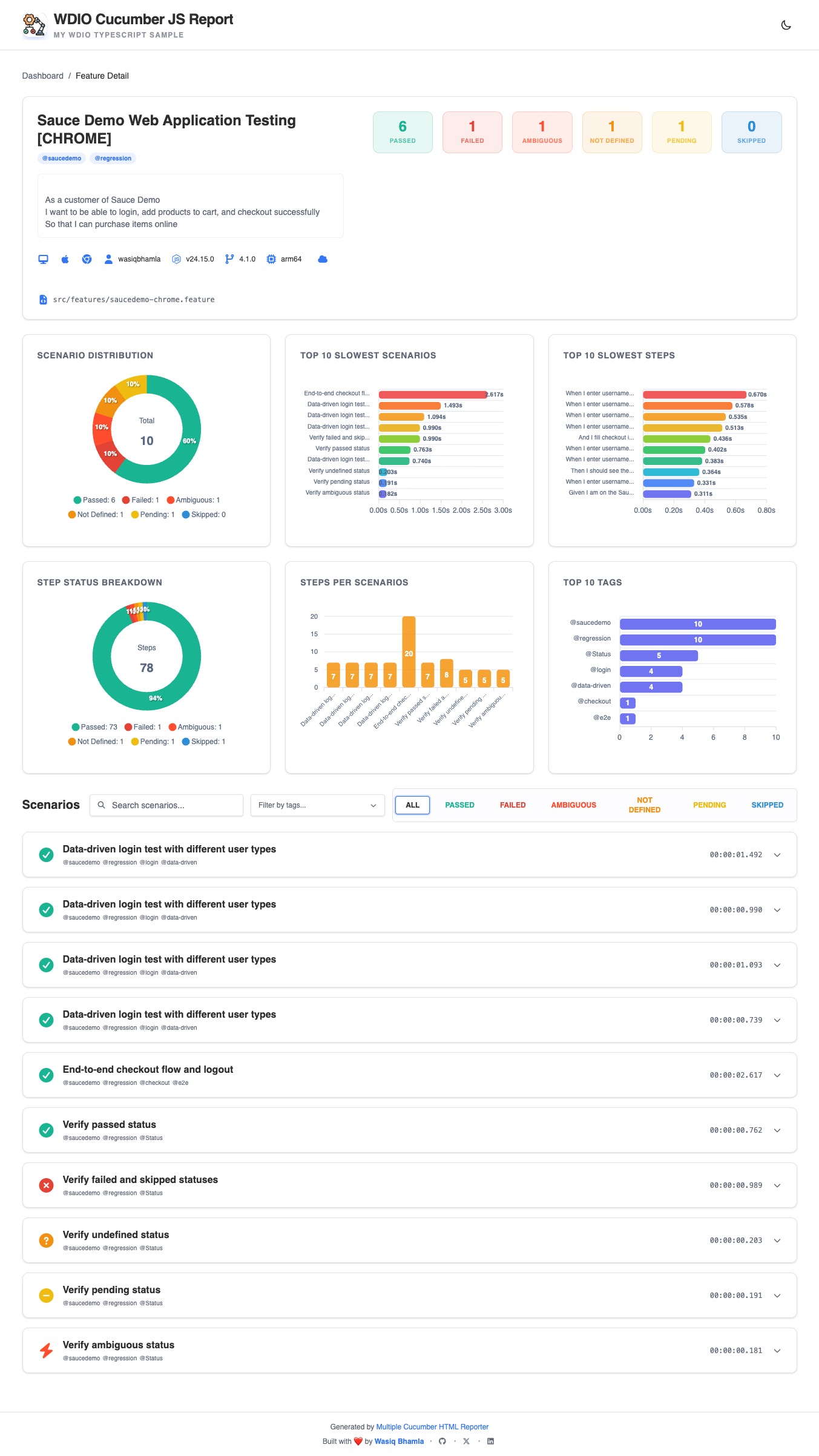
- Rich Metadata: Automatically display browser, device, platform, and app version details.
- Advanced Filtering: Easily search, filter, and sort through large test suites.
- Fully Customizable: Add custom data blocks, brand colors, logo, footer, and additional CSS styles.
- Built for Scale: Streams report generation, so suites with heavy screenshot/video attachments don't run out of memory.
Quick Start
1. Install
pnpm add multiple-cucumber-html-reporter --save-dev2. Generate Report
Add this to your test teardown or a separate reporting script:
// generate-report.ts
import { generate } from 'multiple-cucumber-html-reporter';

generate({
  jsonDir: "./path-to-your-json-output/",
  reportPath: "./path-where-the-report-needs-to-be/",
  metadata: {
    browser: {
      name: "chrome",
      version: "latest",
    },
    device: "Local test machine",
    executionPlatform: 'local',
    platform: {
      name: "osx",
      version: "Sonoma",
    },
  },
  customData: {
    projectName: 'WebDriverIO sample project',
    release: '1.2.0',
    testCycle: 'Cycle 1',
    buildNumber: 'Build 1',
    environment: 'production',
    ciPipeline: 'GitHub Actions',
  },
});
Check out the examples folder for integration with frameworks like Cypress.
In-Depth Documentation
Looking for advanced configurations, framework integrations (WebdriverIO, Cypress, etc.), or FAQs? Visit our comprehensive documentation site:
Read the Full Documentation
Feature Showcase
Feature List Page
Feature Details Page
Contributing & Community
Contributions are what make the open source community such an amazing place to learn, inspire, and create.
- Contributing: Read our Contributing Guide to get started.
- Security: Please report vulnerabilities via our Security Policy.
- Code of Conduct: We expect all contributors to follow our Code of Conduct.
Support & Talk
- Discord: Join our Discord server for real-time support.
- GitHub Issues: Report bugs or request features.
- GitHub Discussions: Join our GitHub Discussions.
- Project Milestones: View complete Roadmap in Project Milestones.
- Follow project updates: Follow the latest project updates on X (formerly Twitter) and LinkedIn.
Support the project
If you find this project useful, please consider sponsoring the maintainer. Your support helps keep the project maintained and improved!
Open Source Supporter
Following are the awesome supporters to the project who has sponsored their applications paid license:

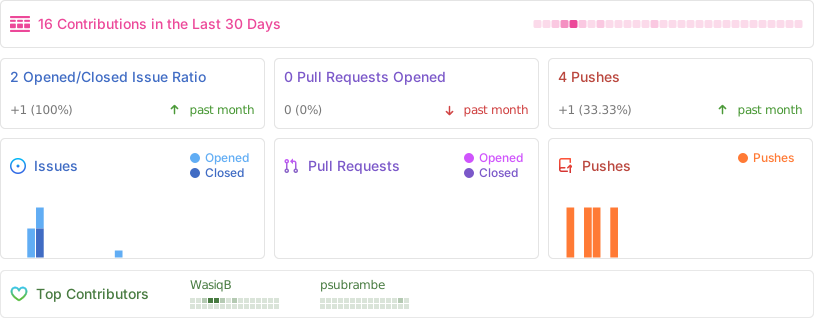
Repo Activity
License
Distributed under the MIT License. See LICENSE for more information.
Built with by Wasiq Bhamla