
phyx3d
Test your 3D prints before you print them — and let AI agents do it for you.




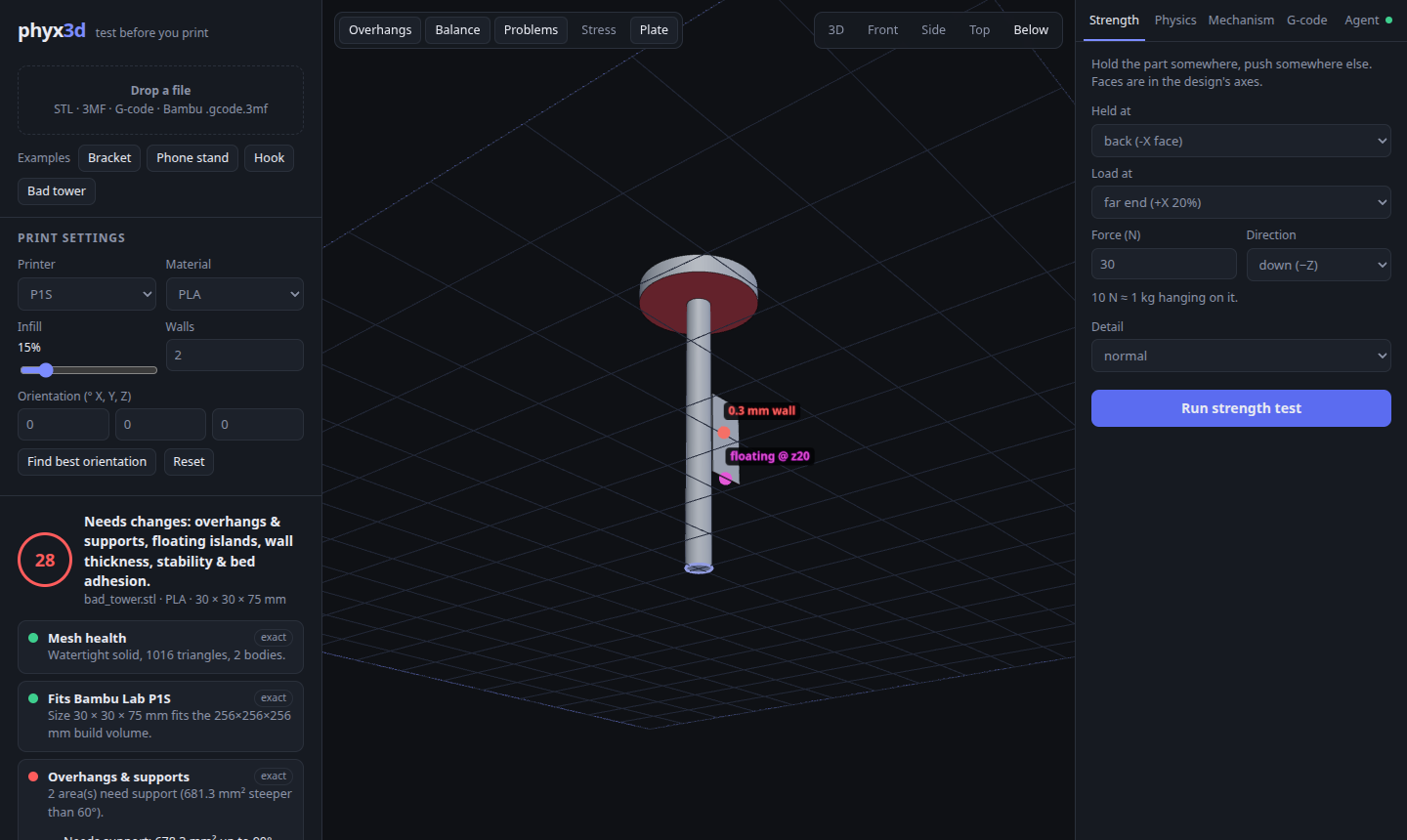
phyx3d checks a 3D model (STL, 3MF, or a sliced Bambu Studio .gcode.3mf) for the things that make prints fail
or break — overhangs, floating parts, thin walls, tipping over, weak spots under load — and simulates how the
printed part behaves in the real world: dropped, tilted, pushed, stacked, or moving as part of a robot or machine.
It works three ways, all from the same engine:
| Interface | Good for | |
|---|---|---|
Web app (phyx3d serve) |
Looking at problems in 3D, strength maps, physics & robot replays, G-code layer replay | |
MCP server (phyx3d-mcp) |
Letting Claude Code / Claude Desktop / Cursor design → test → fix parts on their own | |
CLI (phyx3d check part.stl --json) |
Scripts and CI: JSON reports, PNG pictures, non-zero exit when a part needs changes |
Made with Bambu Lab printers in mind (P1S / P1P / P2S / X1C / A1 / A1 mini / H2D presets), but the checks apply to any FDM printer.
What it checks
| Check | How | How far to trust it |
|---|---|---|
| Mesh health — holes, flipped faces, separate bodies | edge topology | exact |
| Fits the build plate | bounding box vs. printer volume | exact |
| Overhangs & supports (Bambu's 30° threshold); bridges vs. cantilevers | face normals + voxel support test | exact |
| Floating islands (regions that start in mid-air) | layer-by-layer voxels | estimate |
| Thin walls (< nozzle = missing, < 2 lines = weak) | BVH ray casting | estimate |
| Stability — centre of mass, tip angle, bed contact, wobble while printing | mass properties + support polygon | estimate |
| Warp risk | material, footprint, corners, enclosure | rough guide |
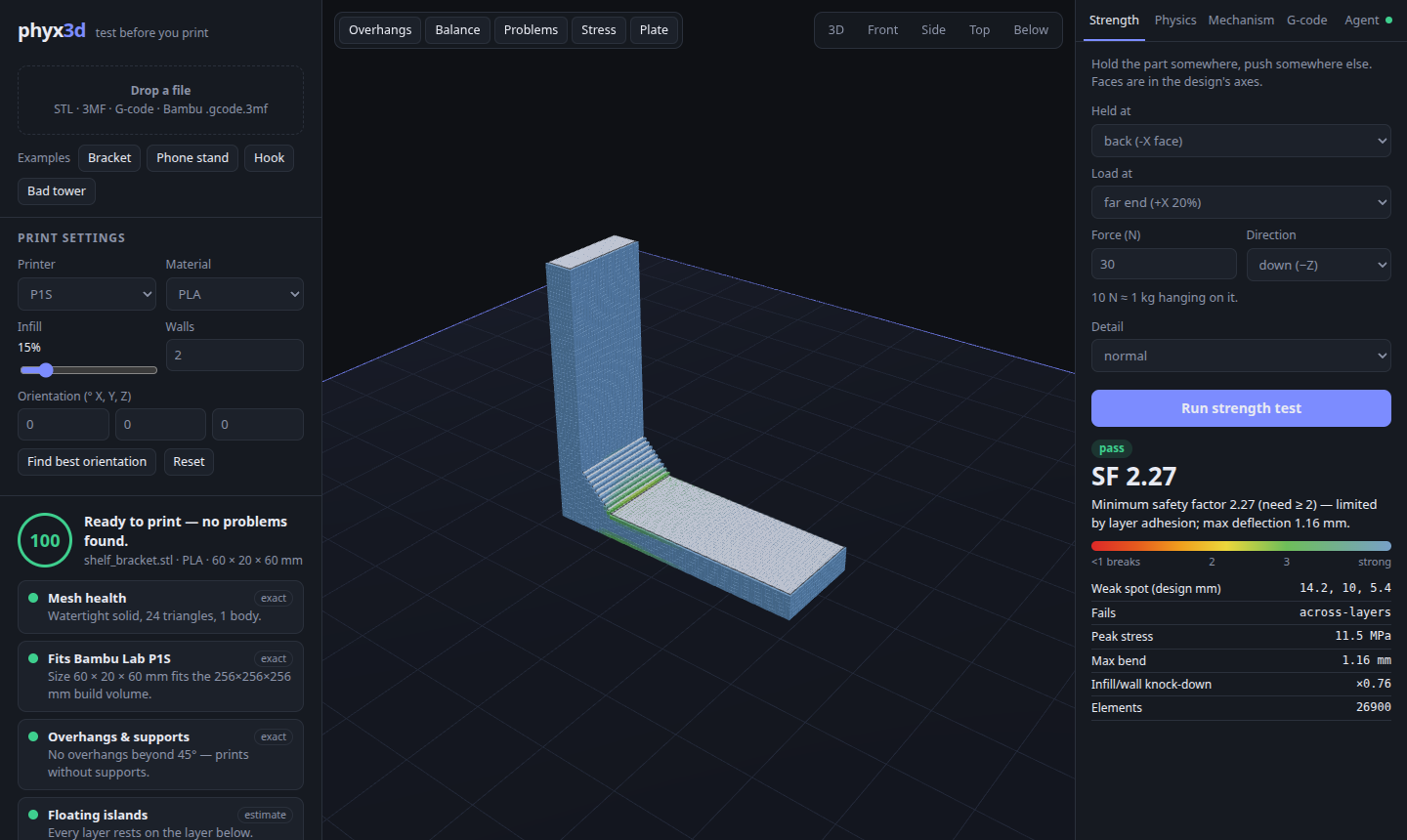
| Strength under load, including weak layer bonds | voxel finite-element solver (8-node hexahedra, PCG) | rough guide |
| Drop / tilt / push / stack tests | Rapier rigid-body physics with printed mass & friction | simulated |
| Interlocking parts (optional) — dovetails, T-slots, bayonets, snaps, detents, threads, press fits: do they fit, go together, stay together, and only one way? | exact mesh collision along the assembly path | exact geometry |
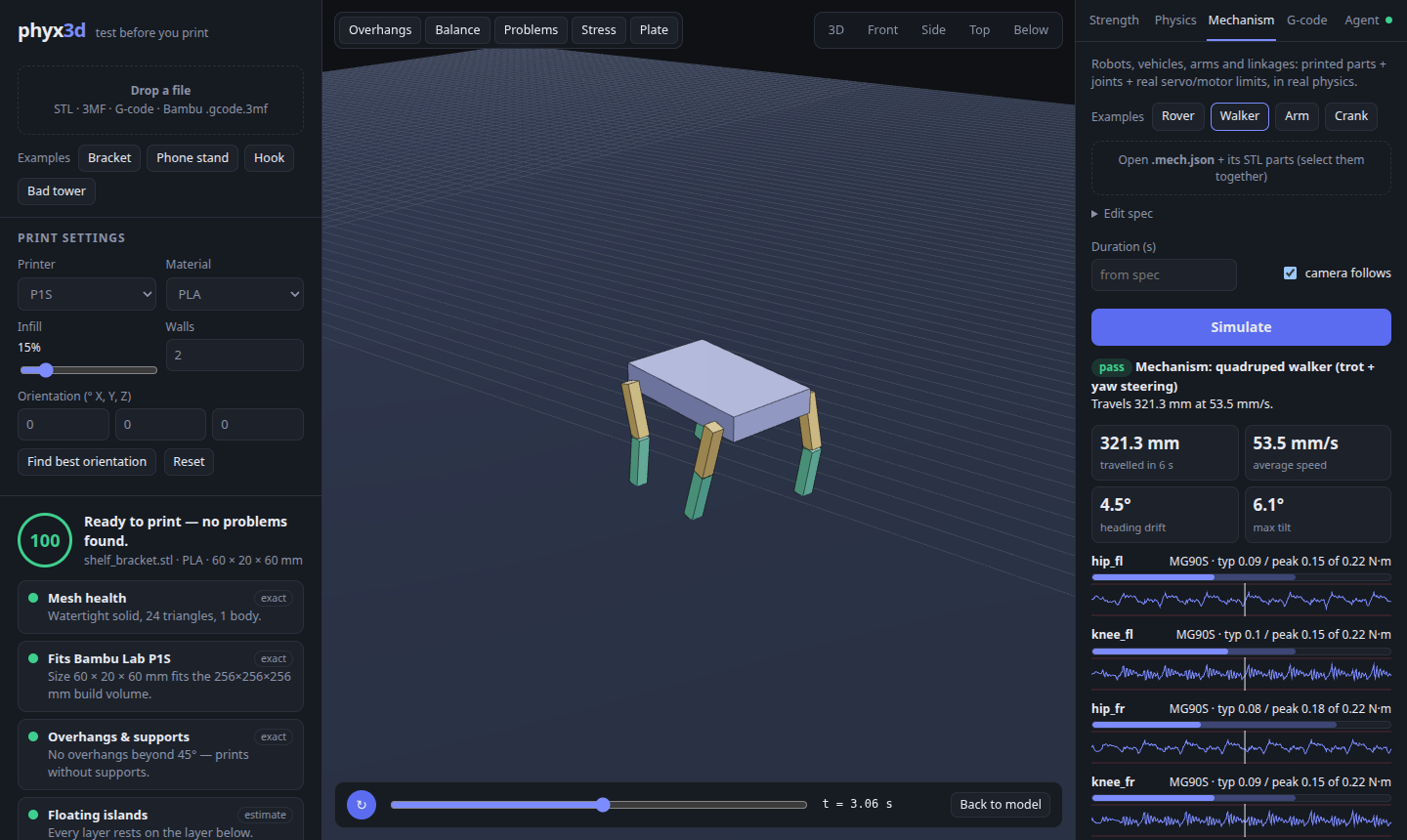
| Mechanisms — does the robot walk, the car drive, the arm lift, the linkage move? | multi-body physics, joints, real servo/motor torque & speed limits | simulated |
| Best print orientation | ranks candidate orientations by supports, islands, stability, warp, height | estimate |
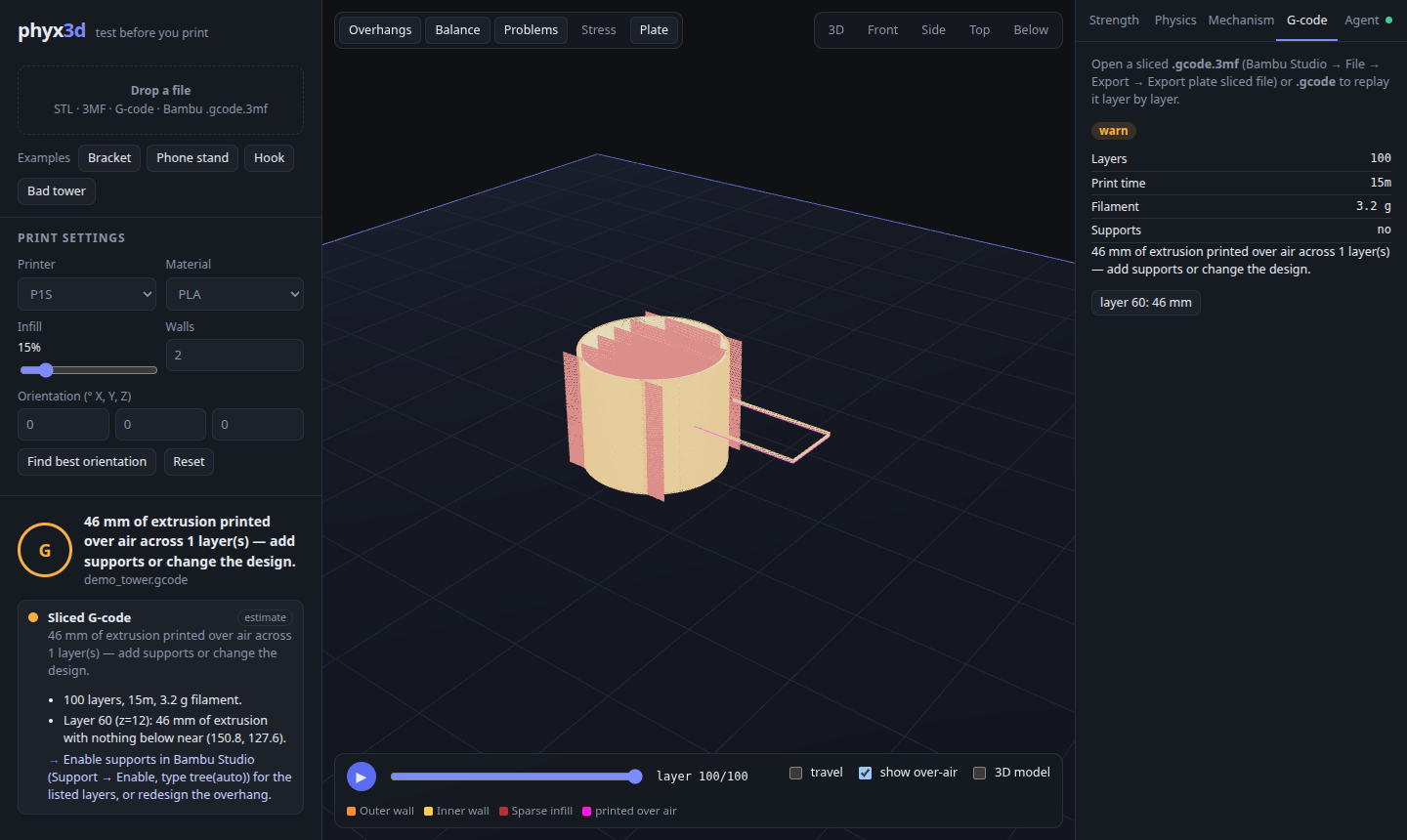
| Sliced G-code: time, filament, extrusion printed over air | toolpath parser | exact |
| Slice with Bambu Studio (optional) | Bambu Studio command line | exact |
Every result says how far to trust it. The solvers are validated against textbook cases in the test suite: cantilever beam deflection (within 2 %) and stress (within 6 %), tip and slide angles, rover speed vs. wheel rpm, crank-slider stroke, and servo holding torque = m·g·r. Strength results are guidance, not certified engineering.
Quick start
Requires Node.js 20 or newer.
npx phyx3d serve # web app → http://localhost:5217, nothing to installor install the phyx3d command:
npm install -g phyx3dThe latest code from GitHub works the same way: npx -y github:arielmiki/phyx3d serve (it builds on first run).
Try it without your own models: the web app has example parts (bracket, phone stand, hook, a deliberately bad tower) and example mechanisms (rover, walking robot, robot arm, crank-slider).
Command line
phyx3d check part.stl -m PETG --png report.png     # all printability checks + picture
phyx3d orient part.stl                             # best print orientations
phyx3d stress bracket.stl --fixed -x --force "rel:0.8,0,0:1,1,1=0,0,-50"
phyx3d stress latch.stl --fixed "rel:0,0,0:0.1,1,1" --move "rel:0.9,0,0:1,1,1=0,0,0.6"   # push a snap arm 0.6 mm
phyx3d interlock rail.stl slider.stl --type dovetail --axis 1,0,0   # interlocking parts
phyx3d drop part.stl --height 750 --floor wood     # also: tilt, push, stack
phyx3d mech robot.mech.json --png walk.png         # robots & mechanisms
phyx3d gcode plate_1.gcode.3mf
phyx3d serve                                       # web app
phyx3d materials                                   # material presets
phyx3d --help                                      # everything else
Add --json to any command for machine-readable output. check exits with code 2 when the part needs changes,
so you can use it in CI.
Regions for --fixed / --force: bottom|top|-x|+x|-y|+y, box:x0,y0,z0:x1,y1,z1, sphere:x,y,z:r, or
rel:fx0,fy0,fz0:fx1,fy1,fz1 (fractions of the part's size — usually the easiest).
Coordinates: an unrotated model resting on z = 0 is reported in its own CAD coordinates. Strength tests always use the design's axes; testing a different print orientation only changes which way the layers run.
Use it with an AI agent (MCP)
The MCP server gives an agent these tools: analyze_model, suggest_orientation, stress_test,
simulate_physics, simulate_mechanism, check_interlock, render_view, check_gcode, slice_bambu, list_materials.
Results come back as JSON plus a picture, so the agent can see what is wrong.
Register the server — no clone or build needed:
Claude Code
claude mcp add --scope user phyx3d -- npx -y phyx3d mcpClaude Desktop (claude_desktop_config.json) / Cursor (~/.cursor/mcp.json) / other MCP clients
{
  "mcpServers": {
    "phyx3d": { "command": "npx", "args": ["-y", "phyx3d", "mcp"] }
  }
}
If you installed it globally, phyx3d mcp works as the command too.
For the full design → test → fix loop, pair it with a CAD MCP server such as build123d-mcp (Python CAD) and install the included skill, which teaches the agent the workflow (modelling rules, which checks to run, how to report):
claude mcp add --scope user build123d -- uv tool run --python 3.12 build123d-mcp@latest
npx phyx3d install-skill        # copies the print-design skill to ~/.claude/skills
Then ask, for example: "Design a wall hook that holds a 1 kg bag, in PLA, and make sure it prints on my P1S" or "Design a two-wheeled robot car with N20 motors and check that it drives straight."
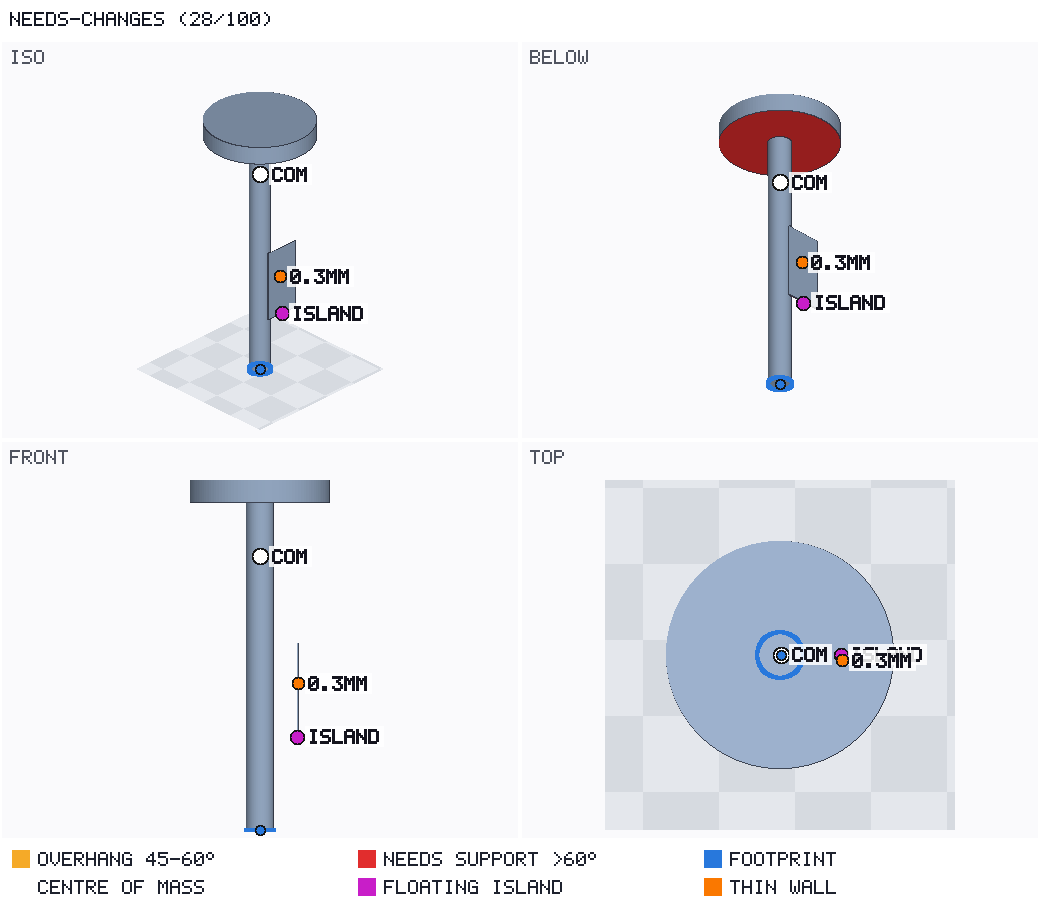
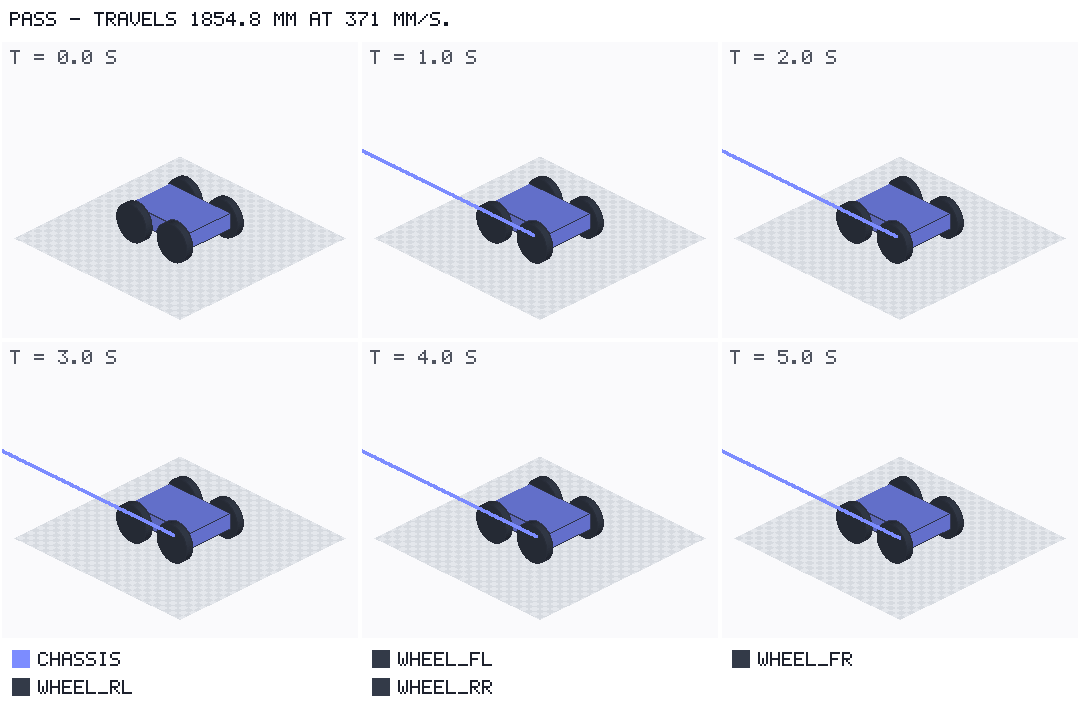
Keep phyx3d serve open while the agent works: every check it runs appears live in the web app's Agent tab.
Runs are stored in ~/.phyx3d/runs/ (override with PHYX3D_HOME).
Mechanisms: robots, vehicles, arms, linkages
A .mech.json file lists parts, joints and motors. Parts can be STL files (modelled in their assembled position)
or quick primitives. Motors use real presets with their torque and speed limits.
{
  "name": "robot arm", "duration": 4,
  "parts": [
    { "id": "base", "file": "base.stl", "fixed": true },
    { "id": "arm",  "file": "arm.stl", "payloads": [{ "mass": 100, "at": [120, 0, 60] }] }
  ],
  "joints": [
    { "id": "shoulder", "type": "revolute", "parent": "base", "child": "arm",
      "anchor": [0, 0, 60], "axis": [0, -1, 0], "limits": [-10, 120],
      "motor": { "preset": "MG996R", "target": "45*sin(2*pi*0.5*t)" } }
  ]
}
You get: distance, speed, heading drift and whether it falls over; each motor's typical and peak torque against its
rating, how often it hits its limit and how far it lags; parts that collide or overlap; joint ranges; a filmstrip
picture; and a 3D replay in the web app. See docs/MECHANISMS.md for the full format and
examples/mechanisms/ for working examples.
Interlocking parts
Dovetails, T-slots, bayonets, snap-fits, detents, threads and press fits (56 named types, each checked as one of six motions). Model the parts in their assembled position and say which one moves:
phyx3d interlock rail.stl slider.stl --type dovetail --axis 1,0,0
phyx3d interlock enclosure.interlock.json          # several interlocks, one file
For each interlock you get:
- Fit: the gap, touching, clamped at zero clearance, or overlapping.
- Assembly path: whether it goes in along its path, or jams and where.
- Escapes: which ways it can come off, and the free play in each direction.
- Engagement: for detents and locks, the catch height minus the free play, checked in whole layers.
- Press fits: the interference per side.
- Wrong ways: whether a flipped or turned copy also goes together.
It is optional: phyx3d check doesn't run it. To check the strength of a snap arm, push it by its travel with
phyx3d stress --move. See docs/INTERLOCKS.md and the example pairs in
examples/interlocks/.
Slicing with Bambu Studio (optional)
phyx3d slice part.stl runs the real Bambu Studio command line and returns the .gcode.3mf with exact print time,
filament use and an over-air check. It never starts a print.
- Install Bambu Studio (AppImage from the releases page,
flatpak
com.bambulab.BambuStudio, or the macOS/Windows app). phyx3d looks onPATH, in~/Applications,~/Downloads, flatpak, orPHYX3D_BAMBU_STUDIO=/path/to/app. - Export your printer, process and filament presets from Bambu Studio and save them as
~/.phyx3d/profiles/machine.json,process.jsonandfilament.json— or slice a.3mfproject saved from Bambu Studio, which carries its own settings.
This integration is the least-tested part of phyx3d; reports and fixes are very welcome.
Limitations
- Strength uses isotropic stiffness with separate along-layer / across-layer strength limits and a simple wall/infill knock-down. Treat safety factors as a comparison tool, not a certificate.
- Warp risk is a heuristic score, not a thermal simulation.
- Interlock checks are rigid geometry: they find where parts touch and how far they must flex, not whether the
plastic survives it (use
stress --movefor that). Curved faces are only as exact as the STL's facets. - Mechanism motors are torque-limited controllers with estimated gearbox inertia; gear and bearing friction, backlash, servo electronics and battery sag are not modelled — keep roughly 30 % torque margin.
- Material values are typical datasheet numbers; real filaments vary by brand, colour and print settings.
- Tested on Linux with Node 22. macOS and Windows should work (pure TypeScript + WebAssembly) but are less tested.
How it works
The engine in src/core is plain TypeScript with no native dependencies, so the same code runs in Node (CLI, MCP
server) and in the browser (web app, inside a Web Worker). See docs/ARCHITECTURE.md.
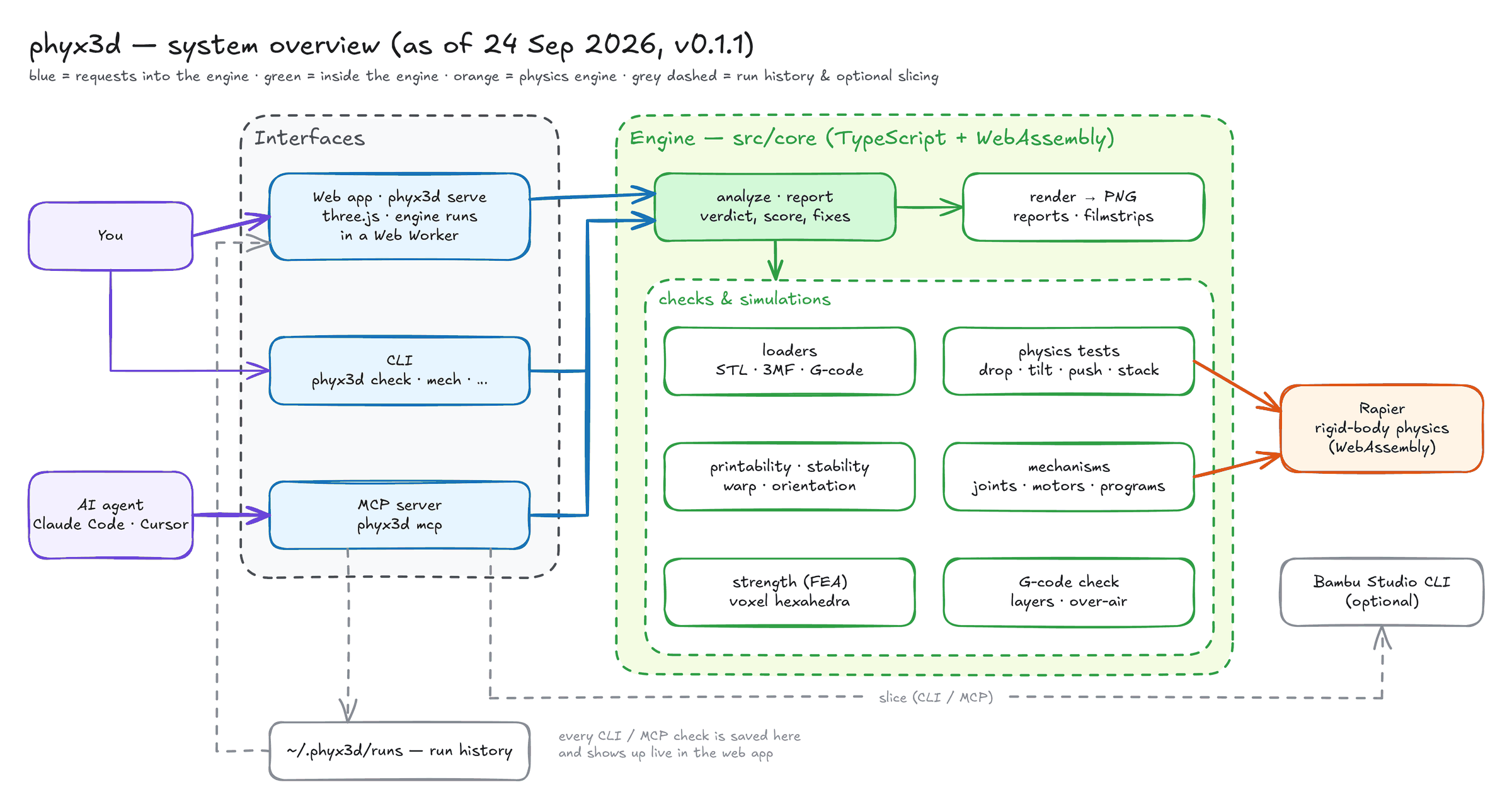
src/core/     engine: loaders, mesh & voxel geometry, printability, stability, warp, FEA, physics,
              mechanisms, G-code, software renderer (PNG), analysis & reports
src/node/     cli.ts, mcp.ts (MCP server), server.ts (web app + run history), slice.ts (Bambu Studio)
web/          Vite + three.js app
skills/       print-design skill for Claude Code
examples/     example parts, build123d scripts and mechanisms
test/         vitest suites, including physics / FEA / mechanism validation
Contributing
Bug reports, printer and material presets, validation cases against real prints, and pull requests are welcome — see CONTRIBUTING.md. Working from a clone:
git clone https://github.com/arielmiki/phyx3d.git && cd phyx3d
npm install         # also builds dist/
npm link            # puts your local build on PATH as `phyx3d`
npm test
License & credits
MIT — see LICENSE.
Built on three.js, three-mesh-bvh, Rapier (Apache-2.0), fflate, the Model Context Protocol SDK, zod and commander.
phyx3d is an independent project and is not affiliated with or endorsed by Bambu Lab. "Bambu Lab" and "Bambu Studio" are trademarks of their respective owner.