

QuickShip CLI
Ship production-ready projects in 60 seconds



Stop wasting hours on boilerplate. Create production-ready web, mobile, and backend apps with TypeScript, Tailwind CSS, and modern tooling — fully configured in under 60 seconds.
See It In Action
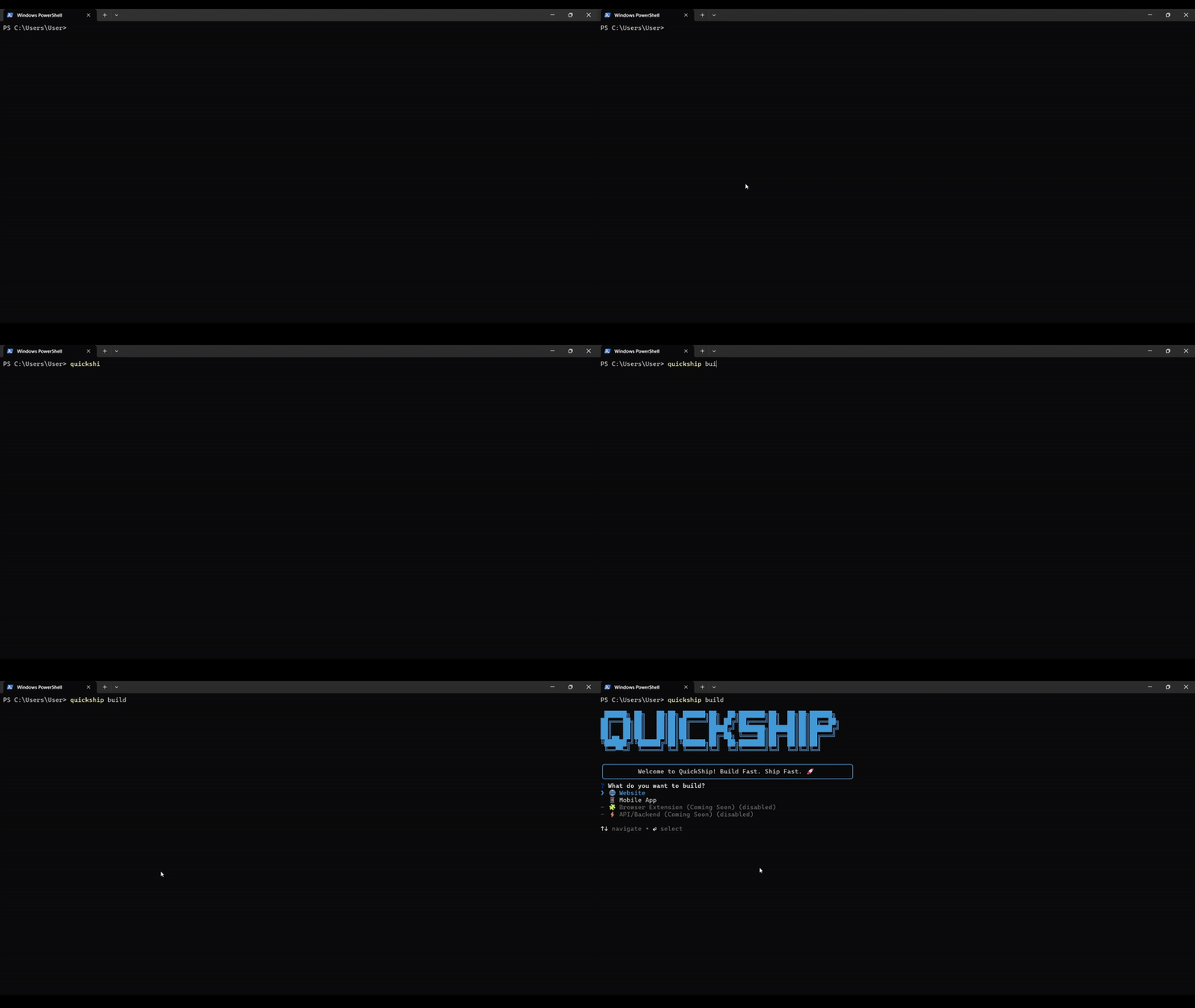
Create production-ready projects in 60 seconds
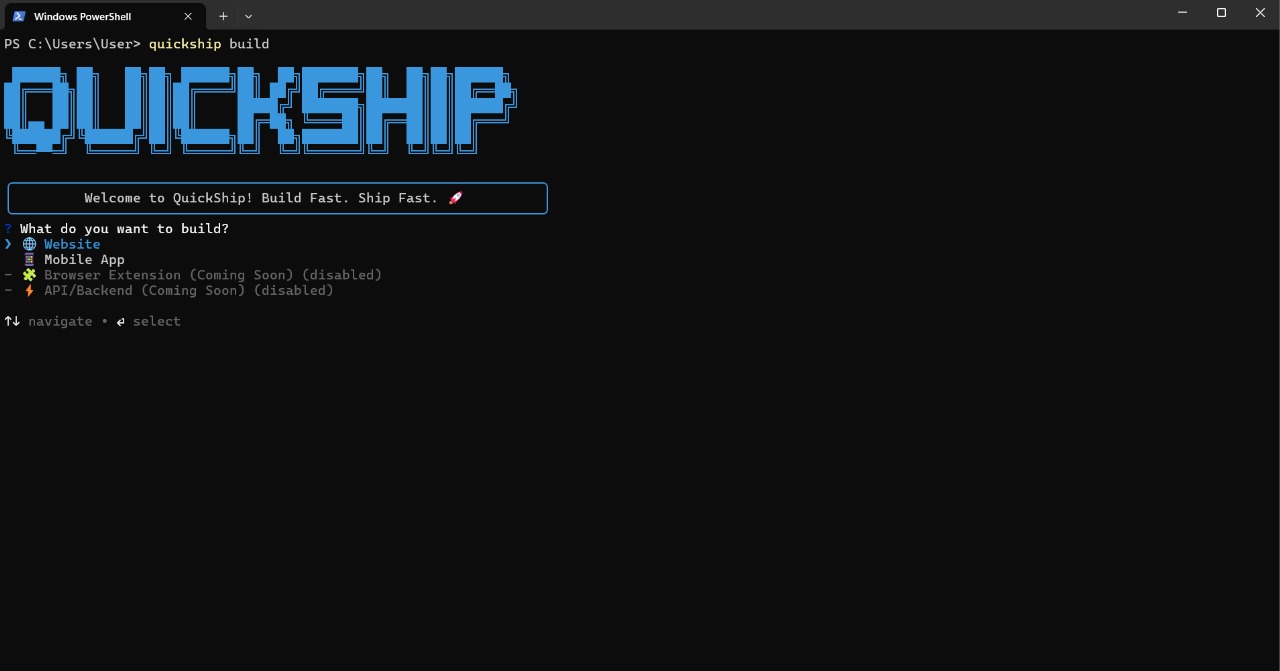
Web, Mobile, and Backend templates with flexible database options
Why QuickShip?
| Traditional Setup | With QuickShip |
|---|---|
| 30–60 minutes of setup | 60 seconds |
| Manual config files | Fully automated |
| Version conflicts | Latest stable versions |
| Missing best practices | Production-ready |
| Complex deployment | One command deploy |
Getting Started
Installation
Option 1: No installation (recommended)
npx quickship@latest build my-appOption 2: Global install
npm install -g quickshipBasic usage
quickship build my-appQuickShip prompts a few questions and creates your project. That's it.
What you get:
- TypeScript configured
- Tailwind CSS ready
- Git initialized with initial commit
- Dependencies installed
- Development server ready
- shadcn/ui (if selected) — fully initialized
cd my-app
npm run dev
Smart suggestions
QuickShip analyzes your project name and pre-selects the best stack:
quickship build my-saas-dashboard   # → suggests Next.js + shadcn/ui
quickship build my-shop             # → suggests T3 Stack (auth + DB)
quickship build my-rest-api         # → suggests Express API
quickship build my-admin-panel      # → suggests React + Vite SPA
Skip the questions (headless mode)
# Uses sensible defaults (Next.js, TypeScript, Tailwind, npm, Git)
quickship build my-app -y
CI/CD mode
QuickShip auto-detects CI environments (GitHub Actions, CircleCI, Railway, etc.) and runs fully non-interactively — no flags needed:
# In GitHub Actions / any CI — prompts are skipped automatically
quickship build my-app --template nextjs --no-install --no-git
Team config file
Commit a .quickshiprc.json to your repo so every developer gets the same defaults:
{
  "packageManager": "pnpm",
  "git": true
}
QuickShip picks it up automatically via cosmiconfig — supports .quickshiprc, .quickshiprc.json, quickship.config.js, or a quickship key in package.json.
Advanced flags
quickship build my-app --template nextjs -y          # specific template
quickship build my-app -p pnpm -y                    # choose package manager
quickship build my-app --no-git -y                   # skip git
quickship build my-app --no-install -y               # skip npm install
quickship build my-app --ascii                       # classic ASCII logo
All flags:
| Flag | Description |
|---|---|
-y, --yes |
Skip all prompts, use defaults |
-t, --template <name> |
Choose template directly |
-p, --package-manager <pm> |
npm / pnpm / yarn / bun |
--no-git |
Skip Git initialization |
--no-install |
Skip dependency installation |
--ascii |
Show classic ASCII logo |
-v, --verbose |
Show detailed logs |
--json |
Output machine-readable JSON instead of interactive UI |
--dry-run |
Preview what would be created without writing files |
Templates
Web
Next.jsRecommended Full-stack React with server components and API routes.
|
T3 StackType-safe full-stack with tRPC, Prisma, NextAuth.
|
React + ViteFast SPA development.
|
MERN Stack
Full-stack MongoDB + Express + React + Node.js with TypeScript.
quickship build my-app --template mern-stack -yMobile
Expo React Native
Cross-platform iOS, Android, and Web.
- Expo SDK 52+
- React Native + TypeScript
- Expo Router (file-based routing)
- StyleSheet or NativeWind (Tailwind CSS)
quickship build my-app --template expo-react-native -yBackend / API
Express + TypeScript API
Fast REST API with flexible database options.
- Express.js + TypeScript
- PostgreSQL / MongoDB / SQLite / None
- Prisma ORM or raw drivers (your choice)
- JWT auth (optional)
- Swagger docs (optional)
- Docker (optional)
quickship build my-api --template express-api -yNestJS API
Enterprise-grade modular API.
- NestJS 10+ + TypeScript
- Same database options as Express
- Passport.js + JWT (optional)
- Swagger auto-generated (optional)
- Docker (optional)
quickship build my-api --template nestjs-api -yCommands
# Create a new project (create / new are aliases for build)
quickship build [project-name]
quickship create my-app
quickship new my-app

# Machine-readable / CI / agent use
quickship build my-app -y --json          # JSON result on stdout
quickship build my-app -y --dry-run       # preview without writing files

# List all available templates
quickship list

# Show detailed template info
quickship templates
quickship templates --compare

# Manage custom templates (any GitHub repo)
quickship template add <username/repo>
quickship template add <username/repo> --name my-template --category backend
quickship template list
quickship template remove my-template
quickship build my-app --template my-template

# Add features to existing project
quickship add shadcn
quickship add auth          # prompts for Clerk / Supabase / NextAuth
quickship add auth --provider clerk
quickship add database
quickship add stripe
quickship add resend
quickship add sentry

# Check environment + project health (with auto-fix)
quickship doctor
quickship doctor --fix

# Show project info
quickship info

# Deploy to production
quickship deploy
quickship deploy --platform vercel

# Update CLI
quickship update

# Help
quickship --help
quickship build --help
Deployment
cd my-app
quickship deploy| Platform | Best For |
|---|---|
| Vercel | Next.js, T3 Stack, Express, NestJS |
| Netlify | Vite, React, Next.js |
| Railway | MERN Stack, APIs |
| Render | MERN Stack, APIs |
Add Features
cd my-app

quickship add shadcn       # shadcn/ui component library (Next.js)
quickship add auth         # authentication (Clerk / Supabase / NextAuth) (Next.js)
quickship add database     # pick a provider interactively (Supabase / Neon / MongoDB / Firebase / Prisma)
quickship add database --provider neon
quickship add prisma       # Prisma ORM directly, skip the picker
quickship add stripe       # Stripe payments
quickship add resend       # Resend transactional email
quickship add sentry       # Sentry error tracking
quickship add posthog      # PostHog analytics + feature flags
quickship add i18n         # next-intl internationalization (Next.js)
quickship add vitest       # Vitest unit testing
quickship add playwright   # Playwright e2e testing (Next.js, Vite)
quickship add trpc         # tRPC type-safe API layer (Next.js, Vite)
quickship add auto-detects your project type (Next.js, React + Vite, Express, NestJS, Expo) and installs/configures the feature accordingly — writing real client files (lib/*.ts or src/config/*.ts), not just instructions.
| Auth Provider | Best For |
|---|---|
| Clerk | Quick MVPs — pre-built UI, user management |
| Supabase | Full-stack — auth + PostgreSQL + storage |
| NextAuth | Custom flows — maximum flexibility |
| Database Provider | Best For |
|---|---|
| Supabase | Postgres + auth + storage in one platform |
| Neon | Serverless Postgres, generous free tier |
| MongoDB | NoSQL, flexible schemas |
| Firebase | Firestore + Google Cloud ecosystem |
| Prisma | ORM on top of your own Postgres connection string |
You'll also be asked "Add a database?" during initial quickship build setup for Next.js / Vite projects — same providers, set up before your first cd.
Agent-Ready Projects
Every project QuickShip generates includes an AGENTS.md file describing the stack, commands, and conventions — so Claude, Cursor, and other AI coding agents understand your project immediately, no extra setup.
Testing
npm test              # all tests (unit + integration)
npm run test:unit     # unit tests only
npm run test:integration  # scaffold + CLI integration tests
npm run test:coverage # coverage report
75 tests covering:
- Project name validation + path traversal protection
- Smart stack suggestions
- Git isolation (prevents parent-repo detection)
- Config file loading
- No-op spinner (zero stdout bleed into listr2)
- Full scaffold: Next.js + Vite, CI mode, input rejection
Requirements
- Node.js: 20.12.0 or higher
- npm: 9.0.0 or higher (or pnpm, yarn, bun)
- Git: Any recent version (optional)
- OS: Windows, macOS, or Linux
Roadmap
v1.0.0 — Production ready
- Next.js, Vite, T3 Stack, MERN templates
- Express + NestJS API templates with flexible DB options
- Expo React Native mobile
- shadcn/ui, auth (Clerk/Supabase/NextAuth), Prisma database
- One-command deploy (Vercel, Netlify, Railway, Render)
- Headless
-ymode, doctor, info, update commands
v1.2.0 — Modern CLI stack
- @clack/prompts — modern prompt UX (replaced Inquirer.js)
- listr2 — structured task list with timers (replaced ora spinners)
- gradient-string — gradient ASCII banner (+
--asciifallback) - giget — faster template download (replaced unmaintained degit)
- CI auto-detection — no interactive prompts in GitHub Actions / any CI
- Smart defaults — project name → pre-selected best stack + hint
- .quickshiprc team config — cosmiconfig-based, commit to repo
- Git isolation fix —
isGitRepo()no longer walks up to parent repos - shadcn/ui v4 — updated init command (
--defaults, auto-detects framework) - "Open in editor" — offers VS Code / Cursor / Zed after scaffold
- 75 tests — unit + integration + cross-platform CI (Ubuntu/macOS/Windows)
v1.3.0
- Plugin registry —
quickship add stripe/quickship add resend quickship migrate— Next.js / Prisma codemod runner- Astro, SvelteKit, Remix templates
- Monorepo mode
Contributing
- Star this repo
- Report bugs — Open an issue
- Request features — Start a discussion
- Submit PRs — fork, code, submit
Development setup
git clone https://github.com/SeifElkadyy/QuickShip-CLI.git
cd QuickShip-CLI
npm install
npm link          # makes 'quickship' available globally
quickship build test-app
npm test          # run all tests
License
MIT — see LICENSE
Acknowledgments
Built with:
- Commander.js — CLI framework
- @clack/prompts — modern prompts
- listr2 — task list renderer
- gradient-string — terminal gradients
- giget — template downloader
- Chalk — terminal colors
- Boxen — terminal boxes
- execa — process execution
- simple-git — git operations
- cosmiconfig — config file discovery
- ci-info — CI environment detection
Inspired by create-next-app, create-t3-app, create-vite, shadcn/ui CLI, and Astro CLI.
Support QuickShip
QuickShip is free and open-source. If it saves you time:


Get Help
- Issues: github.com/SeifElkadyy/QuickShip-CLI/issues
- Discussions: github.com/SeifElkadyy/QuickShip-CLI/discussions
- NPM: npmjs.com/package/quickship
Built with for developers who want to ship fast
Get Started • Templates • Commands
v1.2.0 | MIT License