1.1.6 • Published 4 years ago
react-native-material-calendar v1.1.6
react-native-material-calendar
Getting started
$ npm install react-native-material-calendar --save
Demonstration
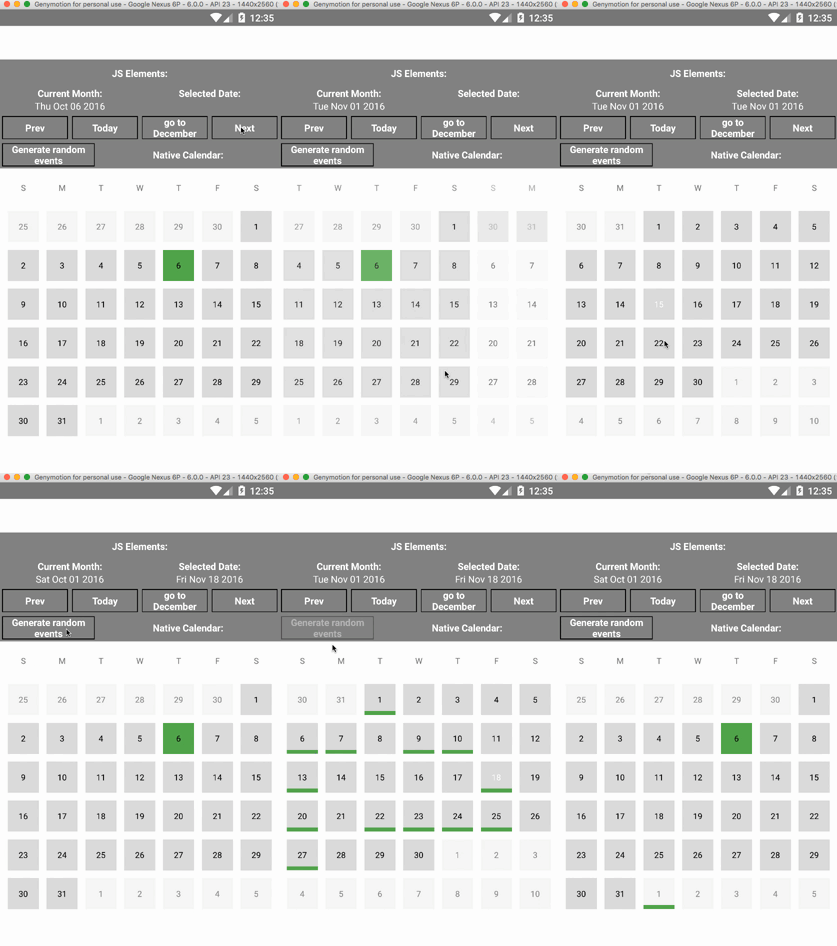
Mostly automatic installation
$ react-native link react-native-material-calendar
Manual installation
Android
- Open up
android/app/src/main/java/[...]/MainApplication.java
- Add
import com.sevenswen.materialcalendar.RNMaterialCalendarPackage;to the imports at the top of the file - Add
new RNMaterialCalendarPackage()to the list returned by thegetPackages()method
- Append the following lines to
android/settings.gradle:include ':react-native-material-calendar' project(':react-native-material-calendar').projectDir = new File(rootProject.projectDir, '../node_modules/react-native-material-calendar/android') - Insert the following lines inside the dependencies block in
android/app/build.gradle:compile project(':react-native-material-calendar')
Usage
import RNMaterialCalendar from 'react-native-material-calendar';

...
<RNMaterialCalendar
              ref={calendar => this.calendar = calendar}
              width={400}
              showDate="all"
              selectionMode="single"
              initDecorator={true}
              eventsDates={this.state.eventsDates}
              weekDayFormatter={["S","M","T","W","T","F","S"]}
              topbarVisible={false}
              onDateChange={(event) => {
                this.setState({selectedDate: new Date(event.date)})}
              }
              onMonthChange={(event) => {
                this.setState({currentMonth: new Date(event.date)})}
              }
          />
...