
react-native-versionpilot



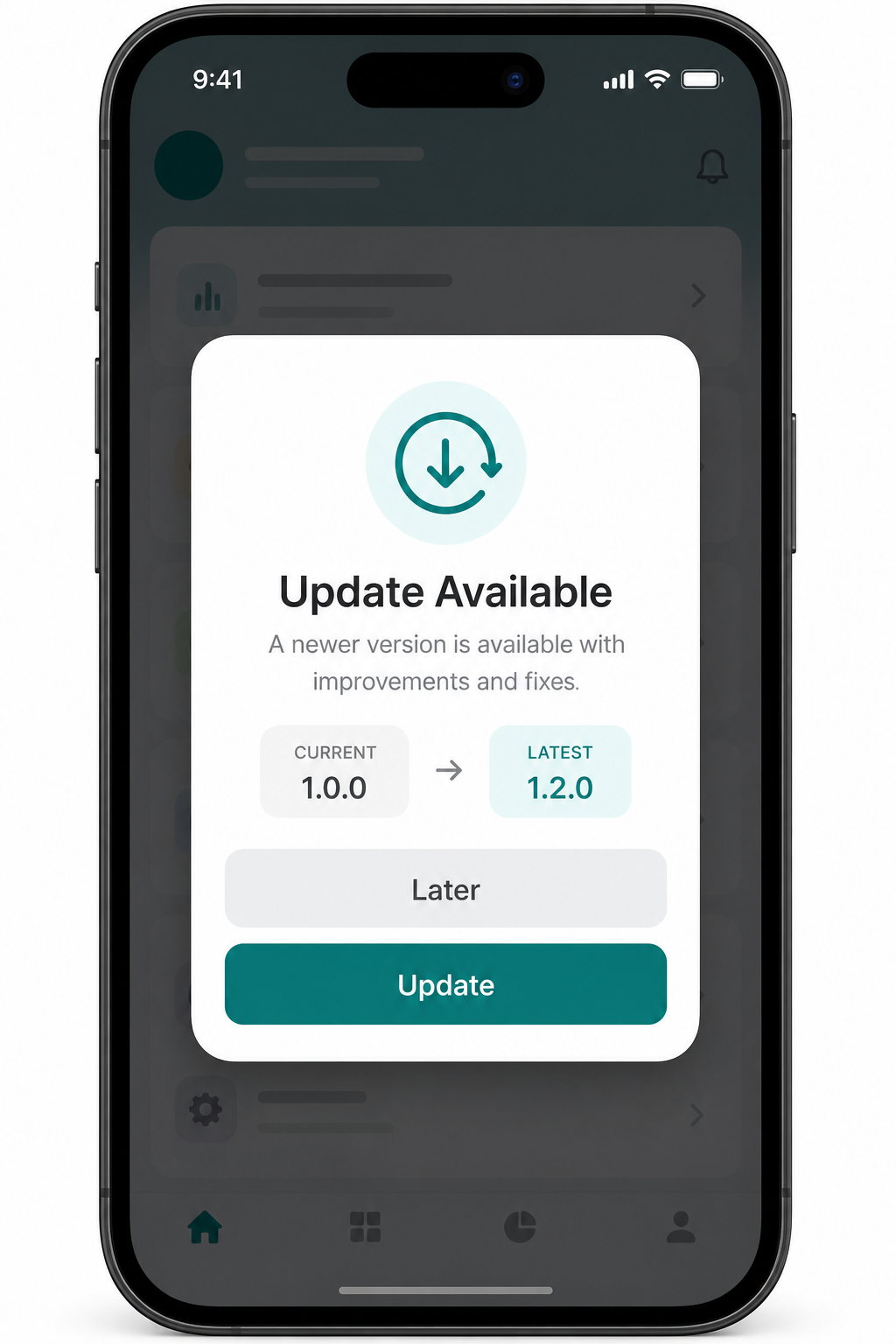
I kept rewriting the same "check for update" screen in every app — hit the Play Store / App Store, compare versions, show a modal, block the back button if it's a critical release. This is that logic packaged as one component so I (and hopefully you) never have to write it again.
Preview
Install
yarn add react-native-versionpilot
cd ios && pod install
It's a native module, so a full rebuild is needed after install — a Metro reload won't pick it up.
Get it running
Wrap your app once:
import { VersionPilot } from 'react-native-versionpilot';

export default function App() {
  return (
    <VersionPilot>
      <Navigation />
    </VersionPilot>
  );
}
On launch it grabs the current version, hits the store for the latest one, and shows a dialog if there's something newer. No other setup.
If you want it pointed at specific store listings instead of guessing from the bundle id:
<VersionPilot
  country="IN"
  iosAppId="6443614190"
  androidPackageName="com.languageacademy"
  theme={{ primaryColor: '#1b4e73' }}
>
  <Navigation />
</VersionPilot>
Update modes
Most apps need three different behaviors depending on how big the release is, so all three are built in.
Optional — the default. Shows Update / Later.
<VersionPilot force={false} />Force — only an Update button, and on Android the hardware back button is disabled so people can't dismiss it.
<VersionPilot force />Auto force on major/minor — instead of deciding manually, let the version bump decide:
<VersionPilot autoForceOnMinor />| Bump | e.g. | Behavior |
|---|---|---|
| major | 1.0.0 → 2.0.0 | forced |
| minor | 1.0.0 → 1.2.0 | forced |
| patch | 1.0.0 → 1.0.5 | optional |
And if you'd rather not show anything automatically and just want the data:
import AppUpdate from 'react-native-versionpilot';

const result = await AppUpdate.check({ showDialog: false });

if (result.updateAvailable) {
  AppUpdate.showDialog(result);
}
What you get back
const result = await AppUpdate.check();

// {
//   updateAvailable: true,
//   currentVersion: '1.0.0',
//   latestVersion: '1.2.0',
//   forceUpdate: false,
//   storeUrl: 'https://...',
//   releaseNotes: '...',
// }
<VersionPilot> props
| Prop | Type | Default |
|---|---|---|
autoCheck |
boolean |
true |
checkOnForeground |
boolean |
true |
force |
boolean |
false |
autoForceOnMinor |
boolean |
false |
country |
string |
"US" |
iosAppId |
string |
— |
androidPackageName |
string |
— |
theme |
DialogTheme |
teal-ish defaults |
title / message |
string |
— |
updateButtonText / cancelButtonText |
string |
"Update" / "Later" |
Making it look like your app
The default theme is a plain teal card, which is intentionally boring so you'll want to change it:
<VersionPilot
  theme={{
    primaryColor: '#1b4e73',
    backgroundColor: '#FFFFFF',
    borderRadius: 24,
  }}
  title="New Update"
  message="A new version is available."
/>
If theming isn't enough and you want to throw the whole layout away:
<VersionPilot
  renderContent={({ title, message, onUpdate, onLater, forceUpdate }) => (
    <>{/* whatever you want here */}</>
  )}
/>
The dialog itself is also responsive — text and spacing scale with screen width instead of being fixed pixel values, so it doesn't look oversized on a small phone or cramped on a tablet.
The rest of the API
Things you probably won't need on day one, but are there if you do.
Per-field style overrides + custom icon
<VersionPilot
  styles={{
    card: { paddingTop: 32 },
    title: { fontSize: 24 },
    updateButton: { minHeight: 52 },
  }}
  icon={require('./assets/update.png')}
  buttonLayout="horizontal"
/>
Using the hook instead of the wrapper
import { UpdateDialog, useAppUpdate } from 'react-native-versionpilot';

const { result, visible, openStore, hideDialog } = useAppUpdate({ showDialog: false });

<UpdateDialog visible={visible} result={result} onUpdate={openStore} onLater={hideDialog} />
Listening for events
AppUpdate.addListener('updateFound', result => {});
AppUpdate.addListener('updated', result => {});
AppUpdate.addListener('later', result => {});
AppUpdate.removeAllListeners();
Everything else
AppUpdate.showDialog(result);
AppUpdate.hideDialog();
AppUpdate.openStore();
AppUpdate.getCurrentVersion();
AppUpdate.getBuildNumber();
AppUpdate.configure({ country: 'IN', autoForceOnMinor: true });
How it actually finds the version
- iOS — the iTunes lookup API, by bundle id or App Store numeric id.
- Android — there's no public Play Store API, so it reads the version straight off the store listing page. This is the same trick most update-check libraries use; if Google changes their HTML this could need a fix, so open an issue if it stops working.
Expo
The store-checking part is plain fetch, so it works fine in Expo Go. The native bits (reading the installed version/build number) need a dev client or a bare build — or just pass them in yourself:
await AppUpdate.check({
  currentVersion: '1.0.0',
  androidPackageName: 'com.example.app',
  iosAppId: '1234567890',
});
License
MIT — Pawan Vishwakarma