
rna-steps
React-Native steps component.
Installation and Basic Usage
npm install --save rna-stepsFor multiple select
import ReactSteps, { Step } from 'rna-steps';

// Based upon values given in the array the corresponding index Step component will be expanded.

state = {
    currentPosition: [0, 2]
}

componentWillMount() {
    Step(this.props)
}

// Handling currentPosition based on onPress event
handleChange = (value) => {
    this.setState({currentPosition: value})
}

<ReactSteps currentPosition={this.state.currentPosition} multiple={true} onHandleChange={this.handleChange} circleBgColor="#299DC6" dashedBorderColor="#BCBCBC">
    <Step title="First">
        <Text>Hello</Text>
        <Text>World</Text>
    </Step>
    <Step title="Second">
        <TextInput style={{height: 40}} placeholder="Something Type here"/>
    </Step>
    <Step title="Third">
        <Text>Some text goes here</Text>
    </Step>
</ReactSteps>
For single select
import ReactSteps, { Step } from 'rna-steps';

// Based upon values given the corresponding index `Step` component will be expanded.

state = {
    currentPosition: 1
}

componentWillMount() {
    Step(this.props)
}

// Handling currentPosition based on onPress event
handleChange = (value) => {
    this.setState({currentPosition: value})
}

<ReactSteps currentPosition={this.state.currentPosition} multiple={false} onHandleChange={this.handleChange} circleBgColor="#299DC6" dashedBorderColor="#BCBCBC">
    <Step title="First">
        <Text>Hello</Text>
        <Text>World</Text>
    </Step>
    <Step title="Second">
        <TextInput style={{height: 40}} placeholder="Something Type here"/>
    </Step>
    <Step title="Third">
        <Text>Some text goes here</Text>
    </Step>
</ReactSteps>
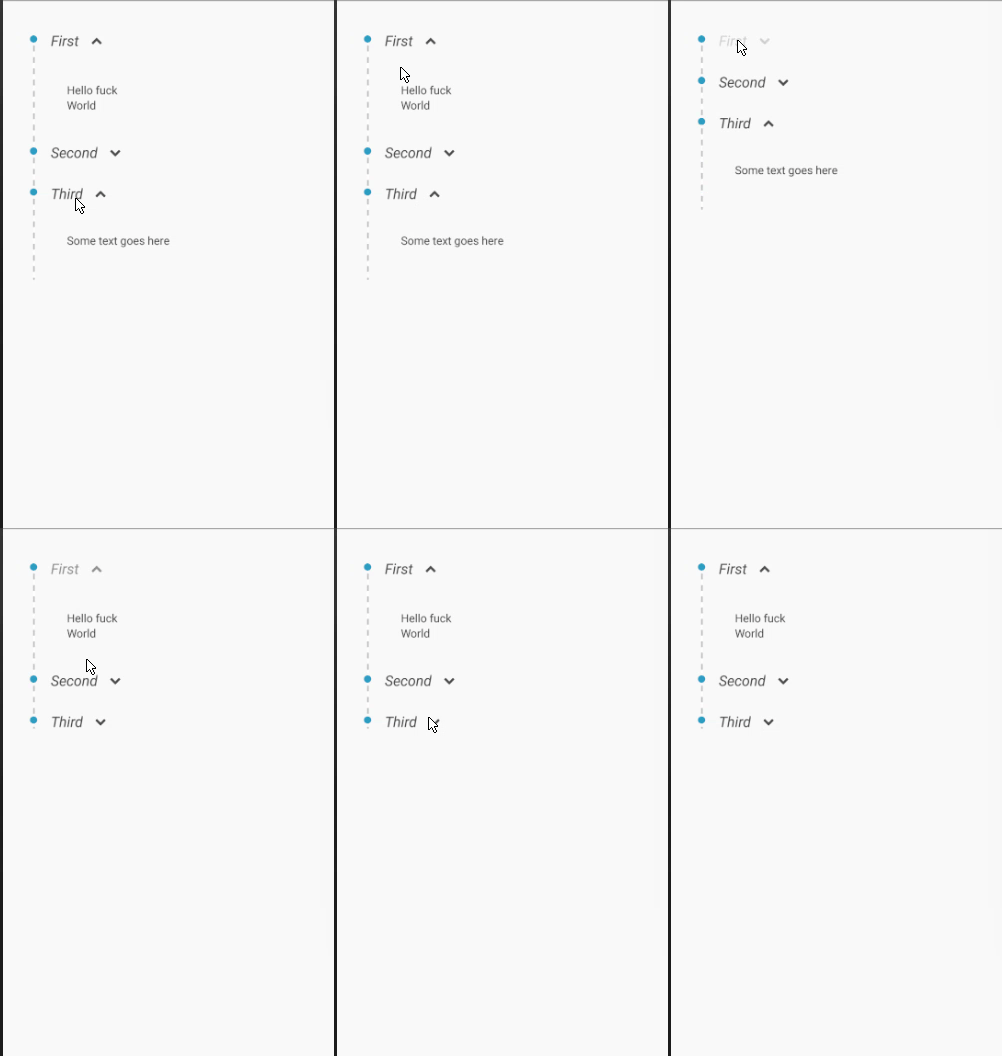
Screenshot attached
Development for environments
For Android
react-native run-androidFor Ios
react-native run-ios