sendgrid-event-logger v1.1.12
 Sendgrid Event Logger
Small, fast http server to log Sendgrid Event Webhook callback to Elasticsearch
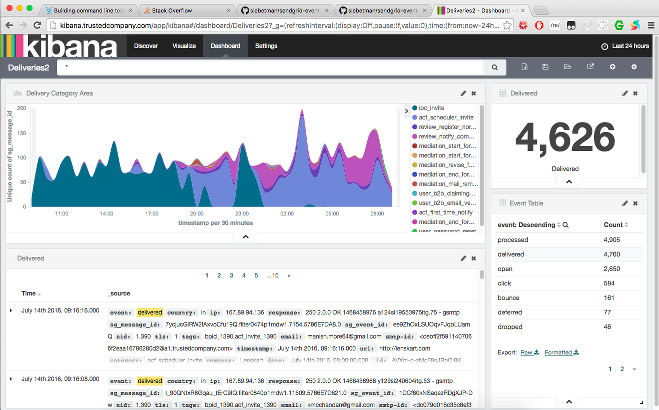
Monitoring sendgrid events on Kibana dashboard



Installing
Just install globally with npm:
npm install -g sendgrid-event-loggerSetup
Install and run Elasticsearch. Refer to the docs for details: https://www.elastic.co/guide/en/elasticsearch/reference/current/_installation.html
Install the default config file by running:
sendgrid-event-logger installIf you're running elasticsearch on a port other than 9200 the above command will generate an error. Don't worry about it for now.
Check
/etc/sendgrid-event-logger.jsonand edit if necessary.To run the server, simply type:
sendgrid-event-loggerIt is highly recommended that you run the server using a process manager like PM2 or forever.
Configure your Sendgrid account to point the Event Webhook to:
http://your.server.address:port/loggerRefer to the docs for how to set up the Event Webhook: https://sendgrid.com/docs/API_Reference/Webhooks/event.html
Note: If you enable basic auth then set the URL to:
http://username:password@your.server.address:port/logger
Integrating with Kibana
Install Kibana. Refer to the docs for details: https://www.elastic.co/guide/en/kibana/current/setup.html
Configure a new index pattern.
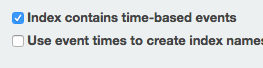
Select "Index contains time-based events" checkbox
In the "Index name or pattern" entry type:
mail-*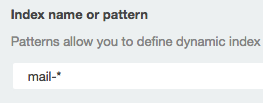
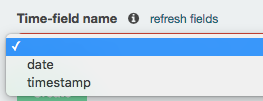
In the "Time-field name" entry select "timestamp"
Press "Create"
Configuration
The config file is located at: /etc/sendgrid-event-logger.json.
The following are the configurations available:
elasticsearch_hostLocation of the elasticsearch server.portThe port the server listens onuse_basicauthEnable or disable basic authenticationbasicauth.userLogin username if basicauth is enabledbasicauth.passwordLogin password if basicauth is enableduse_httpsEnable or disable TLShttps.key_fileLocation of TLS key file on diskhttps.cert_fileLocation of TLS certificate file on diskdays_to_retain_logNumber of days to keep logs. Logs older than this will be deleted periodically. Set to0orfalseto disable automatic deletion of old logs.Note: I've personally found that elasticsearch takes up roughly 200MB of disk space for every 100000 emails delivered by Sendgrid. So you can use it as a rough guideline to calculate how much disk you need. For example, if you send 200k emails per month on average then you'd need 400MB per month or roughly 5GB per year. You can then set
days_to_retain_logappropriately depending on how much disk space you have.
Implementation details
All sendgrid events are logged to a time-series index with the prefix
mail-. The server logs events to a new index each day similar
to how logstash works.
By default the server listens to port 8080 but this can be changed in the config file.
The server exposes 4 URL endpoints:
POST /loggerThis receives data from Sendgrid Event Webhook callback It expects the data to be an array of events. At minimum, the data format must be at least:[ { timestamp: ${unix_timestamp} } ]The only mandatory field is
timestamp. Which means you can also post your own events to this URL if you want to correlate your data with sendgrid events.GET /statusThis simply returns{status:'ok'}. This URL may be used to check if the server is still alive.GET /copyrightReturns copyright and license information.GET /versionReturns version information.
License
Copyright (C) 2016 TrustedCompany.com
This program is free software; you can redistribute it and/or modify it under the terms of the GNU General Public License version 2 (GPL-2.0) as published bythe Free Software Foundation.
This program is distributed in the hope that it will be useful, but WITHOUT ANY WARRANTY; without even the implied warranty of MERCHANTABILITY or FITNESS FOR A PARTICULAR PURPOSE. See the GNU General Public License for more details.