
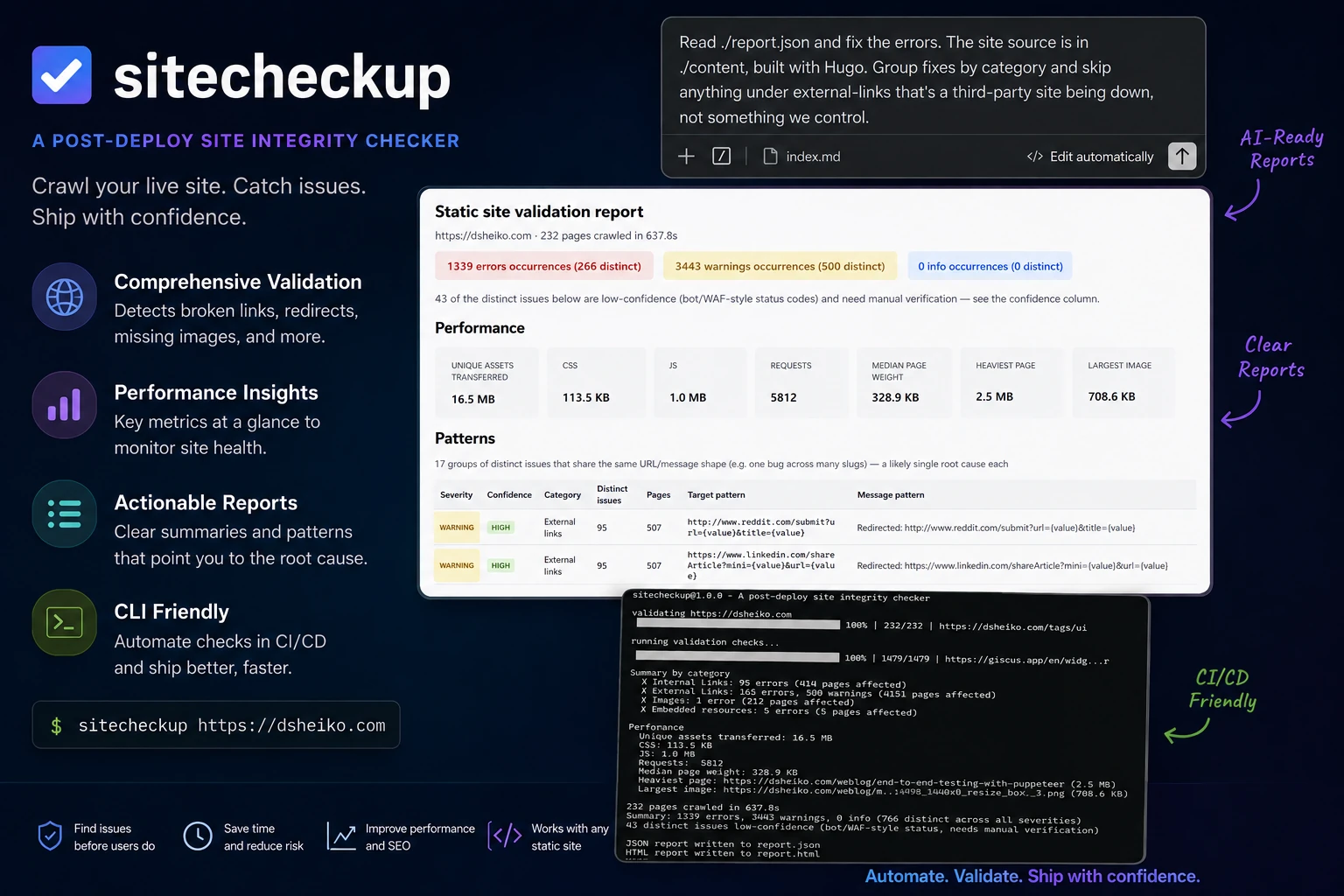
sitecheckup
A command-line tool for checking the integrity of a deployed website. It crawls the live site with a real browser and checks that pages, links, images, video embeds, stylesheets, scripts, fonts, favicons, Open Graph tags, canonical URLs and other resources are actually working, so regressions get caught before or after deployment.
It's framework-agnostic and works against anything reachable over HTTP: sites built by static site generators such as Hugo, Jekyll, Eleventy, Zola, Pelican and Hexo, frameworks that support static export like Next.js, Astro, Gatsby, SvelteKit and Nuxt, server-rendered apps, and plain HTML sites.
The --json report is structured for AI coding agents, not just humans: issues are
deduplicated, confidence-scored and grouped into patterns so an agent can pair it
with the site's source and go straight to fixing quality issues instead of triaging
a raw list. See Fixing issues with an AI coding agent.
Install
npm install -g sitecheckupor run it without installing:
npx sitecheckup https://example.comUsage
sitecheckup <url> [options]<url> base URL of the deployed site (e.g. https://dsheiko.com)
--depth N limit crawl depth (default: unlimited)
--concurrency N parallel pages (default: 2)
--max N stop after N pages
--timeout N page timeout in seconds (default: 15)
--wait N extra ms to wait after page load for JS rendering (default: 0)
--only cats comma-separated list of checks to run (default: all)
--skip cats comma-separated list of checks to skip
--no-external skip external link checking
--json file write a JSON report to file
--html file write an HTML report to file
--fail-on level exit non-zero on "error" (default) or "warning"
--debug verbose stderr logging
--help, -h show this helpAvailable check categories for --only / --skip: http, links,
external-links, images, video, css, javascript, fonts, icons,
opengraph, canonical, embeds.
Example
sitecheckup https://dsheiko.com --concurrency 4 --json report.json --html report.htmlSummary by category
✗ HTTP integrity: 1 error (1 page affected)
✗ Internal links: 2 errors (2 pages affected)
✗ Images: 1 error (1 page affected)
Performance
Unique assets transferred: 4.8 MB
CSS: 82 KB
JS: 640 KB
Requests: 143
Median page weight: 118 KB
Heaviest page: https://dsheiko.com/blog/post (210 KB)
Largest image: https://dsheiko.com/img/hero.jpg (1.1 MB)
38 pages crawled in 22.4s
Summary: 4 errors, 1 warning, 0 info (7 distinct across all severities)
For full details (per-issue breakdown with affected pages), run again with --json report.json or --html report.htmlThe console output groups by category and shows how many distinct problems there
are versus how many pages they affect; the full per-issue detail (message, exact
pages, sample context) only goes into the --json/--html reports, which is why the
tool nudges you toward one of those when it finds anything.
The process exits with code 1 when there is at least one error-level finding
(or a warning too, with --fail-on warning), which makes it a natural fit for a
post-deploy CI step.
What it checks
- HTTP integrity — every page returns 200, no unexpected 3xx redirects, no
404/500, no circular redirects, HTTPS certificate errors, Content-Type sanity
(skipped for URLs that are non-HTML by extension, like feeds and sitemaps, since
those aren't supposed to serve
text/html). - Internal links — every
<a href>target exists and, when it points at a fragment (/docs#installation), that the target page actually has a matchingid/name. - External links — every off-site
<a href>is classified as OK, Redirected, Dead, Timeout or SSL error. A 401/403/429/999 response is reported separately as low-confidence, since anti-bot/WAF protection commonly returns those for pages that actually exist. - Images — every
<img>returns 200, doesn't redirect excessively, and has a non-zero content length. Also flags<img src="">and<img src="undefined">. - Video — YouTube/Vimeo embeds and self-hosted
<video>/<source>elements are checked for basic reachability. - CSS — every stylesheet loads, and
url(...)references inside it (background images,@font-facesources) are checked too. - JavaScript — every script file loads, plus uncaught exceptions and console errors captured during the real page render are reported.
- Fonts — preloaded
.woff,.woff2and.ttffiles return 200. - Favicons & icons —
favicon.ico,apple-touch-icon,manifest.webmanifestandmask-icon, when referenced, all return 200. - Open Graph assets —
og:imageandtwitter:imageare checked to exist. - Canonical URLs — canonical tag exists, points at a working page, and isn't duplicated (skipped on non-HTML pages, same as HTTP integrity's Content-Type check).
- Performance — unique assets transferred, CSS/JS size, request count, median page weight, the heaviest page and the largest image are reported (informational, never fails the run).
- Other embedded resources — PDFs, ZIPs, MP3s, MP4s, SVGs and iframes linked from a page are checked for reachability.
Fixing issues with an AI coding agent
The JSON report (--json report.json) is meant to be handed straight to an AI
coding agent like Claude Code, so it can find the source of each problem and fix it,
rather than you triaging the list by hand.
Each entry in issues is a distinct problem, already deduplicated across pages:
{
  "category": "links",
  "severity": "error",
  "confidence": "high",
  "message": "Broken internal link (404)",
  "target": "https://dsheiko.com/weblog/74",
  "meta": { "status": 404 },
  "pageCount": 3,
  "pages": [ "https://dsheiko.com/weblog/72", "https://dsheiko.com/weblog/73" ],
  "contexts": [
    { "page": "https://dsheiko.com/weblog/72", "text": "Read more", "html": "<a href=\"/weblog/74\">Read more</a>" }
  ]
}targetis the URL of the broken resource (a page, image, script, link, etc.)pageslists the pages that reference it (capped at 5;pageCounthas the true total)metacarries check-specific detail, e.g. an HTTP status code or the missing anchorconfidenceis"high"for deterministic failures (404, missing file) or"low"when the status (401/403/429/999) is one anti-bot/WAF protection commonly returns for pages that actually exist — treat"low"findings as needing manual verification, not confirmed defects, forlinksandexternal-linksissuescontexts(link issues only) gives the offending<a>tag's visible text and outerHTML for a sample of the affected pages, so the agent can grep the source for that exact anchor instead of searching the whole content tree
summary reports both raw and deduplicated counts — errors/warnings/info are
per-page occurrence counts, while distinctErrors/distinctWarnings/distinctInfo
match issues.length by severity. Use the distinct counts when sizing the fix, and the
raw counts when gauging how many pages are affected.
patterns groups distinct issues further, by templating out the variable part of a URL
(a slug, an id, a query value). A recurring bug like a broken share link that appears
under 200 different slugs shows up in issues as 200 rows, but as one row here with an
occurrenceCount — that's usually the more useful place to start:
{
  "category": "external-links",
  "severity": "warning",
  "confidence": "high",
  "messageTemplate": "Redirected: https://example.com/{slug}//share?ref={value}",
  "targetTemplate": "https://example.com/{slug}//share?ref={value}",
  "occurrenceCount": 200,
  "totalPageCount": 340,
  "examples": [ { "target": "https://example.com/my-post//share?ref=fb", "message": "...", "pageCount": 2, "pages": [ "..." ] } ]
}
To fix the findings, point the agent at the report and the site's source:
sitecheckup https://example.com --json report.json
claude "Read report.json and fix the errors. The site source is in ./content,
built with Hugo. Group fixes by category and skip anything under external-links
that's a third-party site being down, not something we control."
Worth telling the agent up front:
- Which checks are actionable from source (
http,links,images,css,javascript,fonts,icons,opengraph,canonical,embeds) versus ones that just reflect a third party being flaky (external-links,video). - Where the site source lives and what generates it, since
target/pagesare live URLs, not file paths, the agent needs to map them back to templates or content files itself. - To start from
patternsrather thanissueswhen there are any: a handful of patterns usually points at a small number of root-cause bugs, while the rawissueslist can bury them under hundreds of near-identical rows. - To skip
confidence: "low"findings by default, since those are unverified bot/WAF blocks, not confirmed defects, and only investigate them if asked. - To re-run
sitecheckupafter fixing to confirmsummary.distinctErrorsandsummary.distinctWarningsdropped, rather than trusting the diff alone.
How it works
The crawler drives a real, headless Chromium instance (via Puppeteer) starting from
<url> and follows same-origin <a href> links to discover the rest of the site.
Every check — including asset checks like images, fonts and stylesheets — is done
through the browser rather than a plain HTTP client, so redirects, TLS handling and
cert errors match what an actual visitor would see.
Known limitations
- Video checks are reachability-only: the tool does not call YouTube's or Vimeo's oEmbed API, so it can't tell a deleted video apart from a private one, and it doesn't fetch thumbnails.
- CSS/font assets are discovered by parsing the stylesheet text for
url(...)references. Assets that a browser would only fetch conditionally (e.g. a@font-facethat's never actually used by visible text) may not be checked, since they wouldn't be loaded by a real visitor either.
Development
npm install
npm test
Tests run against a local, in-process HTTP fixture server (see test/fixtures/site)
so no real network access is required.
License
MIT