1.2.0 • Published 9 years ago
slack-message v1.2.0
Slack Message



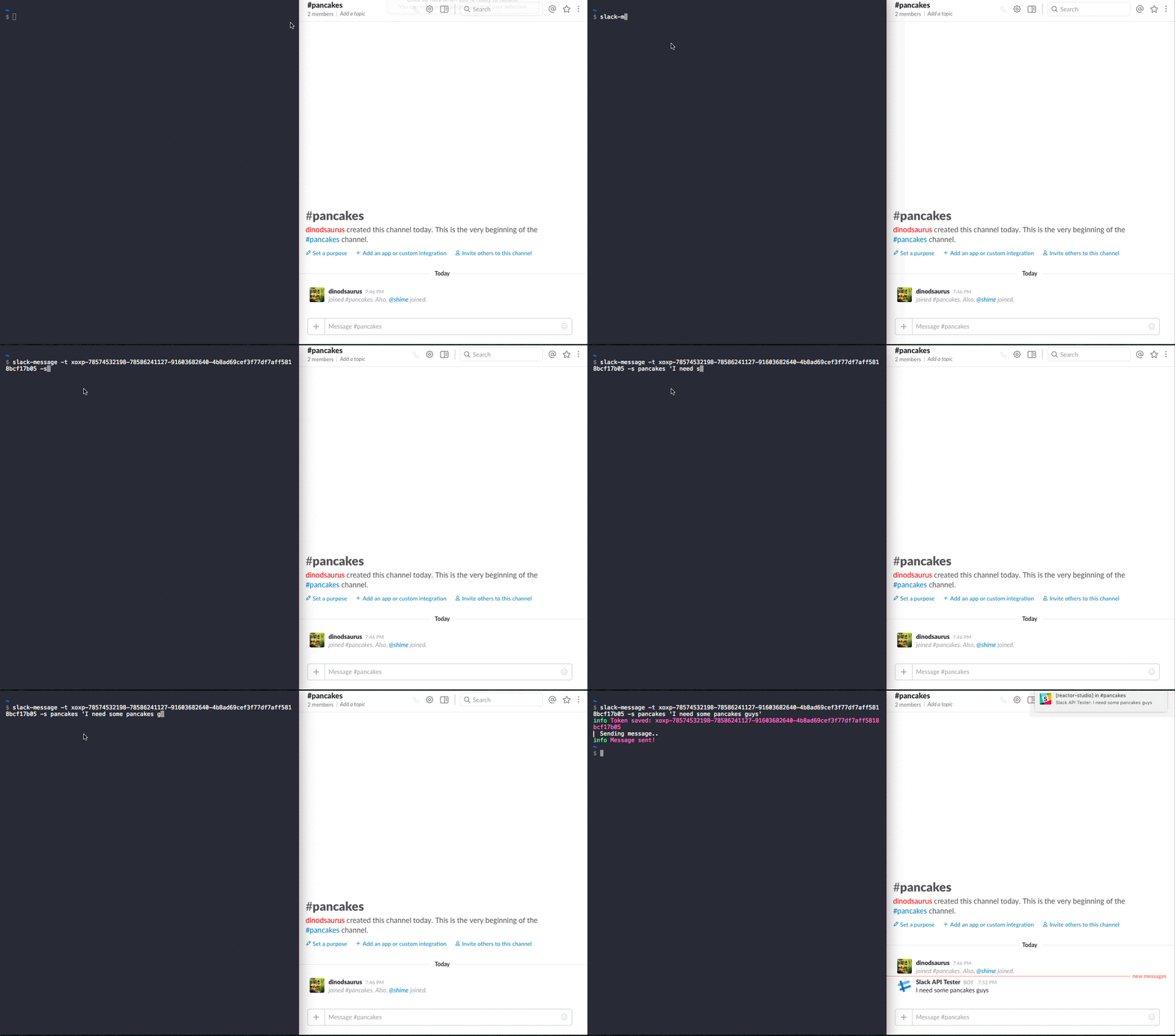
Send messages from your terminal directly to the Slack channel. The idea for this was published in mikaelbr/open-source-ideas.
Common use cases for this package are:
- get a Slack notification when a CI server finishes its work
- get a Slack notification when a deployment is complete
- get a Slack notification when any other process exits
Install
$ npm i slack-message -gUsage
You will need a working token. The easiest way to get a testing one is api.slack.com/web. If you need a live token please follow the instructions about oAuth api.slack.com/docs/oauth.
  $ slack-message

  Usage: slack-message [options] <#channel | @user> <message>

  Options:

  -h, --help           output usage information
  -V, --version        output the version number
  -t, --token <token>  token to use, reads SLACK_TOKEN if provided
  -s, --save-token     saves token for later use
Examples
Sending a message with inline token
$ slack-message -t token-123-321 #factory "I need some pancakes folks"Sending a message and saving the token for a later use
$ slack-message -t token-123-321 -s #factory "really, I need pancakes"Sending a direct message to a user
$ slack-message -t token-123-321 -s @chef "awesome pancakes!"If you have a saved token
$ slack-message #general "send pancakes and hurry"You can also pass an ENV variable
$ SLACK_TOKEN=token slack-message #random "I'm hungry"Alternatives
- slack - Slack API console for Node and the browser
- slack-cli - Slack CLI interface for various API endpoints
License
MIT
Sponsors
Two Bucks Ltd © 2016