
  ██╗   ██╗██╗ ██████╗███████╗
  ██║   ██║██║██╔════╝██╔════╝
██║   ██║██║██║     █████╗
╚██╗ ██╔╝██║██║     ██╔══╝
   ╚████╔╝ ██║╚██████╗███████╗
    ╚═══╝  ╚═╝ ╚═════╝╚══════╝
Black-box & white-box security auditor for web applications.





What is VICE?
VICE is a security auditing CLI tool that finds vulnerabilities in your web applications. It has two modes:
Remote scan gives it a URL. It crawls your site with a real browser, inspects public client resources, qualifies exposed services, checks Supabase access controls, and runs bounded read-only security probes within the selected target scope.
Local audit points it at your project directory. It reads your source code, checks your .env files, runs npm audit, analyzes your Supabase migrations for missing RLS, finds SQL injections and XSS in your code, and tells you exactly what to fix.
Built by Webba Creative Technologies.
Quick start
Node.js 22.12 or later is required. Version 3.4.1 updates the browser dependency to remove a vulnerable archive extractor. Upgrade Node before updating VICE. Chromium remains optional for local audits; remote scans need it for full browser coverage. An HTTP fallback is reported as incomplete coverage.
# Install globally
npm install -g vice-security

# Interactive mode
vice

# Or run directly
vice scan              # Remote scan (black-box)
vice audit .           # Local audit (white-box)
vice audit . --ci      # CI mode (exit code 0 or 1)
vice history           # View saved reports
GitHub Action
VICE ships as a GitHub Action that scans your code on every pull request and push, posts findings as a PR comment, and maintains a security badge in your repo.
Quickstart
Add .github/workflows/security.yml to your repo:
name: Security
on:
  push:
    branches: [main]
  pull_request:

permissions:
  contents: write
  pull-requests: write
  security-events: write

jobs:
  vice:
    runs-on: ubuntu-latest
    steps:
      - uses: actions/checkout@v7
      - uses: Webba-Creative-Technologies/vice@v3
That's it. The action installs VICE, audits your code, comments on every PR with the score and findings, and updates a .github/vice-badge.json file on your default branch so you can embed a live security badge in your README.
What it does
- On pull requests: posts a comment with the security score, severity counts, and top findings grouped by severity. The same comment is updated on every commit, no spam.
- On push to default branch: refreshes
.github/vice-badge.jsonwith the current score so your README badge stays up to date. - SARIF integration: uploads findings to GitHub Code Scanning so they appear in the Security tab and as inline annotations on the changed lines of pull requests.
- Score gating: fails the workflow if the score drops below
min-score(default70). Catches regressions before they merge. - Diff vs base: when a badge already exists on the base branch, the PR comment shows the score delta (e.g.
87 (-5 vs base)).
Permissions
The workflow needs three permissions:
contents: write- to commit the badge file on push eventspull-requests: write- to post and update PR commentssecurity-events: write- to upload SARIF findings to GitHub Code Scanning (Security tab)
Inputs
| Input | Description | Default |
|---|---|---|
path |
Project path to audit | . |
min-score |
Minimum score required to pass (0-100) | 70 |
fail-on-score |
Fail the workflow if score is below min-score |
true |
comment-pr |
Post a comment on pull requests | true |
update-badge |
Update the security badge file on push | true |
upload-sarif |
Upload SARIF findings to GitHub Code Scanning | true |
badge-path |
Path to the badge JSON file | .github/vice-badge.json |
github-token |
Token used to post comments and commit the badge | ${{ github.token }} |
Outputs
| Output | Description |
|---|---|
score |
Security score from 0 to 100 |
grade |
Grade from A to F |
total-findings |
Total number of findings |
critical-findings |
Number of critical findings |
high-findings |
Number of high severity findings |
report-path |
Absolute path to the JSON report file |
You can chain these in subsequent steps via ${{ steps.<id>.outputs.score }} if you give the step an id.
Security badge
After the first push to your default branch, the action commits .github/vice-badge.json to your repo. Add this snippet to your README to display a live security badge:
Replace USERNAME/REPO with your repo path. The badge updates automatically on every push to your default branch.
GitHub Code Scanning integration
VICE uploads findings as SARIF (Static Analysis Results Interchange Format) to GitHub Code Scanning on every run. The findings appear in three places:
- The repo's Security tab under "Code scanning alerts", alongside CodeQL and other scanners
- Inline annotations on the changed lines of pull request diffs
- The organization's Security overview for repos that enable it
This requires the security-events: write permission in your workflow (already included in the quickstart above). For private repos, GitHub Advanced Security must be enabled. Public repos get this for free.
You can disable SARIF uploads by setting upload-sarif: false in the action inputs if you only want PR comments.
Pinning a version
You can pin the action to a specific version for reproducible builds:
- uses: Webba-Creative-Technologies/vice@v3.1.0   # exact version
- uses: Webba-Creative-Technologies/vice@v3       # latest 3.x.x
The action version always matches the CLI version, so pinning gives you both at once.
Remote scan (black-box)
Give VICE a URL and it audits your site from the outside using a headless browser. It inspects discovered public resources and runs 16 security modules with shared scope, request, DNS and time budgets.
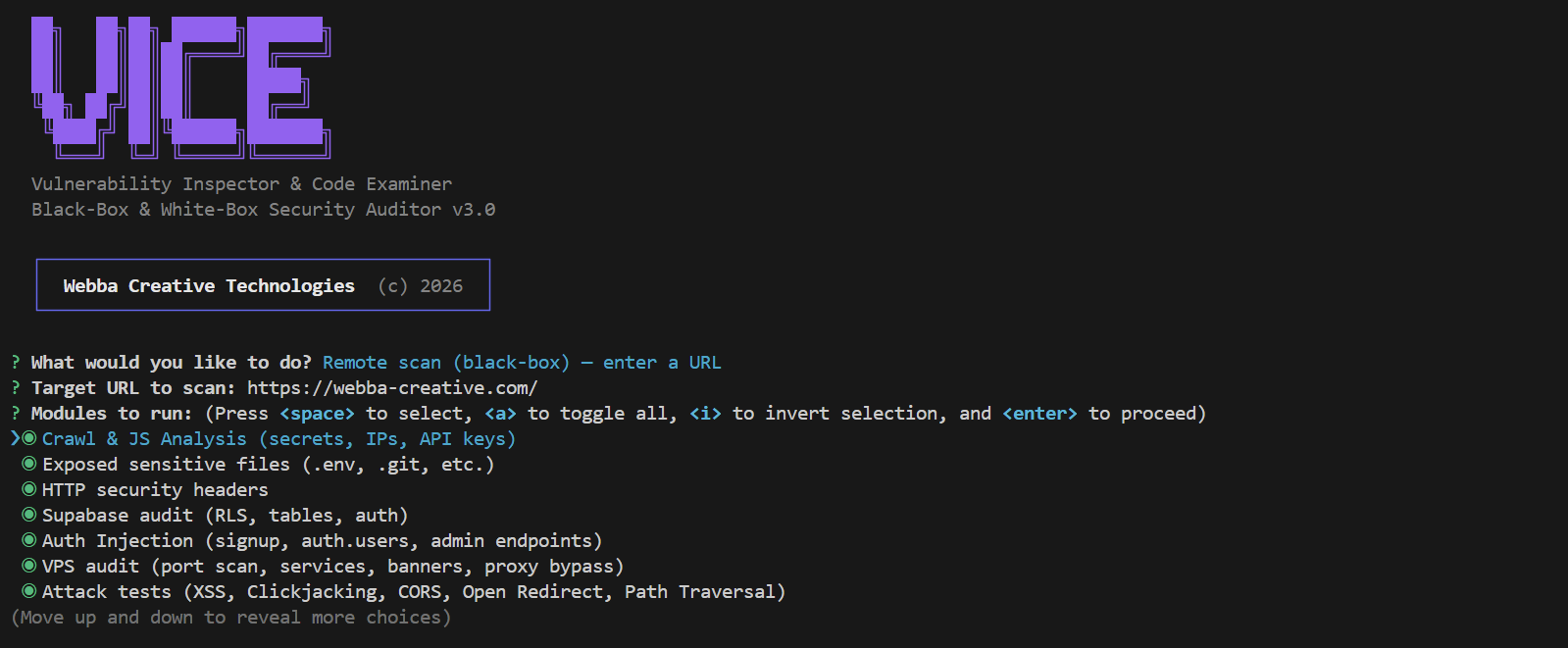
Modules
| Module | What it tests |
|---|---|
| Crawl & JS Analysis | Launches Puppeteer, captures all scripts (including lazy-loaded chunks), extracts DOM, scrolls for lazy loads |
| Secrets Detection | API keys (Supabase, Stripe, AWS, Firebase, GitHub), tokens, hardcoded passwords in client bundles |
| IP Detection | Server IPs exposed in code with network context analysis to filter false positives |
| Exposed Files | .env, .git/config, package.json, .DS_Store, source maps, with SPA catch-all detection |
| HTTP Headers | Missing CSP, HSTS, X-Frame-Options, X-Content-Type-Options, Referrer-Policy, Permissions-Policy |
| Supabase Audit | RLS policies on every table, read/write access with anon key, auth providers, admin endpoints |
| Auth Injection | Public signup behavior, exposed privileged roles and service_role key detection through JWT classification |
| VPS Port Scan | Common service ports qualified by protocol banner, access-control response and reverse DNS |
| Attack Tests | Bounded read-only checks for reflected input, clickjacking, CORS, redirects, traversal signatures, TLS, cookies, CSP and HTTP methods |
| Login Audit | Form methods, CSRF controls, observable rate limiting, enumeration signals and confirmed timing behavior without submitting state-changing forms |
| Stack Detection | 40+ technologies fingerprinted across frameworks, servers, BaaS, analytics, build tools, UI libraries |
| Subdomain Scan | DNS enumeration of 80+ common subdomains, HTTP/HTTPS check, dangerous subdomain detection |
| DNS & Email | SPF, DKIM (12 selectors), DMARC policy analysis, dangling CNAME detection (subdomain takeover) |
| API Endpoints | First-party discovery, public-data classification, schema analysis, rate limiting, CORS and mutation-surface reporting without invoking writes |
| Storage Buckets | Supabase Storage bucket discovery, bounded public listing and S3/GCS URL detection without uploads |
| WebSocket | Bounded handshake and message classification for Realtime and Socket.IO, with credentials and message bodies removed from reports |
| WordPress | Version, user-enumeration and cron exposure signals qualified by recognizable WordPress responses |
AI and RAG security scan
The ai-rag module audits AI application endpoints for access control, abuse
protections, prompt injection, data exposure, RAG isolation and tool security.
It runs only when an AI/RAG configuration is provided.
Authentication values are loaded from environment variables. Literal secrets in the configuration file are rejected.
export VICE_AI_USER_A_TOKEN="token for test user A"
export VICE_AI_USER_B_TOKEN="token for test user B"
vice scan https://app.example.com --ai-rag-config vice.ai-rag.json
{
"endpoint": "https://app.example.com/api/chat",
"adapter": "generic-json",
"expectedAccess": "authenticated",
"suites": ["api", "llm", "rag", "tools"],
"messageField": "message",
"responseField": "answer",
"conversationRequestField": "conversationId",
"conversationResponseField": "conversationId",
"authProfiles": {
"a": { "type": "bearer", "secretEnv": "VICE_AI_USER_A_TOKEN" },
"b": { "type": "bearer", "secretEnv": "VICE_AI_USER_B_TOKEN" }
}
}The endpoint must share the scanned origin. Optional fixtures enable deeper RAG and tool checks. Reports omit credentials and captured response content.
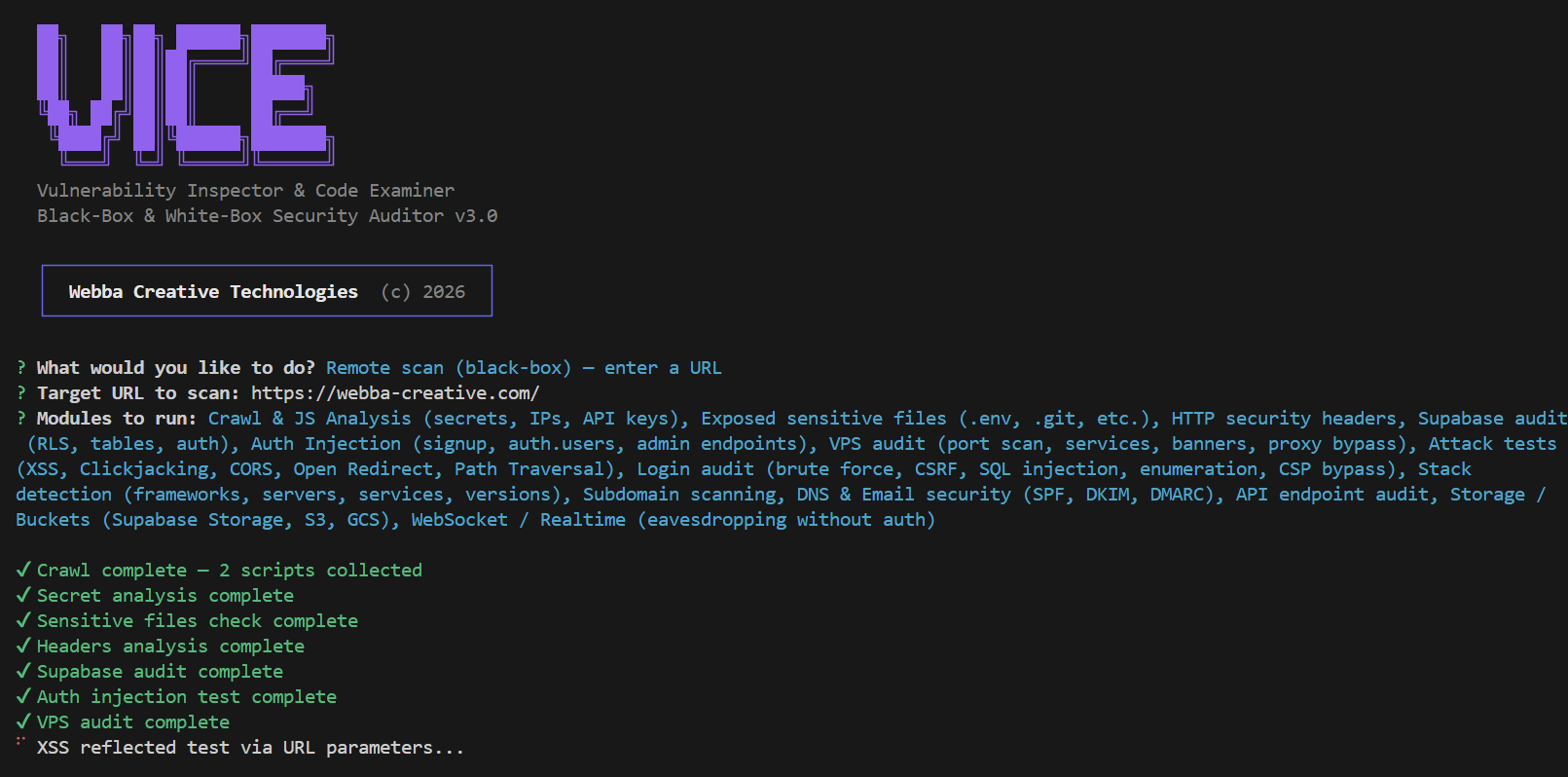
Here's what it looks like running:
Local audit (white-box)
Point VICE at your project directory. It reads your source code and gives you concrete fixes.
vice audit .
vice audit /path/to/project
Modules
| Module | What it checks |
|---|---|
| Code Secrets | Hardcoded API keys and tokens in source files, with line numbers and fix suggestions |
| Environment Files | .env in .gitignore, real secrets in .env.example, sensitive config files exposed |
| Dependencies | npm audit for CVEs, outdated packages with known vulnerabilities |
| Supabase RLS | Supabase migrations analyzed for missing ENABLE ROW LEVEL SECURITY, unsafe policies, grants and SECURITY DEFINER functions |
| Auth & Middleware | Explicitly unsafe credentialed CORS, session cookies, JWT options and hardcoded passwords |
| Code Vulnerabilities | SQL injection (template literals in queries), XSS (v-html, dangerouslySetInnerHTML, innerHTML), eval(), command injection, open redirects, weak crypto, ReDoS |
| Headers Config | CSP and HSTS hardening in server and deployment configurations that manage response headers |
| Git History | Credential patterns in recent commits, with values redacted from findings and reports |
| Container & IaC | Docker socket access, privileged containers, host namespaces, exposed database ports and explicit root users |
| CI/CD Security | Mutable third-party actions, dangerous workflow permissions and confirmed untrusted input execution |
Scoring
Every scan produces a security score from 0 to 100, graded A through F.
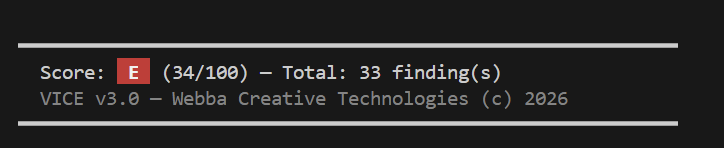
Each finding has a severity level that impacts the score:
| Severity | Score impact | Meaning |
|---|---|---|
| Critical | -15 | Exploitable vulnerability, immediate action required |
| High | -8 | Serious risk, fix soon |
| Medium | -3 | Moderate risk, fix when possible |
| Low | -1 | Minor risk |
| Info | 0 | Informational, no action needed |
The score helps you prioritize and track improvements over time. Use --ci --min-score 70 to enforce a minimum score in your deployment pipeline.
HTML report
Every scan can be exported as a clean HTML report for sharing with your team.
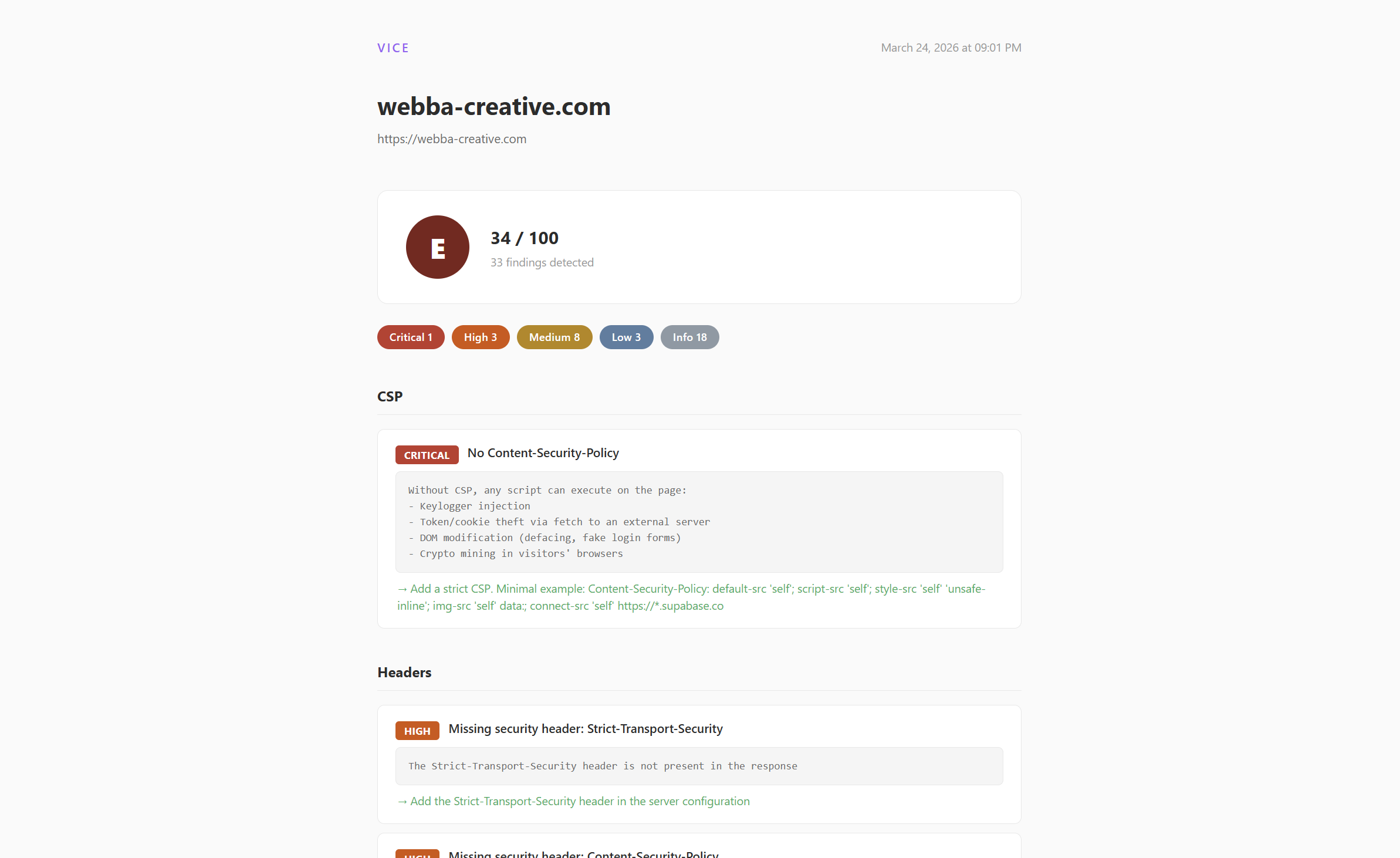
Reports are saved in the scans/ directory. You can also export older scans to HTML from the history menu.
Configuration
CLI options
vice scan                          # Interactive remote scan
vice scan <url> --modules headers,tls
vice scan <url> --ai-rag-config vice.ai-rag.json
vice audit .                       # Audit current directory
vice audit /path/to/project        # Audit specific project
vice audit . --ci                  # CI mode, exit 1 if score < 70
vice audit . --ci --min-score 80   # Custom threshold
vice history                       # Browse saved reports
Config file (optional)
Create vice.config.js in your project root:
export default {
  url: 'https://your-site.com',
  ignore: ['Supabase Anon Key', 'Firebase API Key'],
  ci: {
    minScore: 70,
    failOnCritical: true,
  },
  supabaseMigrations: './supabase/migrations',
}
.viceignore (optional)
Create a .viceignore file in your project root to exclude files or directories from the local audit. Works like .gitignore:
# Ignore translation files
**/i18n/**
**/locales/**

# Ignore a specific file
src/config/ui-labels.ts

# Ignore by pattern
*.locale.*
Excluded files are skipped by all local audit modules (secrets, auth, code vulnerabilities, etc.).
For developers
Project structure
vice/
├── bin/
│   └── vice.js                  # CLI entry point
├── src/
│   ├── core/
│   │   ├── findings.js          # Shared findings store
│   │   ├── score.js             # A-F score calculator
│   │   └── reporter/
│   │       ├── console.js       # Terminal output
│   │       ├── json.js          # JSON export
│   │       └── html.js          # HTML report
│   ├── local/                   # White-box modules
│   │   ├── index.js             # Module orchestrator
│   │   ├── secrets.js           # Source code secrets
│   │   ├── env.js               # .env audit
│   │   ├── dependencies.js      # npm audit
│   │   ├── supabase-rls.js      # RLS in migrations
│   │   ├── auth.js              # Auth & middleware
│   │   ├── code-vulnerabilities.js  # SQLi, XSS, eval
│   │   └── headers-config.js    # CSP/HSTS config
│   └── utils/
│       ├── fetch.js             # HTTP with timeout
│       └── patterns.js          # Shared regex patterns
├── scan.js                      # Remote scan engine (16 modules)
├── test/                        # Engine and CLI regression suite
├── scans/                       # Saved reports
└── package.json
Adding a local audit module
- Create
src/local/your-module.js:
import { addFinding } from '../core/findings.js';

export async function auditYourModule(projectPath, spinner) {
  spinner.text = 'Running your check...';

  // Your logic here

  addFinding(
    'HIGH',              // CRITICAL, HIGH, MEDIUM, LOW, INFO
    'Module Name',       // Shown as section header in report
    'Short title',       // One-line summary
    'Detailed info',     // File paths, values, context
    'How to fix this'    // Concrete fix with code examples
  );
}- Register it in
src/local/index.js:
import { auditYourModule } from './your-module.js';

// Add to LOCAL_MODULES array:
{ name: 'Your module description', value: 'yourmod', fn: auditYourModule },
Adding a remote scan module
Add your module function in scan.js, register it in runScan, then expose it in the module selection menu.
Contributing
See CONTRIBUTING.md for guidelines. In short: fork, branch, PR. Keep false positives low, always provide concrete fix recommendations.
Changelog
v3.4.1
Analytics detection now requires a recognized provider script. Generic words, documentation and unused strings no longer identify Google Analytics, Segment or Crisp. Google Tag Manager is reported separately from Google Analytics. Evidence identifies the source file and position, with a short source hash; URL credentials, query parameters and fragments are omitted. A declared script is distinguished from an observed response, and neither proves tracking activity. Self-hosted or server-side analytics without a recognized public loader may not be identified.
Reports and badges consistently flag critical findings and incomplete coverage. The numeric scoring model and existing scan profiles are unchanged. Explicit DNS check outcomes provide evidence for later SPF and DMARC comparisons.
Puppeteer is updated to 25.10.0, removing the vulnerable archive extraction chain. Node.js 22.12 or later is now required. Local audits can run without installing the optional browser dependency.
The GitHub Action uses locked dependencies and a supported Node runtime, avoids shell interpolation of user inputs and applies the shared score presentation.
v3.4.0
VICE 3.4.0 adds a specialized AI and RAG security module for application APIs, with bounded checks for access control, abuse protections, prompt injection, retrieval isolation, data exposure and connected tools. It supports generic JSON, OpenAI-compatible JSON and SSE responses, along with environment-backed authentication profiles and redacted evidence.
The AI/RAG module is available from the interactive scanner and through a dedicated configuration file for automated runs. Crawl and browser failures now produce incomplete coverage diagnostics instead of critical findings, preventing temporary connectivity errors from affecting the security score. Credential detection also filters provider-formatted placeholders, environment identifiers, documentation keys, repeated filler values and example database URLs across client bundles, source maps and local audits.
This release also applies stricter evidence and applicability rules across the scanner. Missing controls are reported only when the related feature and enforcement layer can be established. SPA fallback pages, temporary DNS failures, generic migrations, ordinary public storage, unconfirmed services and informational technology disclosures no longer affect the security score.
v3.3.0
- Strict URL, DNS, redirect, browser and raw-socket scope enforcement
- Per-scan isolation, cancellation, request budgets and bounded concurrency
- Evidence-based API, GraphQL, WebSocket, TLS, Supabase and service classification
- Stable rule IDs, fingerprints, confidence, coverage and versioned scoring
- Secret redaction across findings, JSON, SARIF and escaped HTML reports
- Non-destructive remote probes and reduced false positives
- 244 engine, reporter and CLI regression tests
v3.0
- Two modes: remote scan (black-box) and local audit (white-box)
- 15 remote modules, 7 local modules
- Legal disclaimer on first launch
- HTML report with clean design
- Scan history with JSON/HTML export
- CI mode with exit codes
- Score system A-F
- npm package (
vice-security)
v2.0
- Puppeteer headless browser for crawling
- Stack detection and fingerprinting
- Subdomain scanning, DNS/email security
- Storage bucket audit, WebSocket testing
- Score system and HTML reports
v1.0
- Initial release
- URL-based scanning with fetch
- Secrets, headers, Supabase RLS, VPS port scan
- SQL injection testing on login forms
License
MIT. See LICENSE.
Built by Webba Creative Technologies.
This tool is intended for authorized security testing only. You are solely responsible for how you use it. See the legal disclaimer shown on first launch.